
7 MCP Servers for Marketing Work (What Each One Costs)
The lists of the best MCP servers for marketing will tell you what each one does. Almost none of them tell you what it costs you after you connect it.
All seven below are connected in my own setup. This post is about the real bill and the real setup time: the publishing server whose free trial starts charging you the moment you generate the key you came for, and the video server that bills a 10-credit floor on every project an agent submits, however short the source video.
One thing to settle first, because it decides which post you want. This list is the marketing stack: publishing, video, scraping, analytics, the tools a marketer wires into Claude to do the job. If you came specifically for rank tracking, keyword data, and SERP analysis, that is a different set and I ranked it separately in the best SEO MCP servers.
What These Lists Never Tell You
MCP stands for Model Context Protocol. It is the open standard that lets an AI assistant reach outside its own chat window and touch real tools, real data, and real accounts. If that idea is new to you, I wrote a plain-English breakdown of Claude Skills versus agents versus MCP that untangles which piece does what.
There is no shortage of MCP server lists. The general ones are built for engineers and point you at GitHub, Postgres, and Sentry. Those are great servers for writing software and do very little for a marketing week.
The marketing-specific lists are more useful, though several are published by vendors who rank their own server first. Worth checking who wrote the list before you trust the order.
What they rarely cover is what happens after you connect. Two things decide whether a server is worth your afternoon, and both only show up once you have used it.
The first is setup friction. A remote server usually means pasting a URL, though several still want OAuth or an API key. A local one needs a terminal and a runtime on your own machine. Those are very different afternoons.
The second is what the server actually costs, which is rarely the number on the pricing page. One tool here bills you the instant you generate an API key, and another wants a $50 deposit before it returns a single result. Two of the free ones sit in front of metered usage that a looping agent can burn through while you make coffee.
The 7 Best MCP Servers for Marketing Work
All seven of these are connected in my setup right now, ordered by how often I reach for them rather than by any general measure of quality. Where a tool has a real drawback, it is in the card.
| Server | Best for | Setup | What it costs |
|---|---|---|---|
| Blotato | Publishing to 9 social platforms from an agent | Remote URL | $29/mo subscription |
| Opus Clip | Turning long video into clips from an agent | Remote URL with OAuth | Pro $29/mo, and the MCP connector is Pro or Business only |
| DataForSEO | Keyword volume and live SERP data | Terminal | Pay per call, $50 deposit to start |
| Apify | Scraping competitors, SERPs, and Google Maps | Remote URL with OAuth | Free tier with $5 usage/mo, then metered |
| Chrome DevTools | Page speed and Core Web Vitals audits | Terminal | Free |
| Playwright | Repetitive browser tasks and form flows | Terminal | Free |
| Google Workspace | Gmail, Sheets, Drive, and Calendar access | Terminal plus OAuth setup | Free |
1. Blotato (Best for publishing to social platforms)
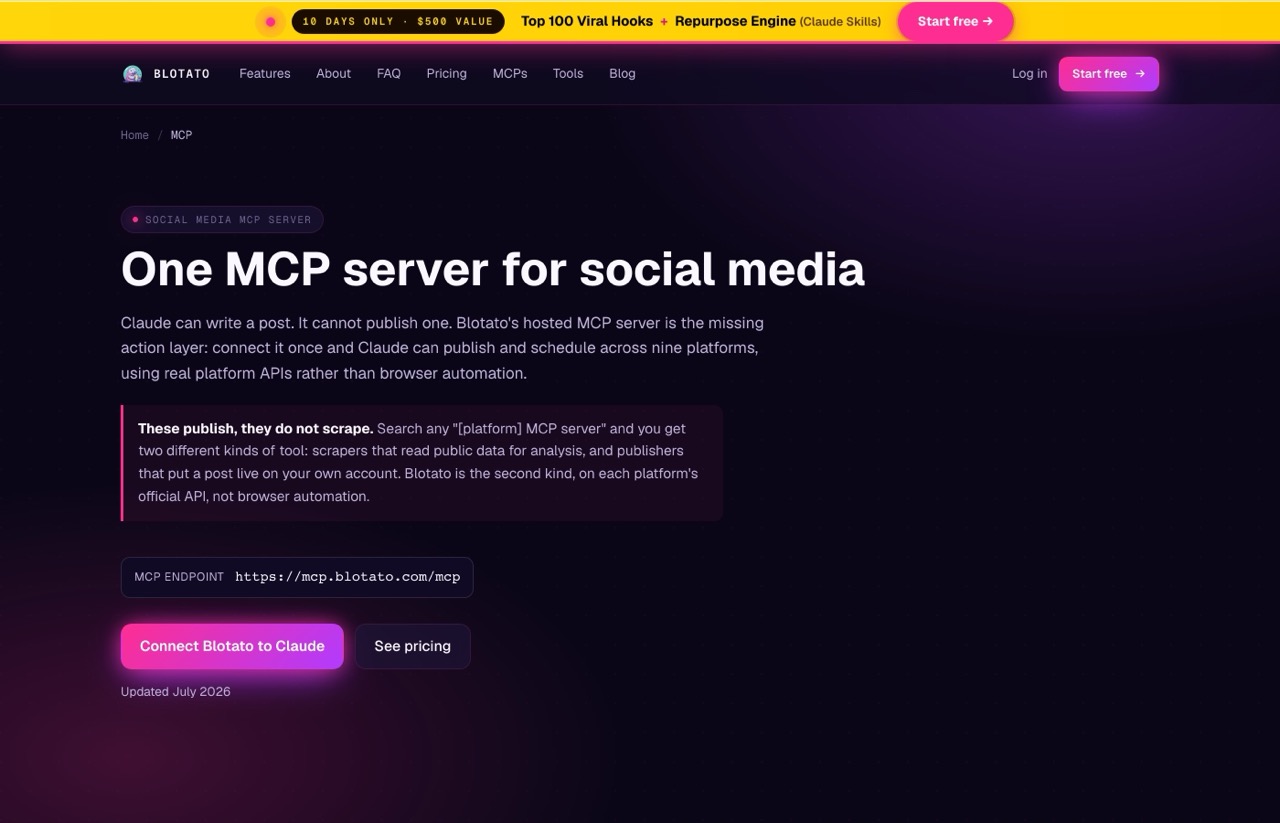
Claude can write you a post. It cannot publish one by itself. Blotato is the layer that closes that gap, and it is the server I use more than any other on this list. I publish to six platforms a week through it without opening a single social app.
I walked through the full build in the video above, from connecting the server to scheduling a week of posts in one pass.
Pros:
- Genuinely paste-a-URL setup, no terminal or Node.js required
- Publishes through official platform APIs rather than browser automation, which is the more durable of the two approaches
- Covers nine platforms behind one connection: X, LinkedIn, Facebook, Instagram, Pinterest, TikTok, Threads, Bluesky, and YouTube
Cons:
- Comments and DMs are limited to Instagram and Facebook, and analytics covers eight of the nine platforms because LinkedIn still returns no metrics
- Closed source, so self-hosting is not an option
Best for: Marketers and creators who want an agent to actually publish, not just draft.
Pricing: Starter $29/mo (20 accounts, 1,250 credits), Creator $97/mo (40 accounts, 5,000 credits), Agency $499/mo (28,000 credits). Annual billing saves roughly 17 percent. Worth knowing before you sign up: the 7-day trial covers everything except the API, so generating the key the MCP server needs ends the trial and starts the paid Starter plan at $29/mo.
Free trial: Yes for the web app, but not for MCP or API access.
Bottom line: If your week is mostly social publishing, this is the one to connect first. Several tools now ship a publishing MCP server, so the choice is no longer about which one an agent can reach. I put the closest open-source option beside it in my Postiz vs Blotato comparison.
2. Opus Clip (Best for clipping long video from an agent)
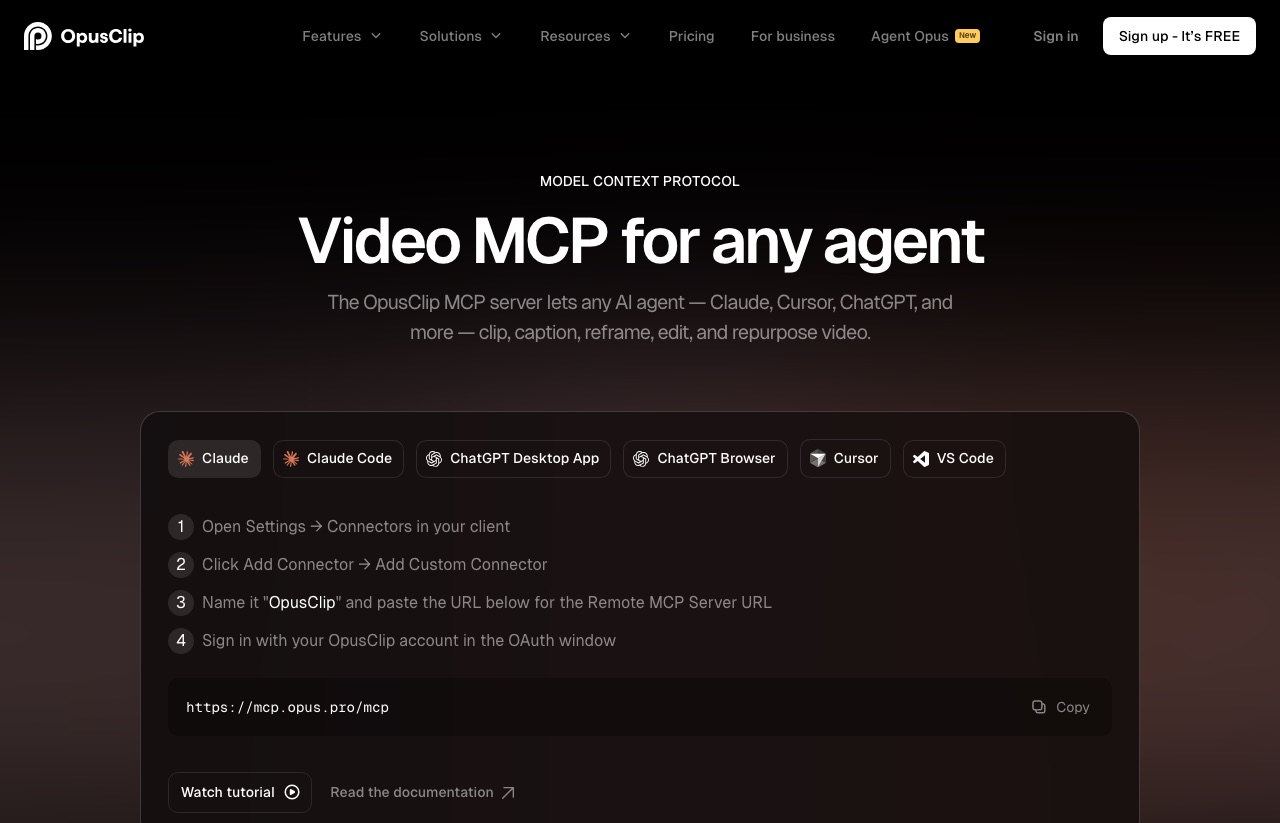
This is the newest server on the list and the one that changed my week most. Opus Clip turns long video into short clips, and its hosted MCP server at https://mcp.opus.pro/mcp lets an agent drive the whole job: submit the video, apply a brand template, edit captions, then hand the finished file to a publishing server.
Video editors are joining in too: Riverside, Descript and DaVinci Resolve 21.1 all ship MCP servers now. I broke down the podcast rough cut I ran through Riverside's MCP, plus where AI editing still breaks.
I had stopped using Opus Clip for about a year before this. The clipping was never the problem. The problem was the review tax, which meant opening the dashboard after every batch and rewriting headlines one at a time. Routing it through an agent is what removed that, because my own caption skill writes the copy before I ever look at a clip.
The setup detail worth having in advance: it authenticates with OAuth, so there is no API key to paste. Any account can connect and browse the tool catalog. Actually calling a tool needs a paid plan, and on the public pricing page the MCP connector is listed on Pro and Business only, with a dash next to it on Free and Starter.
Pros:
- Paste-a-URL setup with OAuth, no config file and no API key
- Twenty-six workflow tools covering the full job, 12 read and 14 write, so an agent can list projects and inspect clips without an approval prompt on every call
- The write tools include posting and scheduling, so a clip can go from raw footage to a scheduled post without a dashboard trip
Cons:
- Every project submitted through the API carries a 10-credit minimum, roughly ten minutes of clip time, whether or not your video is that long. The same job submitted in the web app is not charged that floor
- It overshot my clip count badly. I asked for five clips from a podcast episode and it rendered about 25, and every one of those spent credits
Best for: Anyone sitting on long video who wants clips produced and captioned to their own brand rules rather than the tool's defaults.
Pricing: Free $0 (60 credits/mo, watermarked, clips expire after 3 days), Starter $15/mo (150 credits, monthly only), Pro $29/mo, or $14.50/mo billed annually at $174 for 3,600 credits released up front. Business is custom. The MCP connector sits on Pro and above.
Free trial: Yes, and no credit card is required to start it. The connector itself is not part of the free tier.
Bottom line: Worth connecting if you publish video weekly, and worth knowing the two limits before you point a batch at it. I wrote the full setup and both workflows in my OpusClip MCP tutorial, including the credit bug in detail. If the credit behavior is a dealbreaker, I priced the field in Opus Clip alternatives.
3. DataForSEO (Best for keyword and SERP data)
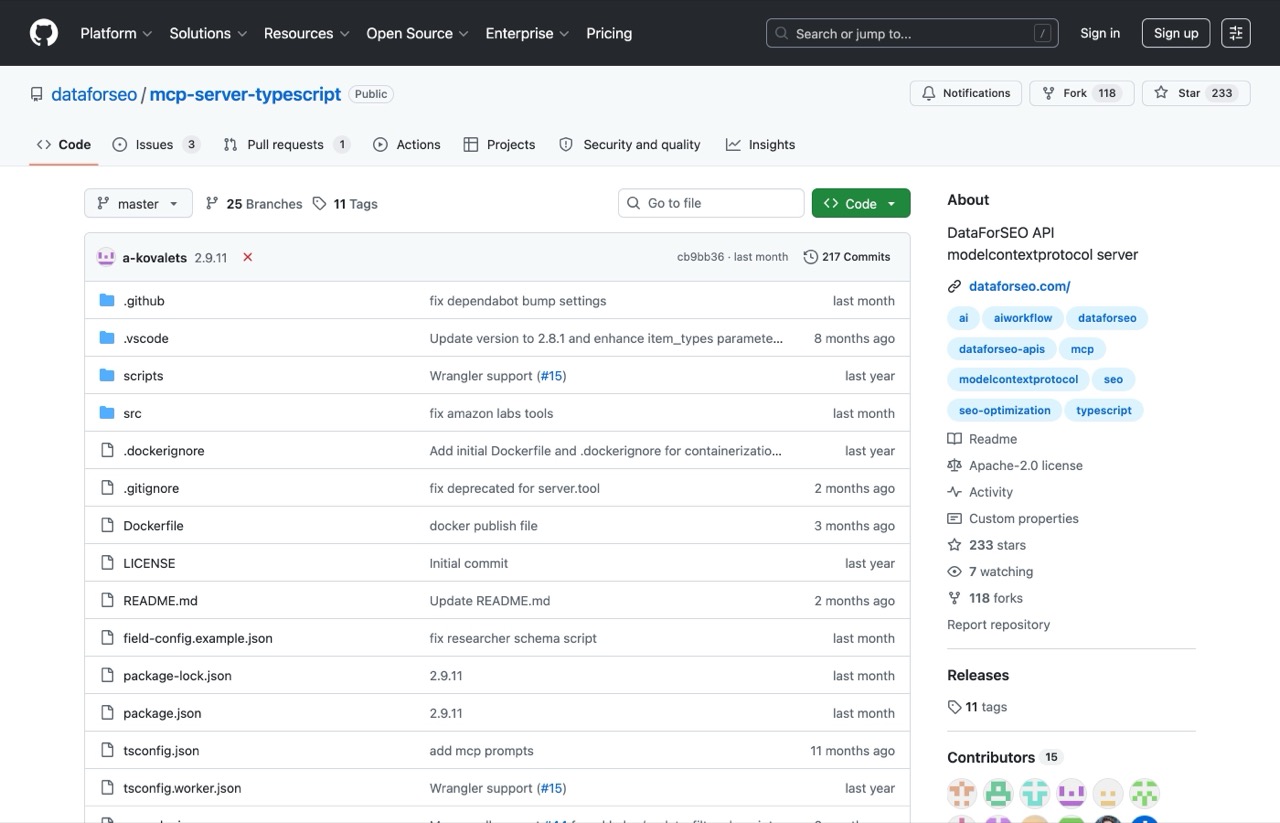
This is the one that replaced a recurring SEO subscription for me. DataForSEO's MCP server gives an agent live search volume, real SERPs, backlink profiles, and competitor rankings. I broke the same workflow down in my post on keyword research in Claude Code.
Ahrefs runs a hosted MCP server as well, so the choice is no longer about which one an agent can reach. I compared them in DataForSEO vs Ahrefs, and worked out what Ahrefs MCP actually costs to run in Ahrefs API pricing.
If you have never connected a server before, that video covers the setup process end to end.
Pros:
- Live SERP pulls, so you are reading what ranks today rather than a cached number from a dashboard
- An AI optimization module that tracks brand mentions inside LLM answers
- Pay only for the calls you make instead of a flat monthly seat
Cons:
- Requires a terminal, Node.js, and API credentials in a config file
- Metered billing, so a looping agent can burn through credit unless you set a daily expense limit
Best for: SEO work where you are comfortable in a terminal and want live data instead of a subscription dashboard.
Worth separating two jobs that sound alike here. Tracking mentions inside LLM answers is a different product from watching the open web those answers draw on, which is what Alertmouse does for a fraction of the price.
Alertmouse added its own MCP connector in October 2026 on every paid plan, so Claude can now read those open-web mentions directly.
Pricing: Pay-as-you-go with a $50 minimum deposit. The server itself is free and open source. Per-call costs vary by endpoint.
Free trial: You can register without paying, but the pricing page states a $50 minimum payment before you are pulling data.
Bottom line: Set a daily expense limit in the dashboard on day one, before you point an agent at it.
4. Apify (Best for scraping competitors and lead lists)
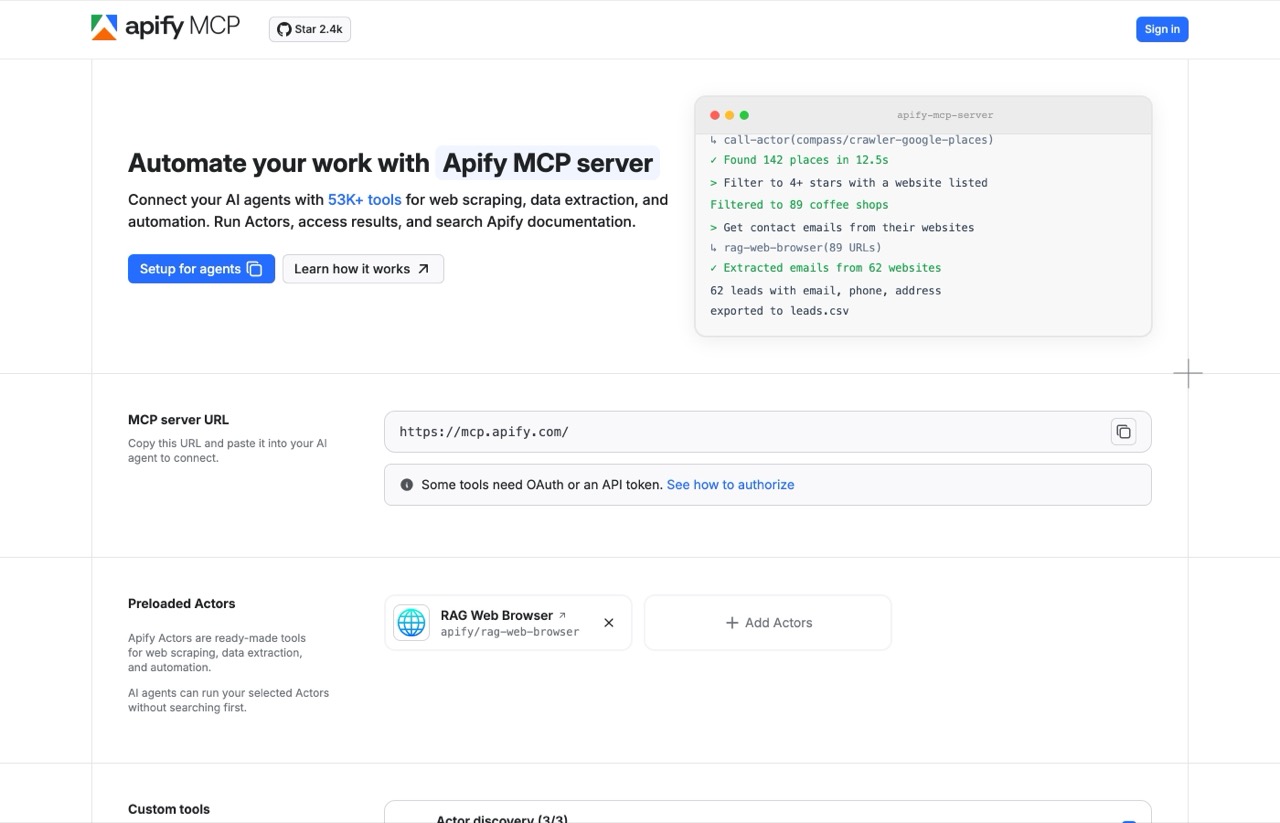
Apify hands your agent thousands of prebuilt scrapers, called Actors. Google Maps listings, competitor sites, social profiles, SERPs. I used it to pull LinkedIn profile data for a client research project, which I broke down in my guide to scraping LinkedIn profiles with Claude Code.
The video shows the scrape running, including the part where you decide what is actually worth pulling.
Pros:
- Remote-hosted with OAuth, so Claude connects without you touching a config file
- A real free tier with $5 of monthly usage, enough to properly evaluate it
- Your agent can search for the right Actor itself rather than you hunting through a catalog
Cons:
- Compute-unit billing is hard to predict, so you cannot easily tell what a scrape costs before running it
- A few third-party Actors still carry their own rental fee on top of compute, though Apify is phasing those out through 2026
Best for: Competitor research and lead sourcing. Check a site's terms before you point a scraper at it.
Pricing: Free tier at $0 with $5 of included usage per month. Starter $19/mo, Scale $199/mo, Business $999/mo, each with that amount to spend on top. Compute units run $0.20 on Free and Starter, $0.16 on Scale, and $0.13 on Business.
Free trial: Yes, and the free tier is actually usable.
Bottom line: The easiest server here to try tonight. The free tier plus OAuth means you can be scraping in about five minutes.
5. Chrome DevTools (Best for page speed audits)
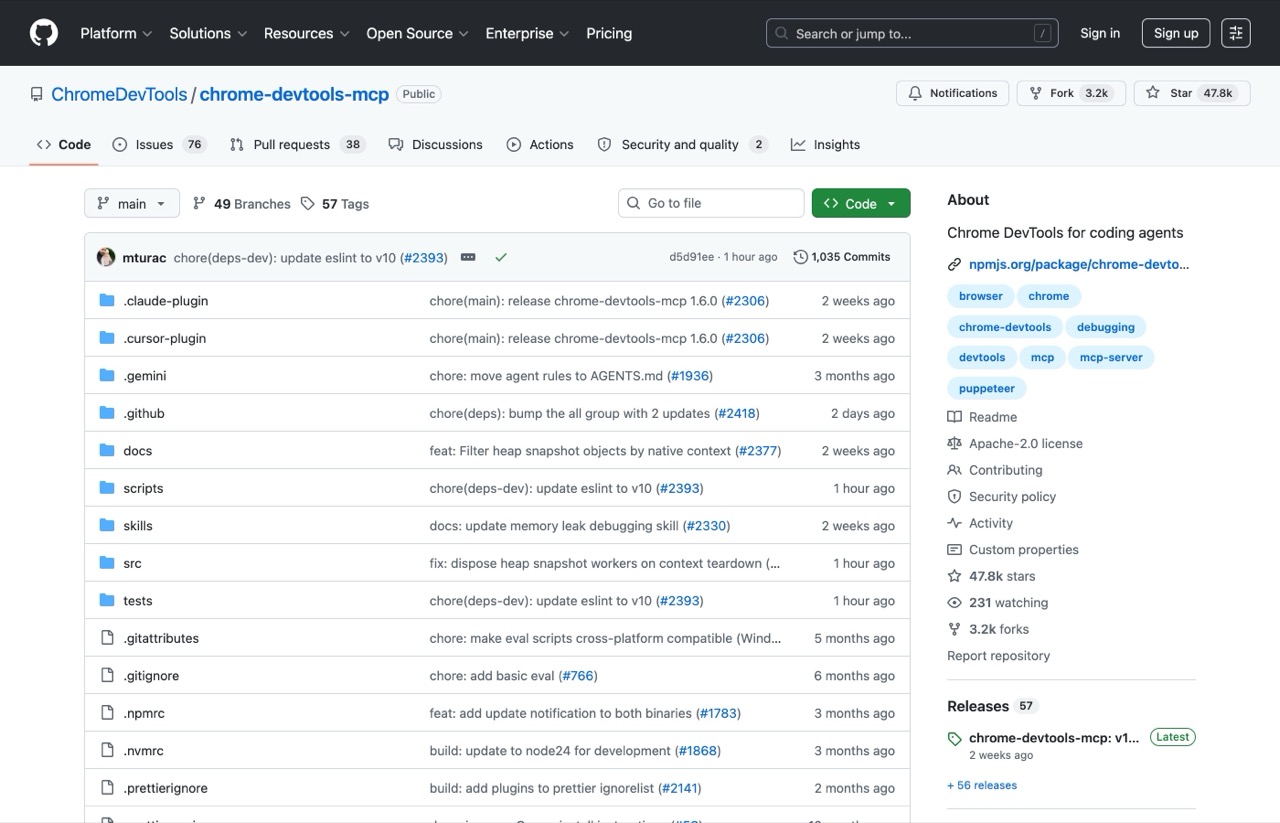
Google maintains this one officially, and at over 50,000 GitHub stars it has the widest adoption of the open-source servers here. It drives a real Chrome browser, so your agent can run a performance trace and point you at the scripts costing you the most load time. Keep the distinction in mind: a local trace is lab data, and Core Web Vitals are ultimately measured from real visitors in the field.
Pros:
- Runs a real performance trace on your own machine, so you see the actual load behavior rather than a score out of 100
- Shows what actually renders on a JavaScript-heavy page, which matters for technical SEO
- Completely free with no paid service behind it
Cons:
- It drives your browser, so a logged-in session is visible to the model
- Usage statistics are collected by default until you pass the opt-out flag
Best for: Technical SEO audits and diagnosing why a landing page feels slow.
Pricing: Free and open source.
Free trial: Not applicable, the whole thing is free.
Bottom line: If you own a site and care about speed, install this one. Add --no-usage-statistics if you would rather not send telemetry to Google.
6. Playwright (Best for repetitive browser tasks)
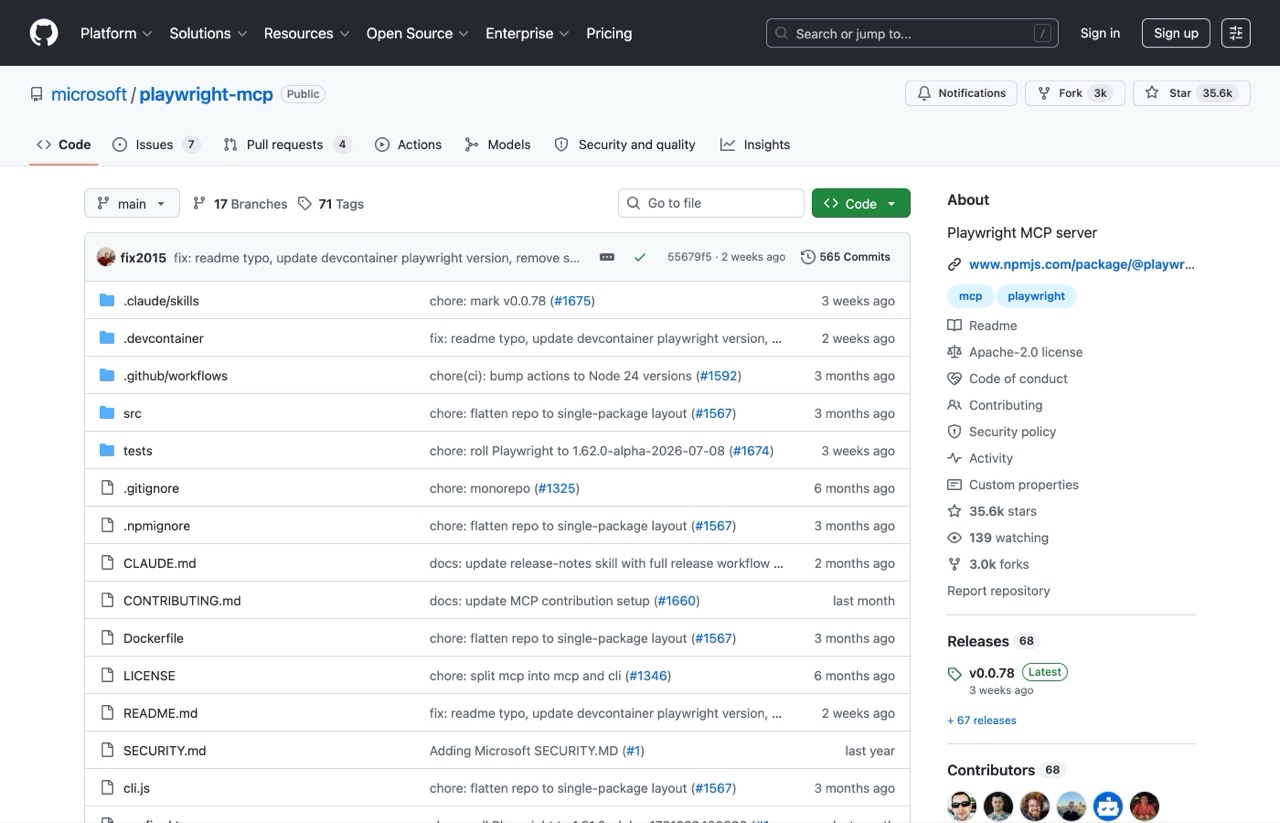
People confuse this with the previous entry constantly. Chrome DevTools diagnoses why a page is broken. Playwright does a job in a browser: fill the form, walk the checkout, capture the screenshots. Microsoft maintains it, and I lean on it for the screenshot work behind most of my roundup posts.
Pros:
- Works from a structured snapshot of the page rather than screenshots, so it behaves predictably instead of guessing from pixels
- Works across Chromium, Firefox, and WebKit rather than Chrome alone
- Reliable for the repetitive click-and-capture work nobody wants to do by hand
Cons:
- That snapshot drops visual context, so it cannot judge whether a page actually looks right
- Microsoft now suggests the Playwright CLI over the MCP server for some agent setups, since the tool schemas eat context
Best for: Screenshot capture, form testing, and any browser task you repeat weekly.
Pricing: Free and open source.
Free trial: Not applicable.
Bottom line: Install it alongside Chrome DevTools rather than instead of it. They solve different problems, though I switch them on for the job rather than leaving both connected.
7. Google Workspace (Best for Gmail, Sheets, and Drive)
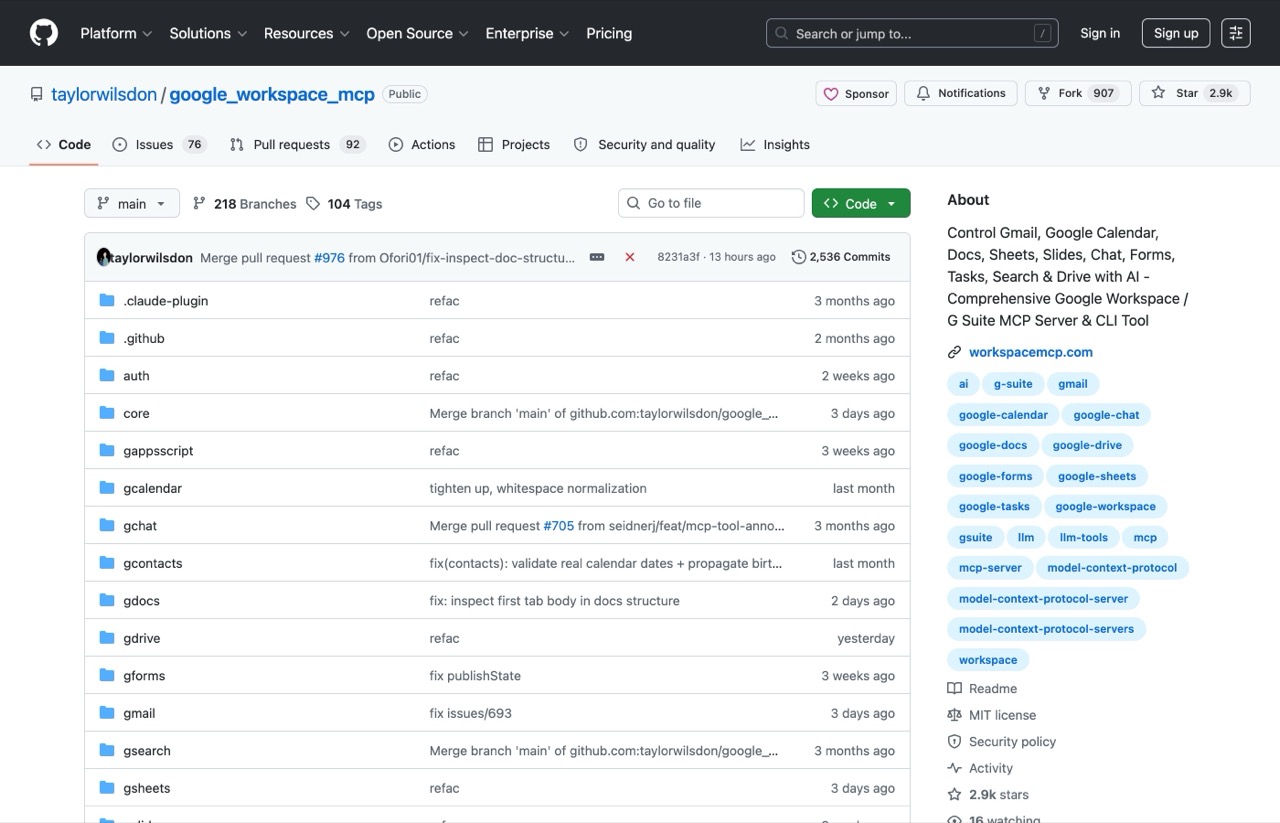
Google does publish official Workspace MCP servers, one per product, covering Gmail, Drive, Docs, Sheets, Slides, Calendar and Chat. The catch is that they sit behind the Workspace Developer Preview Program, and standing them up means a Google Cloud project, the gcloud CLI, and enabling both the product API and a separate MCP service for each one. That is the official route, and it is not a paste-a-URL afternoon.
So the practical choice today is still a community build. Taylor Wilsdon's is the one I settled on: over 3,100 stars, MIT licensed so it is free to use commercially, and still shipping commits this week. It covers twelve services including Gmail, Sheets, Drive, and Calendar.
Pros:
- Free, with no metered service running up a bill behind it
- Reads and writes Sheets directly, which kills a lot of copy-paste reporting work
- Actively maintained, unlike most alternatives you will find in search results
Cons:
- Setup is the hardest here by a wide margin, on either route. You build a Google Cloud project, switch on each service one at a time, then generate your own credentials
- Google Chat needs a Business or Enterprise Workspace account, so a personal Gmail address will not cover everything
Best for: Marketers whose reporting lives in Sheets and who send a lot of email.
Pricing: Free. Normal Google API quotas apply.
Free trial: Not applicable.
Bottom line: It killed the weekly hour I spent pasting numbers into a client reporting sheet, but the setup really does take an afternoon. Because it holds read and write access to your email and files, connect it with a dedicated Google account and grant only the services you need.
What Happens When an MCP Server Hits Its Usage Limit?
This is the part that separates running a server from reading about one.
A metered server does not politely stop when you run out. It returns an error code, and which code it returns decides whether your agent gives up cleanly or spends the next twenty minutes retrying a call that will never succeed.
Opus Clip is the clearest example because it documents the behavior. Your plan credits and your API allowance are two separate ceilings. However many credits the plan gives you, the API itself is capped at 15 hours, or 900 credits, per workspace per calendar month. Worth knowing that the docs describe that cap under tier names, Pro Beta and Max, that do not appear on the public pricing page, so confirm what your own account actually holds rather than matching the label. When you hit that ceiling it returns a 403 rather than a 429, and the docs say the choice is deliberate, so agent frameworks do not treat it as a rate limit and retry in a loop. Access resumes on the first of the following month, UTC, and the web app keeps working the whole time.
A 429 from the same server means something different and recoverable: you have hit the concurrency limit of four simultaneous projects, and it clears as soon as an in-flight job finishes. Backing off and retrying is the correct response to that one, and the wrong response to the other.
Three questions are worth answering before you point an agent at any metered server, and none of them are on a pricing page:
- Where is the spend cap, and is it on? DataForSEO has a daily expense limit in its dashboard and Apify has per-plan usage limits. Both are opt-in. An agent will happily run to the ceiling you never set
- Does the API price differently from the app? This is the one that surprises people, because the pricing page describes the app. Opus Clip's 10-credit project floor exists on the API and not in the web app, so the same work costs different amounts depending on which door it came through
- What does the tool return when it refuses? A 403 and a 429 mean opposite things. One says stop until next month, the other says wait ninety seconds. An agent that treats them the same either quits early or loops
MCP Servers for Marketing FAQs
What are the best MCP servers for marketers?
The best MCP servers for marketing work are Blotato for publishing to social platforms, Opus Clip for turning long video into clips, DataForSEO for keyword and SERP data, Apify for scraping, Chrome DevTools for page speed audits, Playwright for browser automation, and a Google Workspace server for Gmail and Sheets. Blotato, Opus Clip, and Apify are remote servers you connect by pasting a URL; the other four need a terminal. The developer-focused servers that dominate most lists, such as GitHub and Postgres, do very little for a marketing workflow.
Can Claude post to social media through an MCP server?
Yes. Claude cannot publish on its own, but connecting a publishing server gives it that ability. Blotato covers nine platforms through one hosted connection and posts through each platform's official API. Opus Clip can post too, though only to the social accounts you have connected inside Opus Clip, so the two solve different halves of the job. Publishing is the single most useful thing a marketer can add to Claude, and it takes about five minutes to connect.
Do you need to know how to code to use MCP servers?
Not for all of them. Blotato, Opus Clip, and Apify are remote servers, which means you paste a URL into Claude and you are finished. Opus Clip and Apify add an OAuth sign-in on first use, which is a click rather than a config file. DataForSEO, Chrome DevTools, Playwright, and Google Workspace all run locally and need a terminal. The first three want Node.js and a config entry; Google Workspace is heavier, because you build a Google Cloud project and generate your own credentials first. If you have never opened a terminal, start with the remote three.
Which MCP servers charge per use instead of a monthly subscription?
DataForSEO and Apify are the two metered options here. DataForSEO is pure pay-as-you-go with a $50 minimum payment and no monthly seat, so you pay per call and nothing when you are idle. Apify is a hybrid: the plan fee is credit you spend rather than a fee on top, and overage bills per compute unit at $0.20 on Free and Starter, $0.16 on Scale, and $0.13 on Business. Blotato and Opus Clip are flat subscriptions. Chrome DevTools, Playwright, and the Google Workspace servers are free, though the Google APIs behind the last one carry their own quotas.
What is the best MCP server for SEO work?
DataForSEO, for live SERP data, search volume, backlinks, and competitor rankings, with Chrome DevTools alongside it for the technical side. That pairing replaced a recurring SEO subscription for me. Ahrefs also runs a hosted MCP server now, so the choice is no longer about which one an agent can reach. I ranked the search-specific servers separately in the best SEO MCP servers.
How to Choose an MCP Server
These are the questions I ask before adding anything to my own setup. They work regardless of which servers you are weighing.
- Remote or local? Remote means pasting a URL. Local means a terminal and Node.js. Be honest about which one you will actually finish.
- What does the underlying service cost? A free open-source server sitting in front of a metered API is not a free tool.
- Can it write, or only read? Reading data is useful. Taking an action is what changes your week.
- Is it maintained? Check the last commit date. Abandoned servers rank well in search long after they stop working.
- Does it replace something you pay for? That is where the real return sits, not in adding another subscription.
Every server here is connected in my own setup, and I checked pricing live on each tool's own page the day I updated this. The limits in the section above, the error codes, the caps and the credit floors, come from each vendor's published documentation rather than from me deliberately hitting every ceiling. Licence terms and telemetry defaults come from each project's documentation too. Any number I could not verify is not in the post.
Which MCP Server Should You Install First?
Pick by the job you are trying to finish this week.
- You want your agent to publish: Blotato
- You are sitting on long video: Opus Clip, on Pro or above
- You do SEO: DataForSEO, then Chrome DevTools for the technical side
- You need data off other people's sites: Apify
- You live in Sheets and Gmail: Google Workspace, once you have a free afternoon
- You want a free win today: Chrome DevTools or Playwright
If you are setting up your first one, my walkthrough on how to set up MCPs in Claude Code covers the connection process step by step. Start with one. Connecting all seven at once eats into your context window, one of the Claude Code usage tips that saves the most tokens, so most weeks I keep only the two or three I am actually using switched on.
MCP Servers I Have Not Tested
This list covers marketing work broadly. If your job is specifically organic search, I ranked the servers built for SEO data separately, including the two I open every morning.
A few marketing-adjacent servers come up often enough that leaving them unmentioned would be strange. I have not run these, so they are not ranked above. Recommending software I have not used is the fastest way to make a list like this worthless.
- Notion MCP for content calendars and team wikis
- Figma MCP for pulling design specs into an agent
- Slack MCP for reading and posting in team channels
- HubSpot MCP for CRM records and contact data
If you run one of these in a marketing workflow, tell me what it replaced. That is usually the detail that tells me whether something is worth a real test.
Several of the publishing tools in this space now ship MCP servers, which makes choosing between them harder rather than easier. I compared them in this roundup of social media APIs for AI agents.
Ryan's Final Thoughts
These seven cover the work I repeat every week: publishing, keyword research, scraping, and page audits. If you buy media or live in a CRM all day, your list looks different, and you should build it the way I built this one, by connecting things and watching what they cost. Start with one, get it working, then add the second.
The list changes as tools ship and break. Opus Clip earned its slot on this update because an agent can now drive it end to end, and it displaced the open-source publishing server I had been running, which was doing a job Blotato already did in my week. If you want the case for hosting your own posting stack instead, that argument still stands and I made it in my Postiz vs Blotato comparison.
Disclosure: some links in this post are affiliate links, specifically Blotato and Opus Clip. If you subscribe through them I may earn a commission at no extra cost to you. Blotato is also a client of mine, and I pay for Opus Clip myself. The other five servers here are free or metered and I have no commercial relationship with any of them. I only recommend tools I actually use. Full disclosure.