
Blotato Review: My Favorite AI Tool for Social Media (2026)
Blotato is a $29/month AI social media tool that turns one piece of content into platform-ready posts for 9 networks, and publishes them through a web app, an API, or an MCP server your AI agent can call directly. This Blotato review covers what it does well, the two places competitors genuinely beat it, and who should skip it.
I have been using Blotato since early 2025, and I run it both ways: inside the web app for one-off posts, and through the API for the automations that publish most of my content. This review reflects both.
What Makes Blotato Different from Every Other AI Content Tool
My inbox gets flooded with AI tool pitches every single day. I turn down almost all of them because most are white-labeled ChatGPT wrappers with a fresh coat of paint. Blotato earned a spot on my channel because the product genuinely delivers.
Start a 7-day free trial of Blotato
One thing to know before you sign up: the 7-day free trial covers everything except the API. Generating an API key ends the trial immediately and starts your paid subscription. If you came here for the API or the MCP server, plan on paying for the first month rather than trialing it.
Blotato repositioned in 2026, and it matters for whether this tool is for you. The headline now reads "social media automation for AI agents," and the pitch is that your agent writes the content while Blotato handles publishing. It works with Claude Code, Claude Cowork, ChatGPT, Cursor and Codex, plus n8n and Make.
The web app is still there and still good. But the product is now built API-first, and the MCP server is the part people are actually excited about. I put it up against nine competing social media APIs at two different volumes.
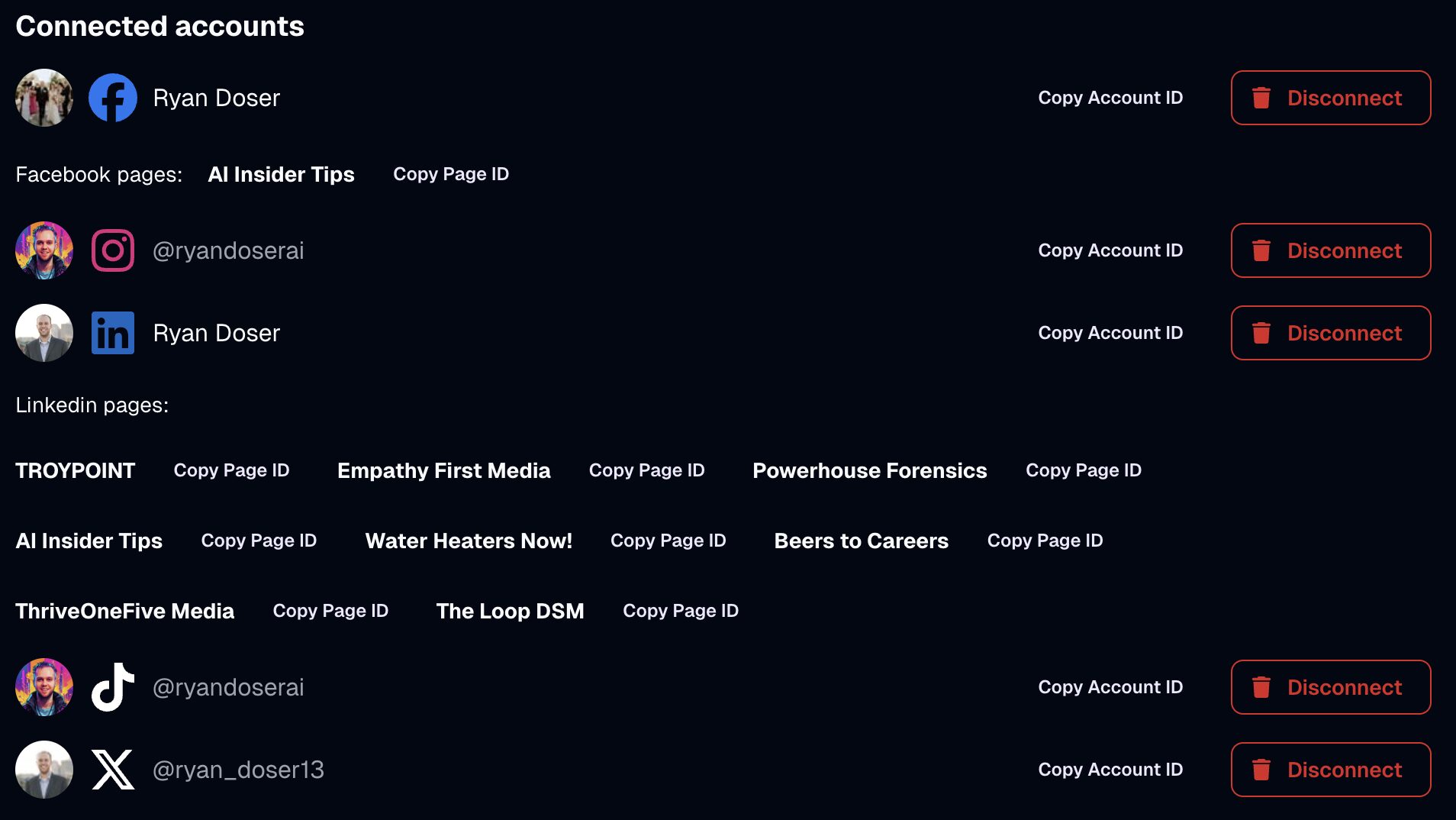
At its core, Blotato replaces your AI writer, your social scheduler, and your repurposing tool with one system. Feed it a YouTube video, blog post, PDF, or audio file. It spits out ready-to-publish posts tailored to each platform across all 9 it supports: Instagram, TikTok, LinkedIn, Facebook, X, Threads, Bluesky, Pinterest, and YouTube.
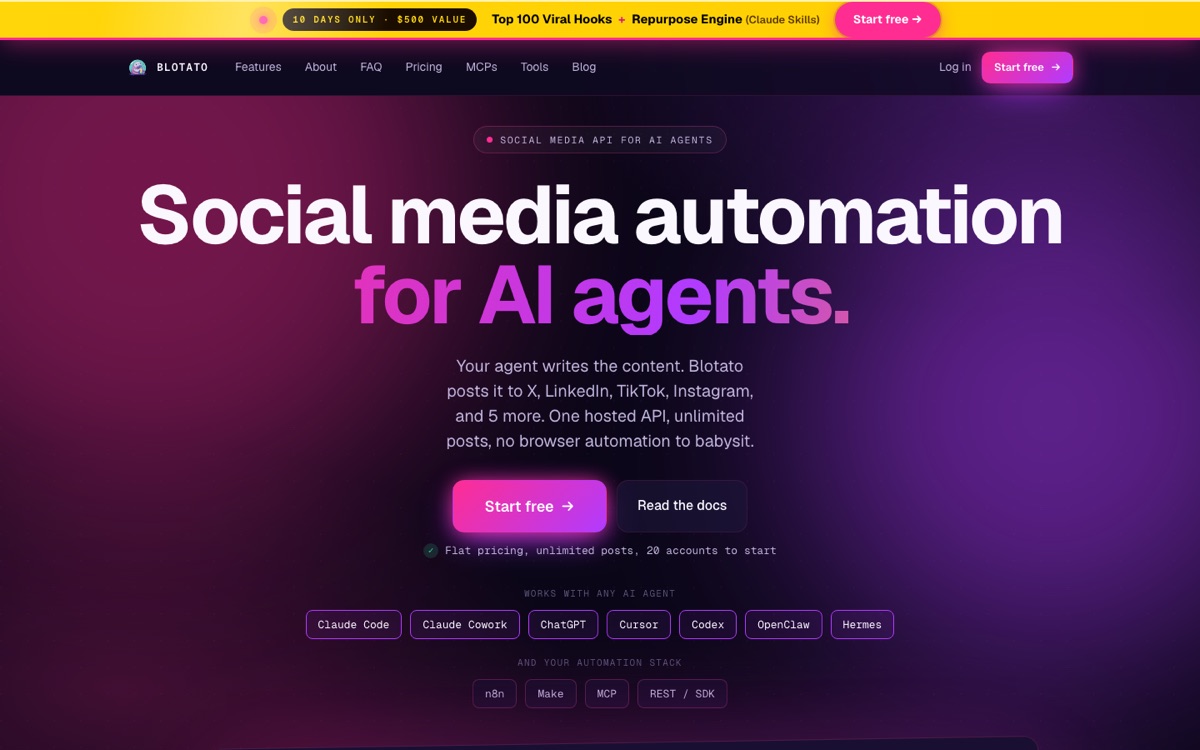
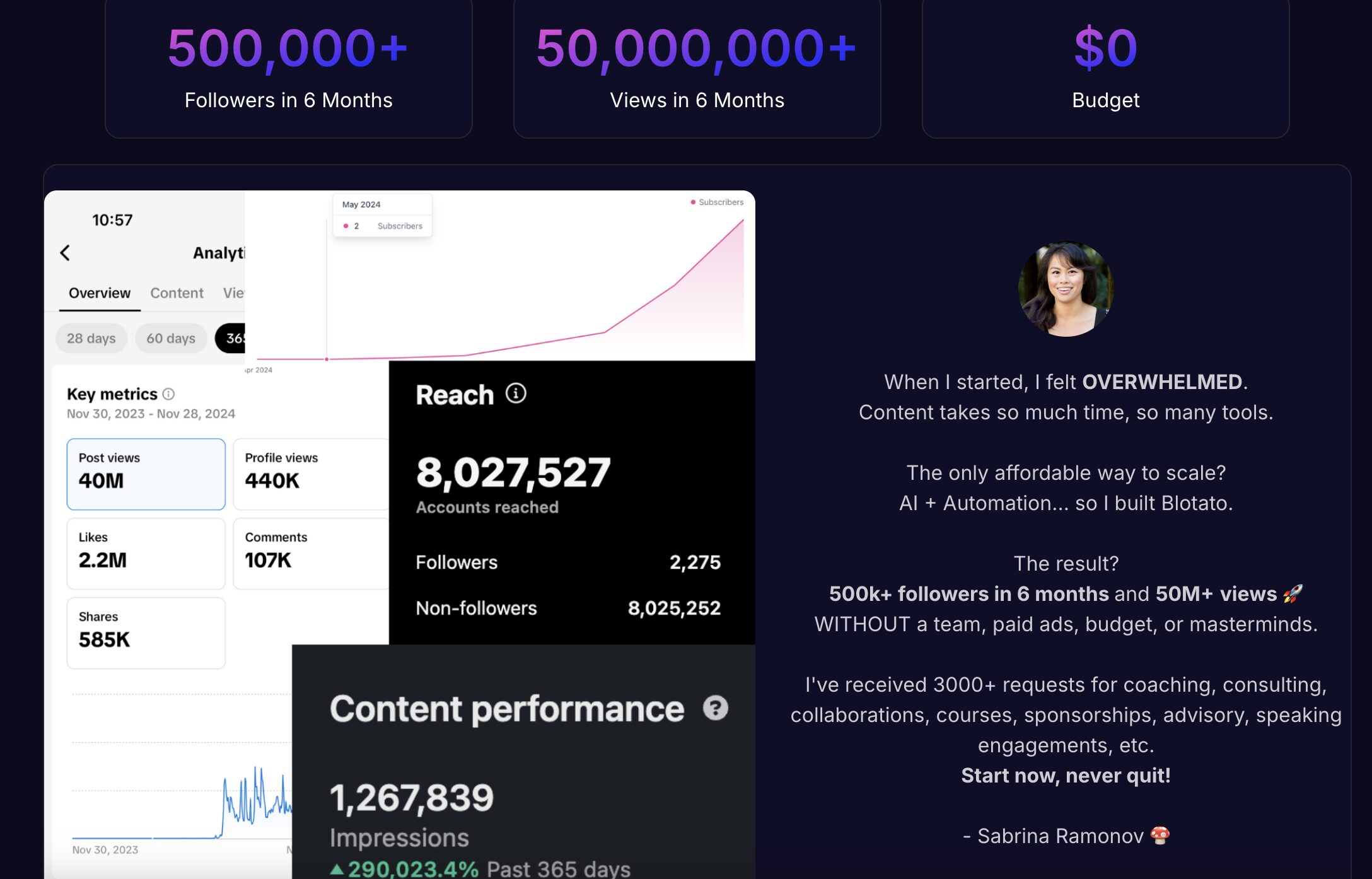
The founder matters here. Sabrina Ramonov built her audience teaching AI automation, and her tutorials are genuinely technical rather than surface-level hype. When someone who actually publishes at volume builds a publishing tool, I pay attention, because the design decisions tend to reflect real use rather than a feature checklist.
What Other Blotato Users Actually Say
My opinion is one data point, and I have an affiliate relationship, so weigh it accordingly. Here is what the independent review sites show.
On Trustpilot Blotato holds 4.8 out of 5 across 387 reviews. On SourceForge it sits at 4.7 out of 5 from 73 reviews. Those are unusually strong numbers for a bootstrapped tool in a crowded category, and the volume is high enough that it is not a handful of friends leaving five stars.
The praise clusters where you would expect: setup is fast, cross-posting works, and support is responsive. The criticism clusters where I landed too. Reviewers mention the UI needing polish, occasional sync issues with deleted posts, and needing to watch credit consumption so it does not surprise you. When independent reviewers and I independently flag the same two weaknesses, that is probably the real shape of the product.
How Blotato's Pricing Stacks Up Against Competitors
I ran the numbers against three popular alternatives, and the gap surprised me. I put it head to head with seven others in my roundup of social media automation tools. Most social media tools charge a premium once you start connecting more than a handful of accounts. Blotato takes a different approach with flat, month-to-month billing and no annual lock-in tricks.

On the $29/month Starter tier you get unlimited text-based AI writing, connections for up to 20 social accounts, 1,250 AI credits for images and video, and full API access. That last item is the one that matters most. Plenty of tools at this price will schedule posts for you. Very few hand you a production API on the entry plan.
The Creator tier bumps to $97/month with 40 social accounts and 5,000 AI credits. Agencies can go to $499/month for 28,000 credits plus dedicated video processing and a dedicated support channel.
To put that in context: Buffer bills per channel, starting at $6 per channel per month on Essentials with a lower rate on channels past the tenth, so 20 accounts lands at exactly $100 a month. Sprout Social starts at $199 per seat per month on annual billing and caps that tier at five profiles. Blotato is cheaper than both at 20 accounts, and it bundles in AI writing that neither one offers.
Blotato AI Features That Actually Matter
You can tell a tool was built by a practitioner when the features solve real problems instead of chasing feature-list vanity. Here is what stood out during my testing.
Content Repurposing Across Platforms
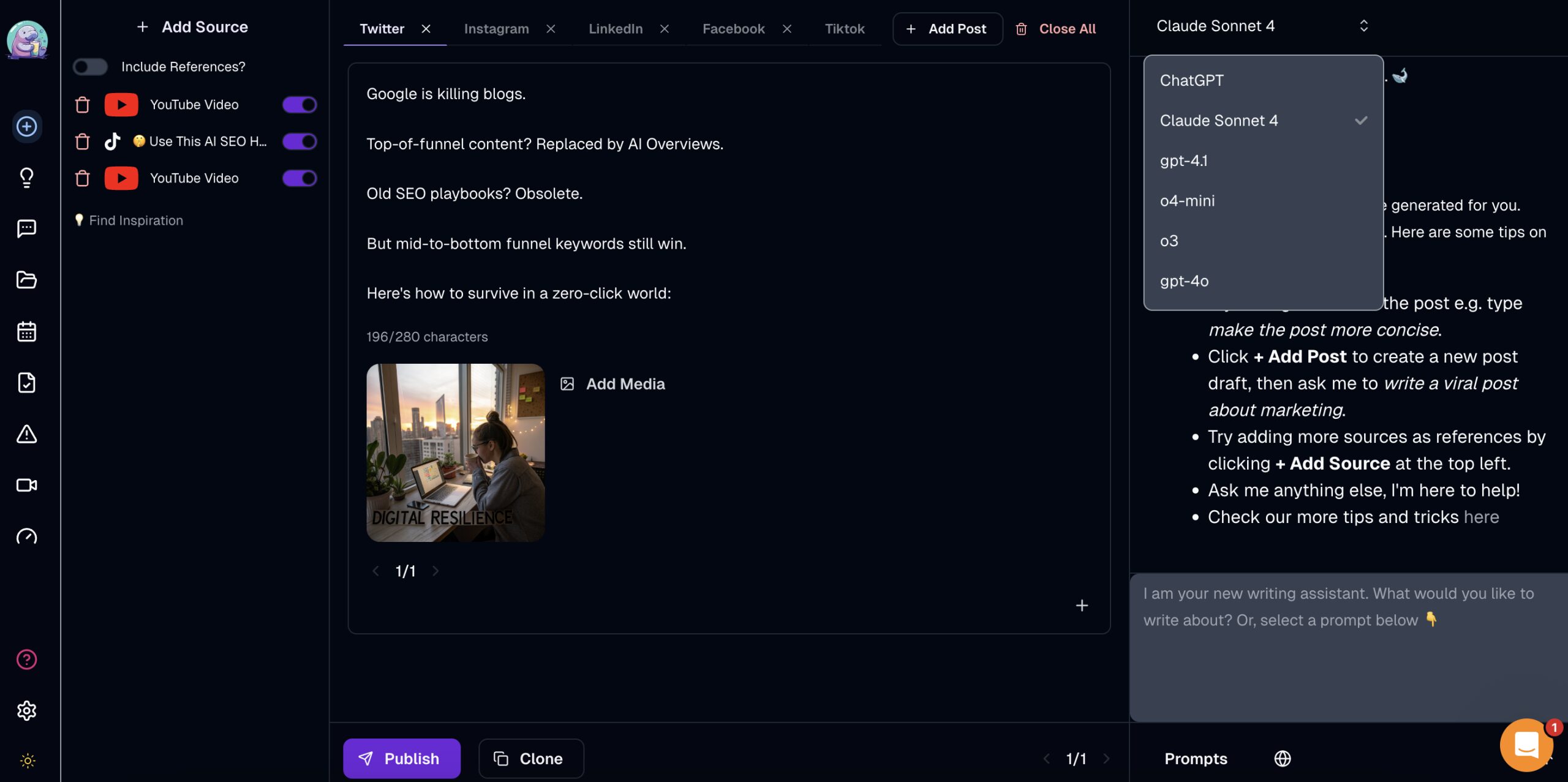
Drop in a YouTube video link and Blotato generates platform-specific posts for up to five channels at once. Each post adapts to the format and tone that performs on its respective platform. If you don't like the output, a built-in chatbot lets you refine posts in real time without starting over.
Brand Voice and AI Twin
Rather than making you pick a model, Blotato has you set up a Brand Kit and one or more Brand Voices. AI Twin then writes captions in your style based on those settings, so you are tuning the output to sound like you instead of guessing whether GPT or Claude writes a better hook today.
If you run more than one brand, you can hold several voices and pick which one to write with before you generate. Under the hood Blotato routes to providers including OpenAI and Anthropic, and its docs confirm it does not train on your uploaded content.
Built-In Scheduling Across 20 Accounts
Instead of exporting posts to a separate scheduler, you publish directly from the same screen where you wrote them. Set up recurring time slots, assign platforms to each slot, and Blotato queues everything automatically. It's not the prettiest calendar view (more on that below), but having AI content creation and distribution in one place saves real time.
Claude Code Automation via MCP
This is the setup I actually use most, and it is the reason Blotato stuck for me. Blotato ships an MCP server, so Claude Code can create and publish posts without me ever opening the dashboard. I walked through the whole build in this video.
The connection itself is straightforward. Inside Blotato you go to Settings, then API, and you get MCP setup options for the Claude web app, Claude Desktop and Cowork, Claude Code in the terminal, and other MCP clients. I use the last one because I run Claude Code inside VS Code. You paste those instructions into Claude Code and let it wire up the connection. Expect to answer a couple of troubleshooting questions rather than a clean one-shot.
Once it is connected, the workflow is just conversation. I point Claude Code at one of my own YouTube videos and ask for five posts each for X and LinkedIn, written against a skill file that holds my tone and caption rules. Blotato can scrape the YouTube transcript itself through the MCP, so the source material never leaves the chat.
Publishing works the same way. I can tell it to post one straight to X and schedule another to LinkedIn for tomorrow at 1pm Central, and it does both. When I tried that, it checked my Blotato calendar, spotted an existing post at that time, and asked me to pick a different slot instead of silently double-booking. That is the kind of detail that separates a real integration from a demo.
The more useful version is batch work. I keep a Google Drive folder where my editor drops finished short-form videos, and I can ask Claude Code to read that folder, pull each transcript, and write platform-specific captions for every clip. It splits them correctly too: one caption style for Instagram, TikTok and YouTube Shorts, a different one for X, LinkedIn and Threads. That does require connecting the Google Workspace CLI first, which is a separate setup step and not something the Drive URL does on its own.
Make.com Automation via API
This is where Blotato pulls ahead of beginner-focused tools. The starter plan includes API access, which connects directly to Make.com for advanced automation. I tested a workflow that monitors a Google Sheet for article URLs, processes them through OpenAI, and publishes finished posts across all connected accounts automatically.
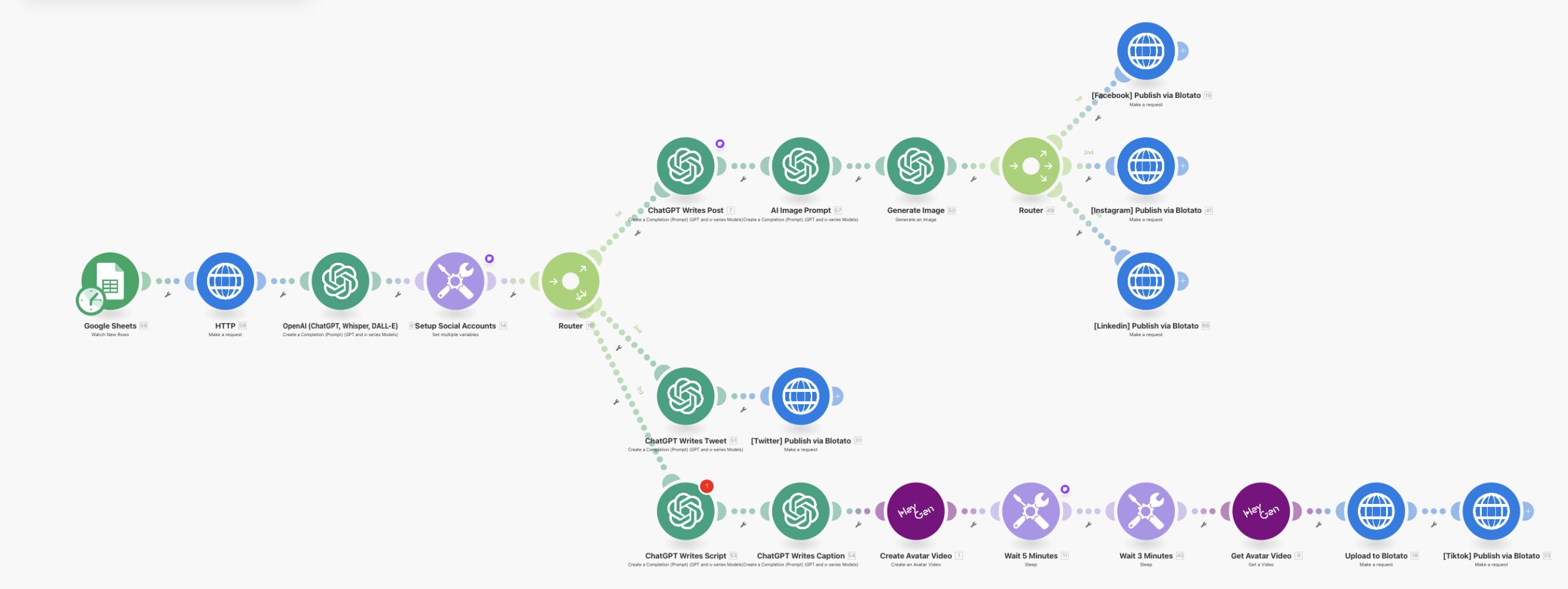
The automation ran on the first attempt with zero errors across Facebook, Instagram, LinkedIn, and X. That rarely happens with multi-platform workflows. If you're interested in building AI marketing agents that handle content distribution, Blotato's API makes it possible at the starter tier.
Blotato vs Upload-Post vs Zernio
These are the three tools people actually cross-shop when they want to publish to social platforms from code or from an AI agent. If open source is on your list too, I put Blotato head to head with Postiz, the self-hostable option, separately. The pricing models are completely different shapes, so a headline price tells you almost nothing. What matters is how many accounts you connect.
| Blotato | Upload-Post | Zernio | |
|---|---|---|---|
| Entry price | $29/mo | $0 free tier, $24/mo Basic | First 2 accounts free |
| Pricing model | Flat, by tier | Flat, by tier | Per connected account |
| Cost at 5 accounts | $29/mo | $24/mo | $18/mo |
| Cost at 20 accounts | $29/mo | $50/mo | $78/mo |
| Free plan | No, 7-day trial only | Yes, 2 profiles and 10 uploads/mo | Yes, first 2 accounts |
| API on entry plan | Yes, paid plans only | Yes, including free tier | Yes |
| Platforms | 9 | 22 | 16+ |
| AI content generation | Yes, text, images, video | AI Shorts, capped by plan | No, publishing layer |
Read that 20-account row again, because it is the whole argument. Blotato stays at $29 while Zernio climbs to $78 and Upload-Post reaches $50. Flat pricing is not a marketing line here, it is the reason the bill stops moving.
Blotato vs Upload-Post
Upload-Post genuinely beats Blotato on two things, and I am not going to pretend otherwise because both objections come up constantly.
First, it has a real free plan. Two profiles, 10 uploads a month, no credit card. Blotato has no free tier at all, only the 7-day trial. Second, Basic is $24/month against Blotato's $29, and it supports 22 platforms including Discord, Telegram, Mastodon and WordPress that Blotato does not touch.
So if you publish to a handful of accounts, want to test without a card, or need one of those long-tail destinations, Upload-Post is the better buy and you should go take it.
Where it flips: Upload-Post Basic caps you at 5 profiles and 1 seat. Cross 5 accounts and you are on Professional at $50/month, which is where Blotato's $29 for 20 accounts wins outright. Upload-Post is also a publishing pipe. It moves media you already made. Blotato generates the post, the image, and the video before publishing it, so you are comparing a distribution layer against a creation-plus-distribution layer.
Blotato vs Zernio
The Zernio pitch you will see repeated is faster rate limits and no TikTok throttling on the entry plan. That is a fair point for high-volume publishing, and Zernio's pay-per-account model is genuinely elegant. The first 2 accounts are free with full API access, which is a better on-ramp than a 7-day trial.
The catch is what happens as you grow. Zernio charges $6 per account for accounts 3 through 10 and $3 for 11 through 100. Twenty accounts costs $78/month against Blotato's flat $29. Zernio also does not generate content. It is a unified publishing API, so you still need something upstream writing the posts and making the visuals.
Pick Zernio if you are a developer with a couple of accounts publishing at volume and you already have content generation solved. Pick Blotato if you want the writing, the visuals, and the publishing behind one flat bill. I later tested Zernio properly and fact-checked its headline marketing claim in a full Zernio review.
Blotato vs Buffer and the Traditional Schedulers
Buffer, Hootsuite and Sprout Social are a different category, and comparing them on price alone misses the point. Buffer bills per channel starting at $6 each on monthly billing, so 20 accounts lands at $100/month. Sprout Social starts at $199 per seat per month on annual billing and caps that tier at five profiles.
Neither writes your content the way Blotato does, and that is the real divide. If you want a polished calendar and approval workflows for a team of humans, Buffer and Sprout are more mature products. If you want a system where an agent creates and publishes without you opening a dashboard, they are not competing for that job.
Buffer is the closest call of the three, and it has moved: it now ships its own API and MCP server, so the old "it cannot talk to an AI agent" objection no longer holds. I broke the two down properly in Blotato vs Buffer, including where Buffer is genuinely the better buy.
Blotato also runs comment-to-DM automation on Instagram and Facebook, which I compared against seven dedicated tools in my roundup of the best tools for automating Instagram DMs.
Where Blotato Still Needs Work
No tool is perfect, and I'm not going to pretend otherwise. Here's what bothered me during testing.
The scheduling calendar lacks visual clarity. When I loaded a full week of posts across four platforms, it was hard to scan what was going where. Dedicated tools like Hootsuite lay this out more cleanly. Blotato works, but you have to click around more than you should.
If you plan to generate lots of images or videos, watch your credit balance. Writing posts costs nothing on any plan, but every AI-generated image or video clips your monthly allotment. On the starter tier, heavy multimedia users could burn through credits in the first two weeks.
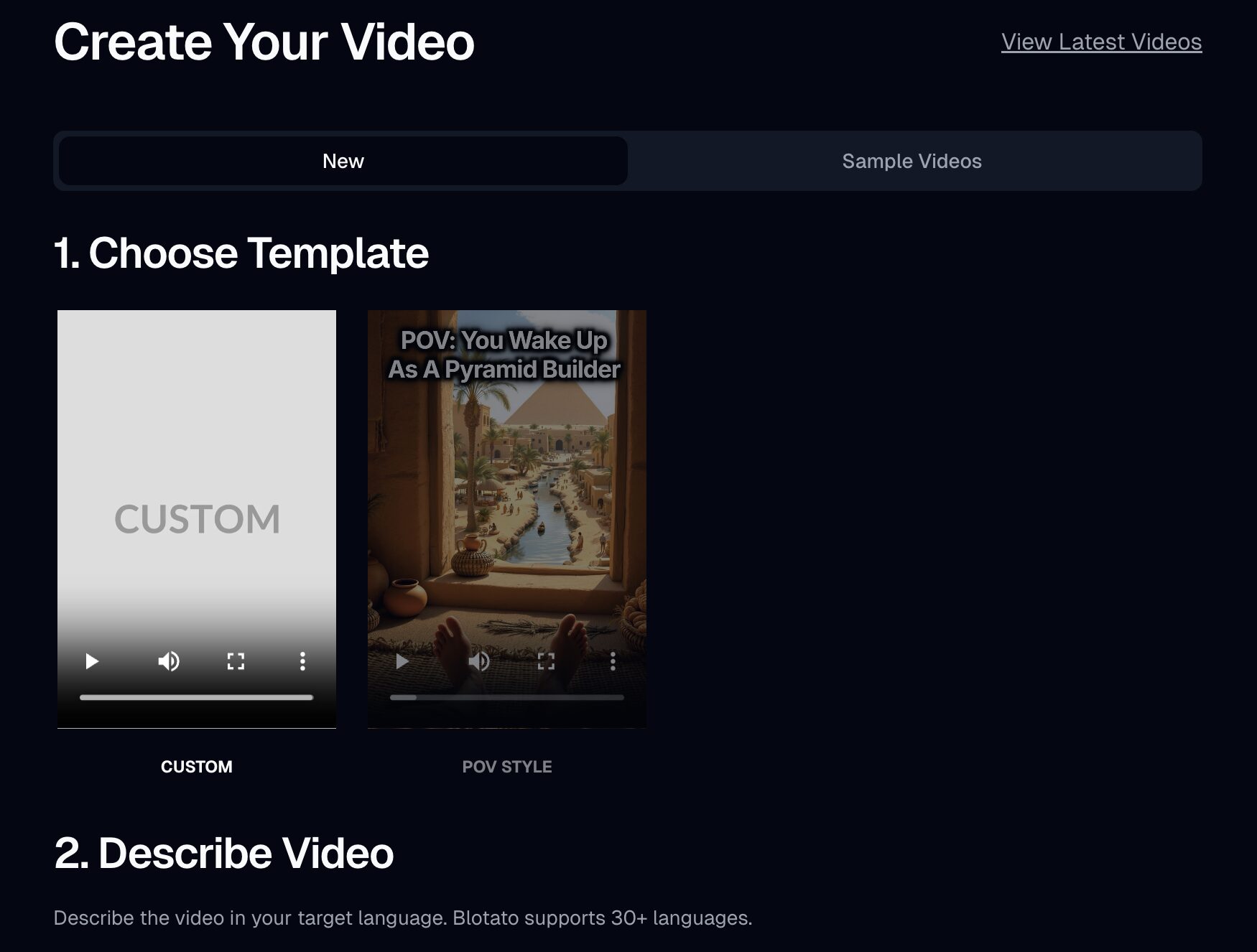
The platform pushes faceless AI videos hard, with templates, sample clips, and a built-in video editor. The editing tools work, but I'm skeptical about whether faceless videos drive real conversions. They rack up views. Whether those views turn into revenue is a different question. Treat Blotato as a writing and scheduling powerhouse first, video tool second.
Who Gets the Most Value from Blotato
If you're already using Make.com or any automation platform, Blotato is a strong fit. The API access on the starter plan opens up workflows that tools twice the price don't support.
Solo creators juggling four or more social accounts will save the most time. Same goes for small business owners who need to post consistently but can't afford a full marketing hire.
If you've never touched an API and the word "automation" makes you nervous, you might want to start with something simpler. And if you need granular analytics or enterprise-level reporting, Blotato isn't there yet.
My take: if you are staying in the web app, start the 7-day free trial and run your actual content through it. The card is required and you are charged when the trial ends unless you cancel, so treat it as a paid month you can back out of rather than a free sample.
If you are here for the API or MCP, skip the trial math entirely. Generating a key starts billing on day one, so just buy the first month at $29 and judge it on that.
Final Notes from Ryan
After weeks of testing, Blotato earned a permanent spot in my toolkit. Most AI tools I review get uninstalled within a week. This one stuck because it solves a real problem: turning one piece of content into platform-ready posts without bouncing between five apps. The calendar needs polish, and I'd like credit costs to drop on media generation. But for what you pay, the output quality and automation depth are hard to beat.
Blotato Review FAQs
Is Blotato worth it if I only manage two or three social accounts?
Probably not, and I would rather tell you that than sell you a plan you will cancel. At two or three accounts you are paying $29 for capacity you are not using. Upload-Post's free tier covers 2 profiles, and Zernio gives you your first 2 accounts free with API access. Blotato's flat pricing starts winning around 8 to 10 accounts and is clearly ahead at 20.
How does Blotato compare to just using ChatGPT for social posts?
ChatGPT can write posts, but it can't publish, schedule, or repurpose across platforms. Blotato wraps AI writing into a full distribution workflow. You go from source material to published posts without copy-pasting between tabs.
Can I choose which AI model Blotato writes with?
Blotato does not expose a model dropdown today. You shape output through Brand Kit and Brand Voice settings, which AI Twin writes from. Blotato routes to providers including OpenAI and Anthropic behind the scenes, and its docs state it does not train on your content.
Can I connect Blotato to my own automations through the API?
Yes, even on the starter plan. I built a Make.com workflow that pulls articles from a Google Sheet, processes them through OpenAI, and publishes across four platforms automatically. Setup took less than an hour.
Does Blotato have a free plan?
No. There is a 7-day free trial that requires a card and converts to a paid subscription unless you cancel. The trial includes everything except API access. If a genuinely free tier is a requirement, Upload-Post and Zernio both have one and Blotato does not.
Is Blotato cheaper than Upload-Post and Zernio?
It depends entirely on account count. At 5 accounts Zernio is $18 and Upload-Post is $24 against Blotato's $29, so Blotato is the most expensive of the three. At 20 accounts Blotato is still $29 while Upload-Post is $50 and Zernio is $78. Flat pricing loses at the low end and wins at scale.
Can I use Blotato with Claude or another AI agent?
Yes. Blotato ships an MCP server alongside the REST API, so Claude Code, Claude Desktop, and other MCP-capable agents can create and publish posts directly. It requires a paid subscription, because generating an API key ends the free trial and activates billing.
Will the 1,250 starter credits last a full month?
If you mainly write and schedule text posts, you won't touch your credits. Text generation is unlimited on every plan. Credits only get consumed by image generation, video creation, and premium AI features. Most text-focused creators won't come close to the cap.
What does the Blotato free trial include?
The catch first: generating an API key from Settings immediately ends your trial and activates your paid subscription, even with days left on it. So if you came for the API or the MCP server, budget for a paid first month rather than planning to trial those. Everything else is covered for the full 7 days, with one limit worth knowing. The trial hands you 60 AI credits instead of your plan's full monthly allotment, which is plenty to judge the writing and scheduling but thin for image and video generation.
Disclosure: some links in this post are affiliate links, specifically Blotato. If you buy through them I may earn a commission at no extra cost to you. Blotato is also a client of mine. I only recommend tools I actually use. Full disclosure.