
Blaze AI Review: The Best AI Tool for Social Media? (2026)
I spent several hours testing the new Blaze AI Autopilot, and this Blaze AI review breaks down whether the upgrade justifies the higher price tag.
Updated August 3, 2026: Blaze has replaced the single $65/month plan with three tiers starting at $79/month. Pricing was rechecked on September 30, 2026, when the All-In-One tier dropped to $999/month.
Some links below are affiliate links. See my disclosure.
My Blaze AI Review
Most AI marketing tools still operate as co-pilots. You type a prompt, tweak the output, schedule it manually, and repeat. Blaze AI made a bold move by switching its entire platform to what they call "autopilot."
Try Blaze AI
Once you finish onboarding, Blaze AI takes over. It reads your website, pulls in your logo, matches your brand colors, and starts generating a full week of posts without you typing a single prompt. The catch is that your initial inputs determine everything. Sloppy setup equals sloppy output.
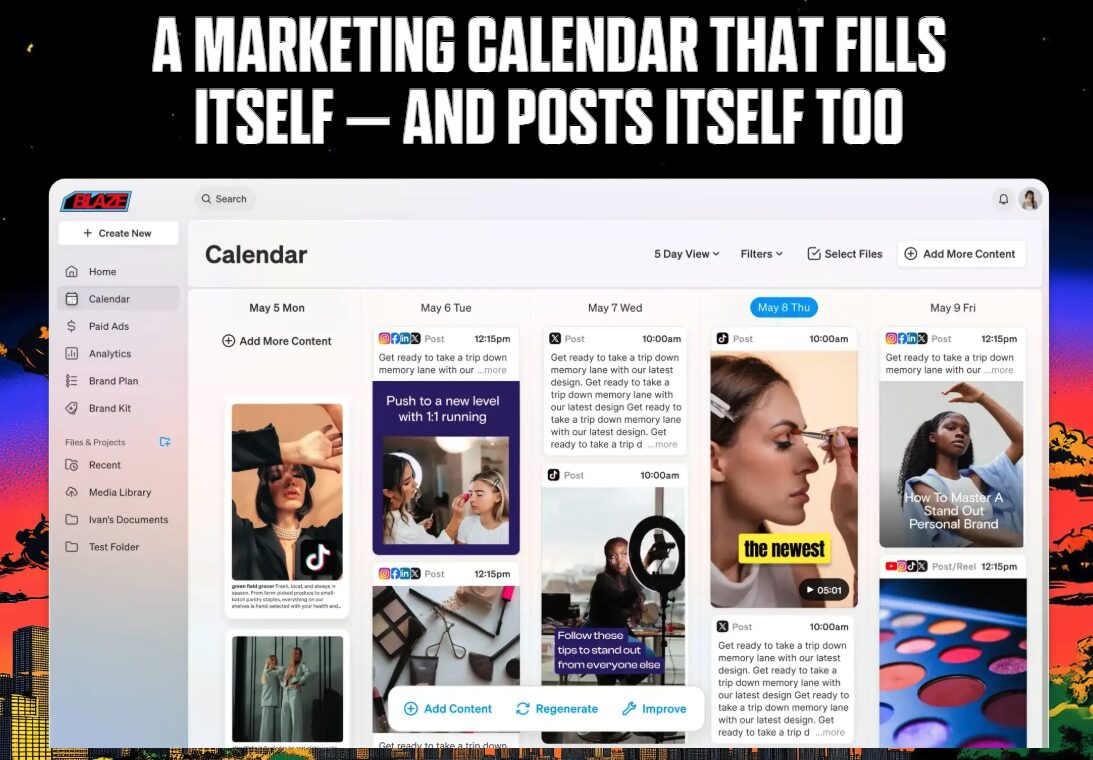
I tested this with a local home service business called CJ's Window Cleaning in Des Moines. Within minutes, Blaze scraped the website, built a brand profile, and generated a full week of social content across Instagram, Facebook, and LinkedIn.
Features I Tested Inside Blaze AI
The user interface earned high marks. Clean layout, easy to find what you need, and noticeably more polished than most AI marketing tools I've tested.
Content Calendar and Brand Plan
The calendar gives you a clear week-by-week view of scheduled posts across every connected platform. You can toggle between list view, week view, and month view. Filter by channel, account, or post status. For a tool at this price point, the calendar rivals what you'd find in dedicated schedulers.
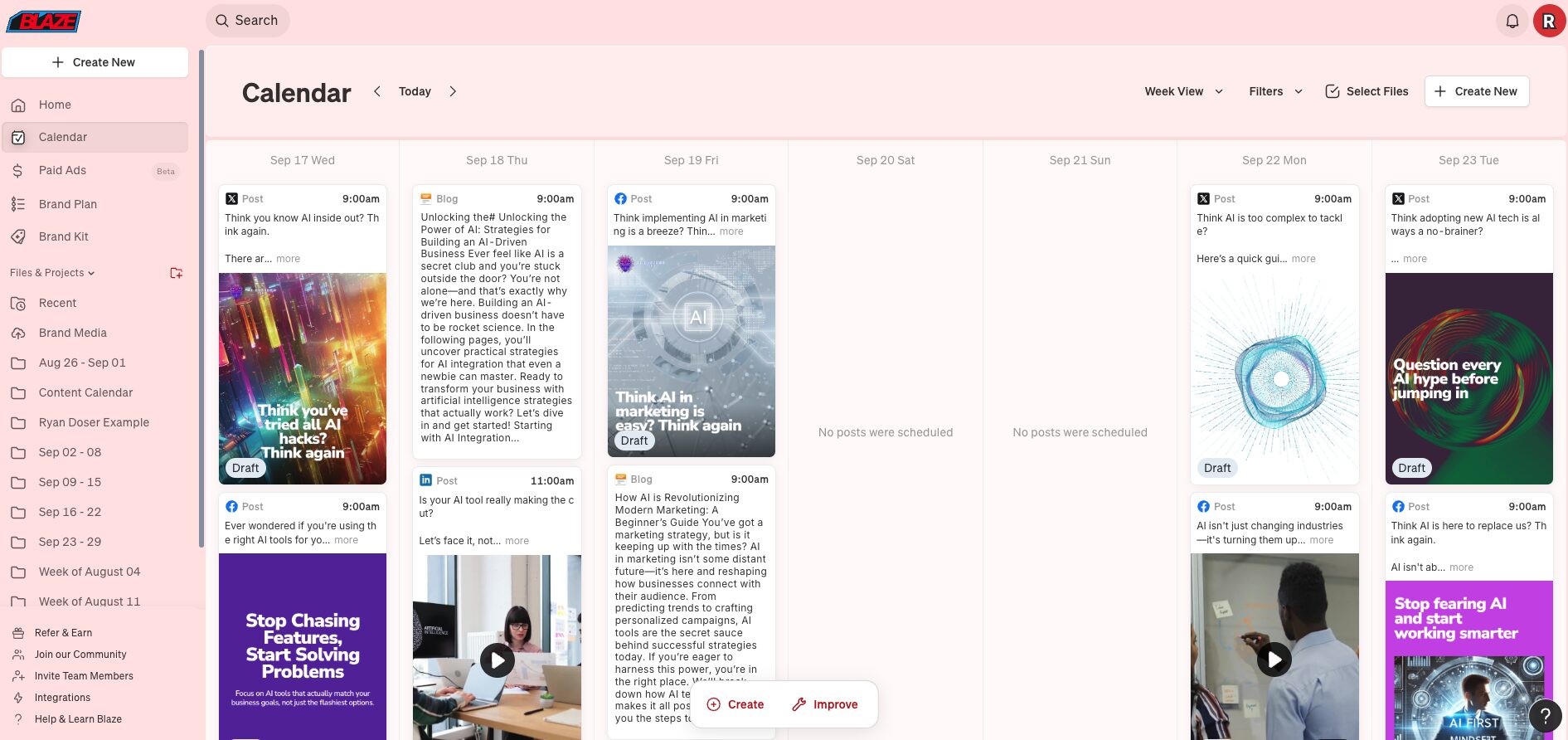
The brand plan feature adds a layer of human control on top of the autopilot system. Click into any week and you can adjust post frequency per platform, swap out topics, add short-form video, or include blog and email content. You're not surrendering full control to AI, which matters.
Brand Kit Setup
This is the feature that makes or breaks your entire Blaze AI experience. Think of it as your brand's instruction manual for the AI. You upload your logo, define your color palette with exact hex codes, set typography rules, and write out your brand voice guidelines.
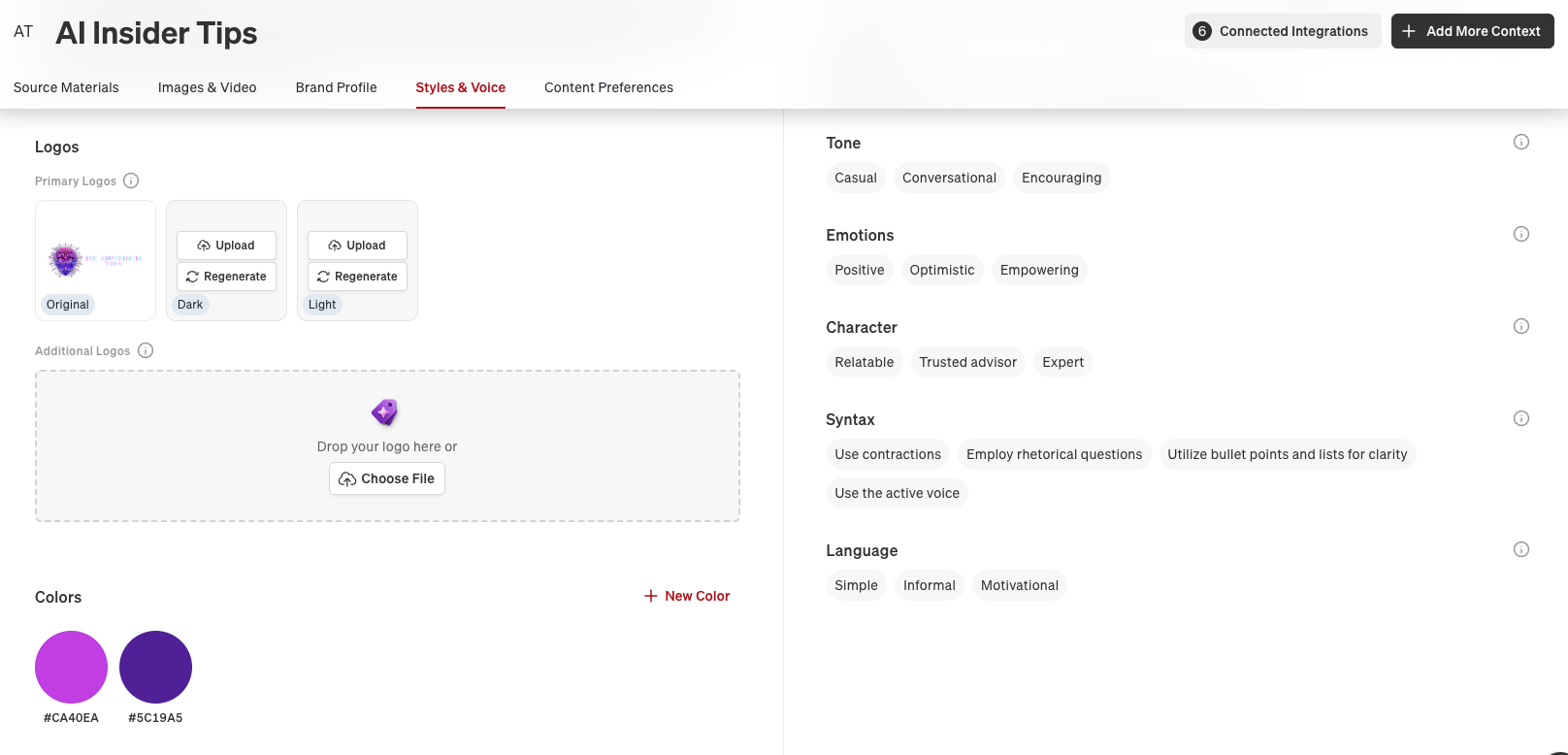
Rushing through brand kit setup produces generic, off-brand posts. I'd recommend using Google Gemini or ChatGPT to build a mini brand guide first, then transfer those details into Blaze. Getting the hex codes, typography, and voice settings right upfront saves hours of editing later.
Integrations and Paid Ads Beta
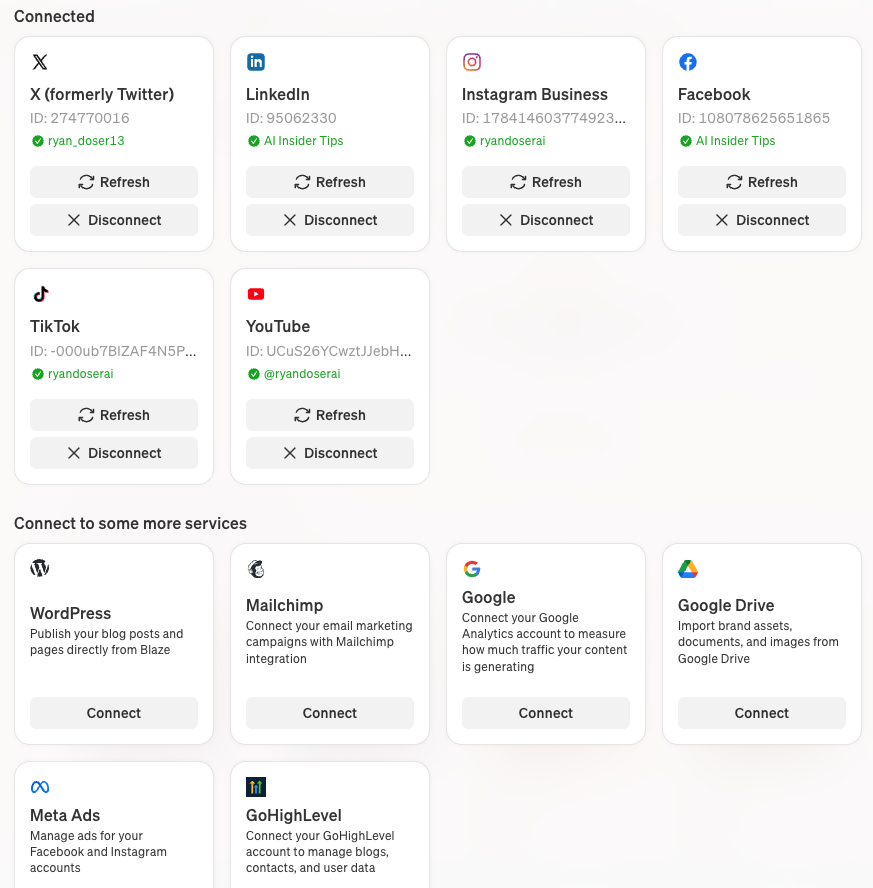
Blaze plugs into all the major platforms you'd expect, plus GoHighLevel and Zapier for custom workflows. The surprise addition is a paid ads beta for Meta, which would let you manage organic posts and ad campaigns from the same interface. That's a feature most AI marketing tools skip entirely.
Blaze AI Pricing in 2026
Blaze has changed its pricing twice since I first reviewed it, and most of the reviews you will find online are quoting numbers that no longer exist. Here is what you actually pay today.
There are three plans:
- Starter, $79/month. 3 posting accounts, 600 generation credits per month, 1 user, automated ad campaigns.
- Growth, $149/month. 10 posting accounts, 1,500 generation credits per month, unlimited users, and a yearly planning window.
- All-In-One, $999/month. A fully managed marketing system run with a dedicated marketing expert: complete funnel, Google Business Profile, search ads, an AI receptionist, lead qualification, automated reviews, and reporting.
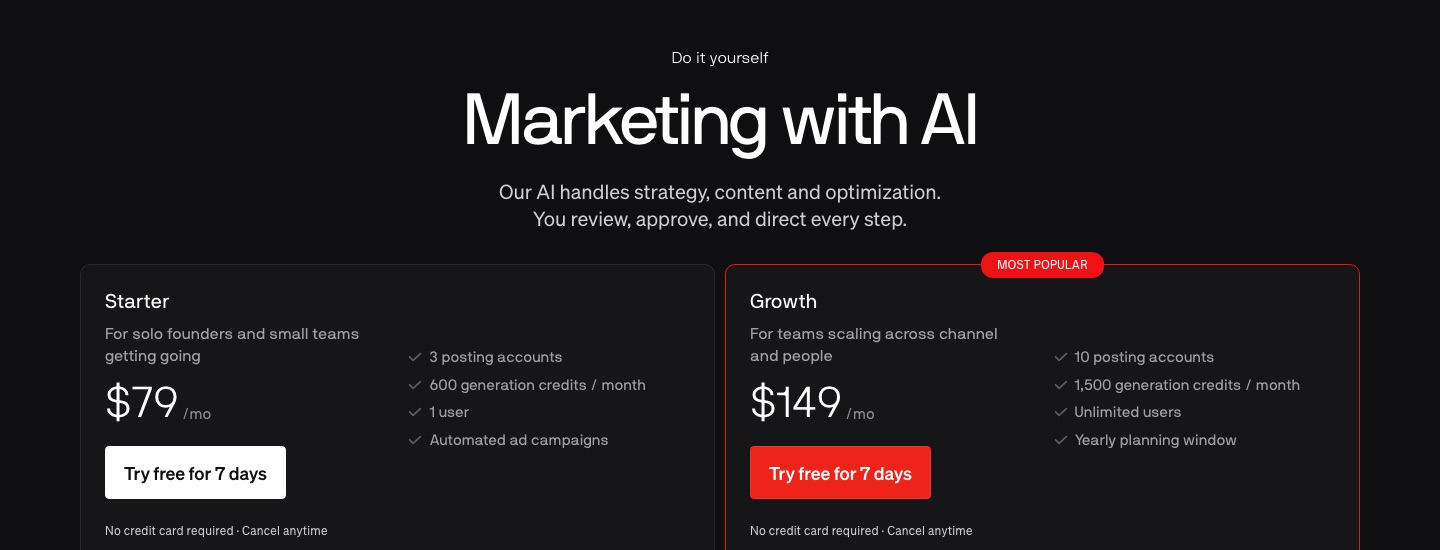
Both self-serve plans include a 7-day free trial with no credit card required, which is a real improvement over how this used to work.
The credit system is the part worth understanding before you pick a tier. Content draws down a monthly balance at different rates: a social post costs 1 credit, an email or a blog post costs 3, and an AI video costs 15. That last number is the one that catches people. If you lean on AI video, 600 credits on the Starter plan disappears faster than the headline number suggests, because 40 AI videos alone would consume the entire allowance.
The Old $34 and $65 Plans Are Gone
If you have read another Blaze review recently, you may have seen a Creator plan at $22 to $34/month, a Pro plan at $49, or the single $65/month autopilot plan I wrote about in my original review. Those are all dead. Blaze's own help documentation confirms the legacy Copilot plans stopped being available to new users on September 15, 2025.
This matters more than a normal price change. When I checked the Google AI Overview for "Blaze AI pricing" while updating this post, it was still confidently listing the retired $22 Creator plan and a $49 Pro tier as current options. Several review sites ranking on page one are quoting the same dead numbers. If you budgeted around $34/month based on one of those, the real entry price is more than double it.
For context on where $79 sits in this market, the traditional schedulers cost more and do less of the writing: a Hootsuite standard plan runs $149/month per user and Sprout Social prices higher still per seat, and with both you are buying scheduling and analytics, then paying separately for whatever writes the posts.
So here is my actual verdict on the tiers. Starter at $79 is the one worth buying, and only if you will genuinely use the automated content generation, because that is the piece you cannot get from a cheaper scheduler. Skip it if you mainly need to queue posts you write yourself, since a $29/month tool covers that and I compare those in my roundup of social media automation tools. Growth at $149 only makes sense once you need more than 3 posting accounts or you have a team that needs seats. The $999 All-In-One is a managed service, not software, and should be judged against agency quotes rather than against other apps.
Three Problems I Found During Testing
If you're new to AI tools altogether, $79/month is the wrong starting point. Grab ChatGPT Plus or Claude Pro first for $20/month. Learn how AI content generation works at a lower price before committing to a specialized platform.
The second issue is model opacity. I looked everywhere inside the editor and settings for any indication of which AI models generate the copy and images. Nothing. No way to select a model, no documentation on their website. When a platform hides what's under the hood, it usually means they're running cheaper model variants to save on API costs.
Third, the autopilot framing sets wrong expectations. During my CJ's Window Cleaning test, I found posts where the AI-generated B-roll video had nothing to do with window cleaning. Some image selections missed the mark. You still need to open the calendar every Monday and scan what's scheduled before it goes live.
Who Actually Needs This Tool (And Who Doesn't)
Picture the owner of a plumbing company or a window cleaning service. They're booked solid six days a week. They know they should be posting on social media, but they don't have time and can't stomach paying an agency thousands per month. That's the exact person Blaze AI was built for.
Busy coaches and solo operators who need their brand visible online without spending an hour each morning writing captions also fit the profile. The weekly brand plan gives enough control to keep content on track.
Full transparency: I don't use Blaze for my own accounts. My setup runs on Claude Code paired with Blotato, which gives me deeper control over how long-form content gets repurposed. But that workflow requires technical comfort with APIs and automations that most small business owners don't have.
Final Notes from Ryan
After testing Blaze AI Autopilot with a real business, my takeaway is straightforward: if you spend the time on brand kit setup and review your calendar weekly, this tool can keep your social accounts active without dominating your schedule. The interface is polished, the autopilot concept works when you feed it good inputs, and the pricing sits well below traditional scheduling platforms. I'd like to see AI model transparency and a more honest framing around what "autopilot" actually means. But for business owners who'd otherwise post nothing, Blaze AI solves a real problem at a fair price.
Blaze AI Review FAQs
How much does Blaze AI cost per month?
Blaze AI costs $79/month for the Starter plan (3 posting accounts, 600 generation credits, 1 user) and $149/month for the Growth plan (10 posting accounts, 1,500 credits, unlimited users). A fully managed All-In-One tier runs $999/month. Both self-serve plans include a 7-day free trial with no credit card required. The older $22 to $34 Creator plan and the $65/month autopilot plan are no longer sold to new users.
What are the limitations of Blaze AI?
Three stand out from my testing. Blaze does not disclose which AI models generate your copy and images, so you cannot pick a model or verify what you are paying for. The credit system prices AI video at 15 credits against a 600-credit Starter allowance, which drains fast if video is central to your plan. And "autopilot" oversells the automation: during my testing the AI attached B-roll that had nothing to do with the business, so you still need a weekly review pass before posts publish.
Is Blaze AI free?
No, but there is a genuine 7-day free trial that does not require a credit card. During the trial Blaze builds your brand identity, a custom content strategy, your first full week of posts, and topics for a second week. That is enough to judge output quality before any money changes hands, which is the right way to test it.
Should I get ChatGPT Plus or Blaze AI first?
Start with ChatGPT Plus at $20/month. It handles a wider range of tasks and teaches you how AI content generation works. Once you need automated scheduling and multi-platform publishing on top of AI writing, that's when Blaze AI starts making sense as an add-on investment.
How important is the brand kit setup in Blaze AI?
Critical. Every piece of content Blaze generates on autopilot pulls from your brand kit inputs. Spending 30-60 minutes dialing in your colors, fonts, voice, and content preferences upfront determines whether you get generic AI posts or content that actually matches your brand.
Is Blaze AI better than hiring a social media agency?
For businesses spending under $1,000/month on social media, yes. An agency charges $5,000-$10,000/month for what Blaze does at $79/month. The output quality won't match a skilled human strategist, but for maintaining a consistent presence, the ROI math works in Blaze's favor.
Can I turn off autopilot and use Blaze AI manually?
Yes. The settings panel includes an autopilot toggle you can disable. But at $79/month you'd be paying a premium for what the retired co-pilot version offered at $34, and that cheaper tier is no longer available to new users. If you want manual control above all else, consider whether the investment still makes sense for your workflow.
How much time does Blaze AI actually save per week?
In my CJ's Window Cleaning test, the initial setup took about 20 minutes. After that, Blaze generated five days of cross-platform content automatically. I'd estimate 15-20 minutes of weekly review time to check posts before they publish. Compare that to 5-10 hours of manual content creation and scheduling.
Disclosure: some links in this post are affiliate links. If you buy through them I may earn a commission at no extra cost to you. I only recommend tools I actually use. Full disclosure.