
7 Repurpose.io Alternatives Priced by How Many Brands You Run
Nearly every page ranking for Repurpose.io alternatives is published by a company selling you the alternative. When I searched it on August 28, 2026, six of the ten organic results were vendor pages. Planable, OpusClip, Quso, Taja, ShortSync and Exemplary each explain why you should switch to them, Repurpose.io holds a slot itself, and the closest thing to a disinterested source is a Reddit thread titled "Stop using Repurpose.io."
Worth knowing before you read my list: Blotato is a client of mine, it appears below, and it runs its own roundup on this keyword that Google cites in the AI answer. That makes me the seventh interested party here rather than a neutral observer.
All of those pages agree on one thing, and the arithmetic says they are wrong about it. They call Repurpose.io expensive.
Run the numbers and whether Repurpose.io is expensive depends on something none of those pages mention. It bills per account per network, so the price is set by how many brands you run rather than how many accounts you have connected. Twenty-four accounts spread as 3 on each of eight networks costs $35. The same 24 accounts sitting on a single network costs $179.
That single detail decides the comparison, and it cuts both ways.
Where My Knowledge Stops on This One
I have never been a Repurpose.io customer. I have not run a workflow on my own channels, so I cannot tell you how their support answers or what breaks in month four.
What I have done is read the documentation properly and price every tool here from its own live rate card, monthly billing selected. Where a claim is the vendor's rather than mine, I say so.
Of the tools below I use Blotato daily through its MCP server, I have run Opus Clip on my own videos, and I have used Zernio's dashboard without ever running it in production. The rest I priced and read rather than tested, and I have marked their entries accordingly. I wrote a full Repurpose.io review separately, including the reach claim that Reddit thread is built on.
The One Distinction That Sorts This Whole List
Most tools sold as Repurpose.io alternatives are doing a different job, and sorting them by that job is the fastest way to cut the list down.
Repurpose.io watches a source you already publish to. You post a video to YouTube or TikTok, and it detects that and pushes the file onward to your other platforms, resized, watermark stripped. Its own platform matrix sets out which platforms can act as a source, which can only receive, and which do both.
Three different products get sold against that job.
Watchers monitor a source and republish automatically. That is Repurpose.io's actual category, and very few tools genuinely sit in it.
Clippers cut long video into shorts. OpusClip, Klap and Vizard do this. They solve the step before distribution, not distribution itself.
Publishers post what you hand them, on a schedule you set. Buffer, Publer and Blotato live here, and most of page one is quietly this.
Buying a publisher when you wanted a watcher is the easiest mistake to make here, because the marketing language for the two is nearly identical.
Repurpose.io Alternatives at a Glance
Every figure below is the monthly-billing rate from each vendor's own pricing page. Where a page opened on annual billing I switched it to monthly first, which changes the number on Buffer, Publer, Quso, Taja and Metricool.
People search this as both Repurpose.io and repurpose io, and the tools below are the same either way.
| Tool | Which job it does | Starts at (monthly) | What you pay per | Free tier |
|---|---|---|---|---|
| Repurpose.io | Watches a source, republishes | $35 | Accounts per network | No, 14 days or 10 videos |
| Blotato | Writes the post, then publishes | $29 | 20 accounts flat | No, 7-day trial |
| Publer | Publishes, plus RSS auto-post | $5 first account | Each account, then $4 | Yes, 3 accounts |
| Buffer | Publishes on a schedule | $6 per channel | Each channel, rate drops | Yes, 3 channels |
| Zernio | Publishes, API first | Free, then $6 per account | Each account, graduated | Yes, 2 accounts |
| ShortSync | Uploads once to 12 platforms | EUR 14.99 | Flat, one workspace | Yes, 5 uploads a month |
| Quso.ai | Clips, then publishes | $29 | Credits per month | Yes, 75 credits |
| Taja AI | Writes YouTube metadata, then posts | $19.99 | Videos and social sets | No, 7-day trial |
What It Costs by How Many Brands You Run
Not one of the ranking pages I read worked this out, which is odd, because the bill for your own setup is the thing people are trying to find.
Repurpose.io's unit is the reason it gets misreported. Starter connects up to 3 accounts for each social network, so 3 Instagram plus 3 TikTok plus 3 YouTube all sit inside one $35 plan. Per-account tools charge for every one of those connections separately.
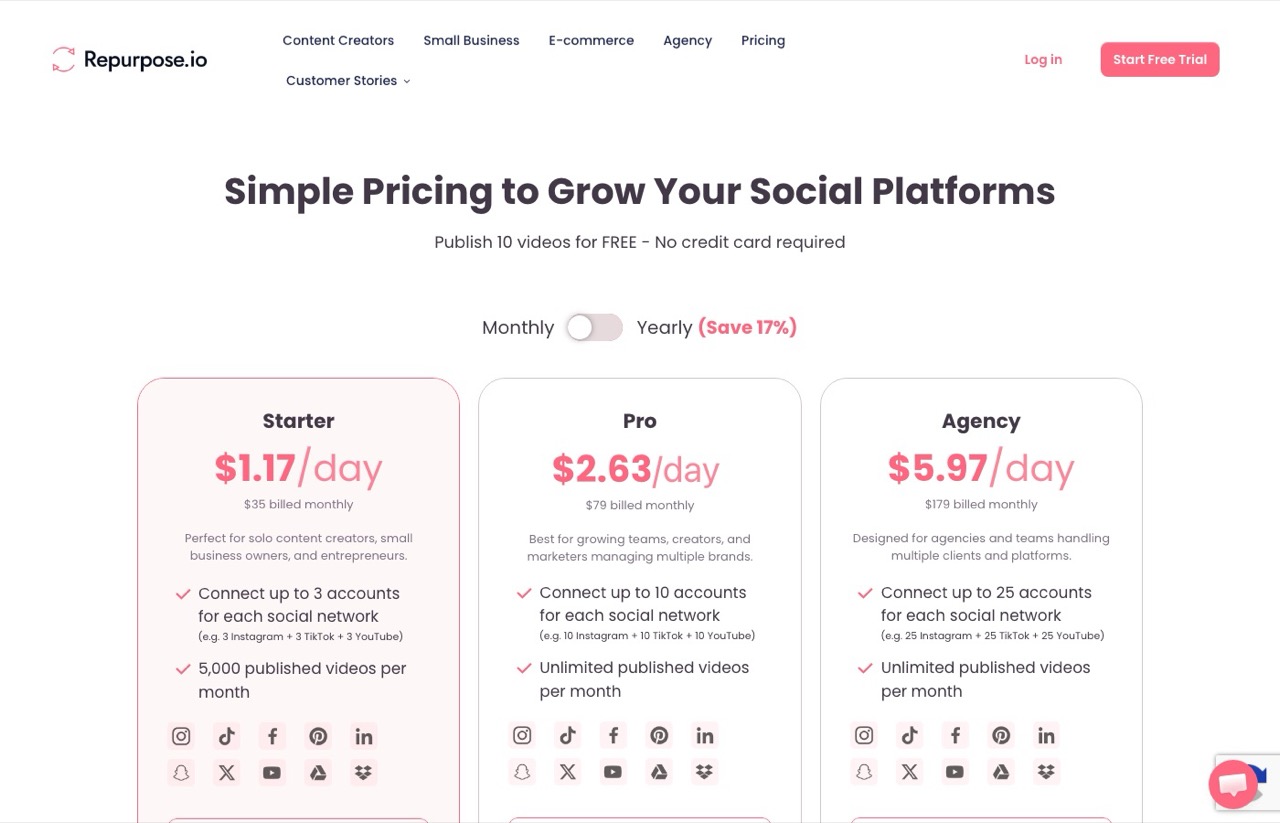
So the number that moves your Repurpose.io bill is brands, not accounts. Here is what a few common setups cost, monthly billing, worked from each vendor's published rates.
| Your setup | Accounts | Repurpose.io | Blotato | Zernio | Buffer |
|---|---|---|---|---|---|
| 1 brand, 5 networks | 5 | $35 | $29 | $18 | $30 |
| 1 brand, 9 networks | 9 | $35 | $29 | $42 | $54 |
| 3 brands, 5 networks | 15 | $35 | $29 | $63 | $80 |
| 3 brands, 9 networks | 27 | $35 | $97 | $99 | $126 |
| 10 brands, 5 networks | 50 | $79 | $499 | $168 | $195 |
| 10 brands, 9 networks | 90 | $79 | $499 | $288 | $235 |
Read the top row and the bottom row together. One brand on five networks is the cheapest scenario for everyone except Repurpose.io, which charges $35 where Zernio charges $18.
Ten brands on nine networks flips it completely. Repurpose.io is $79 and every per-account tool has passed it, with Buffer at $235 and Blotato at $499.
The crossover sits around three brands. Below that, the cheap per-account tools genuinely are cheaper and the pages saying so are right. Above it, Repurpose.io is the cheapest thing on this page and those same pages are quietly wrong.
One caveat on the comparison, because it matters. These tools are not doing identical work, so read the table as what each vendor charges to connect your accounts, not as a like-for-like quote for the same job.
The 7 Repurpose.io Alternatives Worth Your Time
Ordered by the job they do rather than by preference, with the two genuine watchers marked as such.
1. Blotato (Best for the part Repurpose.io never does)

Blotato is the tool I actually publish through, every day, driven by an agent rather than a dashboard. It goes first because it fixes the thing Repurpose.io leaves to you.
Repurpose.io moves a file you already made. Blotato writes the post around it, generating captions per platform and images or video, then publishes to nine platforms. That is a different product category bolted onto the same delivery job, and it is the reason I run it rather than a pure distribution tool.
One thing to be straight about, because I have not seen it stated on a page selling you either tool. Blotato has no source watcher of its own.
Its API exposes publishing, scheduling and DM automations, which I put up against purpose-built DM tools separately, and its Make integration ships nine action modules and zero triggers.
To copy Repurpose.io exactly you pair it with Make or n8n, whose own RSS or YouTube trigger does the watching and hands off to Blotato. That is a real extra step, and it buys content generation Repurpose.io has never offered.
Pros:
- Writes platform-native captions and generates images or video, so the post arrives finished
- Flat $29 for 20 connected accounts, and the bill does not move until you cross the tier
- Official n8n and Make nodes plus a hosted MCP server, so an agent can drive it end to end
- Nine platforms including Pinterest, Bluesky and Threads
Cons:
- No native source-watching trigger, so trigger-and-republish needs Make or n8n alongside it
- The 7-day trial excludes the API, and generating a key ends the trial and starts billing immediately
- Jumps from $29 to $97 at 21 accounts, which is a steep step if you land just over
- Caps posting below what the platforms allow, for example 50 Instagram posts per 24 hours
Best for: Anyone who wants the caption and the creative written, not just the file moved.
Pricing: $29 Starter (20 accounts), $97 Creator (40), $499 Agency (100), monthly billing. Annual saves about 17%.
Free trial: 7 days, card required, and it does not include API access.
Bottom line: If your bottleneck is writing the posts, this is the upgrade. If your bottleneck is purely moving a finished video and you want zero extra parts, a watcher below is the more honest fit.
2. Publer (The closest thing to a real watcher, and it is cheap)
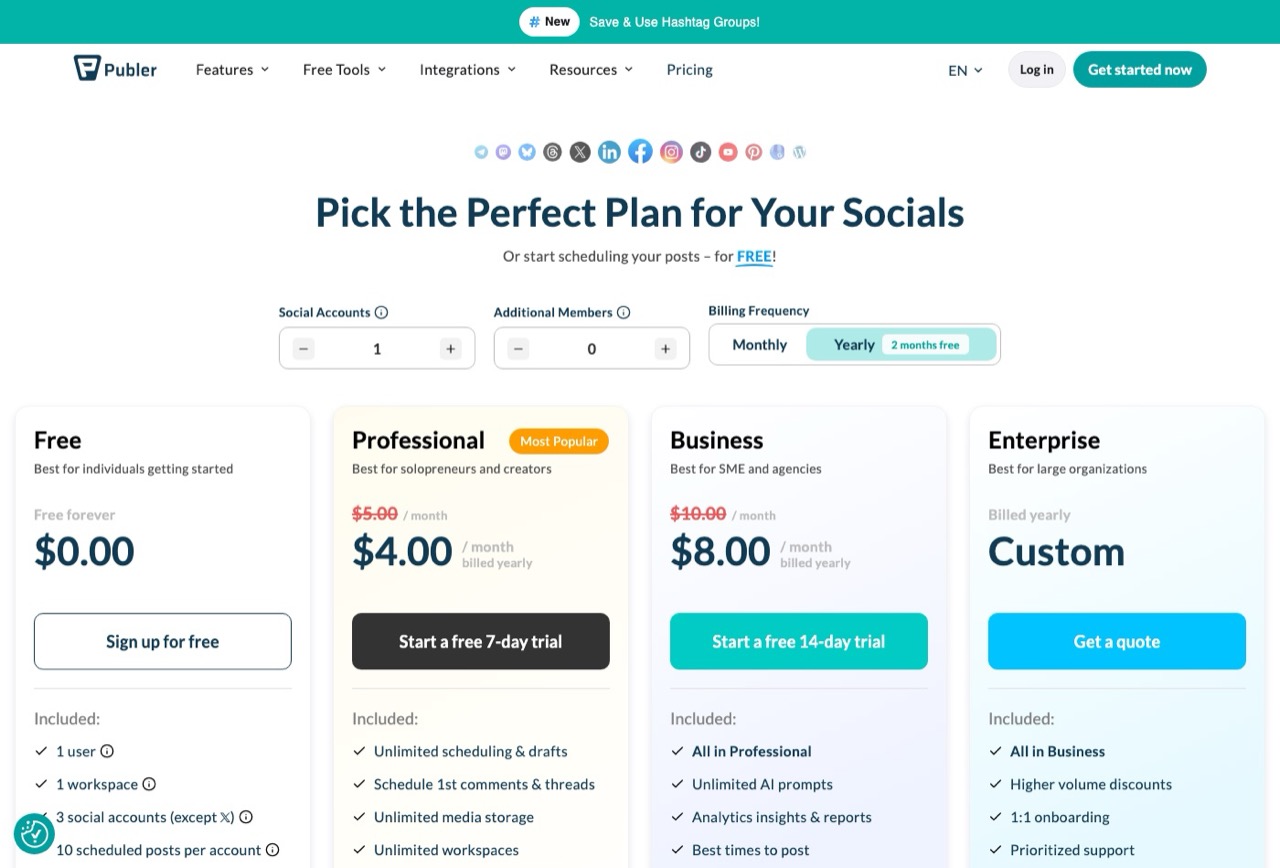
Publer is the only tool here that does trigger-based publishing natively, with no second product bolted on. Its RSS feature auto-posts new items, in its own words, "as soon as they arrive."
That matters because a YouTube channel has an RSS feed. Point Publer at it and you have rebuilt the common Repurpose.io workflow for a few dollars a month, with the caveat that it distributes the link and text rather than re-uploading the video file natively.
Pros:
- Genuine auto-post from RSS, with auto-schedule and manual review as alternatives
- Cheapest paid entry on this list at $5 for one account, and $4 for each one after that
- Free plan covers 3 social accounts and 10 scheduled posts each
- Wide platform list including Mastodon, Telegram and WordPress
Cons:
- RSS distributes links and text, so it is not a substitute for native video re-upload
- Priced per social account, so the bill still climbs as you add accounts, reaching $37 at ten
- The pricing page opens on the yearly toggle, so check it is set to monthly before you read a number
- I priced and read this one rather than running it
Best for: Anyone whose source publishes an RSS feed and who wants automation without a monthly platform fee.
Pricing: Free, then Professional at $5 a month for the first social account and $4 for each additional one. Business is $10 then $7. Publer's help centre adds that every tenth account is free.
Free trial: Yes, a permanent free plan plus a 7-day trial on Professional.
Bottom line: The best value on this page if RSS covers your source. Check that first, because it decides whether Publer replaces Repurpose.io or merely resembles it.
3. ShortSync (Best free tier for actually publishing video)
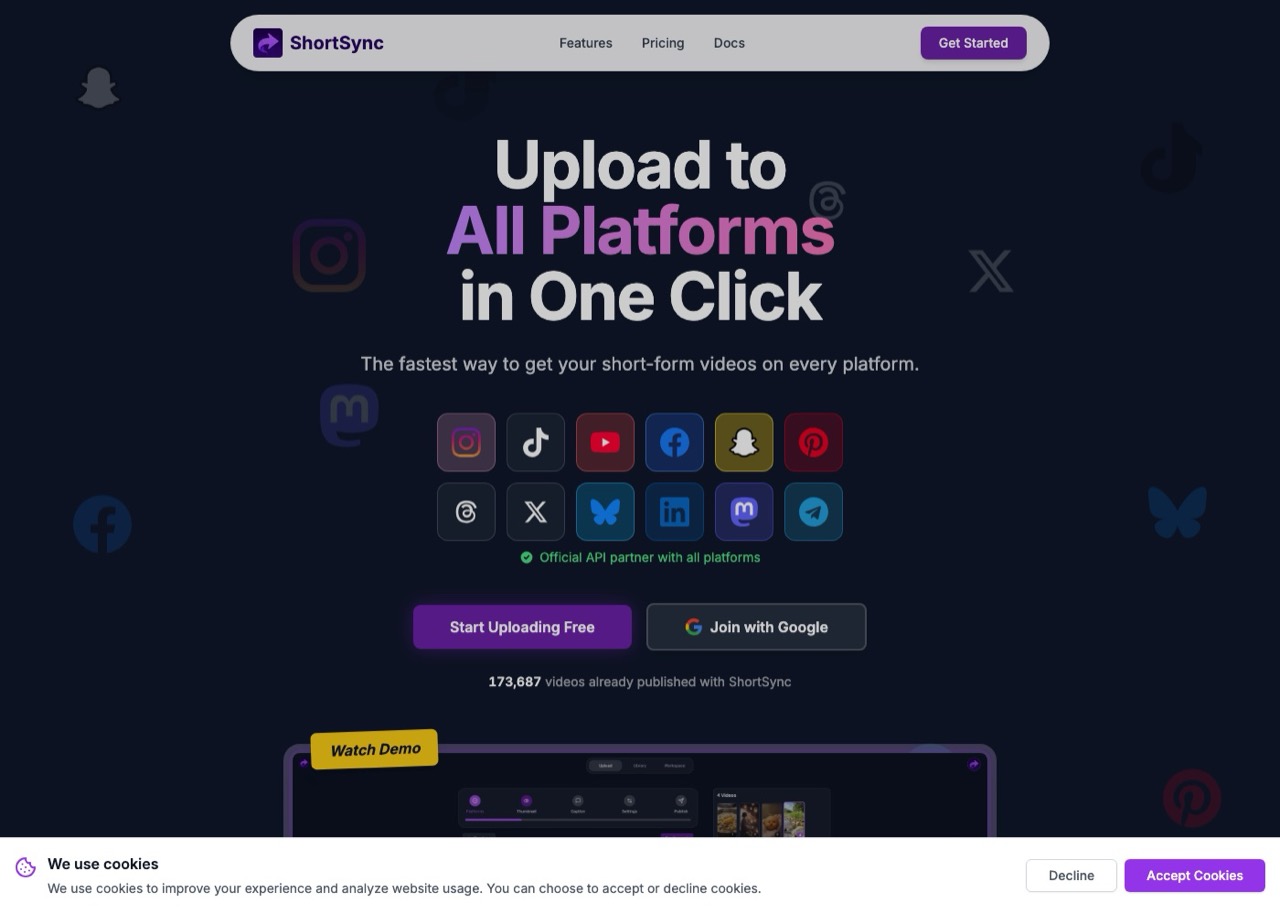
ShortSync answers the question people actually type, which is whether there is a free Repurpose.io alternative. Its free plan gives you 5 uploads a month to all 12 platforms, permanently, with API and MCP access included.
It also sidesteps Repurpose.io's most annoying constraint. Its scheduling documentation puts it plainly, saying Repurpose does not currently support directly uploading video or media files into the platform, so everything has to arrive from a connected source. ShortSync is built the opposite way round, taking your upload and fanning it out.
Pros:
- Permanent free tier with 5 uploads a month and no card required
- Accepts direct uploads, so nothing has to be published somewhere else first
- Flat EUR 14.99 for unlimited uploads rather than per-account pricing
- API and MCP access on every plan, including free
Cons:
- No source watching at all, so it does not replicate the automated workflow
- Per-platform daily upload caps apply, inherited from each platform's API
- Extra workspaces are EUR 10 each, which adds up for multi-brand work
- Priced in euros, and its /pricing URL returned a 404 when I checked, so I read the rates off the homepage
Best for: Creators who make the video themselves and want it everywhere without a subscription.
Pricing: Free (5 uploads a month), Creator EUR 14.99, Team EUR 49.99, monthly billing.
Free trial: Yes, a permanent free plan.
Bottom line: The genuine free answer, as long as you accept that you are trading automation for a manual upload step.
4. Buffer (Best when you want boring and reliable)
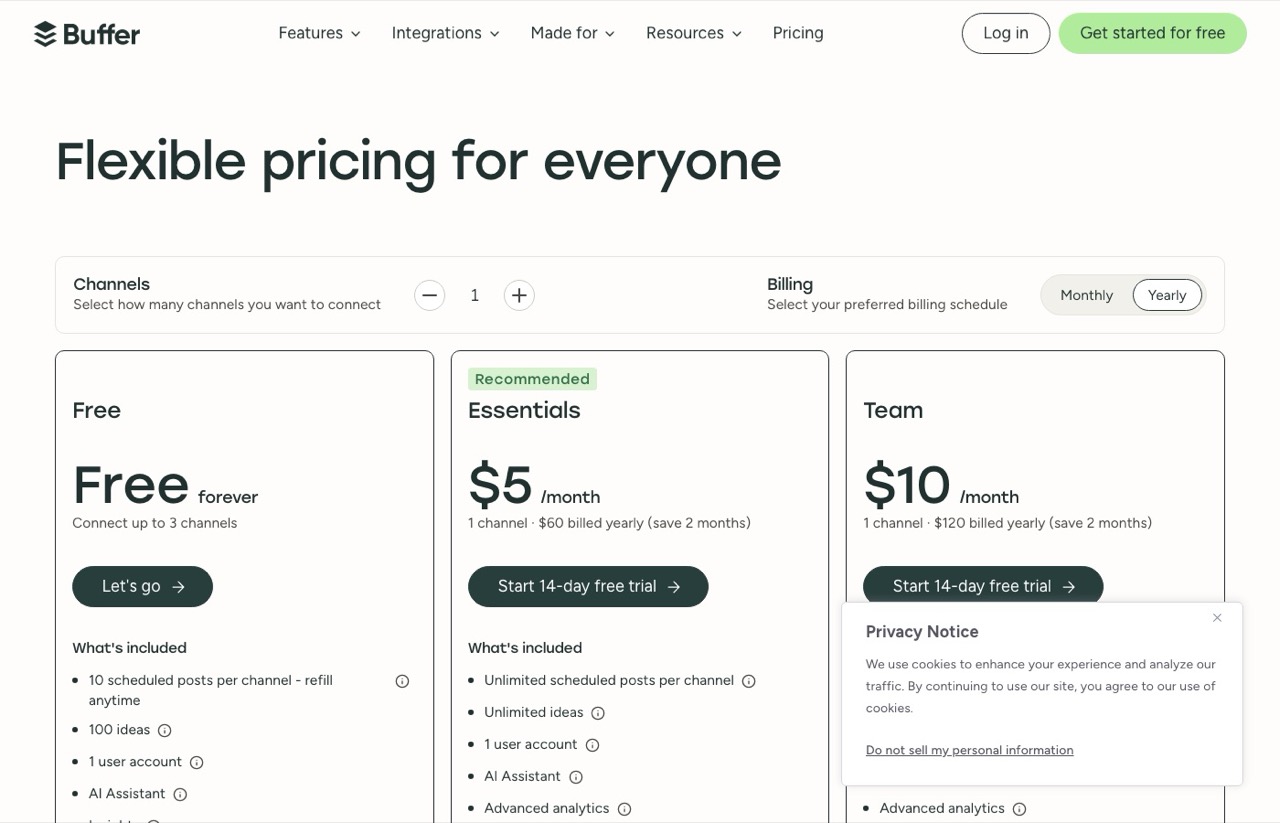
Buffer is the safe answer and the one most often named as the free option. Its free plan covers 3 channels with 10 scheduled posts each, which is enough to test whether scheduling alone solves your problem.
The detail worth knowing is that its per-channel rate falls as you add channels, from $6 each down to $1 above 50, which makes it far less punishing at scale than a flat per-account rate implies.
Pros:
- Free plan on 3 channels with no time limit
- Per-channel rate drops in bands, reaching $1 per channel past 50
- Publishes a machine-readable rate card, so the numbers are checkable
- The longest track record here, running since 2010 by its own account
Cons:
- No source watching and no repurposing, it publishes what you give it
- The pricing page defaults to Yearly and prints the annual rate with a "/month" suffix
- Costs more than Repurpose.io beyond about 9 channels
- I priced this from the rate card rather than running it
Best for: Someone who wants a plain calendar and never wanted automation in the first place.
Pricing: Free for 3 channels. Essentials $6 per channel monthly, Team $12, with volume bands above 10 channels.
Free trial: Yes, free forever on 3 channels plus a 14-day trial on paid plans.
Bottom line: Buy it knowing it is a scheduler. It is the wrong tool if the automation was the point, and the right one if you had quietly outgrown needing it.
5. Zernio (Best at the very small end)
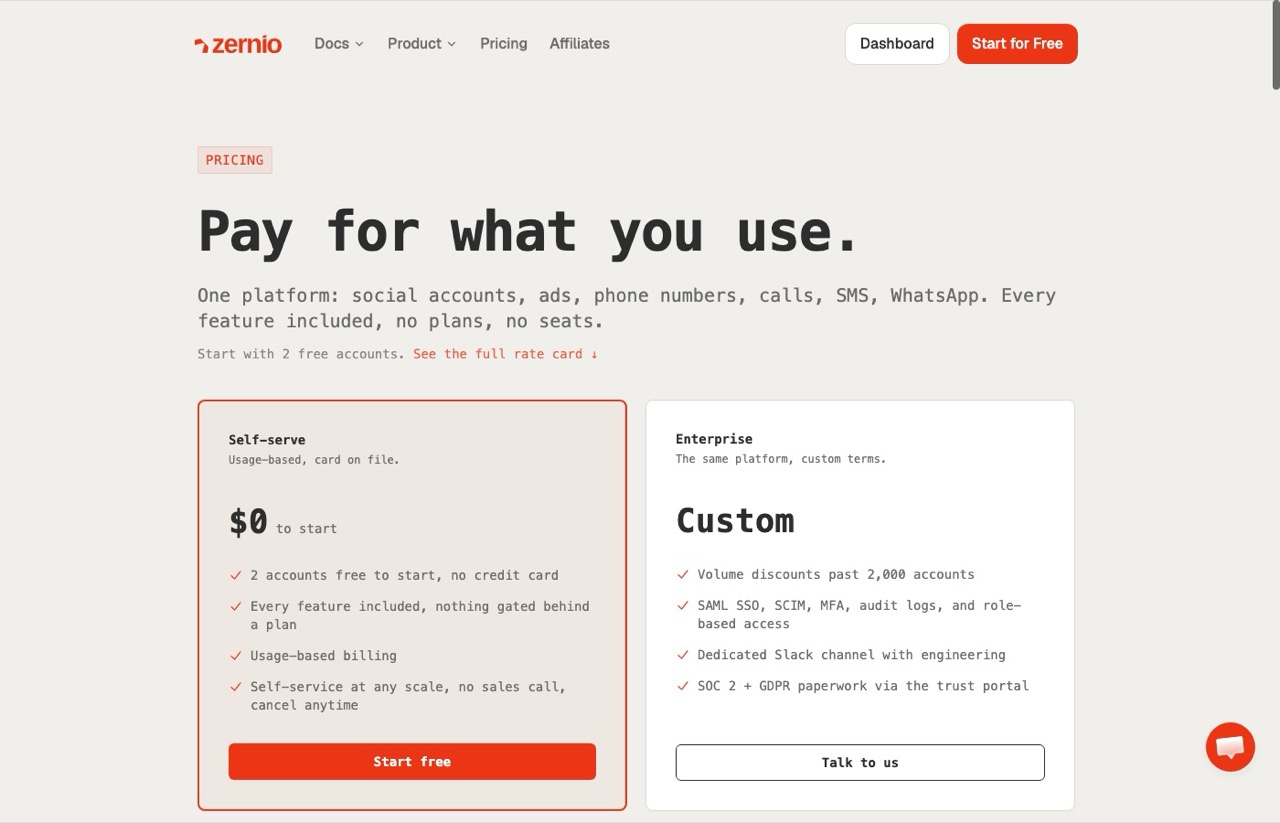
Zernio is usage-based with no plans at all. The first 2 accounts are free, accounts 3 to 10 are $6 each, then $3, then $1 past 100.
At three or four accounts nothing here comes close on price. Its own published example bills confirm the curve, and my arithmetic reconciles against them exactly.
Pros:
- Two accounts free permanently, no card
- Every feature included on every account, nothing gated behind a tier
- Graduated rates, so the marginal account gets cheaper as you grow
- Publishes a rate card built for agents to read
Cons:
- No source watching, so it does not do the trigger job
- Per-account metering climbs hard at scale, reaching $288 at 90 accounts against Repurpose.io's $79
- X usage is passed through at the platform's own per-call rates on top of your bill
- I have used the dashboard but never run it as a production publisher
Best for: Testing something real at two accounts without paying, and staying cheap under about eight.
Pricing: Free for 2 accounts, then $6 each to 10, $3 to 100, $1 above.
Free trial: Yes, two accounts free with no card and no expiry.
Bottom line: The cheapest honest starting point on this page, and the one that punishes you most if you scale past a hundred accounts.
6. Quso.ai (Best if the clip is the missing step)
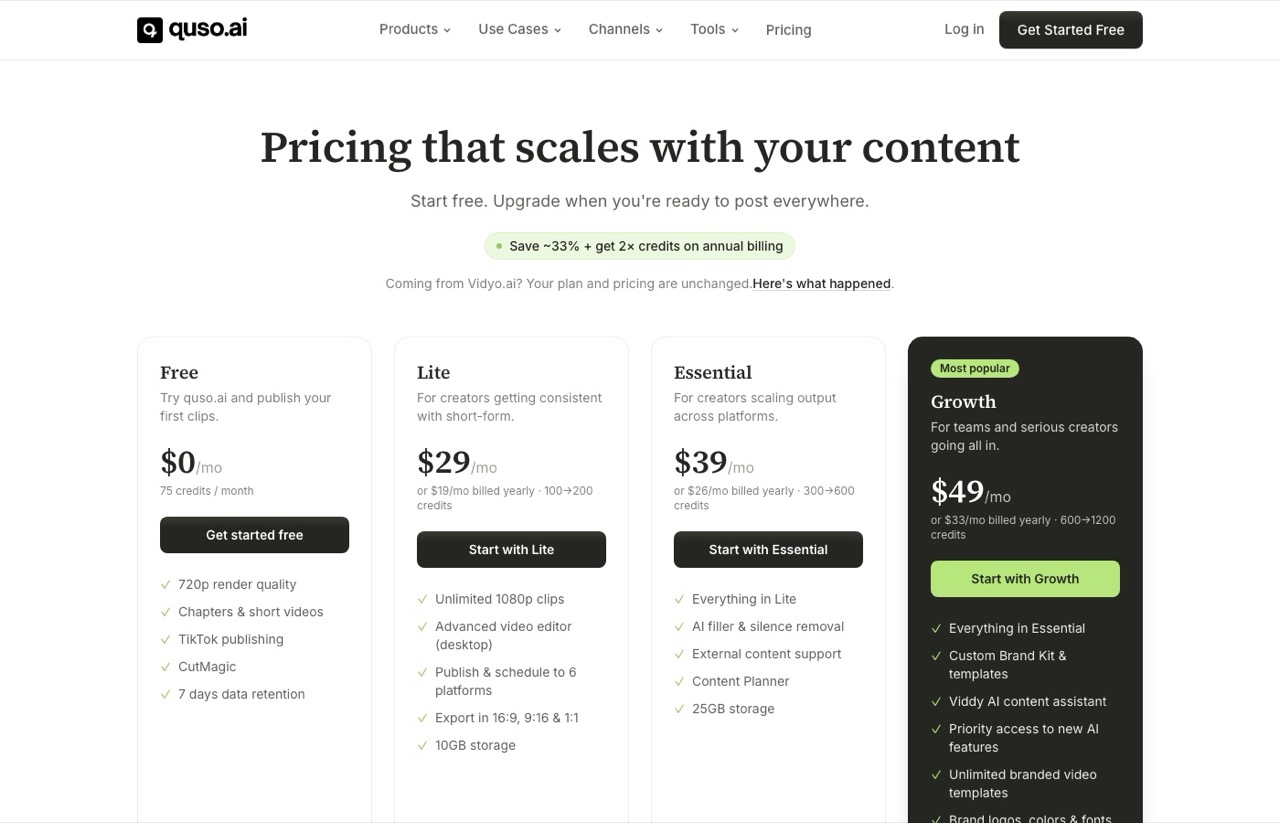
Quso.ai ranks on page one for this keyword and belongs in a different category, which is worth saying plainly. It cuts long video into shorts and then publishes them, so it covers a step Repurpose.io never claimed.
If your real problem is that you have a two-hour podcast and no shorts, no watcher solves that. I covered this category properly in my roundup of Opus Clip alternatives, so I will keep this short.
Pros:
- Free plan with 75 credits a month and TikTok publishing
- Clipping and scheduling on a single bill rather than two subscriptions
- Credits double on annual billing, so the tiers are not simply the same product cheaper
Cons:
- Not a watcher, and not a like-for-like Repurpose.io replacement
- Credit metering makes the bill harder to predict than a flat plan
- Free tier renders at 720p with 7 days of data retention
- Priced and read, not tested
Best for: Long-form creators who need the shorts made before anything can be distributed.
Pricing: Free (75 credits), Lite $29, Essential $39, Growth $49, monthly billing.
Free trial: Yes, a permanent free plan.
Bottom line: A good buy for the wrong problem. Only pick it if clipping, not distribution, is what is actually stuck.
7. Taja AI (Best if everything starts on YouTube)

Taja AI is built around YouTube first, writing titles, descriptions and tags, then scheduling outward from there.
Its unit is unusual enough to flag. You are buying a number of videos per month and a number of "social sets" rather than connected accounts, so comparing it to a per-account tool on price alone is misleading.
Pros:
- Cheapest paid entry among the platform tools at $19.99
- Handles YouTube metadata, which nothing else on this list touches
- Unlimited videos on the top tier rather than a credit meter
Cons:
- Starter covers only 4 videos a month, so the entry price is narrow
- No free plan, only a 7-day trial
- Useless if YouTube is not your primary platform
- Priced and read, not tested
Best for: YouTube-first creators who want the metadata handled as part of distribution.
Pricing: $19.99 Starter, $49.99 Professional, $99.99 Teams, monthly. Annual drops those to $15.99, $39.99 and $79.99.
Free trial: 7 days, no permanent free plan.
Bottom line: A narrow tool that is excellent inside its lane. Check the video allowance before the price, because 4 a month binds long before the dollars do.
Four Questions That Pick the Tool For You
These are the questions I would ask on any client build, in this order.
Does your content already exist somewhere? If it is already on YouTube or TikTok, a watcher works. If it is a file on your desktop, Repurpose.io cannot take it and ShortSync or Blotato can.
How many accounts, and on how many networks? Many accounts on few networks favours Repurpose.io's unit. Few accounts spread wide favours per-account pricing.
Is the post written when it arrives? If you still have to write every caption by hand, a pure distribution tool is solving your second problem.
Does your source publish an RSS feed? If yes, Publer does trigger-based automation for a few dollars, and that question alone can save you thirty a month.
What About OpusClip, Metricool and Later?
Three names come up constantly on this keyword and are deliberately not ranked above.
OpusClip holds the top vendor slot on this SERP and is a clipper, not a distributor. It is genuinely good, I pay for it, and it does not do Repurpose.io's job.
Metricool is a scheduler with strong analytics, free for one brand and 20 posts a month, with Starter at EUR 20 monthly or EUR 16 on annual billing. I ranked its rivals separately in my Metricool alternatives post, so it would be double counting to rank it here too.
Later is a capable scheduler, and I could not confirm its live monthly rates to my own standard on the day I wrote this, so I have left it unpriced rather than publish a number I had not verified.
What I Would Do With Thirty Dollars a Month
If the video already lives on YouTube and you want it everywhere with no thought, Repurpose.io at $35 is a fair price and the pages calling it expensive have not done the arithmetic.
If the writing is the bottleneck, Blotato at $29 is the one I use, paired with Make when a trigger is genuinely needed.
If you want to spend nothing, ShortSync's five free uploads a month are the closest thing to a real answer, and Publer's free three accounts are the closest thing to real automation.
The tool that fails you is the one bought for the wrong job. Work out whether you need a watcher, a clipper or a publisher first, and the price comparison mostly answers itself.
Repurpose.io Alternatives FAQs
What is the best Repurpose.io alternative?
There is no single best one, because Repurpose.io does three separable jobs and most alternatives only do one. If you want the caption and creative written as well as published, Blotato at $29 a month is the pick. If you want the watch-and-republish automation itself and your source has an RSS feed, Publer does it natively from $5.
If you want to pay nothing, ShortSync gives you 5 uploads a month to 12 platforms. Most pages ranking for repurpose io alternatives are selling one tool, so match the pick to whichever of those three jobs is actually stuck.
What is the best free Repurpose.io alternative?
ShortSync's free plan is the closest fit, giving 5 uploads a month to 12 platforms permanently, with API and MCP access. Publer's free plan covers 3 social accounts and includes RSS auto-posting, which is the only free route to genuine trigger-based automation. Buffer is free for 3 channels but does no repurposing. Repurpose.io itself has no permanent free plan, only 14 days or 10 published videos.
Is Repurpose.io actually expensive?
It depends on how many brands you run, not how many accounts you have. Repurpose.io bills per account per network, so one brand on five networks costs $35 where Zernio costs $18, and it looks expensive. Run ten brands and it is $79 where Buffer is $235 and Blotato is $499, which makes it the cheapest option compared here. The crossover sits at about three brands.
Can Blotato replace Repurpose.io?
Partly, and the difference is worth understanding. Blotato writes captions and generates images or video, which Repurpose.io does not, and publishes to 9 platforms for a flat $29. It has no source-watching trigger of its own, so to copy Repurpose.io's watch-and-republish workflow you pair it with Make or n8n, using their RSS or YouTube trigger.
Why does Repurpose.io only publish 5 videos a day?
That cap applies to schedule-based automatic publishing, where its documentation allows a maximum of 5 publishing slots per day with one video per slot. Snapchat destinations are the exception, allowed more slots and more videos per slot, up to 50 a day. Manual scheduling has no such limit, which is where the advertised 5,000 videos a month comes from.
Which alternatives can watch a source and republish automatically?
Very few. Publer does it from RSS feeds, publishing new items as they arrive. Blotato and Zernio can do it when paired with Make or n8n, which supply the trigger. Buffer, ShortSync, Quso and Taja publish only what you hand them, so they are alternatives to the destination half of Repurpose.io rather than the automation half.
Disclosure: Blotato is a client of mine and my account there is comped, and links to it in this post are affiliate links, so I earn a commission if you subscribe. I have no financial relationship with Repurpose.io, Publer, ShortSync, Buffer, Zernio, Quso, Taja, OpusClip, Metricool or Later. Of the tools here I use Blotato daily, pay for Opus Clip, and have used Zernio's dashboard but never run it in production. The rest I assessed from their live pricing pages and documentation, with monthly billing selected, and I have marked those entries as priced rather than tested. Where a vendor's own surfaces disagreed, or where I could not verify a figure, I said so rather than filling the gap. Full disclosure policy.