
Microsoft Copilot for Business: Worth It or Watered Down?
I have called Microsoft Copilot for business a watered down ChatGPT for about three years, and I had not opened it once in that time.
Then I interviewed someone who builds with it every single day, and I had to update my take. There is also a career opening buried in this one that I did not see coming.
Microsoft Copilot for Business Video Guide
My guest is Mike Bryan, a quality leader who spent his career inside the Microsoft ecosystem and now builds AI agents, apps, and automations with Microsoft products.
Mike is also a VIP member of my community, and he came on to show me what I had been dismissing.
The short version is that I was judging the wrong thing. I kept comparing the chatbot to Claude and ChatGPT, which is a fight Copilot loses.
That comparison misses where the product actually competes.
If you want to go deeper on running AI inside a real business, I put together a guide on how business owners can use Claude Code that covers the other side of this stack.
Why I Was Wrong About Copilot
Here is the number that reframed the whole conversation for me.
Roughly 80 to 85 percent of the thousand biggest companies in the United States run on the Microsoft ecosystem, according to Mike. Microsoft reports that more than 90 percent of the Fortune 500 now use its AI tools.
So this is not a niche tool. It is the default AI for millions of people who never got to pick.
Mike put the design intent plainly. Microsoft never tried to win the frontier model race.
They stayed centrally located inside their own ecosystem and optimized the Office suite for AI instead.
Anthropic and OpenAI spent years building the best raw model. Microsoft spent those years asking a different question about the infrastructure it already owned.
The question was how to make the tools people already open every morning better.
The Tenant Is the Whole Argument
Ask what Copilot does that Claude cannot, and the honest answer is not about output quality.
It is about where your data sits when the work happens.
Everything stays inside your Microsoft tenant. For a hospital system or a finance firm, that single property outranks every benchmark score.
Mike connects client systems through what he counts as roughly 1,100 connectors, pulling in platforms like HubSpot and Workday. Microsoft's own library is larger now, so treat that as his working number.
The data never leaves the boundary the compliance team already approved.
I assumed this only mattered at Fortune 1000 scale. Mike corrected me with two examples that stuck.
He has a friend who runs a wealth management agency with ten employees. Their insurance partner mandated they stay inside the Microsoft ecosystem.
He also works with a tax accountant facing SEC filing requirements, where every third party tool added to the stack multiplies the complexity.
Ten people. No enterprise budget. Still locked in.
That is the reader most Copilot coverage ignores, and it is a much bigger group than I expected.
What Microsoft Copilot for Business Actually Replaces
The license math is where this gets interesting for a small team.
Copilot is not one purchase. It quietly replaces a stack of subscriptions you may already pay for separately.
Power Automate runs about $15 per user monthly and covers the ground Zapier and Make occupy. If you are weighing that trade, I broke down where per-task billing stops making sense in more detail.
Copilot Studio handles custom chatbots and agents at a higher tier.
Here are the current published rates from Microsoft's pricing page:
- Microsoft 365 Copilot Business: $18 per user monthly paid yearly, a promotional first-year rate running through September 30, 2026, normally $21
- Business Standard with Copilot: $23.50 per user monthly paid yearly
- Business Premium with Copilot: $32 per user monthly paid yearly
- Copilot Chat: included at no extra cost with eligible Microsoft 365 plans
One warning from Mike that the pricing page does not advertise. Microsoft has started folding credits into these licenses, and he hit a limit he did not know existed.
He estimates he still spent under $100 sorting it out, but he called the credit system nebulous.
Budget for that surprise before you roll out seats.
The Agent Layer Nobody Talks About
Every platform ships an agent feature now, and almost nobody defines the term.
So I asked Mike how a Copilot Studio agent differs from an n8n workflow or a Claude Code subagent.
His answer was refreshingly unglamorous. The agent holds the instructions and the knowledge, and you attach tools to it.
He prompted it to send a daily report, tweaked the formatting, and now it emails him every morning.
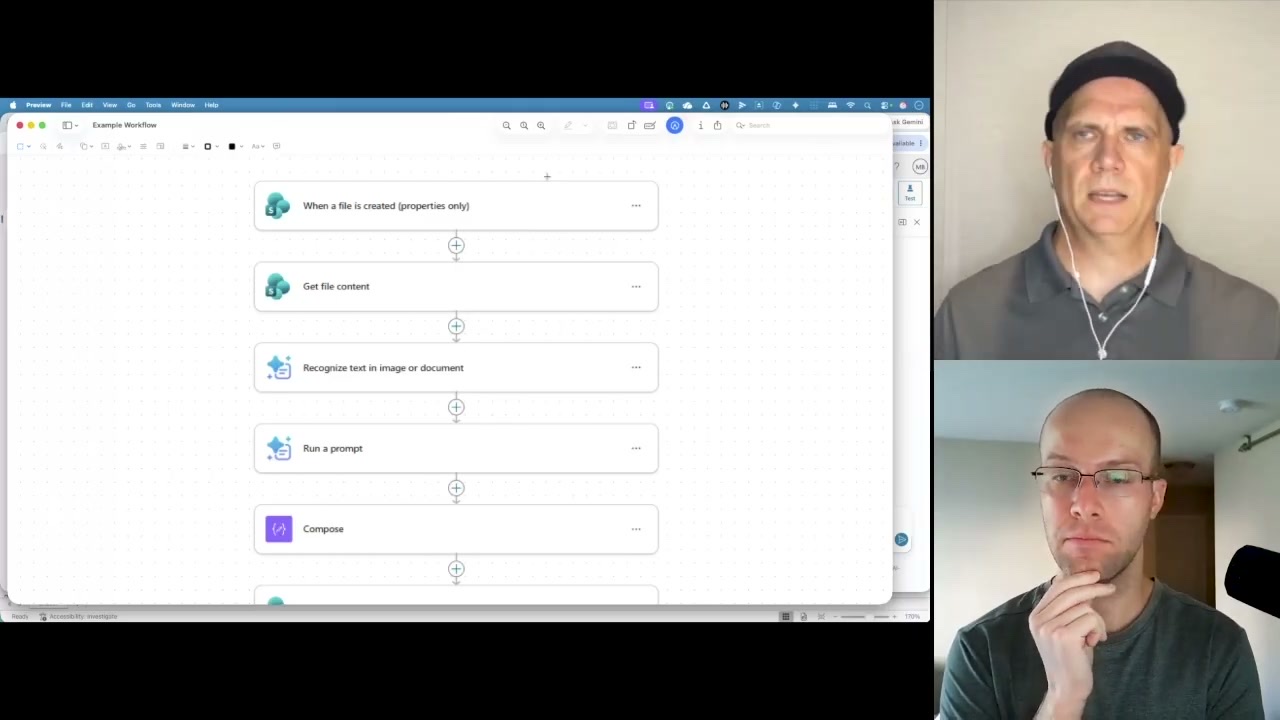
A more involved build converted SOPs trapped in PDFs into a training format called a job instruction breakdown.
The workflow pulls text out of the PDF, runs it through the agent, composes the document, and triggers an Excel script to format it.
Mike is blunt that Copilot Studio is complex. He also thinks the workflow builder looked easier than Zapier or Make, which surprised me watching it.
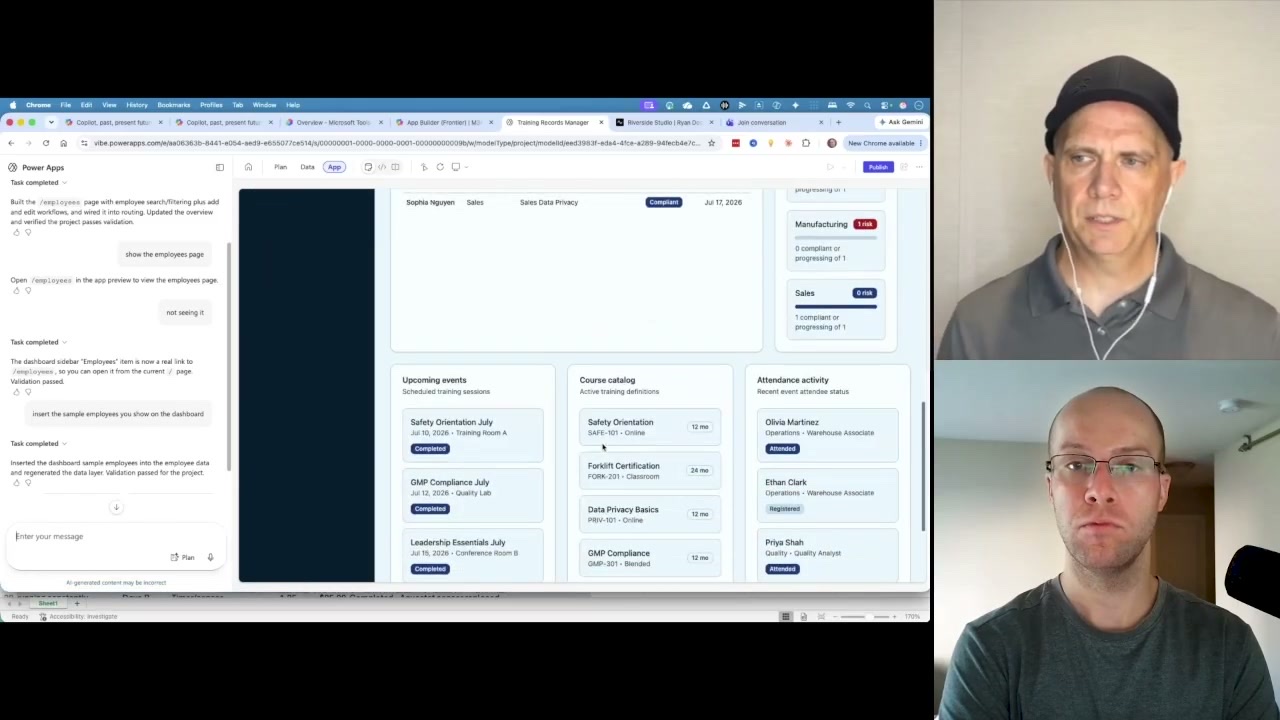
Microsoft is also shipping app builders on top of this. One runs on SharePoint lists and stays deliberately light.
A more capable version sits in preview at vibe.powerapps.com, built on Dataverse.
The Real Opportunity Is the Consultant Gap
This is the part I keep thinking about a week later.
Fortune 1000 companies pay McKinsey style firms enormous sums for transformation work. Those same companies are full of people who genuinely struggle to operate a computer.
If you become the person who actually understands Microsoft AI inside one of those organizations, you are holding rare leverage.
Mike does not think this is a gold rush that evaporates. Microsoft keeps adding to the tool belt, so staying current is the job.
His rapid fire advice for anyone sitting inside that ecosystem tomorrow morning was refreshingly simple.
Identify your biggest pain point. Then ask Copilot which Microsoft tool solves it, because there is almost certainly one you have not found.
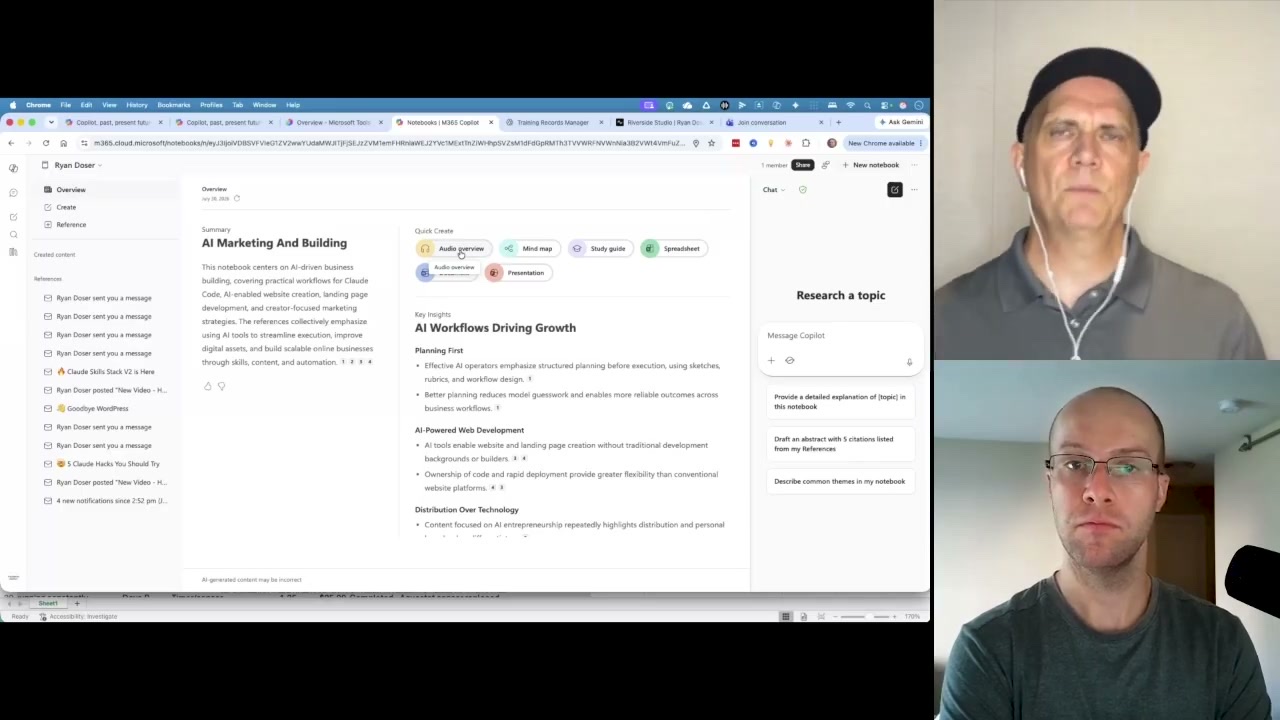
Notebooks is Microsoft's answer to NotebookLM, and Mike concedes Google is further along.
You point it at references, then generate a study guide, a presentation, or an audio recap.
Paired with Loop, which functions like Notion, you get a knowledge base that lives where your team already works. I have written before about building an AI second brain, and this is that idea rebuilt inside a corporate tenant.
Ryan's Final Thoughts
I still would not use Copilot. As a solo operator with no red tape, Claude and Claude Code beat it comfortably.
That is exactly the point I got wrong for three years. I was evaluating a compliance product against a creativity product.
If you are weighing that same decision for your own business and would rather not make it alone, that is the job your AI guy does.
If your data has to stay inside the tenant, the model quality gap stops being the deciding factor.
Mike's prediction for the next year is that the vague capability marketing gives way to specific proven use cases. Being the person with those receipts is the opportunity.
The full conversation with Mike is in the episode above, including the screen shares where he walks through each build.
Microsoft Copilot for Business FAQs
Is Microsoft Copilot for business worth it?
It is worth it when your organization already runs on Microsoft 365 and your data cannot leave the tenant for compliance reasons. In that case it is often the only approved option. If you are a solo operator or a small agency with no regulatory constraints, general purpose tools like Claude or ChatGPT deliver stronger output for less money.
How much does Microsoft Copilot for business cost?
Microsoft 365 Copilot Business runs $18 per user monthly paid yearly as a promotional first-year rate through September 30, 2026, normally $21. Business Standard with Copilot is $23.50 and Business Premium with Copilot is $32, both per user monthly paid yearly. Copilot Chat is included at no extra cost with eligible Microsoft 365 plans.
What is the difference between Copilot and Copilot for business?
The consumer version answers questions using web data. The business version is grounded in your organization's own content, meaning your emails, files, chats, and meetings inside the Microsoft tenant. Per Microsoft's privacy documentation, it only surfaces data the individual user already has permission to view.
Can Microsoft Copilot replace Zapier or Make?
Power Automate covers most of the same automation ground at roughly $15 per user monthly, and it connects natively to Microsoft services. Mike Bryan found the workflow builder easier to use than expected. The tradeoff is that it works best when the systems you are connecting already live inside the Microsoft ecosystem.
Is Microsoft Copilot good for small businesses?
It depends entirely on whether you are required to stay in the ecosystem. A ten person wealth management firm mandated by its insurance partner has a real reason to adopt it. A small marketing agency with no compliance pressure will get more value from a general purpose AI tool at a lower price point.