
How to Implement AI in Business When You Are Not Technical
Most guides on how to implement AI in business tell you to find your most repetitive task and start there. That is the wrong first filter, and it is why so many owners stall in week six.
The better question is which task you would tolerate being done badly.
AI output needs checking. If a job is one you cannot bring yourself to hand to a new employee on their first week, you will not really hand it to software either. You will hover over it, re-do it yourself, and quietly stop opening the tool. The task that survives is the one where a rough first draft is genuinely useful to you, even when it is wrong.
That single reframe is most of the difference between a habit that sticks and one that does not, and I have not seen it in any of the guides ranking for this phrase.
Why the Standard Advice Does Not Fit a Business Your Size
I checked the page-one results. Microsoft, IBM, MIT Sloan and Harvard Business School are all there, and to be fair to them, most do tell you to identify the problem before picking a tool. IBM's first step is defining goals. Microsoft's is use-case identification.
The problem is who they are talking to. IBM's guide assumes you can convene a cross-functional review board and hire data scientists. Microsoft's assumes a portfolio of use cases to rank by value and effort. That is sound advice for a company with departments. If you are the owner, the operations manager and the person who answers the phone, there is no portfolio to scan and no committee to convene. There is just your week.
It also assumes the hard part is choosing correctly. For an owner, the hard part is that the choice has to survive a bad Tuesday.
Worth naming what the research says actually stops people. The Bipartisan Policy Center found in a December 2023 survey of 498 firms that cost was the most significant barrier, at 55%. A Service Direct report found that among owners who do not use AI, 62% gave reasons that came down to not understanding the benefits. Different years and different groups, so I am not going to stack them into a league table, but together they say the two things standing between an owner and AI are price and not being able to picture the point.
The plan below is built to kill the second one first, because it is free to do, and because price sorts itself out once you can see what you are buying. If you would rather pay someone to shortcut it, the nine questions I would ask an AI consultant are worth reading before you do.
Days 1 to 14: Build the Two-Column List
Do not download anything yet.
For two weeks, keep a running list of every task you personally do more than twice. Not what your business does. What you do, with your own hands, that eats your evenings.
Give each task two columns. First, how long it takes you. Second, whether you would let a capable new hire do it badly for a fortnight while they learned.
Picking the right task off that list is the thing I most often end up doing with owners in the AI Concierge. The 90 days below cost nothing to run though, so do that first, before paying anyone. Me included.
The second column is the one that picks your task. Sort by it, not by the clock.
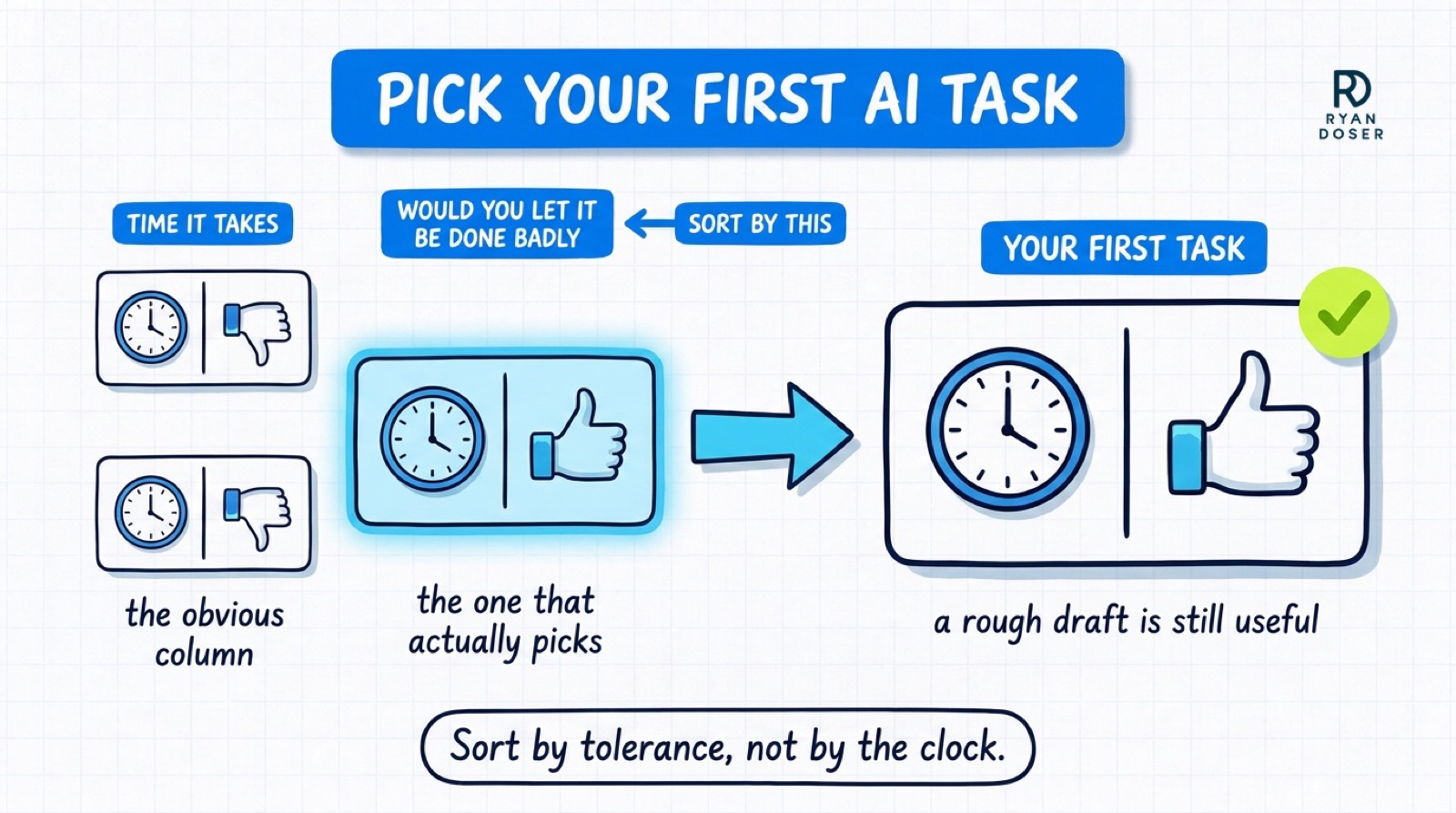
A ninety-minute job you would never hand over is a worse starting point than a twenty-minute job you would, because the first one you will take back and the second one you will keep.
By day 14 you want one task selected. One. Writing customer emails, drafting quotes, summarizing calls, turning a job into an invoice description. Something language-heavy that you can check in ten seconds.
Days 15 to 45: Get One Task Working Properly
Now open a tool. Use the free tier of Claude or ChatGPT. You do not need a paid plan to find out whether this works for you, and you should not buy one until you know.
Do the task the way you always do. Then do it again with the tool. Compare the two, and time both.
The important part is what happens next, and it is the part almost every guide skips. When the output is wrong, do not accept it and do not give up on it. Tell the tool exactly what was wrong and ask again. Then save the version of your instructions that finally worked.
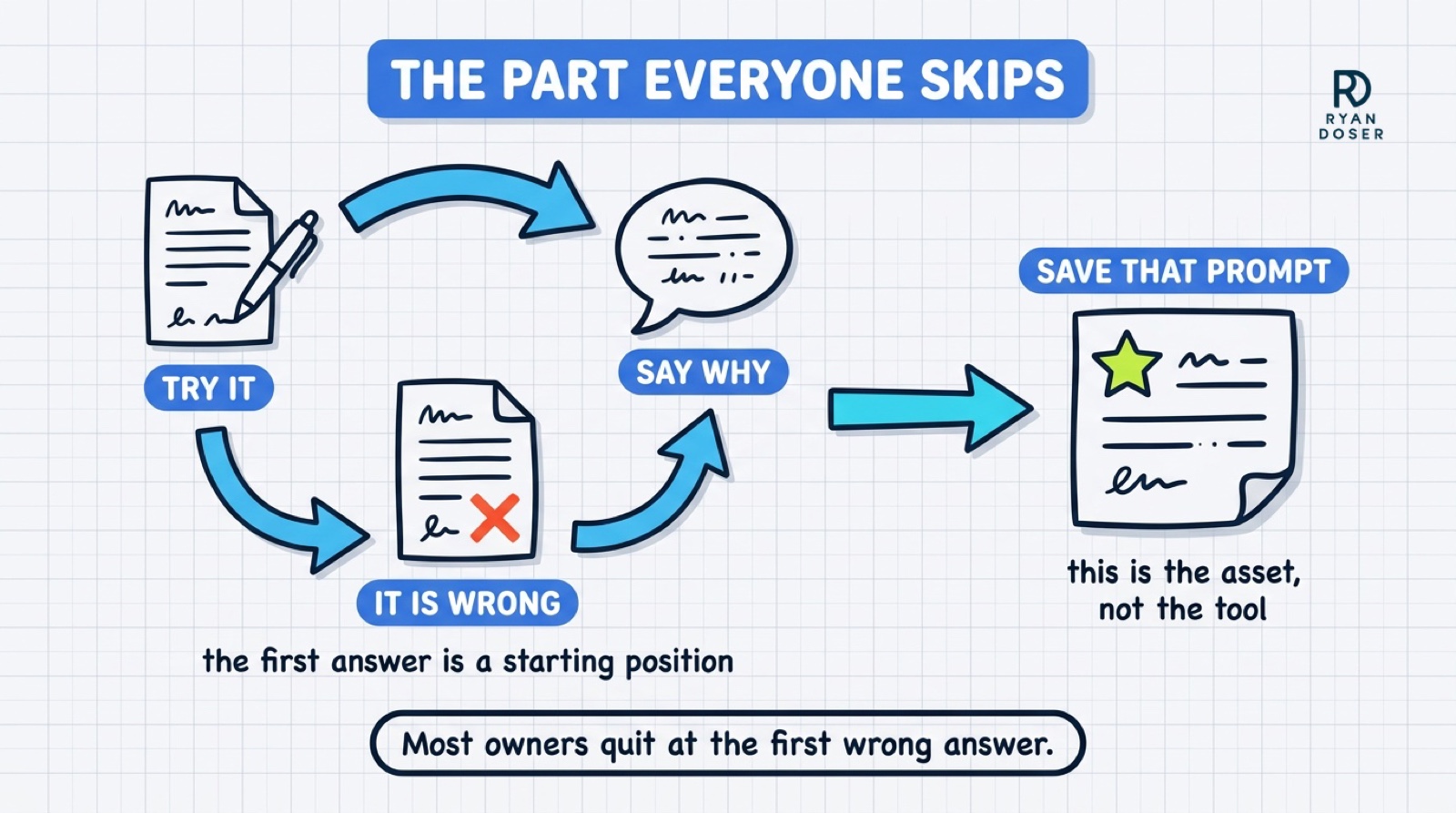
That saved instruction is the actual asset. Not the tool, not the subscription. It belongs in a note on your desktop where you can paste it again next week.
Owners who quit at this point usually quit because they judged the technology on its first answer. The first answer is a starting position.
By day 45 you should be able to say a real number. Not "it saves time." Something closer to "this took me forty minutes on Tuesdays and now takes twelve."
Days 46 to 75: Make It Survive a Bad Week
This is the stretch where the novelty is gone and nothing is forcing you to keep going.
Two things make a habit stick here. First, attach the task to something already in your calendar rather than relying on remembering. If you draft quotes on Monday mornings, the saved instruction lives in the Monday morning block.
Second, write down what the tool is not allowed to touch. Client financials, anything with personal data in it, anything going out the door without your eyes on it. Owners skip this because it feels like paperwork for a company of three, then hesitate over every single use because they never settled the question. Settling it once removes the friction.
If the task has not stuck by day 75, the honest read is usually that you picked the wrong task, not that AI does not work for your business. Go back to your day-14 list and take the next one down.
Days 76 to 90: Add the Second Thing, or Stop
You have earned exactly one decision here.
If the first task is running without you thinking about it, pick a second from the same list and repeat the cycle. Not five. One.
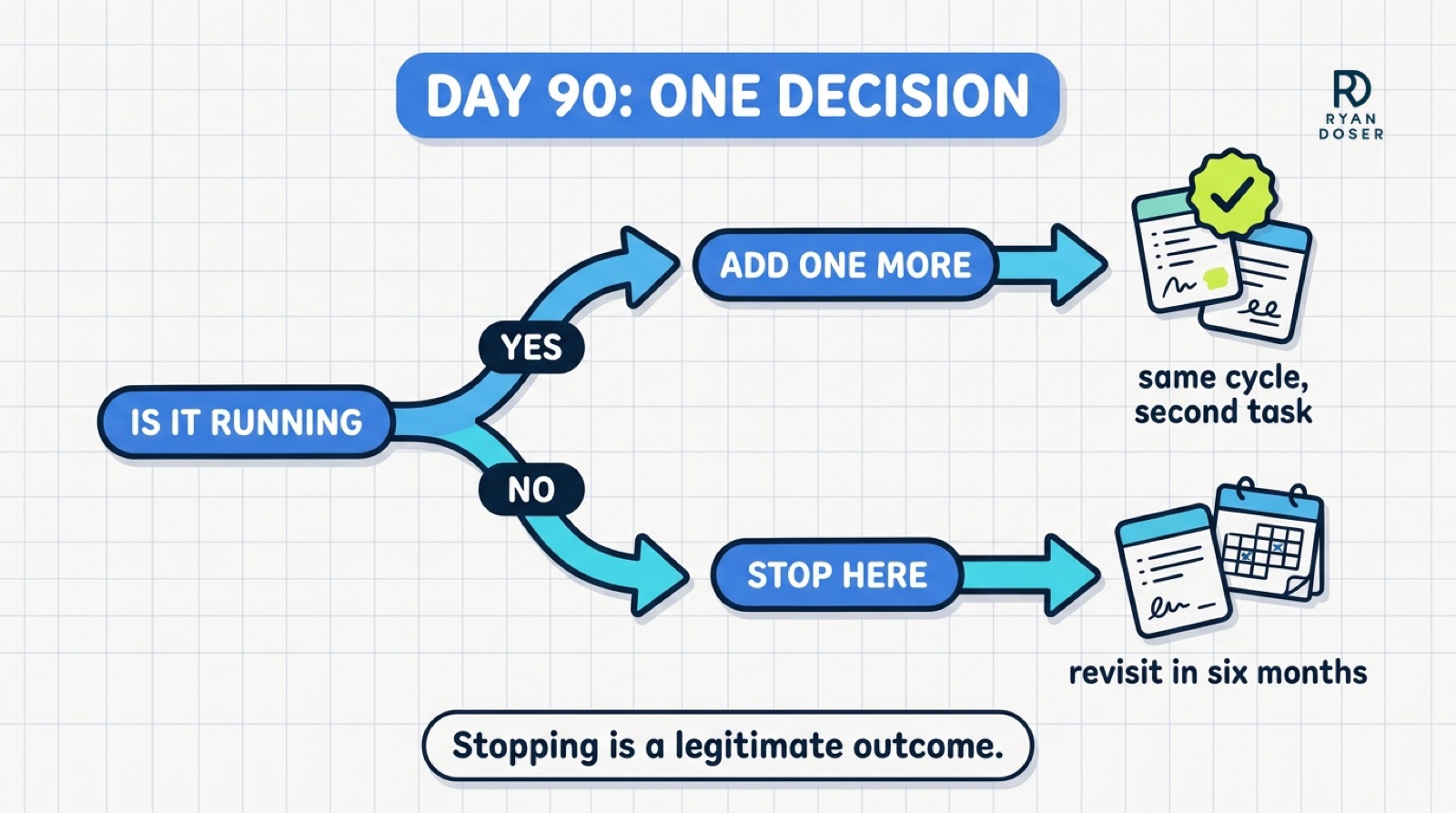
If it is not running, stop adding. Adding a second tool on top of a first one you are not using is how owners end up paying for four subscriptions and using none, and how a business that told a survey it used AI last year says no this year.
Stopping is a legitimate outcome at day 90. A business that tested AI on one workflow, measured it honestly and concluded it was not worth it right now is in a better position than one that bought a stack on enthusiasm. You can revisit in six months with everything you learned. If it worked and you want to go further, that is the point where choosing between a coach, a consultant and a fractional CAIO starts to matter.
What This Plan Deliberately Leaves Out
No automation platform. No connected apps, no Zapier or Make workflows, no agents. Those are legitimate tools, but they are day-180 work, and putting them in a beginner's first 90 days is a large part of why beginners quit.
No AI strategy document. You cannot write a useful one before you have run a single task, and the ones written beforehand are guesses dressed up as plans.
No tool comparison. You are not choosing a platform in your first 90 days. You are finding out whether this fits how you actually work, and the free tiers answer that question well enough.
Ryan's Final Thoughts
If you take one thing from this, make it the second column. Sort your week by what you would let someone else do badly, not by what takes longest, and your first AI task picks itself.
That is the whole trick. Get one visible win you can point at on a Tuesday, and the second one is easy. The tool question answers itself.
If you run this and get stuck, or you want someone to look at your day-14 list and tell you which task to start with, that is what the AI Concierge is. One 90-minute call a month at $999, by application, and I have talked people out of it before when a free afternoon would have done the same job.
How to Implement AI in Business FAQs
How do I implement AI in my business if I am not technical?
Start with one language-heavy task you already do every week, like drafting customer emails or quotes, and run it through the free tier of ChatGPT or Claude alongside your normal method for a few weeks. You do not need to build anything or connect any systems. The technical work people picture, automations and integrations, comes much later and is not required to get value. The skill you are actually learning is writing clear instructions and checking output, which is not a technical skill.
How long does it take to implement AI in a small business?
Getting one task working reliably takes about 45 days at a realistic pace, and making it a habit takes another 30. Ninety days is enough to have one workflow genuinely running and an honest measurement of what it saved you. It is not enough to have AI running across the whole business, and plans that promise that are setting you up to abandon it.
Why do so many small businesses stop using AI?
Usually because of the task they picked, not the tool. Owners tend to start with whatever eats the most time, and those jobs are often the ones they are least willing to let anyone else touch. So every output gets re-done by hand, the tool stops saving anything, and it quietly goes unused. Starting with a task where a rough draft is genuinely useful avoids that, even if the time saved looks smaller on paper.
Do I need to pay for ChatGPT or Claude to start?
No, and you should not until you have proof it helps. The free tiers are enough to test whether one task works, which is the entire goal of the first 90 days. Buy a subscription when you have a number showing what the task saved you, not before.
What is the first thing a business owner should automate with AI?
The first thing should not be automated at all, it should be assisted. Pick a repetitive writing task where you can judge the output in seconds, like a customer reply or a quote description, and keep yourself in the loop reviewing every one. True automation, where something runs without you looking at it, is a later decision that should only follow a task you already trust.
Some links in this post are affiliate links. If you buy through them I may earn a commission at no extra cost to you. I only recommend tools I actually use or would recommend regardless. See my full disclosure.