
SEO Website Redesign: 7 Steps (and My Real Traffic Data)
A good SEO website redesign keeps the traffic you already earned while everything around it changes. When I moved ryandoser.com off WordPress on July 22, 2026, Google clicks averaged 68 a day in the four weeks before the switch and 71 a day in the four weeks after.
SEO Website Redesign in 7 Steps
In my experience, most rankings lost in a redesign come from old addresses that stop working. These seven steps are the order I follow, and each one sets up the next.
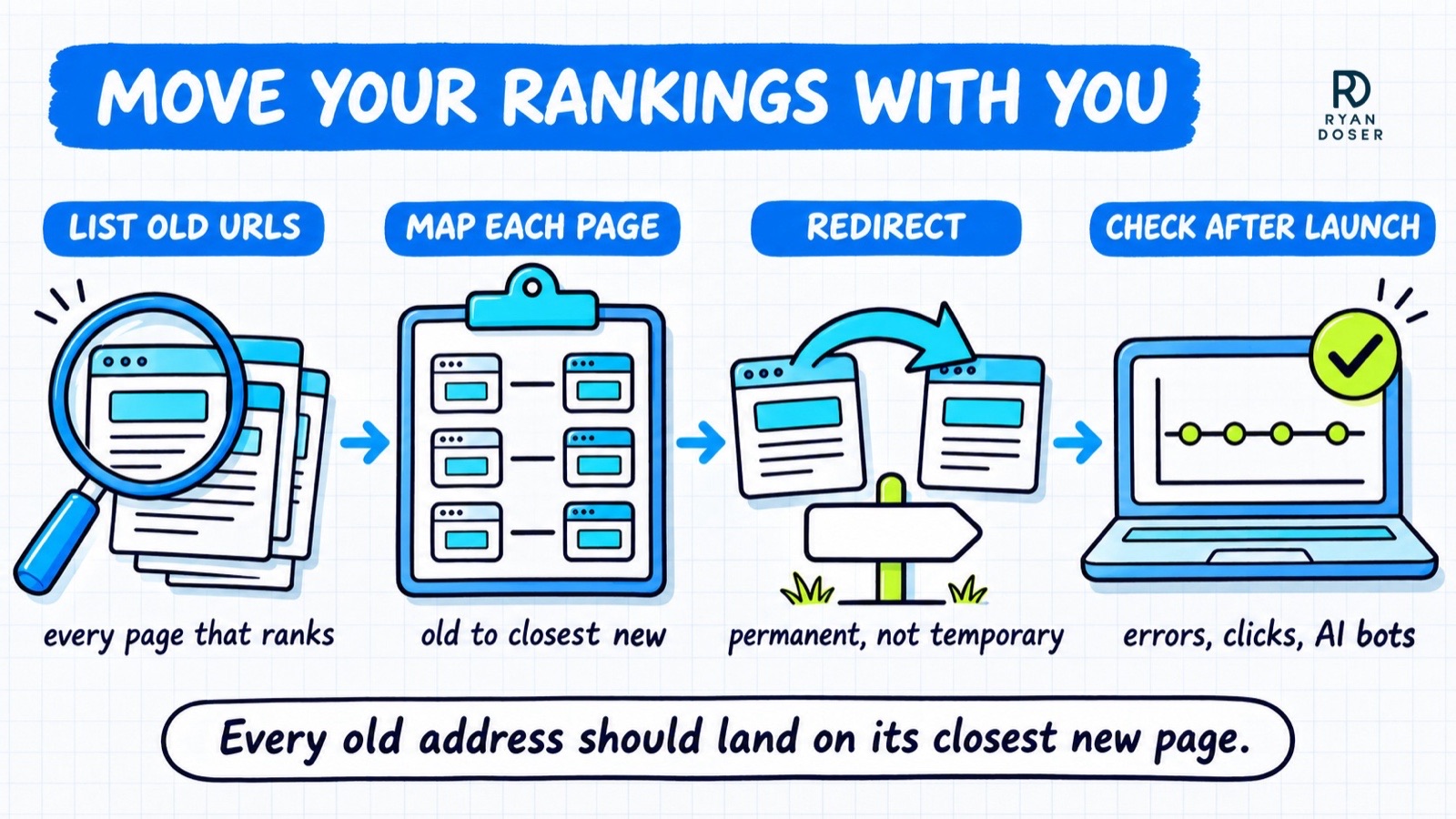
- List every URL that brings in traffic. Export your pages from Google Search Console and Bing Webmaster Tools, plus a crawl of the old site, before anyone touches the design.
- Keep the URLs that rank. If the new site can use the same addresses, keep them, because an unchanged URL needs no redirect at all.
- Map each old URL to its closest new page. A spreadsheet with three columns works: old address, new address and why it matches.
- Set up permanent 301 redirects for every URL that changes. Point each one at its closest match, never at the homepage.
- Carry over what made each page rank. Page titles, headings, body copy, internal links and schema move with the page, even when the design around it is new.
- Test on a staging copy blocked from Google. Then remove that block on launch day, since a leftover noindex tag can hide the whole site.
- Launch, submit the new sitemap, then watch for four weeks. Check Search Console and Bing Webmaster Tools for errors, compare clicks page by page, and keep the redirects live for at least a year.
If you would rather hand the whole move to someone, that's the job of my SEO website design service for B2B companies, SaaS and personal brands. Builds start at $5K with a fixed quote, plus a $500/month care plan that's required for the first six months, and the redirect map and an AI crawler check are part of every rebuild.
What My SEO Website Redesign Did to Google Traffic
Here is what actually happened to traffic on my own site, pulled from Google Search Console.
My rebuild of ryandoser.com from scratch went live on a new stack on July 22, 2026. Blog posts kept their exact addresses at the root of the domain, so only a handful of pages needed redirects, and the redirect file at launch had 14 lines.
The first four days after launch averaged 49 clicks a day, down from the 68 a day I had been getting. By the end of the first week, clicks were back to normal.
Across the four weeks after the switch, Google clicks averaged 71 a day. That is roughly flat with the month before, which is the realistic goal for any redesign.
Impressions told a messier story. They fell in July too, but the slide started about a week before the switch, so I can't honestly pin it on the move.
My read is that step two did most of the work. Keeping the same URLs meant very few pages depended on a redirect at all.
That is also why my move was the easy version. A site that changes dozens or hundreds of URLs carries far more risk, and that's where a careful redirect map earns its keep.
Redirects Decide Most of an SEO Website Redesign
A redirect tells Google that a page moved and where it lives now. Get the type or the target wrong and the rankings can stay stuck on the old address.
Google's site move guide says to use server-side permanent redirects, such as 301 and 308, whenever it's technically possible. It also says to "keep the redirects for as long as possible, generally at least 1 year."
The type matters because Google treats them differently. Per Google's redirect documentation, a permanent redirect shows the new page in search results, while a temporary redirect keeps showing the old one.
A 302, which is temporary, is easy to set by accident in a plugin or host dashboard. Check the status code on a few old URLs yourself after launch, because the setting often looks right in a dashboard and wrong in practice.
The second mistake is sending every old URL to the homepage. A visitor looking for a specific service page lands somewhere useless, and that page's rankings have nowhere relevant to go.
Expect some movement even when you do everything right. Google says "you may experience ranking fluctuations while Google recrawls and reindexes your site."
Keep the Pages AI Tools Already Quote
Most SEO website redesign checklists I've read skip this step. ChatGPT, Perplexity and Google's AI answers pull from specific pages, and a redesign can quietly delete the ones they rely on.
Find those pages first. Bing Webmaster Tools reports AI citations page by page, and ryandoser.com earned more than 12,000 there from February to August 2026, so I can see which URLs Bing's AI answers lean on and protect those first.
Then keep the answer itself along with the address. If an AI tool quotes a price, a definition or a step-by-step list from a page, rewriting that part of the page during the redesign can cost you the citation even with a perfect redirect.
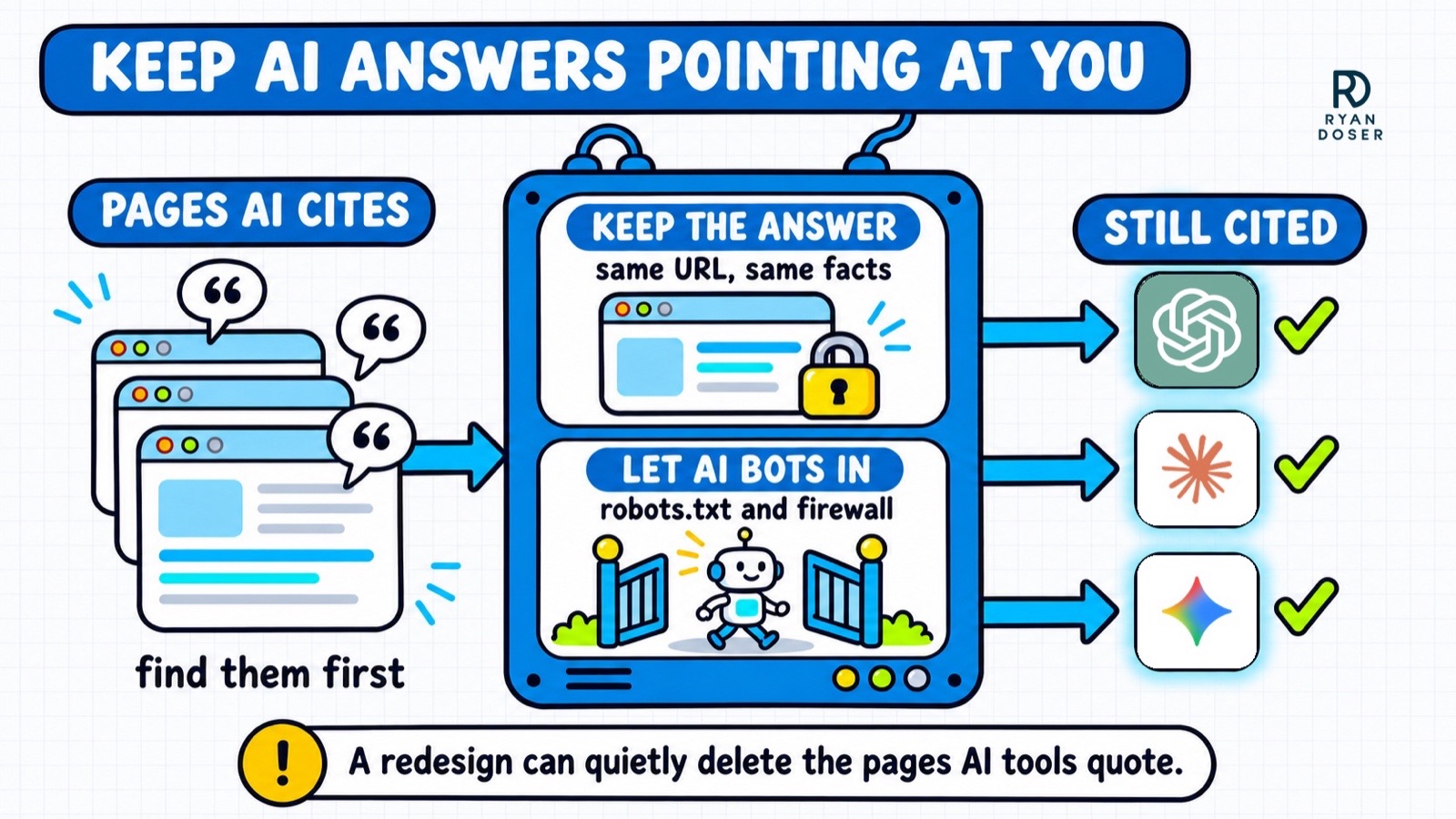
Last, make sure AI crawlers can still get in. A new host, a new firewall or a new robots.txt file can block bots like OAI-SearchBot, Claude-SearchBot and PerplexityBot without anyone noticing.
My free AI agent readiness checker runs that test in about 10 seconds, including a simulated ChatGPT-User visit that shows whether your firewall turns AI agents away. Run it on the old site before launch and the new one after, and compare.
B2B Website Redesign Checks for Forms and Leads
On most B2B sites, forms are where the leads come in, and an SEO website redesign can break them as easily as rankings. These checks are quick and catch the expensive mistakes.
- Submit every form yourself after launch. Confirm the email arrives and the lead lands in your CRM.
- Re-check conversion tracking. Your analytics and ad platforms count leads from specific pages and events, and a new design often changes both.
- Redirect old PDFs and gated content. Spec sheets and case studies often rank on their own and get missed because they aren't pages.
- Keep your service and location pages. Merging five service pages into one "Services" page may look cleaner, but it can drop rankings for every one of those searches.
If the redesign also means switching platforms, decide that before the redirect map, since the platform shapes your URLs. The trade-offs are in my Astro vs WordPress breakdown.
What to Do If Rankings Drop After a Redesign
Don't panic in week one of an SEO website redesign, and don't undo the launch. Work through the likely causes in order, starting with the one that is easiest to check.
First, test 10 old URLs whose addresses changed. Each should return a permanent redirect (301 or 308) and land on the right page, never a 404 or a 302.
Second, look for a leftover staging block. A noindex tag or a robots.txt rule copied from the test site is a common way an entire new site disappears.
Third, open Search Console's page report and sort by clicks lost. The drop is usually concentrated in a few pages whose content changed or whose redirect points at the wrong place.
Fix those pages, request indexing on them, and give Google a few weeks to reprocess the move. A larger site with more changed URLs can take longer than a small one.
If your redesign changes a lot of URLs and you want someone else to own that risk, it's exactly the work my website design service covers.
SEO Website Redesign FAQs
Will a website redesign hurt my SEO?
A redesign hurts SEO when old addresses break or the content that ranked disappears. The new look itself rarely matters. Keep the URLs that rank, redirect the rest with permanent 301s to the closest match, and carry over titles and copy. Google still warns that rankings may fluctuate while it recrawls the site, so plan for some movement.
How long does it take to recover rankings after a redesign?
It depends on how much changed. On my own site, which kept most of its URLs, Google clicks averaged 49 a day for the first four days and were back to normal by the end of the first week. Sites that change many URLs or merge pages should expect it to take weeks while Google recrawls and reprocesses the move.
How much does an SEO website redesign cost?
It depends on the number of pages, how much content changes and how many URLs move. My own SEO website design builds start at $5K with a fixed quote, plus a $500/month care plan that's required for the first six months, for B2B companies, SaaS and personal brands. Every build includes the redirect map and a check that AI bots can reach the new site.
How long should I keep 301 redirects after a redesign?
Google's site move guide says to keep redirects for as long as possible, generally at least one year. In practice, keep them indefinitely if your host allows it, because old links from other websites keep sending visitors and AI tools to those addresses for years.