
8 Best Linktree Alternatives in 2026 (Including Free Ones)
The best Linktree alternatives fix two things Linktree won't: it charges $17 a month on monthly billing to take its logo off your page, and no plan at any price puts that page on your own domain. The first pick below is the one I use, a link page Claude built from one prompt that now lives at ryandoser.com/links.
Why People Go Looking for Linktree Alternatives
A Linktree alternative is any page that replaces Linktree as the one link in your social bios, whether a tool hosts it for you or you build it yourself.
Linktree has four main plans. Starter costs $9 a month month-to-month ($7 if you pay for the year). Pro is $17 a month ($14 yearly), and Premium is $35 ($30 yearly). The free plan works, but your page keeps the Linktree logo in the footer.
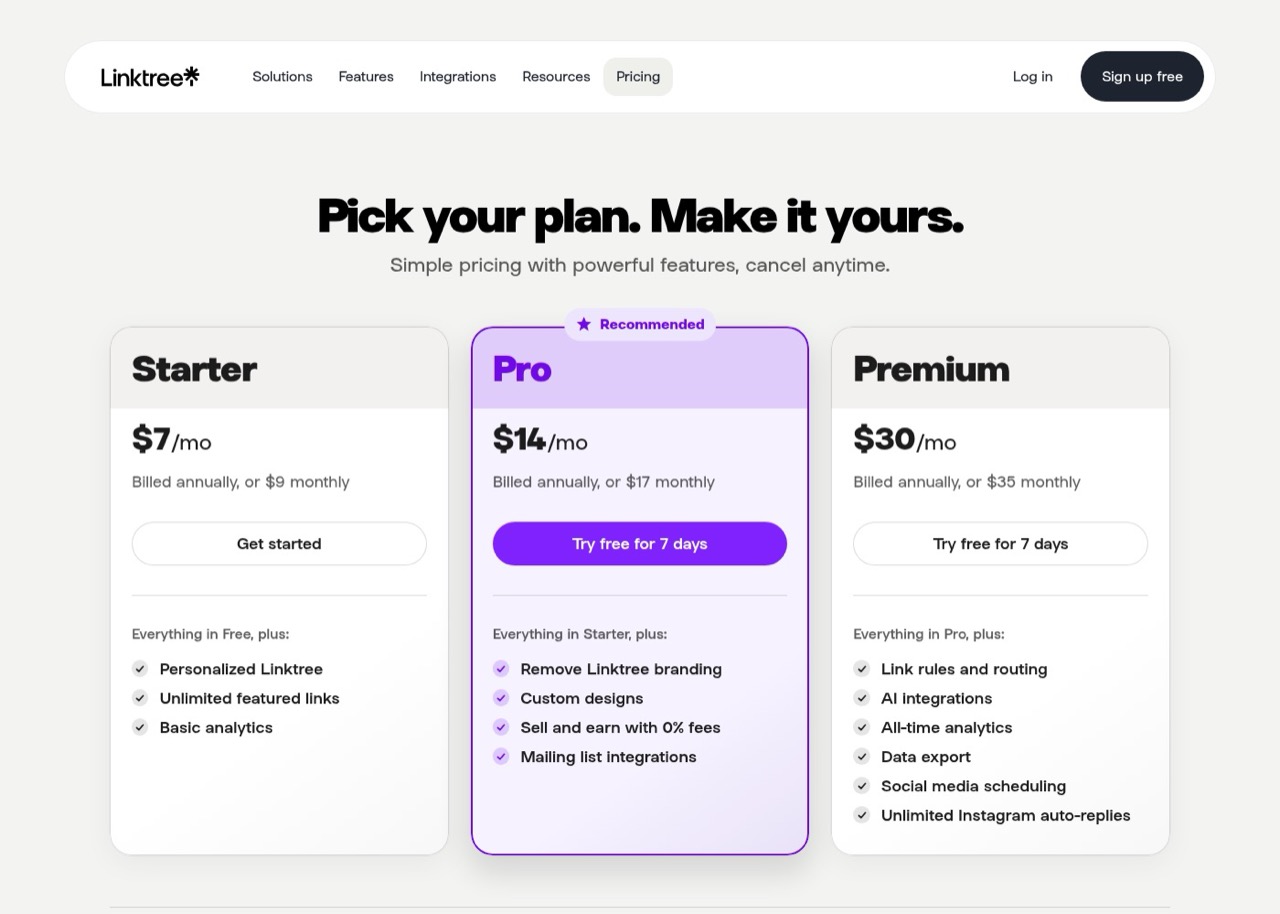
Starter does not remove the logo. Linktree's own help center says you can hide it only "on a Pro or Premium plan," so a clean page runs $204 a year paid monthly, or $168 paid yearly.
The second limit matters more to me. The same help center says Linktree "doesn't support custom domains." Your page lives at linktr.ee/yourname on every plan, so the address in your bio belongs to Linktree, and you can't take it with you if you leave.
I brought this up on my podcast, AI Rabbit Holes, while going through every software subscription I pay for. The clip starts right at that moment.
Linktree Alternatives Compared on Logo and Domain Cost
Every price below was read off each tool's live pricing page on November 24, 2026, with monthly billing selected wherever a tool offers it. "Not stated" means the official pages I read did not say, and I did not fill the gap with a guess.
| Tool | Best for | Free plan? | Removes its logo at | Your own domain at |
|---|---|---|---|---|
| Your own page (Claude + Cloudflare) | Anyone who owns a domain or a website | Yes, hosting is $0 | No third-party logo to remove | Any domain you own |
| Linktree (for reference) | The default most people start on | Yes | Pro, $17/mo | Not offered on any plan |
| Carrd | A cheap one-page site you design yourself | Yes, up to 3 sites | Pro Lite, $9/yr | Pro Standard, $19/yr |
| Lnk.Bio | Paying once instead of every month | Yes | Unique, $24.99 one time | Ultra, $89.99/yr |
| Beacons | Creators who sell products and pitch brands | Yes, with a 9% seller fee | Creator Plus, $30/mo | Creator, $10/mo |
| Stan | Selling courses, coaching and downloads | No, 14-day trial | Not stated | Creator Max, $299/mo |
| Bio Sites (Squarespace) | A free page with selling built in | Yes, and no paid tier exists | Not stated | Not stated |
| Later Link in Bio | Brands already scheduling posts with Later | Yes | Not stated | Not stated |
| Milkshake | Building the whole page on your phone | Yes | Lite, $2.99/mo | Pro+, $29.99 per quarter |
Two Questions Most Roundups Skip
I read eight Linktree alternatives roundups that turned up in search. UniLink, SeedProd, Hostinger, Stan, SendPulse and Bitly each put their own product first, and WPForms puts SeedProd's WordPress plugin first. Only ecomm.design had nothing of its own to rank. So two questions rarely get asked.
Can you use your own domain, and what does it cost? A page on someone else's domain is rented. The table above shows the range, from free to $299 a month.
What happens if the company disappears? This one has a track record. Linktree bought Koji in December 2023 and set its link-in-bio product to shut down on January 31, 2024. It bought Bento in June 2023, and Bento announced it would close on February 13, 2026.
I checked bento.me while writing this. The homepage and a profile-style link both redirect to Linktree's homepage, so anyone who never updated their bio is sending followers to Linktree.
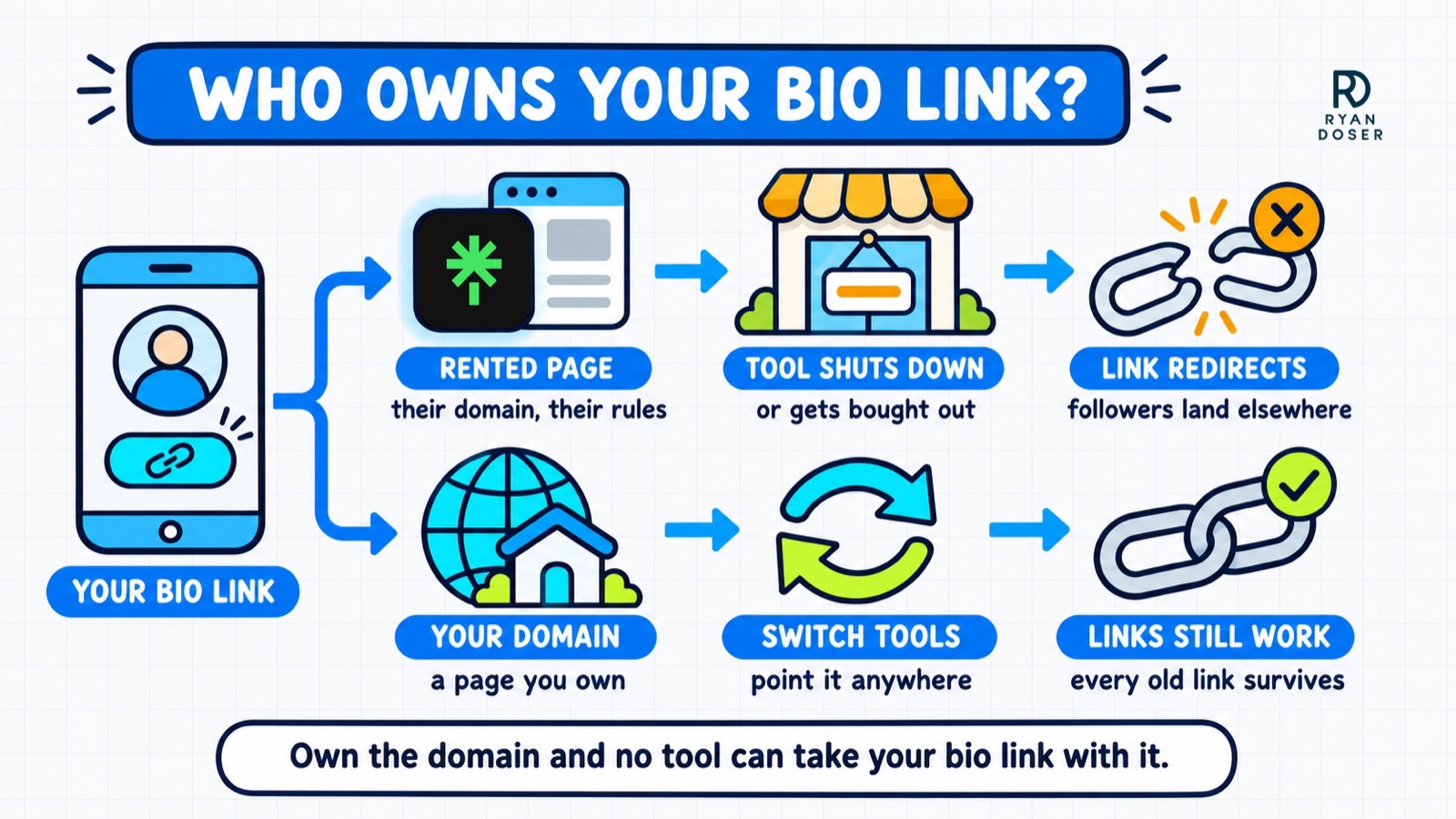
Owning your domain protects the link in your bio. If a tool shuts down, you point the domain at a new page, and the address you've already shared keeps working.
Best Linktree Alternatives in 2026
Only #1 is something I run myself, which is why it gets more room. I assessed the other seven from their pricing pages and documentation rather than by using them. Past #1, they're grouped by job: the cheapest ways to own your link, then two built for selling, then the free hosted pages, then the phone-only builder.
1. Your Own Page Built With Claude (Best for Owning Your Link)
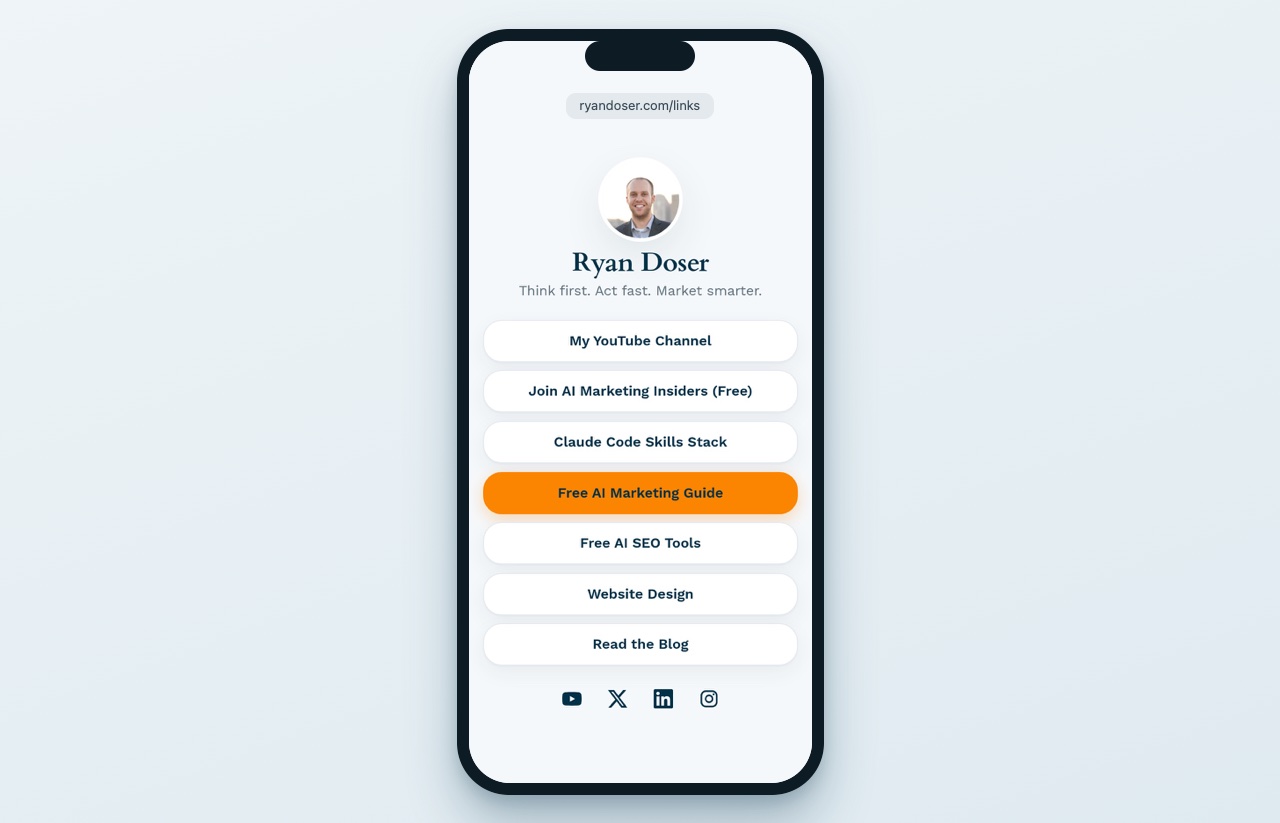
A link-in-bio page is a photo, a name and a handful of buttons. Claude can write that in one prompt, and Cloudflare will host a page like it for free. You don't need Claude Code or a website to start. Claude's free plan can create files, so ask it for a single one:
Build me a link-in-bio page as one single index.html file with no frameworks and no build step. At the top: a round photo (use photo.jpg), my name and a one-line tagline. Under that, big tappable buttons for these links: [paste your links]. Put small icons for [your social profiles] at the bottom. It should fit on one phone screen, load fast, use my brand colors [your hex codes], and have no logo or branding other than mine. Reply with only the complete file.I tested that prompt with a made-up name, four links and three social icons. It came back as one 6 KB file that fit a phone screen on the first try.
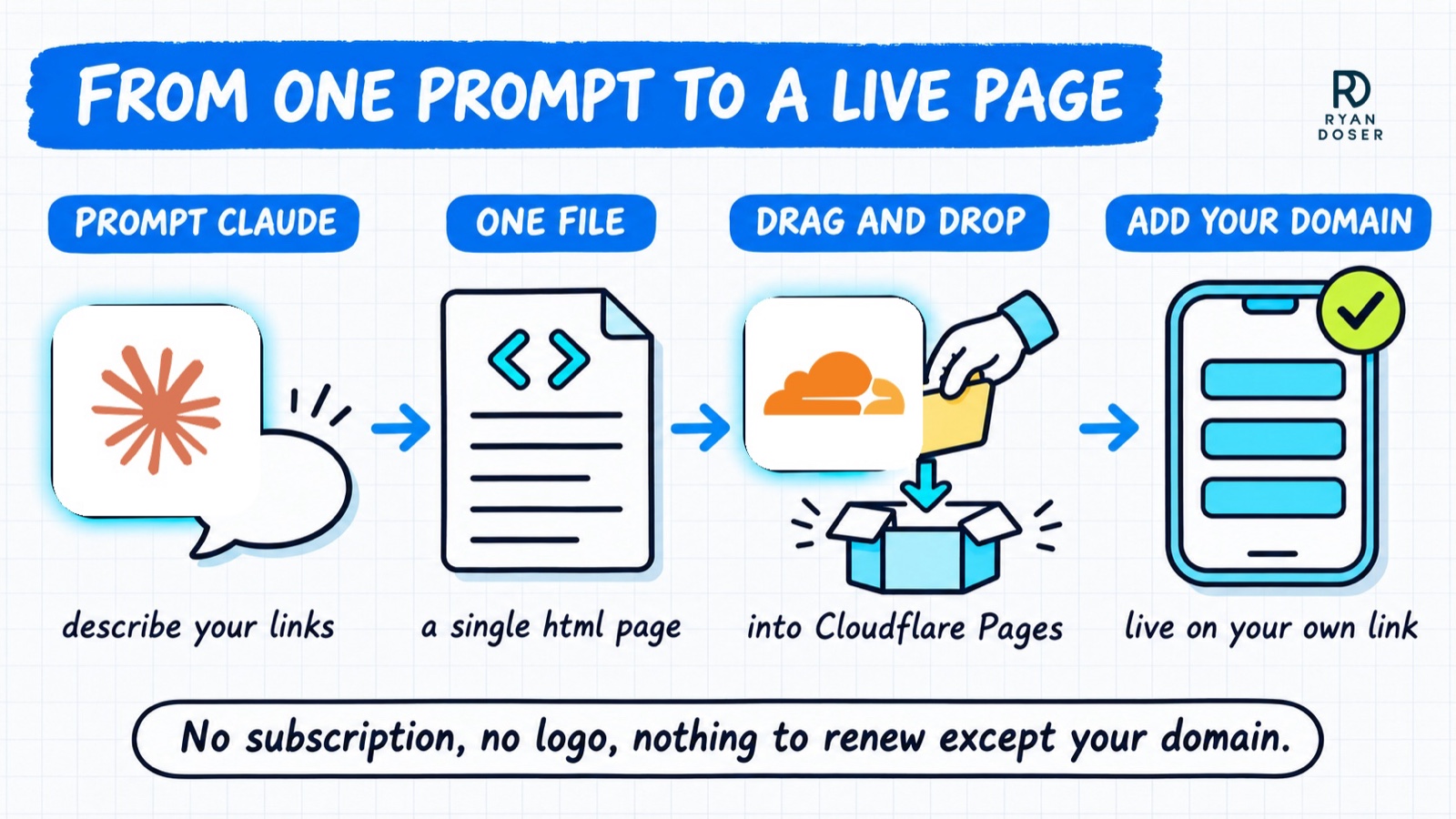
To put it online, open Workers & Pages in the Cloudflare dashboard, create a Pages project and drag in the folder holding your file and photo. You get a free pages.dev address right away, and you can connect a domain you own when you're ready. That pages.dev address still belongs to Cloudflare, so the ownership part starts when you connect your own domain.
Cloudflare's Pages docs say that on both free and paid plans, requests to static assets are "free and unlimited." If this is your first build, my guide on how to vibe code a website walks through the basics.
Mine took one prompt too. I don't write code, and I've never built a page like this by hand. My site has run on Cloudflare since I left WordPress, so I had Claude Code add the page inside the site's folder with this prompt:
Build me a link-in-bio page at ryandoser.com/links so I can stop paying for Linktree. Keep it to one screen on a phone: my headshot, my name, a one-line tagline, then big tappable buttons for my YouTube channel, my free AI Marketing Insiders community, the Claude Code Skills Stack, my free AI marketing guide (it signs people up for my weekly newsletter), my free AI SEO tools, website design, and my blog. Put small YouTube, X, LinkedIn and Instagram icons at the bottom. Use the design system in DESIGN.md and the URLs that already live in src/data/site.ts and the layout so nothing is hardcoded twice. Hide the site nav, footer and float bar on this page, keep analytics, and mark it noindex. Follow the repo's existing conventions for adding a new page.That prompt leans on files my site already had, like a design system and a list of my URLs. It built the page, hid my menu and footer on it, kept analytics running and set it to noindex. It also moved my social links into one shared file, so I update them in one place. Nothing was changed by hand after that prompt.
Pros:
- $0 to host on Cloudflare's free plan, with no logo and no plan to upgrade for this
- Lives on a domain you control, so the address in your bio survives a change of tools
- Add things later, like a signup form or a booking embed, by asking Claude again
- On an existing site it can keep your current analytics, as mine did
Cons:
- No built-in analytics dashboard or store unless you add one
- Changing a link means another prompt and another upload, not a drag-and-drop editor
- A domain costs money, and the page is worth most on one
Best for: Anyone who owns a domain, and anyone whose website already runs on Cloudflare.
Pricing: $0 to host on Cloudflare's free plan, and Claude's free plan can write the file. You pay for a domain if you want one.
Free trial: Not needed. The hosting is free.
Bottom line: The only $0 option here I can confirm carries no third-party logo. If you own a domain and only need links, start here.
2. Carrd (Best for a Cheap One-Page Site)
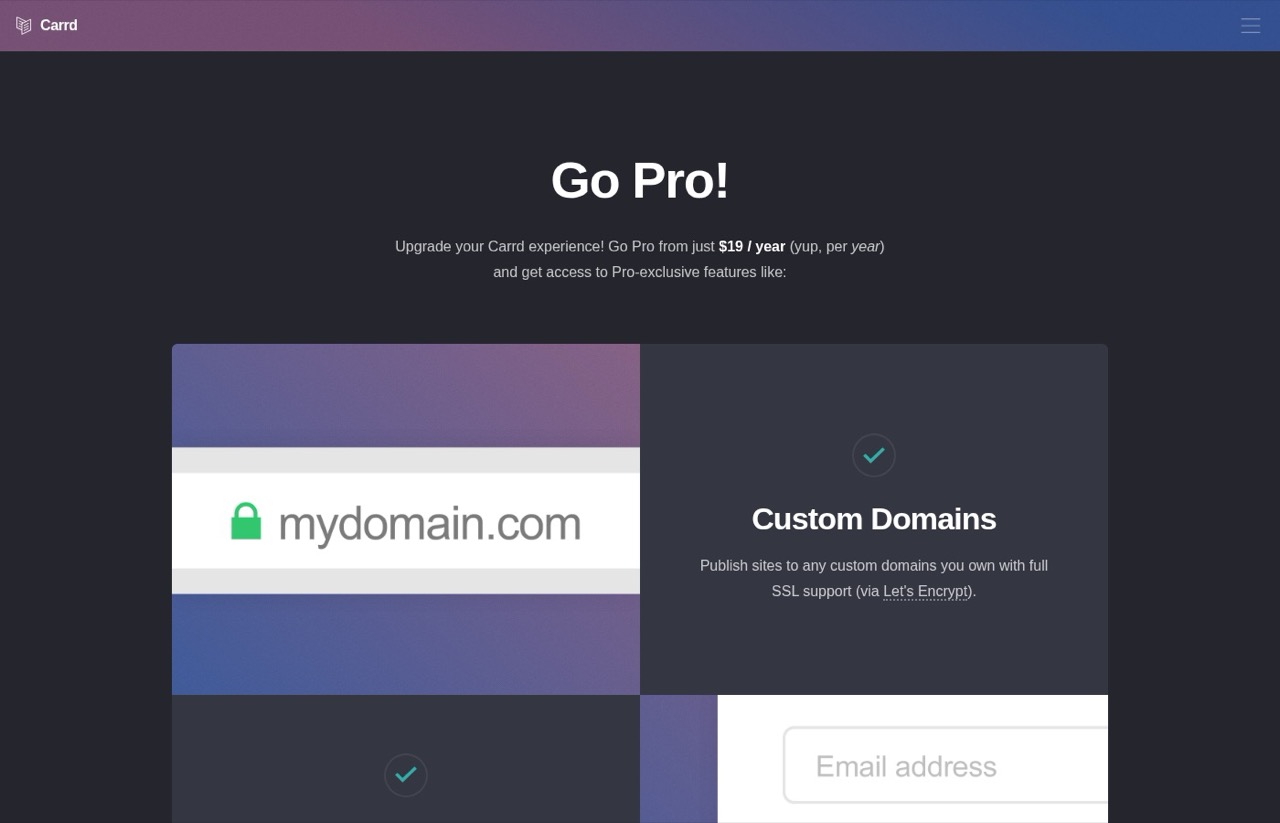
Carrd is a one-page site builder, which is its edge for this job. You design the whole page yourself, top to bottom. It was also the alternative AI assistants named most, showing up in 11 of the 12 answers I pulled on November 24 from ChatGPT, Claude, Gemini and Perplexity (three prompts each).
Pros:
- Pro Lite removes the "Made with Carrd" footer for $9 a year
- Pro Standard adds a custom domain for $19 a year
- Full control over layout, fonts and sections
Cons:
- No monthly plans, so you pay for the year up front
- No built-in store, so selling means embedding Stripe, PayPal or Gumroad
Best for: People who want a custom domain and a visual editor, without building anything from a prompt.
Pricing: Free for up to 3 sites. Pro Lite $9/year removes branding. Pro Standard $19/year adds custom domains. Billed yearly, with a pay-as-you-go option instead of auto-renewal.
Free trial: No trial. The free plan covers testing.
Bottom line: The cheapest hosted builder here for putting a link page on your own domain. A year costs $19, against $204 for a year of Linktree Pro paid monthly.
3. Lnk.Bio (Best for Paying Once)
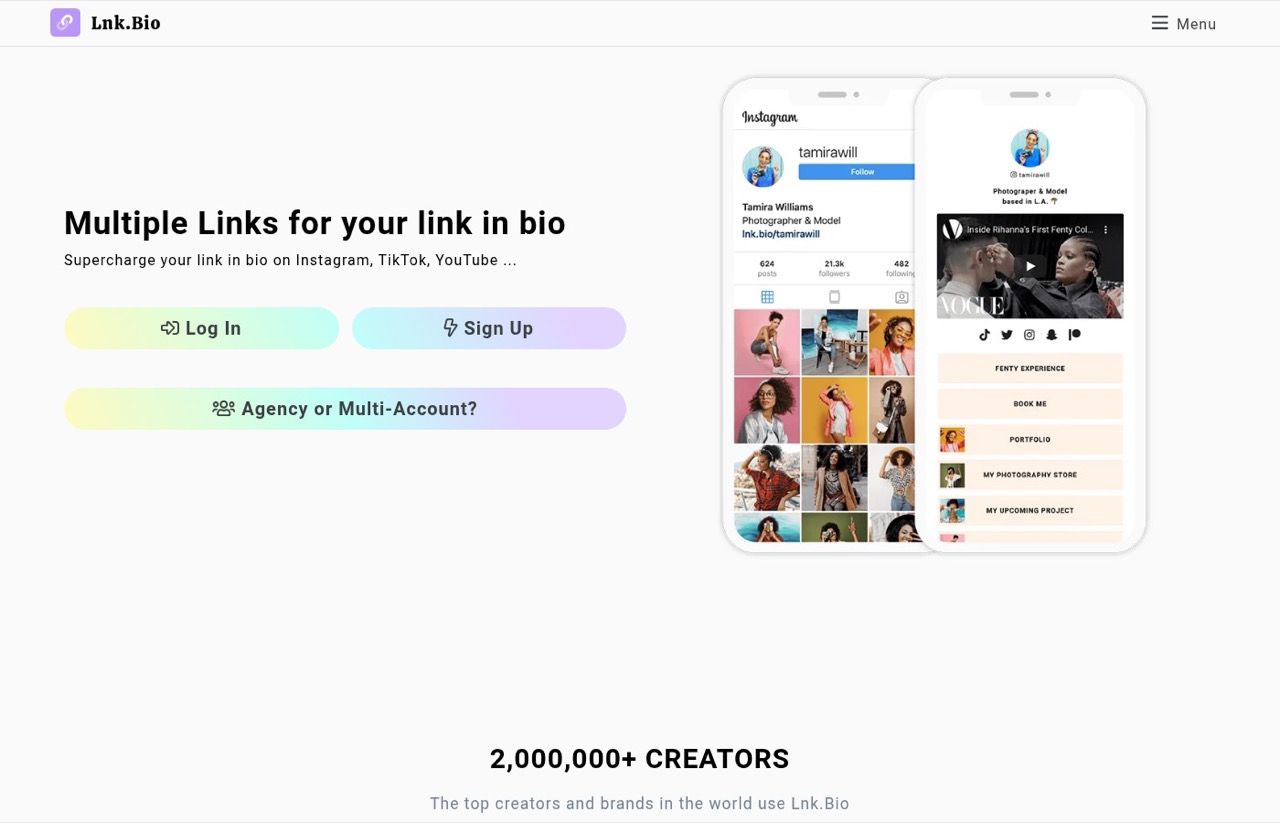
Lnk.Bio calls itself "the independent linkinbio, founded in 2016." Its pitch is lifetime pricing. You can pay once and never see a renewal.
Pros:
- The Unique plan removes the Lnk.Bio logo for $24.99, one time
- The free plan includes unlimited links
Cons:
- Mini, even the $9.99 one-time version, still shows Lnk.Bio branding
- Your own domain takes Ultra ($89.99 a year) or a $39.99-a-year domain add-on
- Mini comes in a monthly and a one-time version, so the plan list takes a minute to untangle
Best for: People who hate subscriptions and are fine on a lnk.bio address.
Pricing: Free. Mini $0.99/month or $9.99 one time. Unique $24.99 one time removes branding. Ultra $89.99/year connects an existing domain, and a custom domain add-on costs $39.99/year.
Free trial: No trial. Start on the free plan.
Bottom line: For logo removal alone, $24.99 once costs less than two months of Linktree Pro, and then it's paid off for good.
4. Beacons (Best for Creators Who Sell and Pitch Brands)
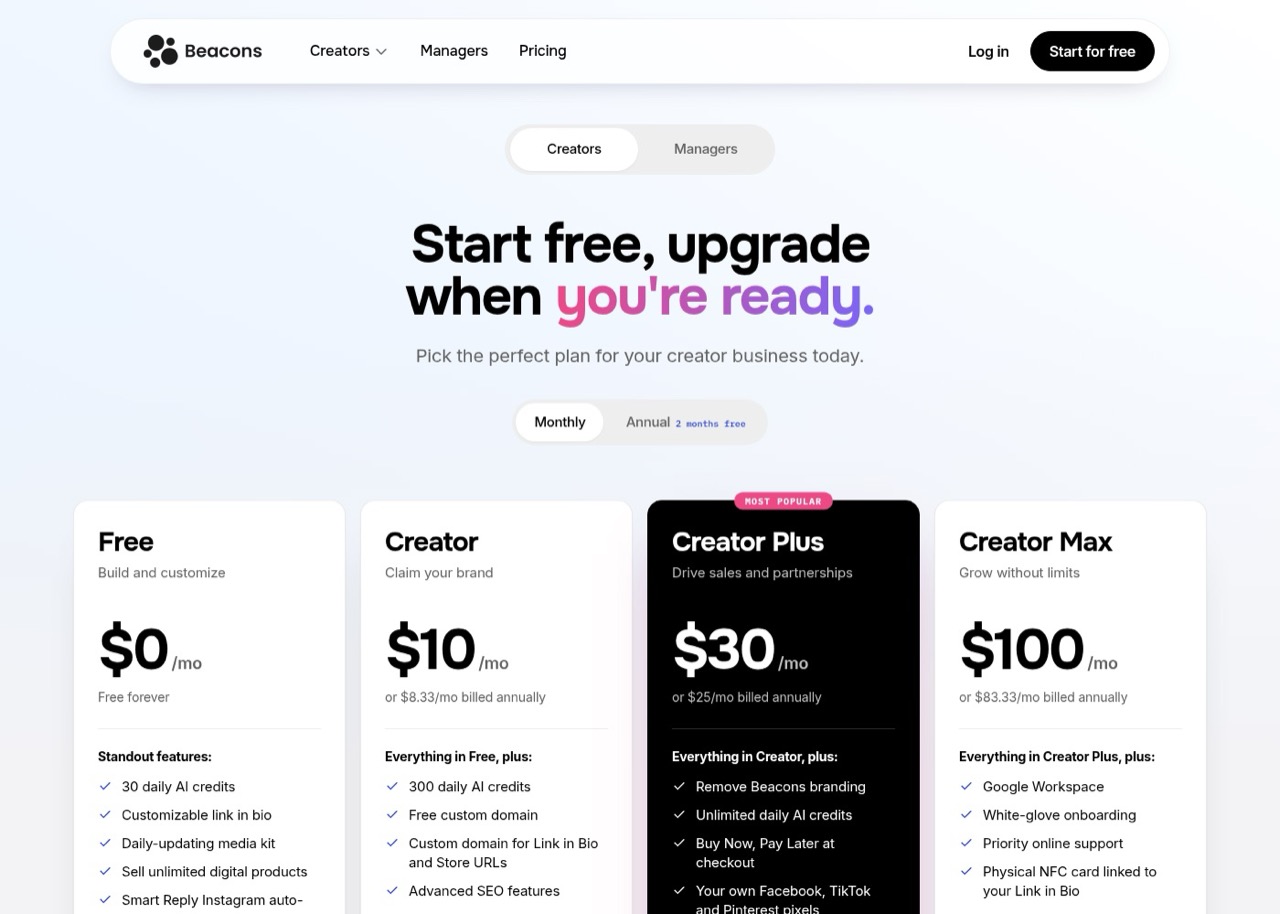
Beacons bundles a link page with a store, a media kit for brand deals and AI tools. It's built for creators who make money from their audience. Five plain links would barely touch what you pay for.
Pros:
- A free-forever plan with a store and a media kit
- A custom domain on the $10 Creator plan, far cheaper than Stan
- Seller fees drop to 0% on Creator Plus and up
- Annual billing works out to two months free
Cons:
- Free and Creator take a 9% seller fee on every sale
- Removing Beacons branding costs $30 a month
- Lots of features you won't touch if you only need links
Best for: Creators selling digital products or pitching sponsors from their bio.
Pricing: Free (9% seller fee). Creator $10/month billed monthly ($8.33 billed annually) adds a custom domain. Creator Plus $30/month ($25 annually) removes branding and the seller fee. Creator Max $100/month.
Free trial: The free plan has no time limit.
Bottom line: The math turns on sales. Next to the free plan, the $30 tier pays for itself once you sell about $333 a month. For links alone, it costs more than Linktree Pro.
5. Stan (Best for Selling Courses and Coaching)
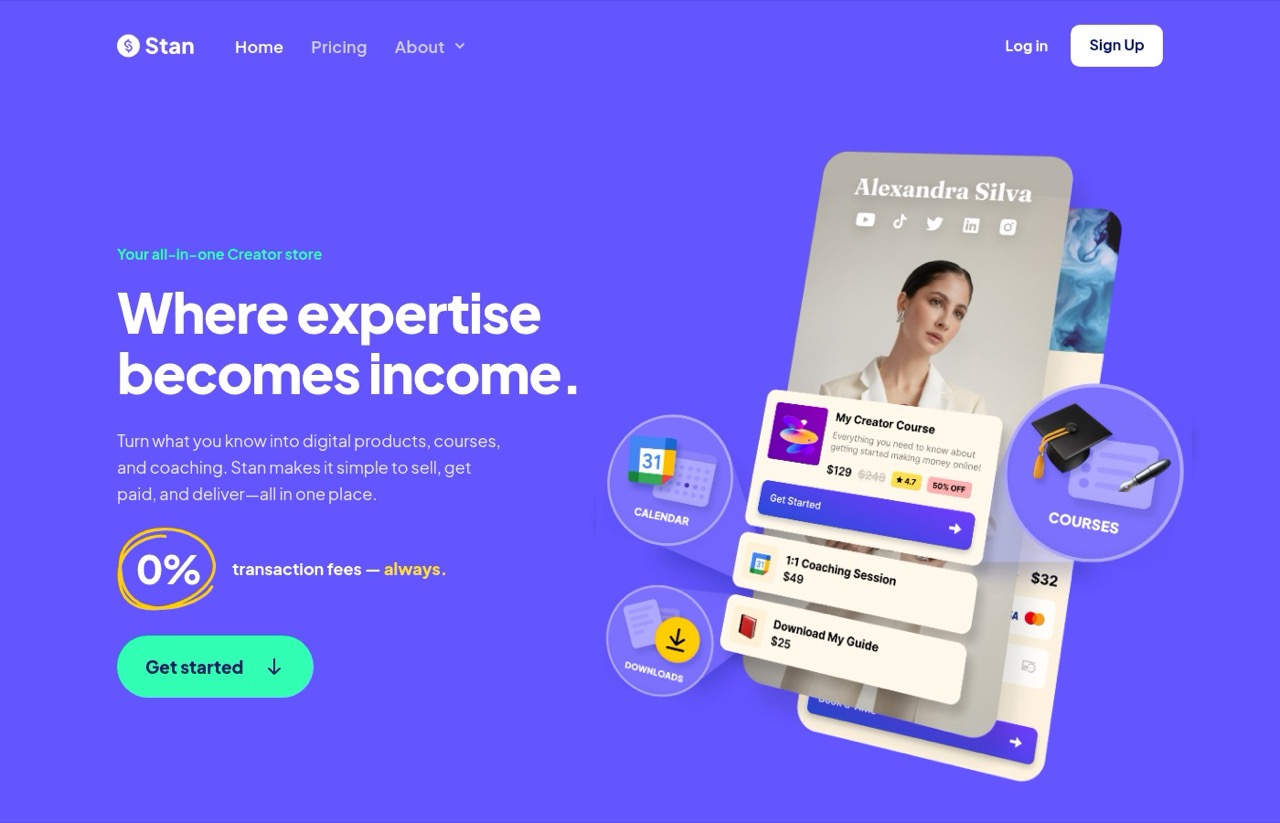
Stan is a creator store that happens to work as a link in bio. Courses, coaching calls and downloads all sell from the same page.
Pros:
- 0% transaction fees on every plan (payment processing fees still apply)
- Courses, bookings and digital downloads in one place
Cons:
- No free plan, only a 14-day trial
- A custom domain only on Creator Max at $299 a month
- Its pricing page doesn't say whether Stan branding can be removed
Best for: Coaches and course creators whose bio link is mainly a checkout page.
Pricing: Creator $29/month, Creator Pro $99/month, Creator Max $299/month, all billed monthly.
Free trial: 14 days on any plan.
Bottom line: Stan belongs next to course platforms in your comparison. A links-only page doesn't need a $29 store.
6. Bio Sites by Squarespace (Best Free Page With Selling Built In)
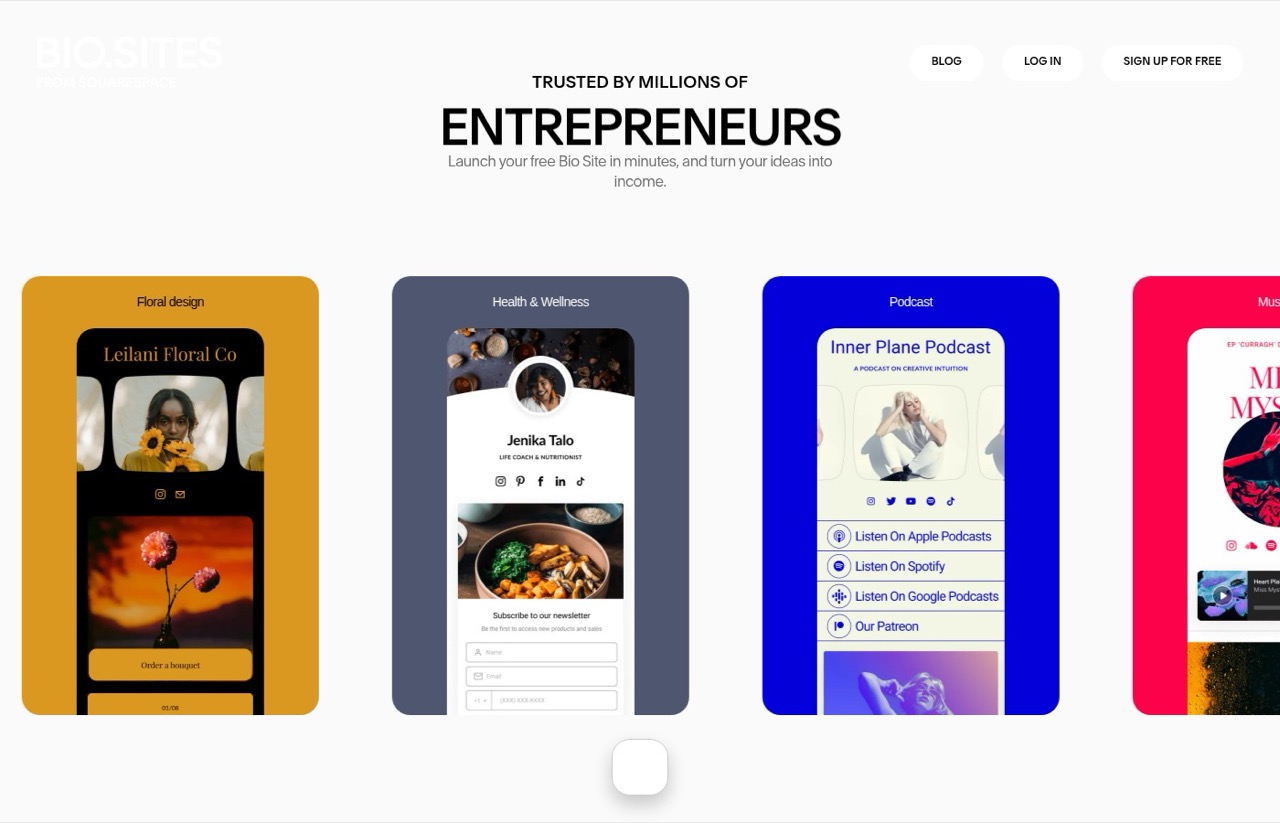
Squarespace's free link page, Bio Sites, needs no Squarespace subscription. Squarespace retired the paid tier, and the Bio Sites help center says "features available through Bio Sites Pro are now free for all Bio Sites customers."
Pros:
- Completely free, with no upsell plan to push you toward
- Up to 10 Bio Sites on one account
- Tips, downloads, crowdfunding and appointment booking built in
Cons:
- An 8% Bio Sites fee on downloads, tips and crowdfunding (no fee on appointments)
- No official answer I could find on removing branding or adding a custom domain
Best for: Creators who sell small things and want zero monthly cost.
Pricing: Free. An 8% fee on downloads, tips and crowdfunding, plus Stripe or PayPal processing.
Free trial: Not needed. There is no paid plan.
Bottom line: The best free hosted option here if you can live with 8% on sales.
7. Later Link in Bio (Best if You Already Schedule With Later)
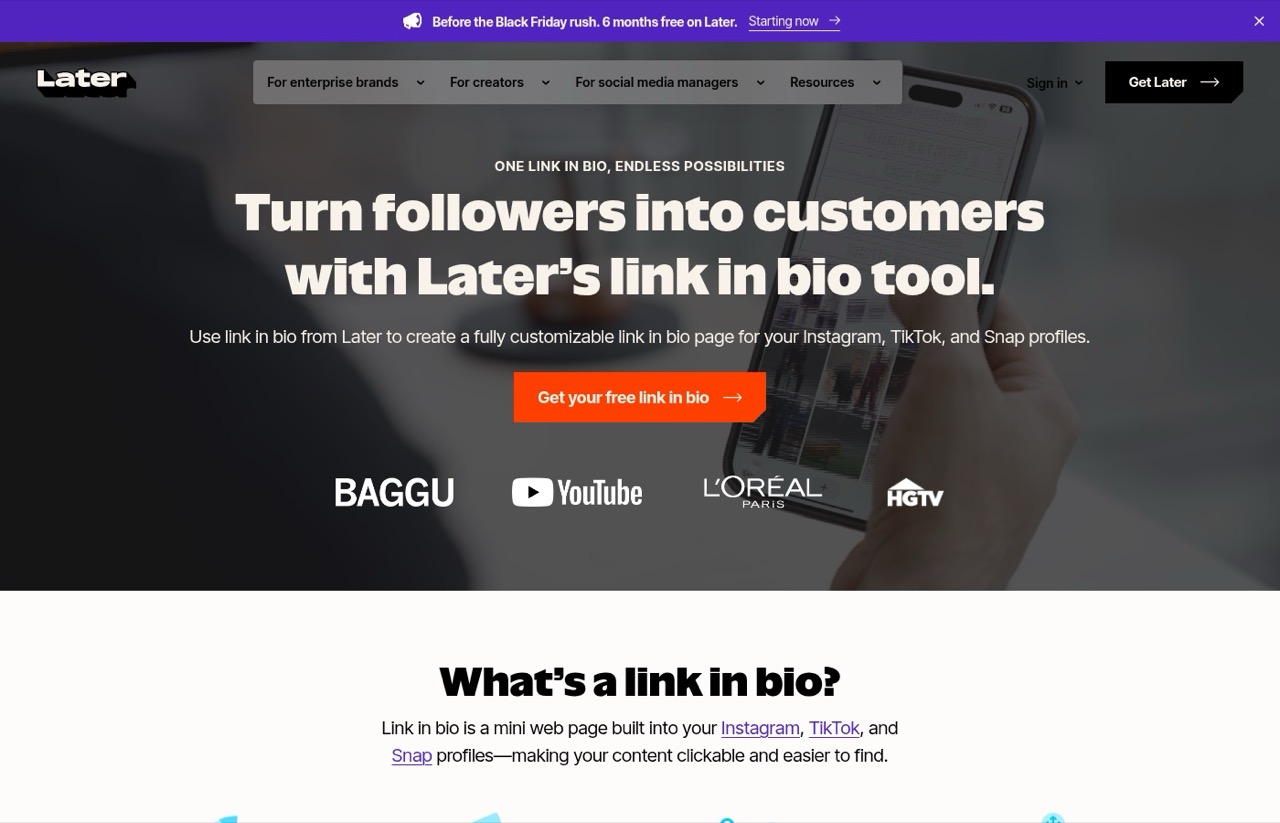
Later is a social media scheduler first. Its link page connects your Instagram, TikTok and Snap posts to the pages they promote, which fits brands already planning content there.
Pros:
- A free link in bio with no paid plan required
- Included on every paid Later plan
Cons:
- Paid plans are priced as a scheduler, starting at $25 a month
- Later's pricing and link-in-bio pages don't mention removing its branding or using your own domain
- Overkill if scheduling isn't part of your plan
Best for: Social media managers and brands already paying for Later.
Pricing: Link in bio is free. Later plans start at $25 a month ($18.75 billed yearly), then $50 and $110.
Free trial: 14 days on paid Later plans.
Bottom line: A fine free extra if you already use Later. For links alone, the free version is the only part worth considering.
8. Milkshake (Best for Building on Your Phone)
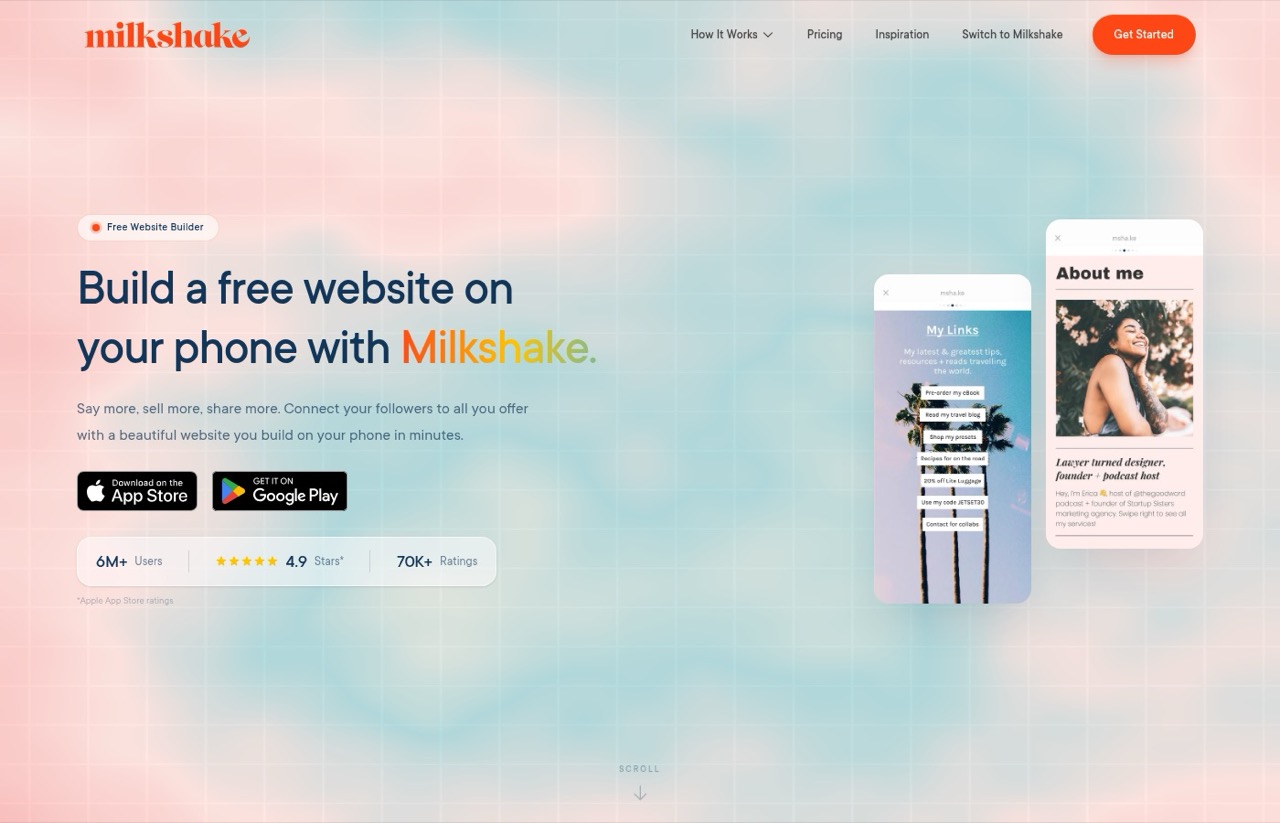
Milkshake is a website builder app for iPhone, iPad and Android. Your page is a set of "Cards" you put together on your phone, and it changed owners in 2022 when Envato handed it to Codelbee.
Pros:
- A free plan with unlimited links and Cards
- Lite removes Milkshake branding for $2.99 a month
- Build and edit the whole page from your phone
Cons:
- Free and lower plans live on a msha.ke address
- A custom domain takes Pro+, billed $29.99 a quarter or $99.99 a year
- Sale fees of 12% on Free and Lite, 9% on Pro and 7% on Pro+, plus Stripe
Best for: People who do everything from their phone and don't sell much.
Pricing: Free. Lite $2.99/month. Pro $6.99/month billed monthly ($59.99/year). Pro+ $29.99 per quarter or $99.99/year adds a custom domain.
Free trial: The free plan has no time limit.
Bottom line: Logo removal for $2.99 a month, if a msha.ke address is fine and you don't plan to sell.
What About Taplink, Campsite, Bio.link and LinkStack?
Taplink has a free plan, but logo removal and custom domains sit on its Business plan. The pricing page shows $8 a month only when you prepay a full year, and it asks for three months minimum.
Campsite.bio came close. Its $7 Pro plan removes branding and adds a custom domain, but I couldn't confirm whether that price shows monthly or yearly billing, so I left it unranked.
Bio.link shows no free plan, only a 7-day trial, and I couldn't confirm which billing toggle its $7.49 price belongs to.
LinkStack is free and open source, but you install it on your own server. If you'd rather run nothing yourself, option #1 gets you the same ownership with far less to maintain.
Skip any Linktree alternatives list that still recommends Koji or Bento. Both shut down after Linktree bought them.
How to Choose a Linktree Alternative
Do you own a domain? If yes, build your own page or use Carrd at $19 a year. If no, decide whether you want one before you pick a tool, because most of these charge extra for it later.
Will you sell from this page? Fees add up faster than plans. Beacons takes 9% on its lower tiers, Bio Sites takes 8% and Milkshake takes up to 12%. Stan charges $29 a month but takes 0%.
How often will you change your links? Weekly changes favor a hosted editor over re-prompting. A few changes a year cost nothing on a page you own.
What happens if this tool shuts down? On your own domain, you rebuild the page somewhere else and keep the address. On theirs, your bio link goes wherever they send it.
Try the Free One Before You Pay for Pro
Linktree's free plan works fine until you want your name on the page instead of theirs. Then the fix is Pro at $17 a month ($14 paid yearly), and it still never gives you your own domain. Spend one prompt first. If you need a store or a media kit, Beacons and Stan earn their fees. If you just need links, here's the whole decision:
Rented link = their domain, their logo, their rules.
Owned link = yours for as long as you renew the domain.
Linktree Alternatives FAQs
Is there a free Linktree alternative?
Yes. Bio Sites by Squarespace is free with no paid tier, and Carrd, Lnk.Bio, Beacons, Milkshake and Later all have free plans. A page you build with Claude and host on Cloudflare's free plan is also free and carries no third-party logo. That's the one I run myself.
Can I make my own Linktree for free?
Yes. Claude's free plan can create files, so ask it for a single index.html with your photo, name and links. Then upload it to Cloudflare Pages by dragging the folder into the dashboard. Static hosting there is free, and you get a pages.dev address right away. Connecting your own domain is optional, though registering one costs money.
Is Linktree free?
Yes, Linktree has a $0 plan, with limits. Your page keeps the Linktree logo in the footer, you can only offer free products, and Inbox Tips carry a 12% fee. Removing the logo requires Pro, and no plan, free or paid, supports a custom domain. For a free page with no logo, build one with Claude and host it on Cloudflare's free plan.
How much does Linktree cost per month?
Paid month to month, Linktree Starter is $9, Pro is $17 and Premium is $35. Paying for a year drops those to $7, $14 and $30 a month. The free plan keeps the Linktree logo, and only Pro and Premium remove it. Prices were checked on Linktree's pricing page on November 24, 2026.
Can I use my own domain with Linktree?
No. Linktree's help center says it doesn't support custom domains, and it doesn't offer domain forwarding tools either. Your page stays at linktr.ee/yourname on every plan. Carrd ($19 a year) and Beacons ($10 a month) list custom domains on their pricing pages. I assessed both from those pages rather than by using them. A page you build yourself works on any domain you own.
Disclosure: this post has no affiliate links, and I have no relationship with any tool listed. I run #1 myself. The other seven were assessed from their live pages on November 24, 2026, with monthly billing selected where offered. Full disclosure.