
Can Open Source AI Models Beat Claude at Web Design?
Disclosure: some links in this post are affiliate links. If you buy through them I may earn a commission at no extra cost to you. I only recommend tools I actually use. Full disclosure.
I put five open source AI models for web design plus one frontier model up against my live Claude-built homepage, and a 30-cent model came closer than I expected.Open Source AI Models for Web Design Video Guide
I rebuilt ryandoser.com on a stack of Claude Code, GitHub, Cloudflare, and the Astro web framework. Then I ran a test to see what the budget models could do with the same job.
Here is the setup. My current homepage was designed using Opus 4.8 inside Claude Code. I wanted to know if open source models could rebuild it for a fraction of the cost. So I redesigned the same homepage across six models, five open source plus GPT 5.6 Soul as a frontier benchmark, and compared every result to what I already have live.
If you want the full walkthrough of the stack itself, I broke down my move off WordPress in my guide on how to build a website with Claude. This post is the model bake-off that came after it.
I am a non-technical marketer, and this whole test cost me pocket change. If you want the exact tools, skills, and automations I run, grab my free AI Marketing Essentials Guide linked in the video description.
How I Ran the Test in OpenRouter
You need one platform to test every model side by side, and mine is OpenRouter. It gives you one API key that reaches almost every model, open source or frontier, without separate accounts for each provider.
Signing up is free. You add credits to reach the paid models, and for website design work, 10 to 15 dollars of credits is plenty. Then you create an API key under the API Keys tab and sync it into whatever coding setup you use.
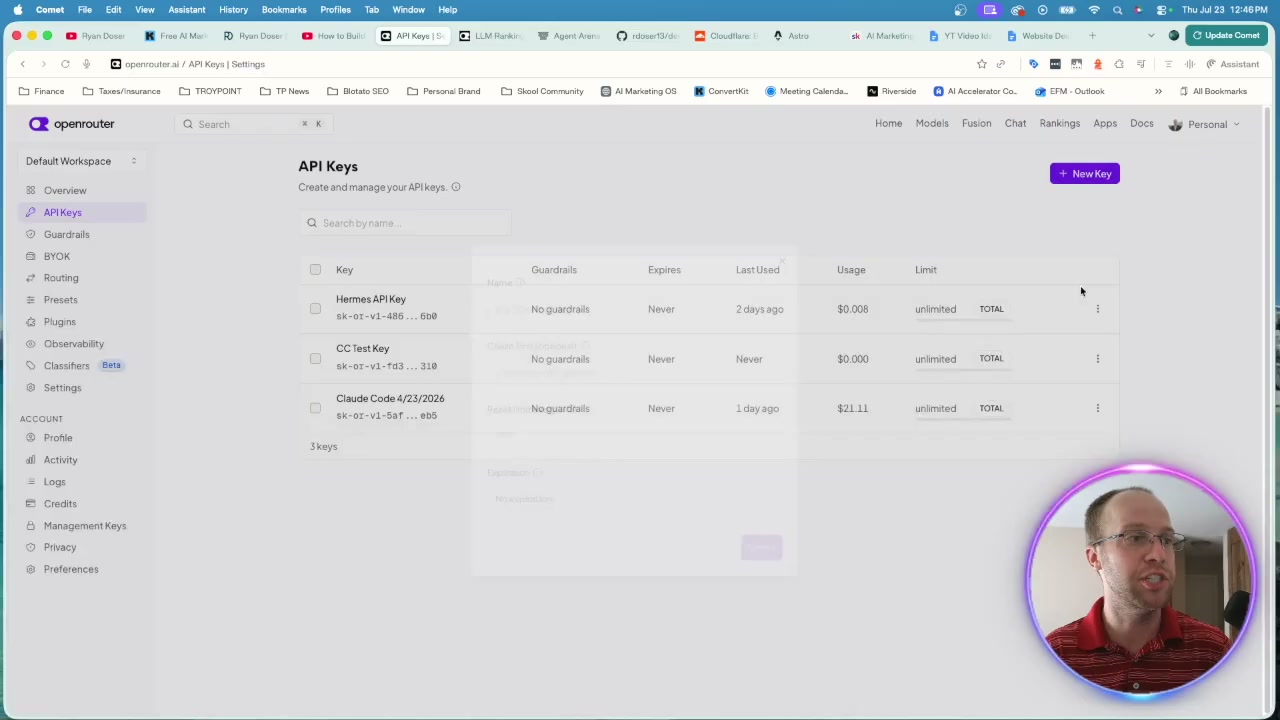
I run the Claude Code extension in VS Code, but this works in Cursor, the terminal, the Claude desktop app, or Google Antigravity too. I lined up a separate chat for each model and pointed every one at the same task. If you want my exact OpenRouter wiring, I documented it in my Claude Code OpenRouter setup guide.
The Open Source AI Models for Web Design I Actually Tested
I gave every model the identical prompt so nothing skewed the comparison. Here is how each one handled a full homepage redesign.
Five open source models went head to head: Kimi K3, GLM 5.2, DeepSeek V4 Pro, Qwen 3.7 Max, and MiniMax MiMo V2.5. I also threw in GPT 5.6 Soul on high reasoning effort through OpenAI's Codex extension as a frontier benchmark. My live site, built with Opus 4.8, was the target to beat.
Kimi K3
Kimi K3 was the surprise of the group. It cost the most of the open source bunch at roughly 30 cents, and it earned that spot.
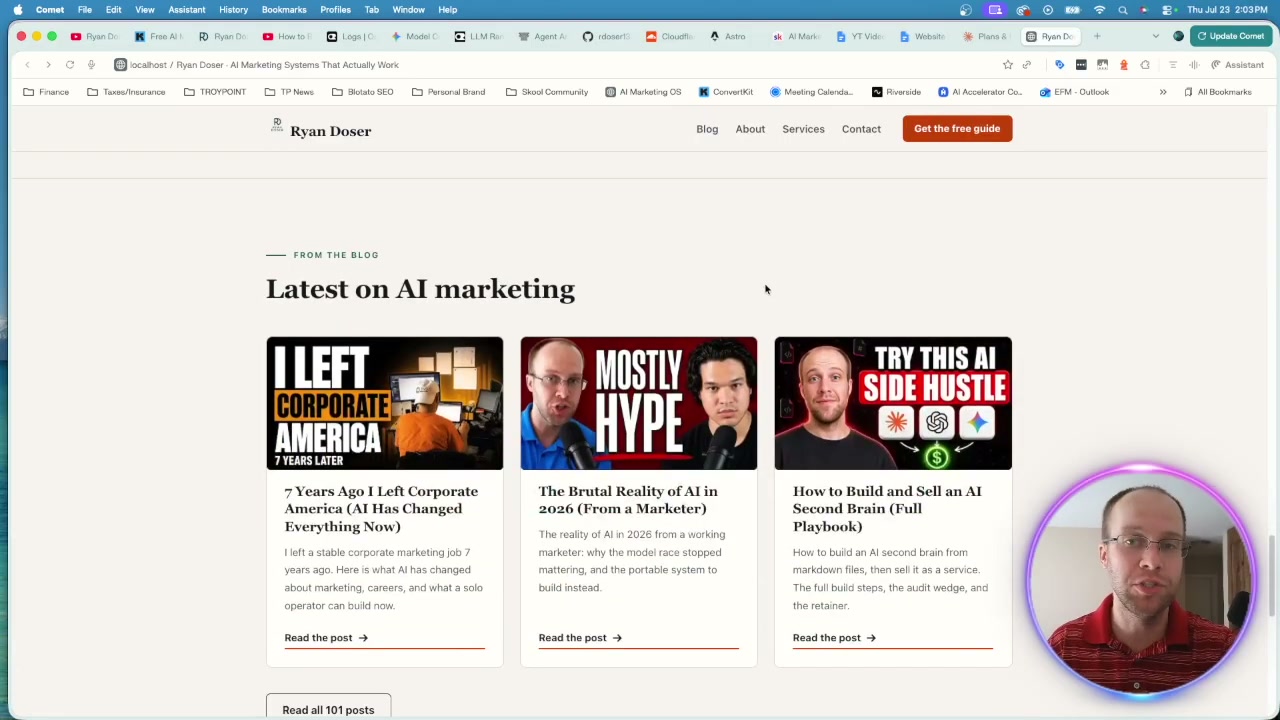
The logo in the top left got mangled, and a few small brand details were off. But the copy read well, the images landed correctly, and most of the logos rendered right. For 30 cents on a first pass, it was genuinely workable. I could send it back for a revision round and ship something close to production.
Among the open source models, Kimi K3 took the top spot.
GLM 5.2
GLM 5.2 was the cheapest run at about 2 cents, and the output showed the tradeoff.
The menu looked decent and the branding held together in places. But it botched the logo the same way Kimi did, and it broke the terminal element in the hero section. At first glance it did not impress me the way Kimi did. Cheap does not always mean usable.
DeepSeek V4 Pro
DeepSeek stepped things up. Right away I liked how it handled the logos and the metrics row.
It nailed the testimonials, placed the client logos correctly, and included the latest-from-the-blog section. I would rank it above GLM, though Kimi still edged it out. This is a model I would trust for a structured layout with real content blocks.
Qwen 3.7 Max
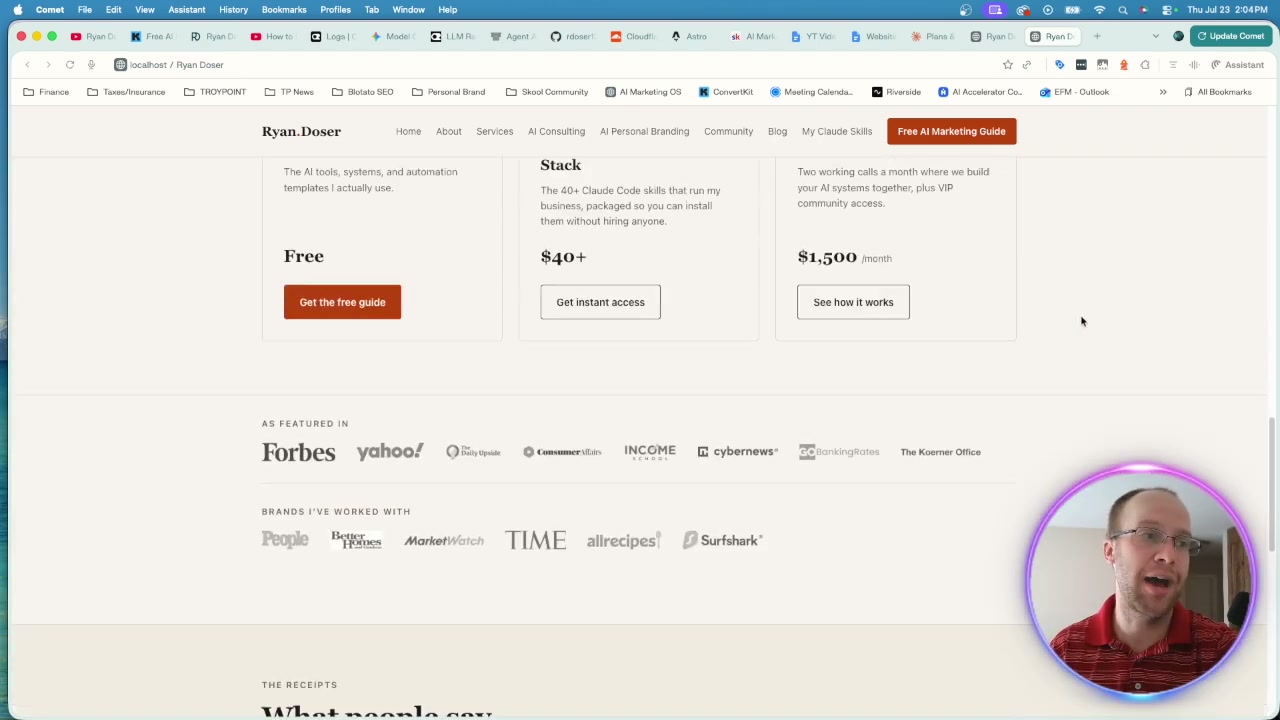
Qwen, owned by Alibaba, gave me one of my favorite first impressions. The layout felt clean, the logos were solid, and the testimonials rendered well.
The free opt-in guide buttons broke, and the blog posts came out scrambled. Still, with the correct image files and a skill markdown file for context, this is a strong V1 you could push toward production fast.
MiniMax MiMo V2.5
MiMo was the bargain pick, one of the cheapest runs of the group. I threw it in after spotting it on the model leaderboard chart.
The result was workable but rough. It needed the most cleanup of anything I looked at. Not terrible, just clearly the weakest of the six at first glance. You get what you pay for at the very bottom of the price range.
GPT 5.6 Soul
GPT 5.6 Soul on high reasoning effort was the clear winner, and that was no shock. It is a frontier model from OpenAI, not an open source one.
Above the fold it looked dramatically better than the five cheaper options. The featured-in row, the brands section, and the footer all held together. It was the strongest output by a wide margin. It confirmed the pattern: you can close the gap with open source, but the top frontier models still lead on raw design quality.
Here is how the six models stacked up at a glance.
| Model | Type | Approx. cost | My rank | Standout / weak spot |
|---|---|---|---|---|
| GPT 5.6 Soul | Frontier | Highest | Best overall | Cleanest above-the-fold layout |
| Kimi K3 | Open source | ~30 cents | Best open source | Strong copy and images, logo glitch |
| DeepSeek V4 Pro | Open source | Low | Runner-up | Solid logos, metrics, testimonials |
| Qwen 3.7 Max | Open source | Low | Close behind | Clean layout, broken opt-in buttons |
| GLM 5.2 | Open source | ~2 cents | Weak | Cheapest, botched logo and terminal |
| MiniMax MiMo V2.5 | Open source | Low | Weakest | Workable but needed the most cleanup |
What the Cost Comparison Actually Showed
Here is the part that changes how you should think about token-heavy design work. The price gap is enormous.
Kimi K3 topped the open source group at about 30 cents. GLM 5.2 ran near 2 cents, and MiMo and Qwen came in even cheaper. I pulled the exact per-run token costs from the OpenRouter logs, then mapped those same token counts onto the premium models to see the gap.
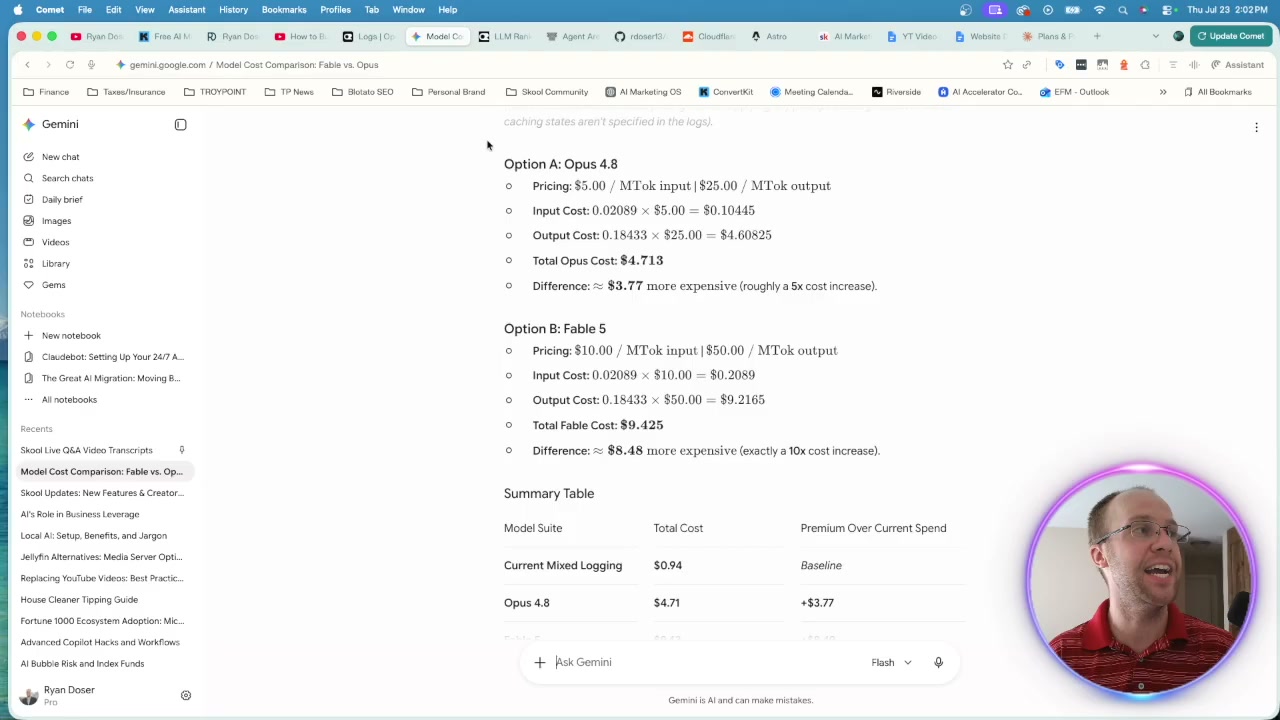
Run at the same token usage, the workflow would have cost about 5x more on Opus 4.8 and 10x more on Fable 5. If you run design work at scale, that multiple compounds fast across hundreds of pages.
Quality is still the deciding factor. I hate sacrificing it, and none of the open source outputs matched my live Opus 4.8 site. The difference was night and day. But if you are generating token-intensive landing pages in volume, it is worth rethinking whether you need the most expensive model for every single pass. Lean on strong context and systems, and a cheaper model can carry more of the load than you would expect. For a wider look at what I actually reach for, see my roundup of the best AI coding tools.
Ryan's Final Thoughts
Open source AI models for web design are not ready to replace a frontier model on quality, but they are far closer than the price suggests. Kimi K3 led the open source pack, DeepSeek and Qwen were close behind, and most results landed as a workable first draft. If you build websites in volume and pair a cheap model with solid context, the math starts to make sense. The stack that made this test possible was Claude Code, GitHub, Cloudflare, and Astro, and I packaged the whole build into a skill inside my Claude Code Skills Stack. If you want to try the same workflow yourself, that is where I would start.
Open Source AI Models for Web Design FAQs
Can open source AI models build a website as well as Claude?
Not quite, based on my test of six models. Open source options like Kimi K3, Qwen, and DeepSeek produced workable first drafts, but none matched my live homepage built with Claude Opus 4.8. They get you most of the way there for a fraction of the cost, which is enough for iterative work but not a one-shot final build.
Which open source AI model is best for web design?
In my test, Kimi K3 produced the best open source homepage redesign, with DeepSeek V4 Pro and Qwen 3.7 Max close behind. Kimi handled copy, images, and most logos well. GLM 5.2 and MiniMax MiMo V2.5 were the weakest of the group, though still usable as rough starting points.
How much does it cost to test AI models for web design in OpenRouter?
Very little. My open source runs cost between roughly 2 and 30 cents each for a full homepage redesign. Adding 10 to 15 dollars of OpenRouter credits is enough to test every model several times over. The same task on premium models like Opus 4.8 or Fable 5 costs 5x to 10x more.
Do I need to know how to code to use these models?
No. I am a non-technical marketer, and I ran this entire test using Claude Code inside VS Code with an OpenRouter API key. You point the model at your project, give it a clear prompt, and review the output. The learning curve is the setup, not the coding. See my guide on vibe coding websites with Claude Code for the beginner path.