
How to Use Any AI Model in Claude Code (OpenRouter)
This guide walks you through setting up Claude Code OpenRouter so you can get second opinions from GPT, Gemini, and dozens of other AI models without leaving your terminal.
How Claude Code OpenRouter Actually Works
Most people rely on a single AI model for everything. That approach leaves blind spots, especially for high-stakes work like landing page copy or email subject lines.
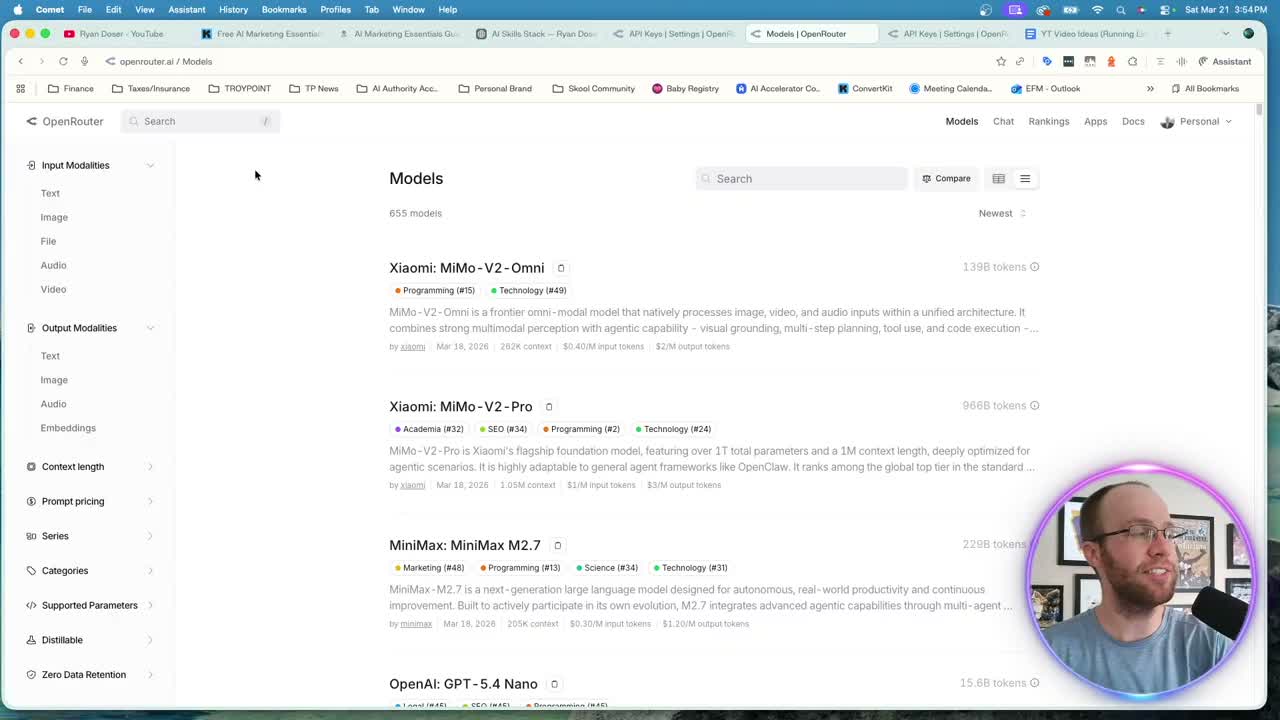
OpenRouter acts as a middleman between Claude Code and every major AI provider. One API key gives you access to GPT, Gemini, DeepSeek, Perplexity, and dozens more. No juggling 10 different API dashboards. No managing separate credentials for each provider.
When I recorded this, I used the setup daily to cross-check marketing outputs against GPT 5.4 and Gemini 3.1 Pro. The results often surfaced recommendations that a single model missed entirely. Both models are still on OpenRouter, next to newer releases like GPT-6 Sol.
Setting Up Your OpenRouter API Key in Claude Code
Before OpenRouter rolled out, getting access to other AI models meant visiting Google AI Studio for Gemini credentials, then OpenAI's platform for GPT access, then repeating that process for every provider you wanted. OpenRouter collapses all of that into a single connection.
Here's the OpenRouter API setup process:
- Create a free account at openrouter.ai
- Click Settings, then add credits ($5-$10 is plenty to start)
- Go to API Keys and click Create
- Copy the generated key
Once you have the key, open Claude Code and tell it to save the OpenRouter API key in your APIs.env file. Storing credentials in an environment file is more secure than pasting raw keys into chat. This matters if you scale your setup or share configurations with a team.
After that single connection, you can pull models from any provider OpenRouter supports. They add new options constantly, so you always have access to the latest releases.
Real Examples: Using GPT and Gemini Models in Claude Code
Talk is cheap. Here's how I actually use other AI models in Claude Code for real marketing work.
Landing Page CRO Analysis
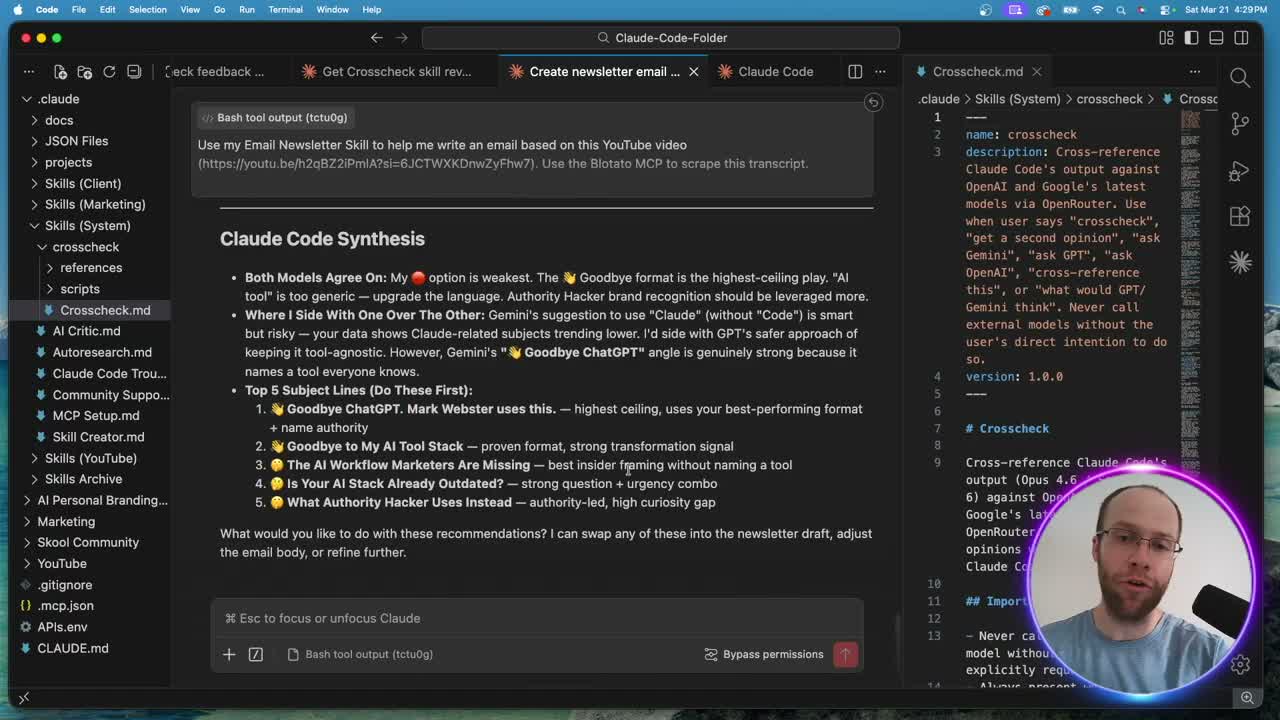
I ran my Claude Code Skills Stack landing page through a crosscheck skill that queries GPT 5.4 and Gemini 3.1 Pro simultaneously. GPT scored the page 4.8 out of 10. Both models agreed on the biggest gaps: a product-first headline instead of benefit-first, zero testimonials, and no urgency.
The synthesis from Opus 4.6 pulled the best insights from each model and gave me five specific fixes. Rewrite the headline around outcomes. Add three to five testimonials. Build in urgency. Reorganize sections by outcome category. Those fixes came from combining perspectives across three different AI providers.
Email Subject Line Testing
For my weekly newsletter, I generated subject lines with Claude Opus 4.6 first. Then I ran those through the crosscheck to get alternatives from GPT and Gemini. GPT suggested "Goodbye to My AI Tool Stack" with a predicted 49-52% open rate. Gemini offered "The Claude Feature Marketers Are Sleeping On."
Neither model produced perfect output. But having three sets of options from different AI architectures gives me a broader pool to pick from. That kind of cross-referencing catches angles a single model would never surface on its own.
Checking API Costs and Logs in OpenRouter
One concern with using Claude Code multiple AI models is cost management. OpenRouter makes this transparent. Click your profile icon, then select Logs to see every API call with timestamps and pricing.
In my usage at the time, GPT 5.4 ran about 3 cents per request and Gemini 3.1 Pro roughly 4 cents. My YouTube thumbnails and marketing images also ran through OpenRouter, on Google's Nano Banana 2 model at about 7 cents per image.
If you plan to scale this across multiple workflows, keep an eye on which models you call most frequently. The cheaper models work fine for brainstorming and initial drafts. Save the premium options for final quality checks where the extra cost justifies the output.
Why You Should Use Other AI Models in Claude Code
Every AI model has a different training dataset, architecture, and set of strengths. Claude writes excellent long-form content and follows brand voice instructions better than anything else I've tested, and Opus 5.5 is the Claude model I write with now. But GPT handles certain analytical tasks differently. Gemini brings a distinct perspective on technical topics.
Running outputs through multiple models is like getting feedback from three senior marketers who trained at different companies. They catch each other's blind spots. For high-stakes deliverables like email campaigns, ad copy, or landing pages, that second opinion can be worth hundreds or thousands of dollars in conversion improvements.
You could also add DeepSeek, Grok, or any other model available on Claude Code's MCP ecosystem. The setup stays the same. One API key, multiple perspectives.
Can You Run Claude Code Itself Through OpenRouter?
Yes, and it is a different setup from everything above. The workflow in this post keeps Claude as the main model and calls GPT or Gemini for second opinions. The other option sends Claude Code's own requests through OpenRouter.
OpenRouter's official Claude Code guide has you add three lines to your shell profile (for example ~/.zshrc), with your OpenRouter key already saved as OPENROUTER_API_KEY:
export ANTHROPIC_BASE_URL="https://openrouter.ai/api"export ANTHROPIC_AUTH_TOKEN="$OPENROUTER_API_KEY"export ANTHROPIC_API_KEY="", left empty on purpose to prevent conflicts
Use your shell profile, not a project .env file, because the native Claude Code installer does not read .env files. Reload the profile or open a new terminal so the values take effect. If you were logged in with an Anthropic account before, run /logout once, relaunch, and confirm the connection with /status.
Read the fine print before you switch. OpenRouter says this setup is only guaranteed to work with the Anthropic first-party provider, and that Claude Code is optimized for Anthropic models and may not work correctly with other providers. So for most marketers already paying for a Claude plan, the second-opinion setup above is the better use of OpenRouter.
Final Thoughts from Ryan
Setting up OpenRouter in Claude Code takes about five minutes and costs almost nothing to run. The payoff is access to every major AI model from a single terminal session. I use this daily for content creation, landing page optimization, and email marketing. If you're only getting opinions from one AI provider, you're leaving insights on the table. Try cross-checking your next important deliverable and see what surfaces.
Claude Code OpenRouter FAQs
How much does OpenRouter cost to use with Claude Code?
OpenRouter bills by token usage, and every model has its own rate. In my use back in March, GPT 5.4 came to about 3 cents per request and Gemini 3.1 Pro to around 4 cents. At those rates, $5-$10 in credits covers somewhere between 125 and 330 requests.
Can I use OpenRouter and Claude's built-in models at the same time?
Yes. For the second-opinion workflow in this post, OpenRouter supplements your existing Claude subscription. Claude stays your primary model, and Opus 5.5 is the Claude Code default on every paid plan. OpenRouter adds access to GPT, Gemini, and other providers for cross-checking and second opinions.
What AI models are available through OpenRouter?
OpenRouter supports hundreds of models across every major AI provider. They continuously add new releases as they become available. You can browse the full catalog at openrouter.ai/models.
Is it safe to store my OpenRouter API key in Claude Code?
Store it in an environment file (APIs.env) rather than pasting it directly into chat. Environment files keep credentials separate from your conversation history and are a standard security practice for API key management.