7 Best Higgsfield Alternatives in 2026 (Same Models, Less Hype)
Higgsfield has reached out to me several times about paid sponsorships, and I've said no every time, so nobody paid for this list of Higgsfield alternatives. Most of the other lists I found for this search come from companies that sell AI tools of their own.
Higgsfield Alternatives at a Glance
The short answer: if you already pay $20 a month for Claude or ChatGPT and make a handful of clips a month, the best Higgsfield alternative is Claude Code or Codex connected to OpenRouter, which sells the same video models per clip. For one bundled plan, Google AI Pro covers Nano Banana and Google's video model. For a single app that works like Higgsfield, Krea is the closest swap at a lower monthly price.
Prices were read off each vendor's own page on November 6, 2026, with monthly billing selected. I've used all seven. Kling's plan page needs a login, so its prices come from Kling's own pricing guide.
| # | Alternative | Best for | Paid plans start at (monthly) | What you pay for |
|---|---|---|---|---|
| 1 | Claude or ChatGPT + OpenRouter | Using most major video and image models without another subscription | $20/mo plan + pay per clip (Kling 3.0 from $0.42 for 5 silent seconds) | Each generation |
| 2 | ChatGPT Plus | Making images inside the chat you already use | $20/mo | A flat plan (images only) |
| 3 | Google AI Pro | Nano Banana and Google's video model in one plan | $19.99/mo | 1,000 Flow credits/mo |
| 4 | Kling | Getting new Kling versions the day Kling ships them | $8.80/mo after a $6.99 first month | 660 credits/mo |
| 5 | Runway | Directing and editing video, beyond one-off clips | $15/mo | 625 credits/mo |
| 6 | HeyGen | Talking-head and avatar videos | $29/mo | Monthly credits (avatar videos) |
| 7 | Krea | Many models in one app, the closest swap for Higgsfield | $9/mo | 5,000 units/mo |
Why I Turn Down Higgsfield's Money
Higgsfield is venture-backed, with a $400 million Series B at a $5.4 billion valuation in August 2026, so it has a lot to spend on your attention.
Some of that money goes to creators. Higgsfield's own Earn page says it connects creators "directly with paid campaigns" to post its clips on Instagram, with "an earning cap of $1,000 on the first day, with a maximum lifetime payout of $2,500 per video." So some of the people raving about Higgsfield in your feed are being paid to post.
The marketing itself is the part I can't get past. In February, Forbes reported that some clips in a media kit sent to creators "weren't generated with AI at all." Higgsfield said that kit went out by mistake. Forbes also reported that it offered to pay creators for "offensive and unsavory" clips, that several creators struggled to get paid, and that X suspended its account. Cofounder Mahi de Silva told Forbes, "We fully admit that we push the envelope." A company selling AI video should be able to sell it on what the AI makes.
Under the marketing, much of what Higgsfield sells is other companies' models: Kling, Seedance, Veo, Nano Banana and GPT Image, with its own tools on top. Two of my picks are middlemen too, so the real question is what you pay for that top layer. What you give up by leaving is Higgsfield's own tools, like Soul characters for a consistent face and Cinema Studio. The pay-per-clip route gets you the models, not the studio.
What Higgsfield's "80 Videos" Actually Buys
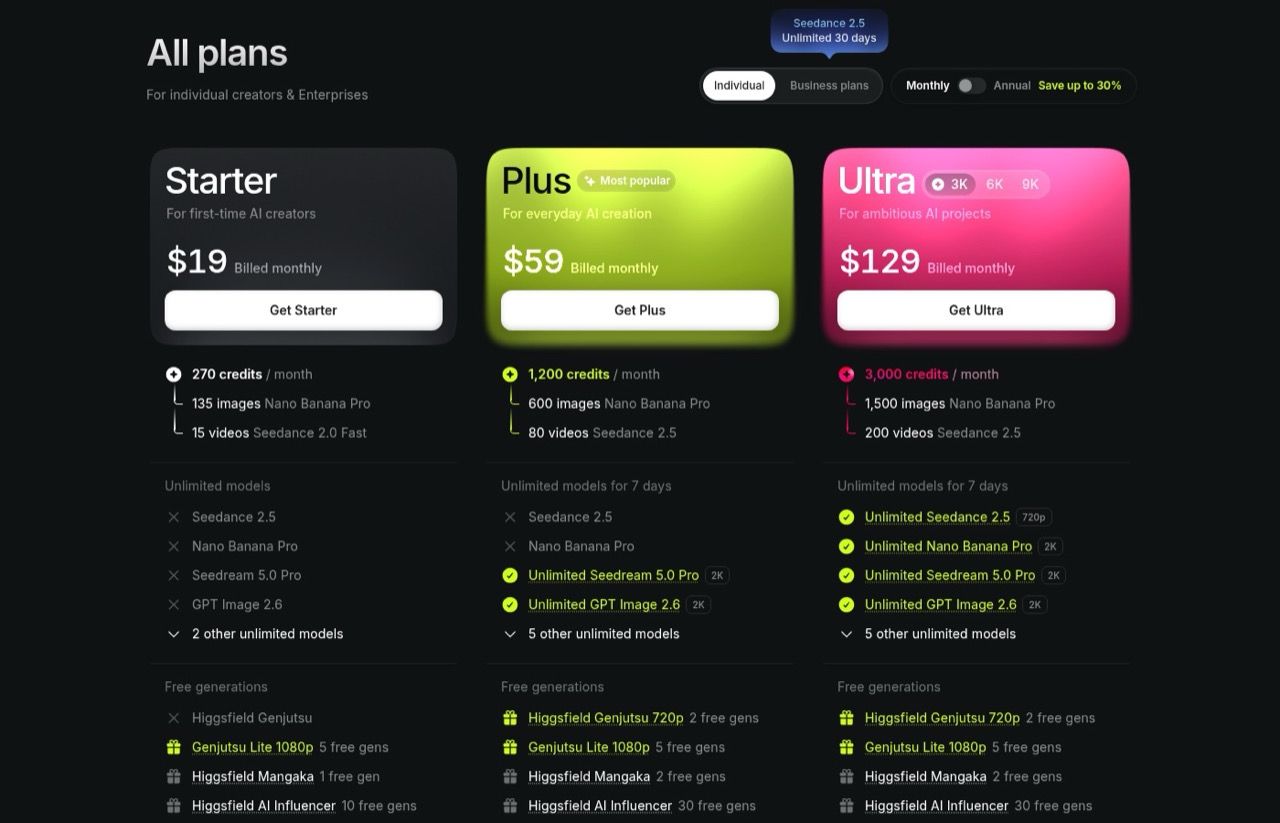
The Plus plan is $59 a month on monthly billing, for 1,200 credits or "80 videos Seedance 2.5." That's 15 credits a video, which is Higgsfield's price for a draft. Its own command-line guide priced a 5-second Seedance 2.5 clip at 1080p at "80 credits for a full render and 15 credits with --draft true." So the 80 on the card counts previews.
Finished clips cost more. Higgsfield's Seedance 2.5 pricing post, dated October 20, says "an 8-second clip draws 128 credits at 1080p, 56 at 720p, and 24 at 480p." At 720p, 1,200 credits make 21 full clips, or $2.81 each. The same clip costs about $1.95 on OpenRouter, including its 5.5% fee. Check Higgsfield's Generate button against that post before you spend.
The fine print:
- The headline unlimited models on Plus and Ultra are listed "for 7 days." Higgsfield's help center says most other included models get 365 days.
- Unlimited models and free generations don't work through Higgsfield's MCP connector or command-line tool. Every generation there costs credits.
- Refunds cover a first purchase within 7 days, only if you used zero credits, with a service fee of up to 6%. Renewals aren't refundable.
- Its terms of use, updated October 23, 2026, say your content, inputs and outputs "may be used by Company to train" its AI models and its affiliates' models. Enterprise customers are excluded.
Best Higgsfield Alternatives in 2026
These are the Higgsfield AI alternatives in the order I'd recommend them to a typical marketer or creator, starting with the setup I use most.
1. Claude or ChatGPT + OpenRouter (Best for Using Any Model Without Another Subscription)
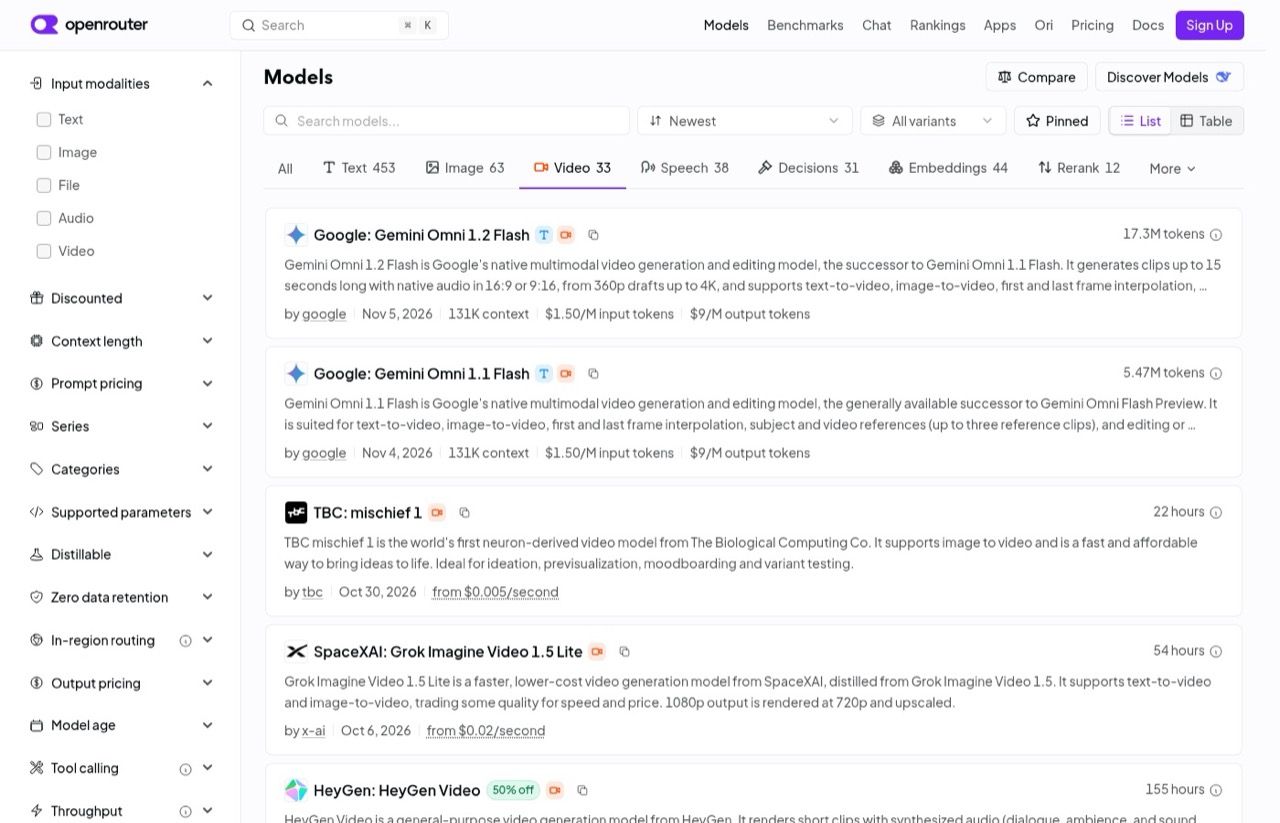
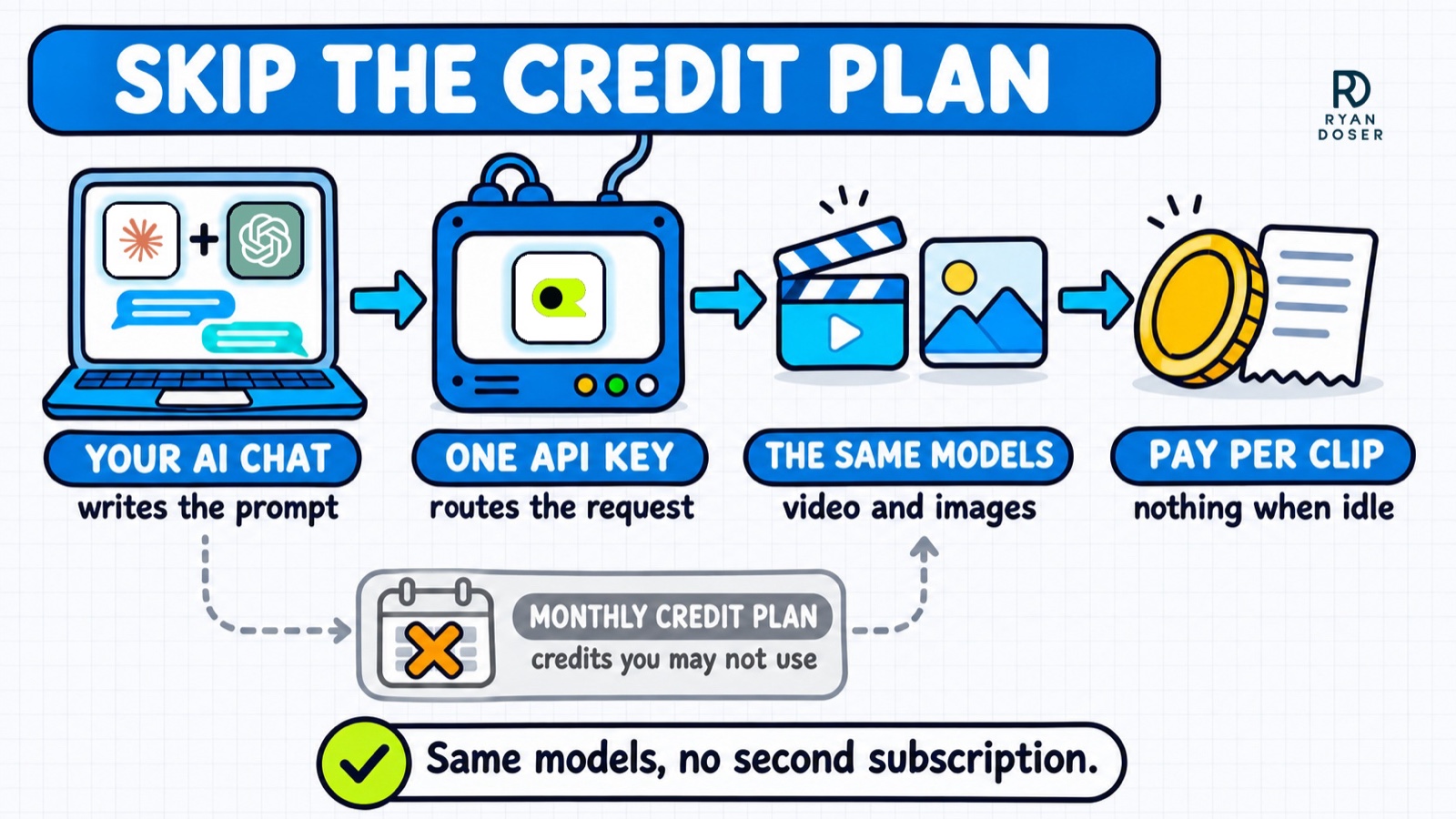
Claude or ChatGPT plus OpenRouter is the best Higgsfield alternative if you already pay for an AI chat plan, because OpenRouter sells the same models per clip with no second subscription. Its video list covered 33 models when I checked, including Veo 3.1, Kling 3.0, Seedance 2.5, Hailuo, Wan and Runway's Gen-4.5, each at its list price plus a 5.5% fee when you buy credits.
Your $20 Claude plan includes Claude Code, and ChatGPT Plus includes Codex. Either one can call OpenRouter for you. I run it from Claude Code, where I made a 10-second drone flyover of New York with Seedance 2.0. The video below walks through the setup, which I also wrote up in my guide to making AI videos in Claude Code. My images run the same way, at about 7 cents each for Nano Banana 2 and about 4 cents for OpenAI's image model.
Posting is the last step. Higgsfield's own guide says its connector publishes to TikTok from the chat. I hand the finished file to Blotato, which schedules it to nine social platforms from the same session.
Pros:
- A slow month costs close to nothing
- Switch models when a better one lands, with no new account
- Claude or ChatGPT writes the prompts, script and captions in the same session
Cons:
- You work in Claude Code or Codex, not a point-and-click studio. Connecting OpenRouter takes about five minutes once one is installed.
- New releases can show up late. Kling's site was promoting Kling 4.0 while OpenRouter still listed 3.0.
- No editing timeline, so the cutting happens somewhere else
Best for: Marketers who make a handful of clips a month and already pay for Claude or ChatGPT.
Pricing: Claude Pro or ChatGPT Plus at $20/mo billed monthly, plus per clip. On OpenRouter, Kling 3.0 Standard is $0.084 a second at 720p without audio, Veo 3.1 Lite with audio is $0.05 a second, and Seedance 2.5 starts at $0.1028 a second at 480p.
Free trial: No trial and no subscription. The smallest credit purchase is $5, and the 5.5% fee has an $0.80 minimum, so $5 of credits costs $5.80. Unused credits can expire after a year.
Bottom line: The cheapest route in my math if you already pay for Claude or ChatGPT. My OpenRouter setup guide for Claude Code covers the API key part.
Here's how 8-second, 720p Seedance 2.5 clips compare, using Higgsfield's October credit rates and OpenRouter's rate after the fee:
| Clips a month | OpenRouter | Higgsfield |
|---|---|---|
| 10 | About $20 | $59 (Plus) |
| 21 | About $41 | $59 (Plus, near its limit) |
| 40 | About $78 | $129 (Ultra), or Plus plus credit top-ups |
If you'd buy Claude or ChatGPT only for this, add $20 to the OpenRouter column. Then the two are even at about 20 clips, Higgsfield Plus edges ahead right at its limit, and OpenRouter wins again at 40 ($98 against $129).
2. ChatGPT Plus (Best for Images Inside the Chat You Already Use)
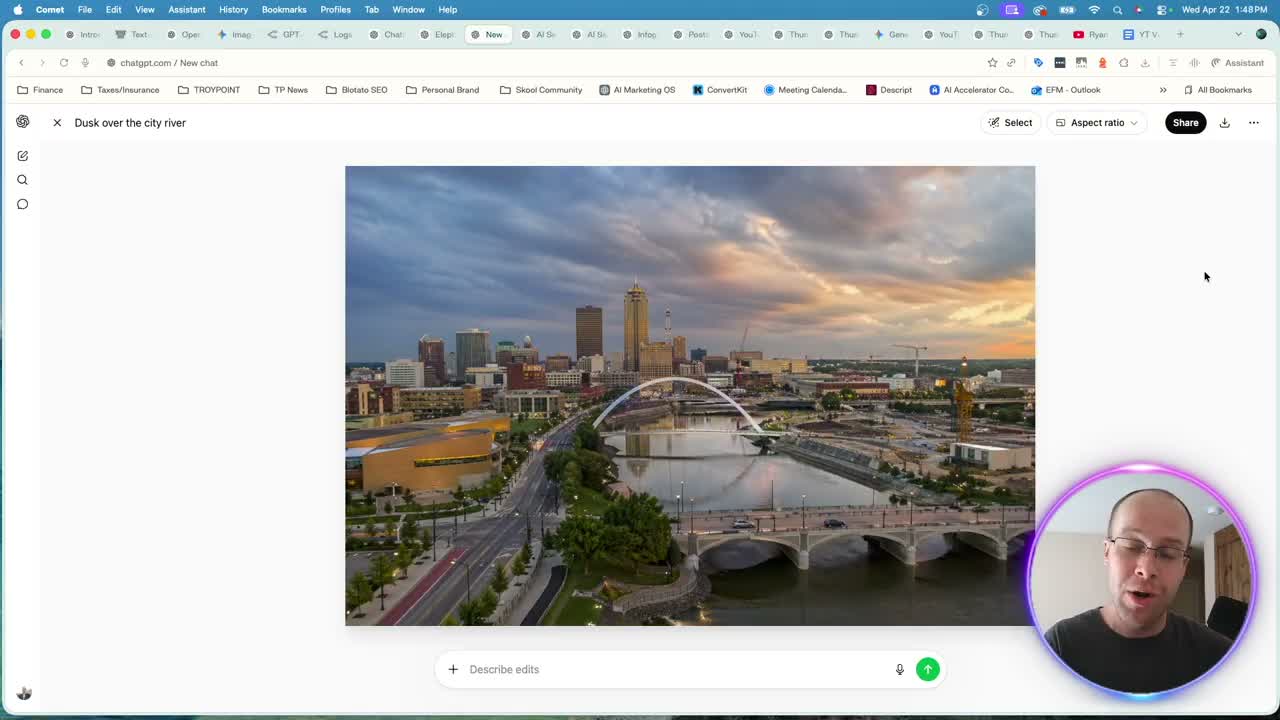
ChatGPT makes the most sense if you mostly make images, because OpenAI's image model is built into the chat and Higgsfield sells access to that same GPT Image model.
When OpenAI shipped ChatGPT Images 2.0, I moved my thumbnail and infographic work to that model, running it through Codex and OpenRouter. My ChatGPT Images 2.0 test has the side-by-side against Nano Banana. Video is out, though. OpenAI shut down the Sora app on April 26, 2026, and its API on September 24, according to its help center.
Pros:
- Images and the copy around them come out of one conversation
- When I asked it to swap the text on one of my thumbnails, the result was crisp
Cons:
- No video since Sora shut down
- Fine text in dense infographics still needed a second pass in my test
Best for: Creators who mostly need thumbnails, social graphics and product shots.
Pricing: ChatGPT Plus is $20/mo billed monthly.
Free trial: The free ChatGPT plan makes images with tighter limits.
Bottom line: The pick for image work, paired with something else for video.
3. Google AI Pro (Best for Nano Banana and Google's Video Model in One Plan)
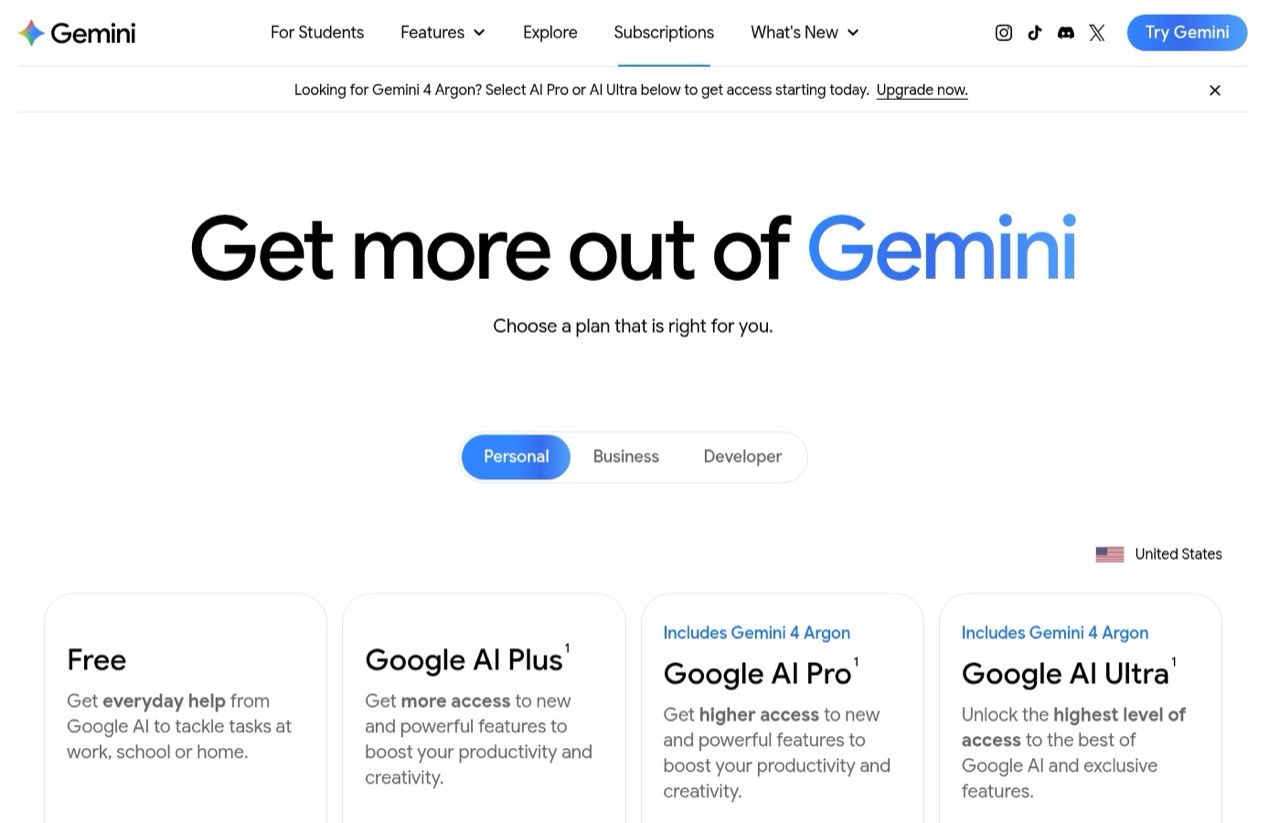
Google AI Pro bundles the Gemini app, Nano Banana for images and Google Flow for video into one $19.99 plan, which makes it the simplest swap if you want both from one company. On Higgsfield's Plus plan, Nano Banana Pro costs credits. Here you can use it in the Gemini app, plus 1,000 Flow credits a month for Google's Omni Flash video model.
I've used Flow for video and Nano Banana Pro inside the Gemini app on this plan. Google's Flow help puts an 8-second 720p Omni Flash clip at 24 credits, so 1,000 credits make about 41 clips, plus 50 free credits a day.
Pros:
- The plan also covers 5 TB of storage and YouTube Premium Lite
- Google AI Plus at $4.99 a month includes 200 Flow credits, the cheapest way in
Cons:
- Clips over 10 seconds cost double per extra second
- Google's video options only, so no Kling or Seedance
Best for: People already in Google's apps who want images and some video for one price.
Pricing: Google AI Pro $19.99/mo. Google AI Plus $4.99/mo with 200 Flow credits.
Free trial: The free plan includes limited Flow and Nano Banana Pro access.
Bottom line: The flat-price pick for Nano Banana and some video from the company that makes them.
4. Kling (Best for Getting Kling's Newest Model First)
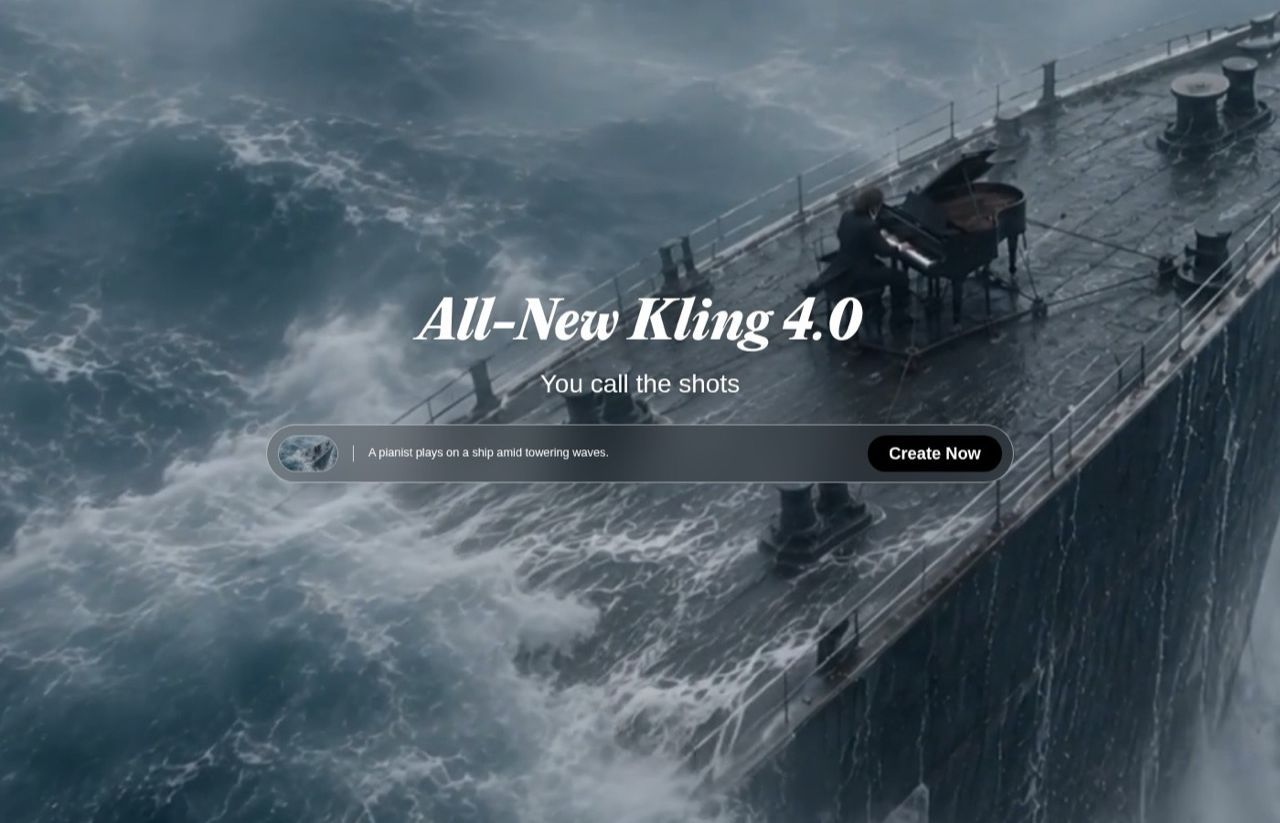
Kling gets you new Kling versions before resellers do. On November 6, Kling's site had Kling 4.0 while OpenRouter listed 3.0, and Higgsfield leans hard on Kling's models.
I've used Kling both directly and through OpenRouter. If you go direct, budget for the renewal price, not the first month.
Pros:
- A free Basic plan to try the interface
- A low monthly price, even after the renewal
Cons:
- Advertised first-month prices are lower than what renews
- One company's models, so no Veo, Seedance or Nano Banana
Best for: Creators who've settled on Kling's look for most of their clips.
Pricing: Standard $8.80/mo after a $6.99 first month, 660 credits. Pro $32.56/mo after a $25.99 first month, 3,000 credits. Both billed monthly.
Free trial: A free Basic plan, with no monthly credits listed.
Bottom line: Buy Kling direct if you want each new Kling version as soon as it ships.
5. Runway (Best for Directing and Editing Video)
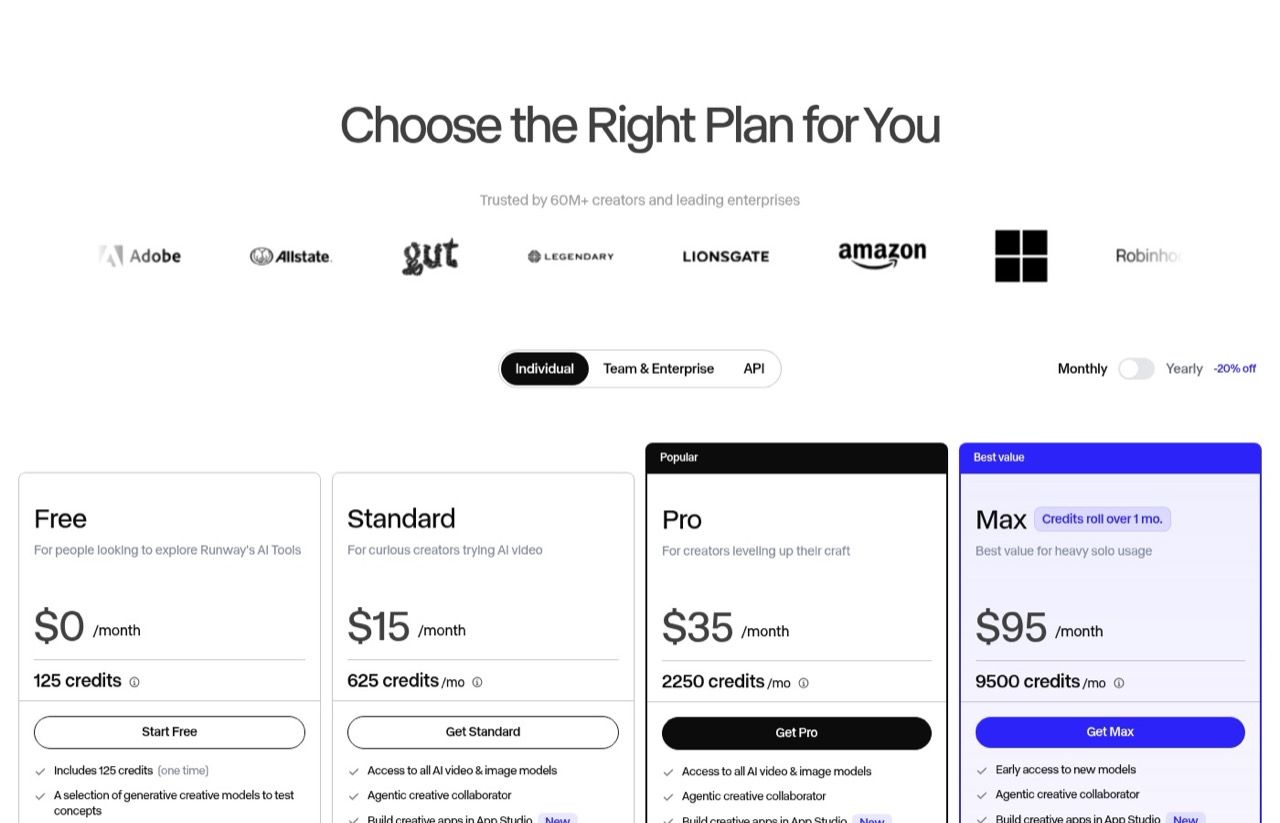
Runway suits people who direct and edit video, since it wraps its own models in tools for directing, editing and extending shots. It came up in 10 of the 12 AI answers I checked, second only to Kling.
I've used Runway, and it's strongest after the clip exists. Its Standard plan lists "Access to all AI video & image models," which covers more than Runway's own.
Pros:
- Editing and directing tools that go beyond a prompt box
- Other companies' models sit alongside Runway's own
Cons:
- Among the individual plans, only Max rolls unused credits over
- More tool than most marketers need for a few social clips
Best for: Video editors and agencies who shape clips after they're generated.
Pricing: Standard $15/mo for 625 credits, Pro $35/mo for 2,250, Max $95/mo for 9,500, billed monthly. Yearly billing saves 20%.
Free trial: A free plan with 125 one-time credits.
Bottom line: A full video studio, priced for people who edit.
6. HeyGen (Best for Talking-Head and Avatar Videos)
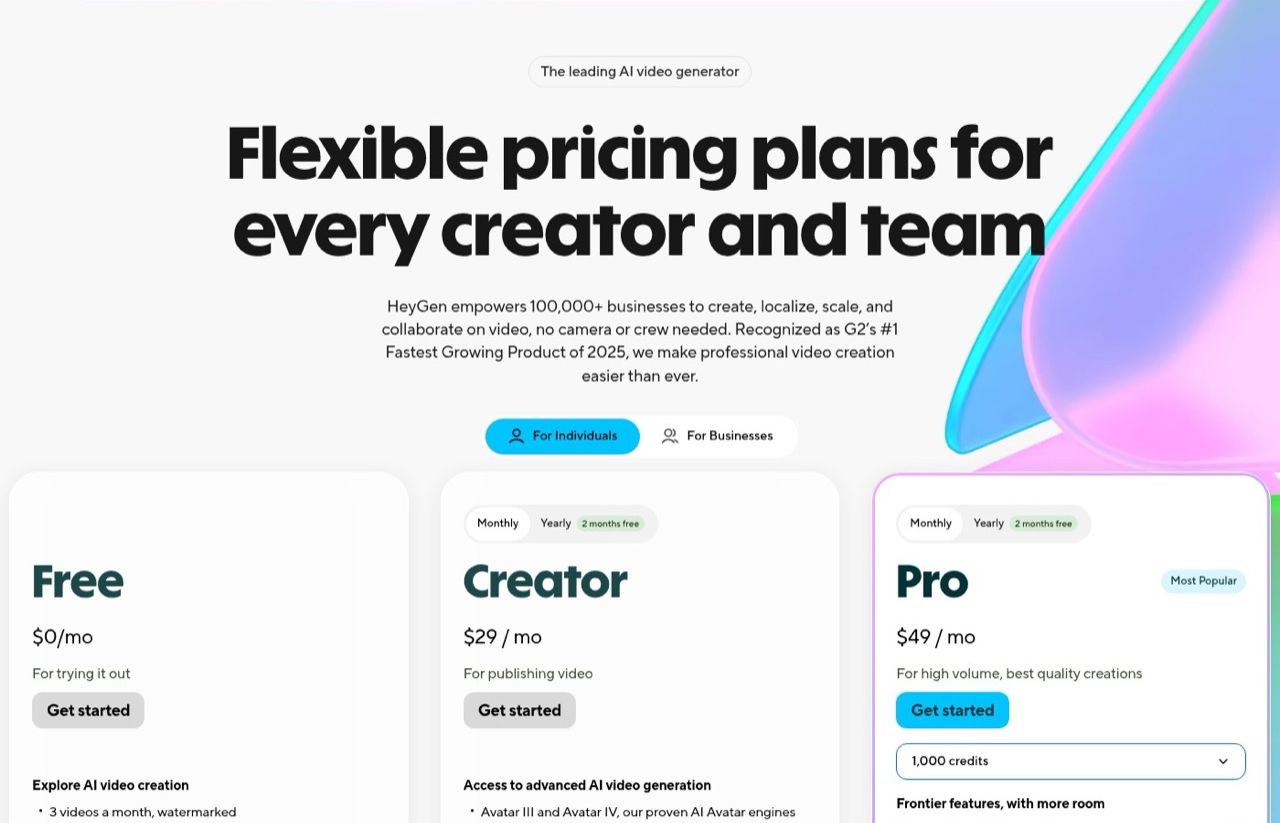
HeyGen is built for presenter videos, the job Higgsfield's AI Influencer tool is pitching. I've covered HeyGen's agent on my YouTube channel, and its Pro plan also lists access to Seedance 2.5.
Pros:
- Avatars and voice built for explainers, ads and training videos
- A free plan to test before paying
Cons:
- Free videos are watermarked and capped at one minute
- Overkill if you never need a person on screen
Best for: Marketers making explainers, UGC-style ads or course videos with a presenter.
Pricing: Creator $29/mo, Pro $49/mo, billed monthly. Yearly billing gives two months free.
Free trial: A free plan with 3 watermarked videos a month.
Bottom line: The pick for anyone who came to Higgsfield for AI influencers.
7. Krea (Best for Many Models in One App)
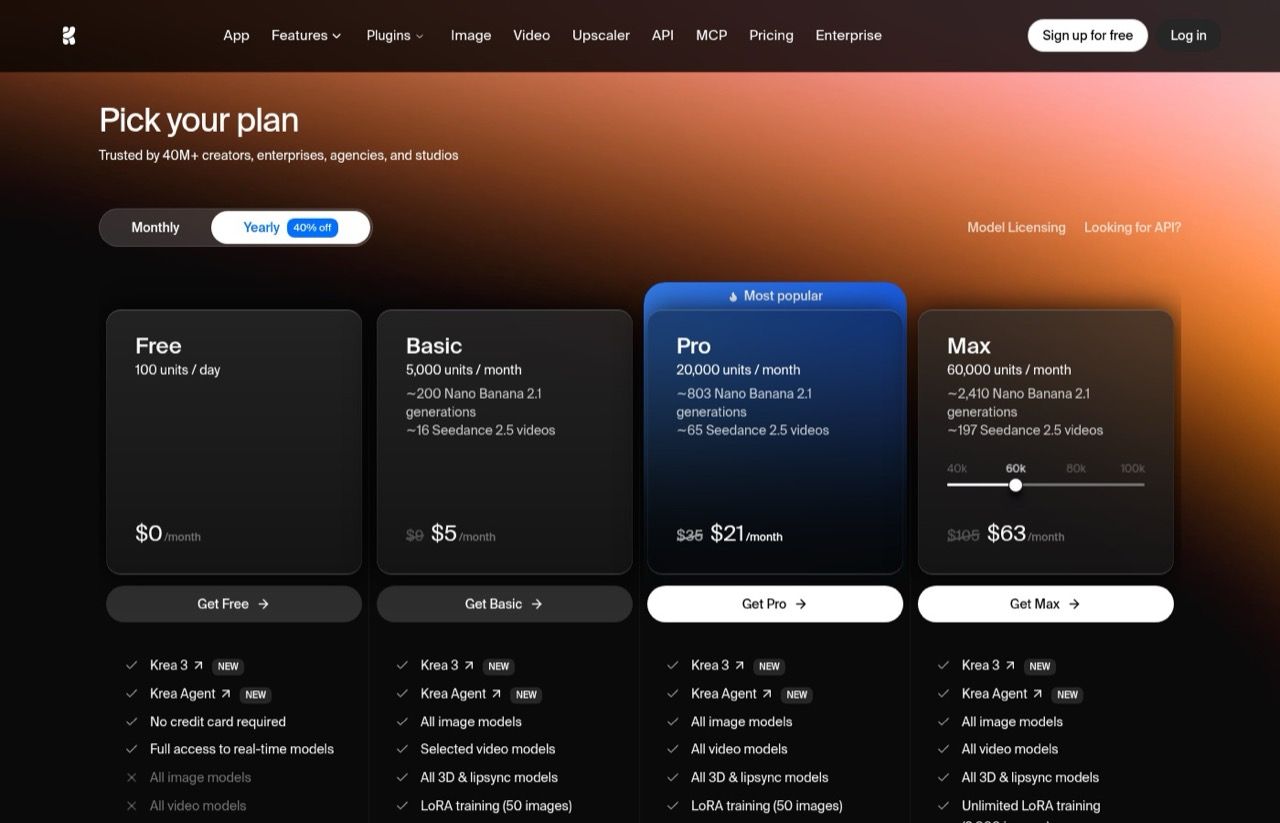
Krea works the most like Higgsfield: one app, lots of image and video models and a monthly unit allowance, for less money. I've used it, and it ranks last because its plan cards overstate how many real clips you get, the same problem as Higgsfield's.
Its Pro card says $35 a month buys about 65 Seedance 2.5 videos. Krea's own pricing breakdown puts a 5-second 720p clip at 856 units, which is about 23 clips on Pro's 20,000.
Pros:
- Image, video, upscaling and training in one place
- A daily free allowance, with no credit card needed
Cons:
- Monthly units don't roll over on Basic, Pro or Max
- Plan-card video counts assume cheaper settings than a 720p clip
Best for: People who want Higgsfield's one-app setup for less.
Pricing: Basic $9/mo for 5,000 units, Pro $35/mo for 20,000, Max $105/mo for 60,000, billed monthly. Yearly billing takes 40% off.
Free trial: A free plan with 100 units a day.
Bottom line: The straightest swap for Higgsfield's one-app setup, at a lower monthly price.
What About Pika, Luma and OpenArt?
Each came up in 6 of the 12 AI answers I checked across ChatGPT, Claude, Gemini and Perplexity. I left them unranked because I haven't used them enough to stand behind a ranking. Pika leans toward quick social effects, Luma toward realistic motion, and OpenArt is another multi-model app like Krea.
Several of those answers also listed Sora 2 among the models inside Higgsfield or Krea, even though OpenAI switched off the Sora API in September.
Questions to Ask Before You Pay for an AI Video Tool
- Do you already pay for Claude or ChatGPT? If yes, paying per clip beat Higgsfield at every volume I modeled. If not, it's close around 20 clips a month.
- What does one "video" mean on the plan card? Often a short draft. Find the credit cost of the length and resolution you'll use, then divide.
- Do you need editing, or just clips? Editing points to Runway. Clips point to pay-per-clip.
- Is the person recommending it being paid? Higgsfield pays some creators per video, so check for a disclosure.
Try a Month of Pay-Per-Clip First
Start with the Claude or ChatGPT plan you probably already have and $10 of OpenRouter credits. Make your clips for a month, then add up what you spent. Missed having an editing timeline? Try Runway. Wanted everything in one app? Try Krea. Either way, you'll know before you commit to a $59 subscription.
Higgsfield Alternatives FAQs
What is the best alternative to Higgsfield?
If you already pay for Claude or ChatGPT, add OpenRouter for Kling, Veo, Seedance and Nano Banana at per-clip prices, working through Claude Code or Codex. For a single app like Higgsfield, Krea's Pro plan is $35 a month against Higgsfield's $59. Runway is better for editing, and HeyGen for avatar videos.
How can I get Higgsfield cheaper?
Use the same models somewhere else. On OpenRouter, an 8-second 720p Seedance 2.5 clip costs about $1.95 including fees, against roughly $2.81 on Higgsfield Plus at the credit rates in its October pricing post. Kling and Google also sell their own models directly, from $8.80 and $4.99 a month.
Is there a free Higgsfield alternative?
Krea gives 100 free units a day without a credit card. HeyGen's free plan makes 3 watermarked videos a month, Runway's comes with 125 one-time credits, and Google's free Gemini plan includes limited Flow and Nano Banana Pro access. Each is enough to test the output first.
Does Higgsfield use your videos to train its AI?
Its terms of use, updated October 23, 2026, say your content, inputs and outputs may be used to train its AI models and its affiliates' models, with Enterprise agreements excluded. You can stop future use by deleting your content or account, but anything already used in training can't feasibly be separated from those models.
Why do so many creators promote Higgsfield?
Some are paid to. Higgsfield's Earn program pays creators to post its videos on Instagram, up to $1,000 on the first day and $2,500 per video over its lifetime. Look for a disclosure before you trust a glowing post.
Blotato links are affiliate links, and Blotato is a client of mine. None of the seven tools paid to be listed, and Higgsfield's sponsorship offers were declined. I've used all seven. Prices were checked November 6, 2026, with monthly billing selected. See my full disclosure.