
I spent several hours testing the new Blaze AI Autopilot, and this Blaze AI review breaks down whether the upgrade justifies the higher price tag.
My Blaze AI Review
Most AI marketing tools still operate as co-pilots. You type a prompt, tweak the output, schedule it manually, and repeat. Blaze AI made a bold move by switching its entire platform to what they call “autopilot.”
Try Blaze AI
Once you finish onboarding, Blaze AI takes over. It reads your website, pulls in your logo, matches your brand colors, and starts generating a full week of posts without you typing a single prompt. The catch is that your initial inputs determine everything. Sloppy setup equals sloppy output.
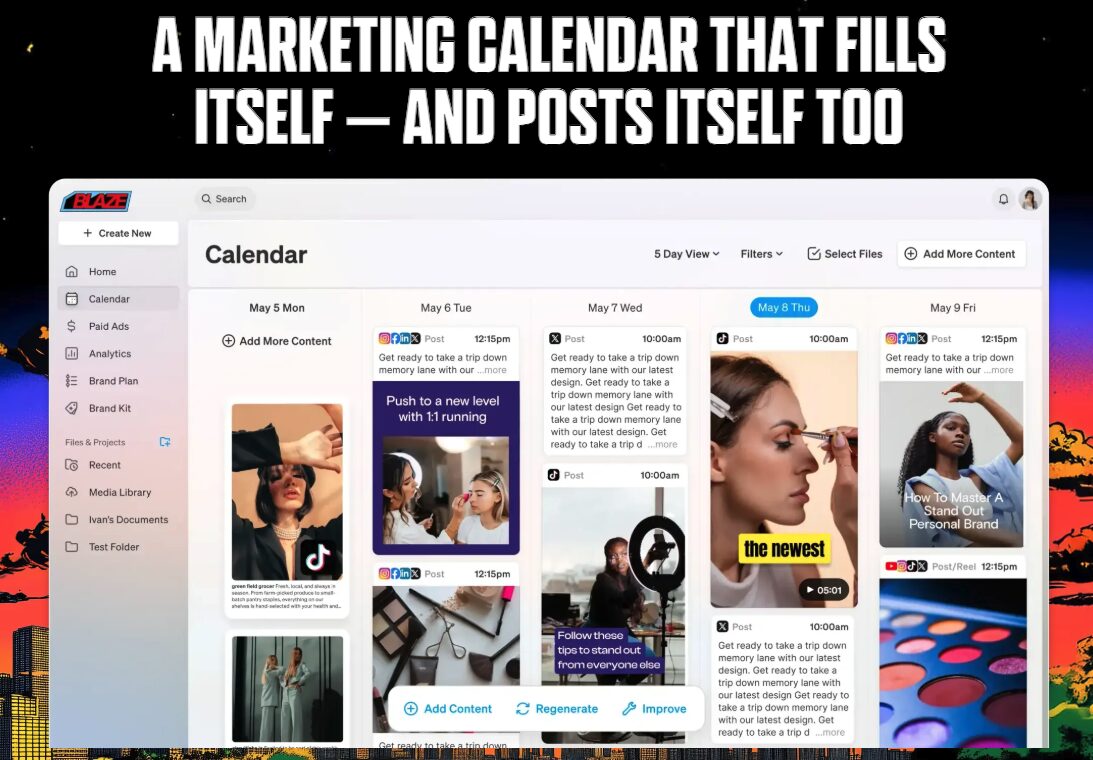
I tested this with a local home service business called CJ’s Window Cleaning in Des Moines. Within minutes, Blaze scraped the website, built a brand profile, and generated a full week of social content across Instagram, Facebook, and LinkedIn.
If you’re building AI-powered content systems, my Free AI Marketing Essentials Guide covers the prompts, tools, and workflows I run daily. It pairs well with platforms like Blaze.
Free AI Marketing Essentials Guide
Features I Tested Inside Blaze AI
The user interface earned high marks. Clean layout, easy to find what you need, and noticeably more polished than most AI marketing tools I’ve tested.
Content Calendar and Brand Plan
The calendar gives you a clear week-by-week view of scheduled posts across every connected platform. You can toggle between list view, week view, and month view. Filter by channel, account, or post status. For a tool at this price point, the calendar rivals what you’d find in dedicated schedulers.
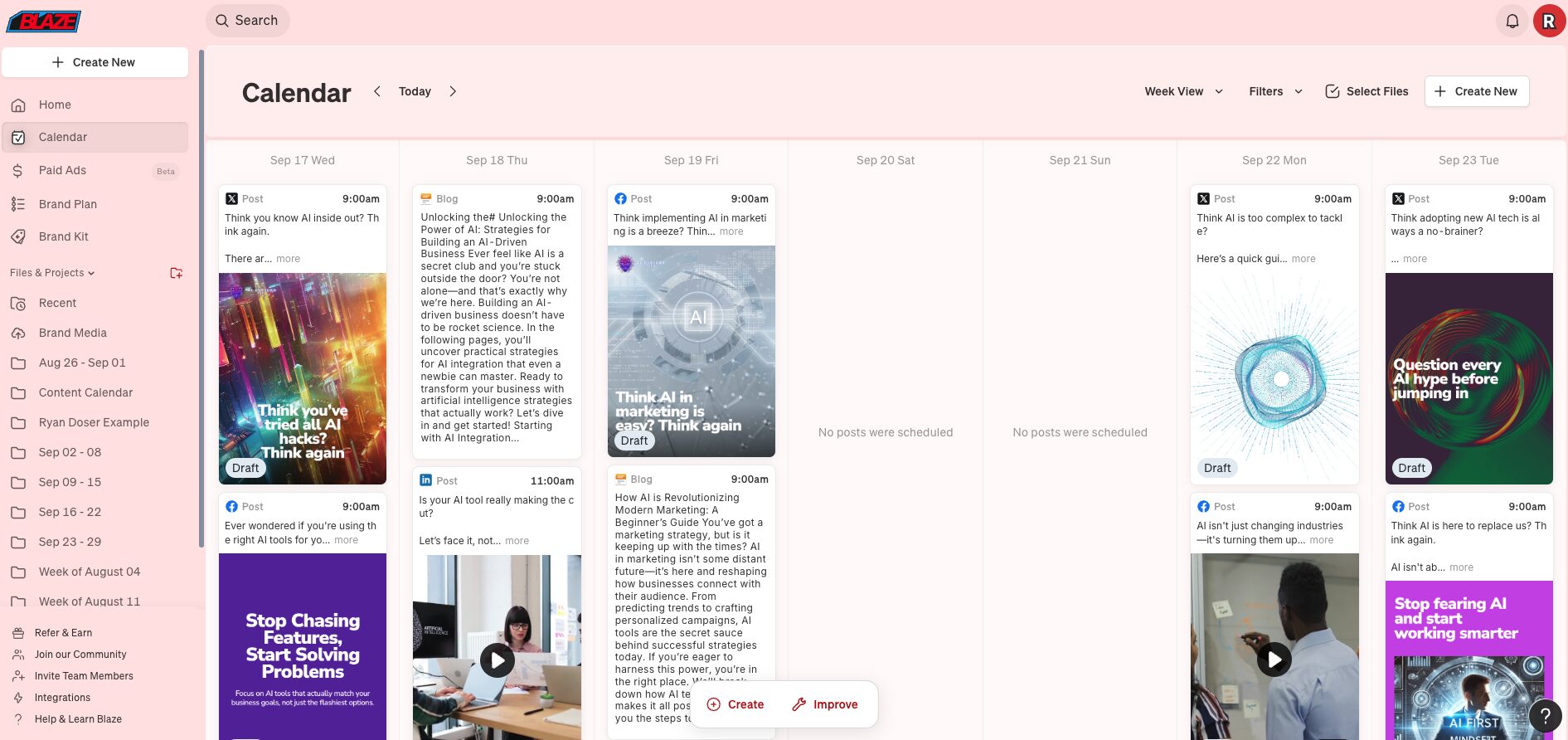
The brand plan feature adds a layer of human control on top of the autopilot system. Click into any week and you can adjust post frequency per platform, swap out topics, add short-form video, or include blog and email content. You’re not surrendering full control to AI, which matters.
Brand Kit Setup
This is the feature that makes or breaks your entire Blaze AI experience. Think of it as your brand’s instruction manual for the AI. You upload your logo, define your color palette with exact hex codes, set typography rules, and write out your brand voice guidelines.

Rushing through brand kit setup produces generic, off-brand posts. I’d recommend using Google Gemini or ChatGPT to build a mini brand guide first, then transfer those details into Blaze. Getting the hex codes, typography, and voice settings right upfront saves hours of editing later.
Integrations and Paid Ads Beta
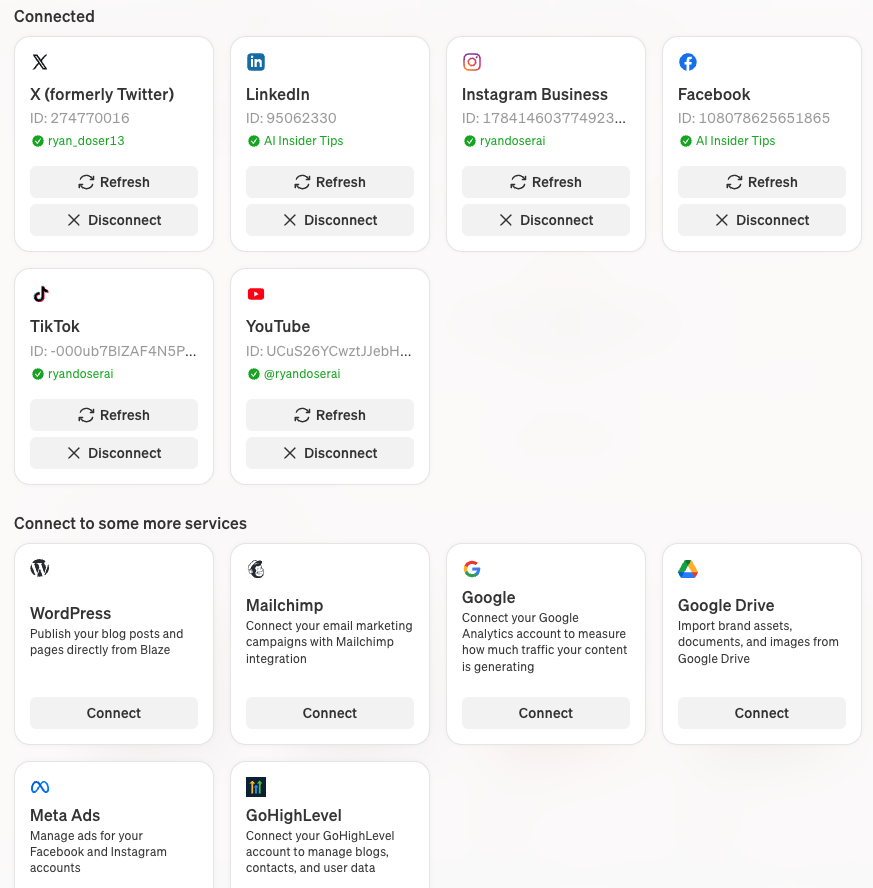
Blaze plugs into all the major platforms you’d expect, plus GoHighLevel and Zapier for custom workflows. The surprise addition is a paid ads beta for Meta, which would let you manage organic posts and ad campaigns from the same interface. That’s a feature most AI marketing tools skip entirely.
Breaking Down the Blaze AI Pricing Change
The old co-pilot version had a confusing grid of tiers: creator, pro, startup, and agency plans with different feature caps. The autopilot rebuild scrapped all of that. Now there’s one plan at $65/month. Commit longer and the rate drops: an annual subscription brings it down to $46/month.
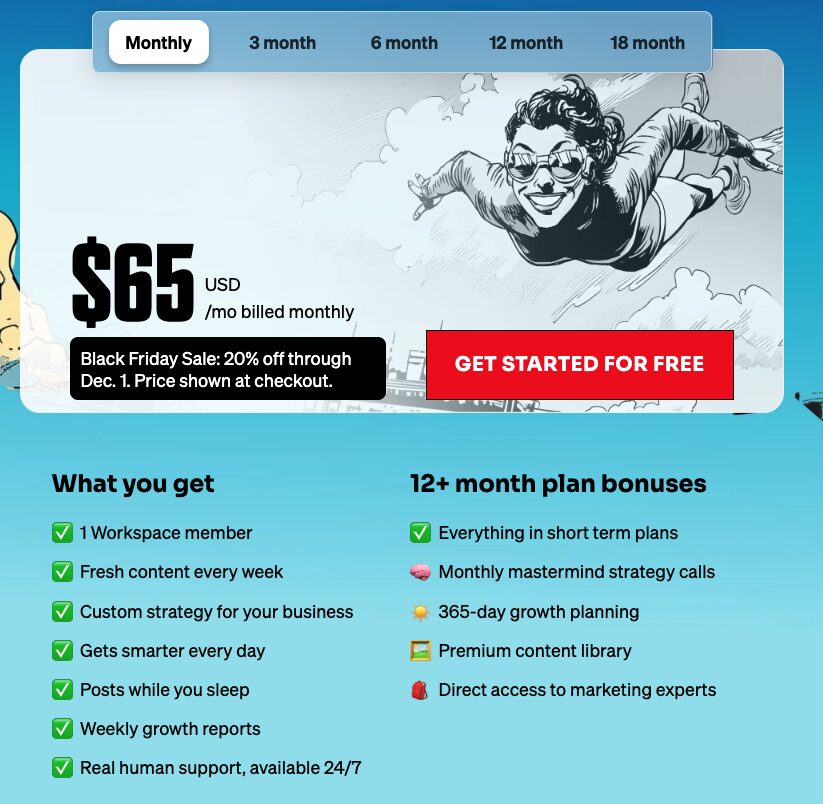
That’s nearly double the old $34/month starting price, and I understand why some people hesitate. But consider what you’re comparing it against. A Hootsuite standard plan runs $149/month per user with zero AI writing built in. Sprout Social charges even more per seat. Blaze includes content generation, scheduling, and a free 7-day trial to test the full platform before you pay anything.
Three Problems I Found During Testing
If you’re new to AI tools altogether, $65/month is the wrong starting point. Grab ChatGPT Plus or Claude Pro first for $20/month. Learn how AI content generation works at a lower price before committing to a specialized platform.
The second issue is model opacity. I looked everywhere inside the editor and settings for any indication of which AI models generate the copy and images. Nothing. No way to select a model, no documentation on their website. When a platform hides what’s under the hood, it usually means they’re running cheaper model variants to save on API costs.
Third, the autopilot framing sets wrong expectations. During my CJ’s Window Cleaning test, I found posts where the AI-generated B-roll video had nothing to do with window cleaning. Some image selections missed the mark. You still need to open the calendar every Monday and scan what’s scheduled before it goes live.
Who Actually Needs This Tool (And Who Doesn’t)
Picture the owner of a plumbing company or a window cleaning service. They’re booked solid six days a week. They know they should be posting on social media, but they don’t have time and can’t stomach paying an agency thousands per month. That’s the exact person Blaze AI was built for.
Busy coaches and solo operators who need their brand visible online without spending an hour each morning writing captions also fit the profile. The weekly brand plan gives enough control to keep content on track.
Full transparency: I don’t use Blaze for my own accounts. My setup runs on Make.com paired with Blotato, which gives me deeper control over how long-form content gets repurposed. But that workflow requires technical comfort with APIs and automations that most small business owners don’t have.
Final Notes from Ryan
After testing Blaze AI Autopilot with a real business, my takeaway is straightforward: if you spend the time on brand kit setup and review your calendar weekly, this tool can keep your social accounts active without dominating your schedule. The interface is polished, the autopilot concept works when you feed it good inputs, and the pricing sits well below traditional scheduling platforms. I’d like to see AI model transparency and a more honest framing around what “autopilot” actually means. But for business owners who’d otherwise post nothing, Blaze AI solves a real problem at a fair price.
Blaze AI Review FAQs
Should I get ChatGPT Plus or Blaze AI first?
Start with ChatGPT Plus at $20/month. It handles a wider range of tasks and teaches you how AI content generation works. Once you need automated scheduling and multi-platform publishing on top of AI writing, that’s when Blaze AI starts making sense as an add-on investment.
How important is the brand kit setup in Blaze AI?
Critical. Every piece of content Blaze generates on autopilot pulls from your brand kit inputs. Spending 30-60 minutes dialing in your colors, fonts, voice, and content preferences upfront determines whether you get generic AI posts or content that actually matches your brand.
Is Blaze AI better than hiring a social media agency?
For businesses spending under $1,000/month on social media, yes. An agency charges $5,000-$10,000/month for what Blaze does at $65/month. The output quality won’t match a skilled human strategist, but for maintaining a consistent presence, the ROI math works in Blaze’s favor.
Can I turn off autopilot and use Blaze AI manually?
Yes. The settings panel includes an autopilot toggle you can disable. But at $65/month, you’d be paying more for what the old co-pilot version offered at $34. If you want manual control, consider whether the investment still makes sense for your workflow.
How much time does Blaze AI actually save per week?
In my CJ’s Window Cleaning test, the initial setup took about 20 minutes. After that, Blaze generated five days of cross-platform content automatically. I’d estimate 15-20 minutes of weekly review time to check posts before they publish. Compare that to 5-10 hours of manual content creation and scheduling.
