
The confusion around Claude AI vs Cowork vs Code comes up in almost every conversation I have with founders and marketers right now. This guide breaks down what each one actually does, who it is for, and when to graduate from one to the next.
Claude AI vs Cowork vs Code Video Guide
I sat down with Brooke Wright, an AI expert who helps non-technical founders build with AI, to settle the question once and for all. Brooke runs her entire content and admin workflow across Cowork and Claude Code, so she has real reps in both.
If you want to skip the chatbot stage entirely, my full Claude Code playlist has tutorials for marketers. Want to go deeper on Claude AI vs Cowork vs Code as a topic? Keep reading.

The Differences Between Claude AI, Cowork, and Claude Code
Here is the short version of each product and who it actually fits.
Claude AI
Claude AI is the chatbot most people already know. You ask, it answers, and a few connectors let it pull your email or add a calendar event. It is the right starting point if you are still copying and pasting prompts into a chat window.
The ceiling here is low on purpose. You cannot save files to your computer, run scheduled jobs, or chain tools into a workflow. Once you outgrow basic Q&A, you need something with more reach. If you are still in this phase, my guide on switching from ChatGPT to Claude covers how to set yourself up to grow.
Claude Cowork
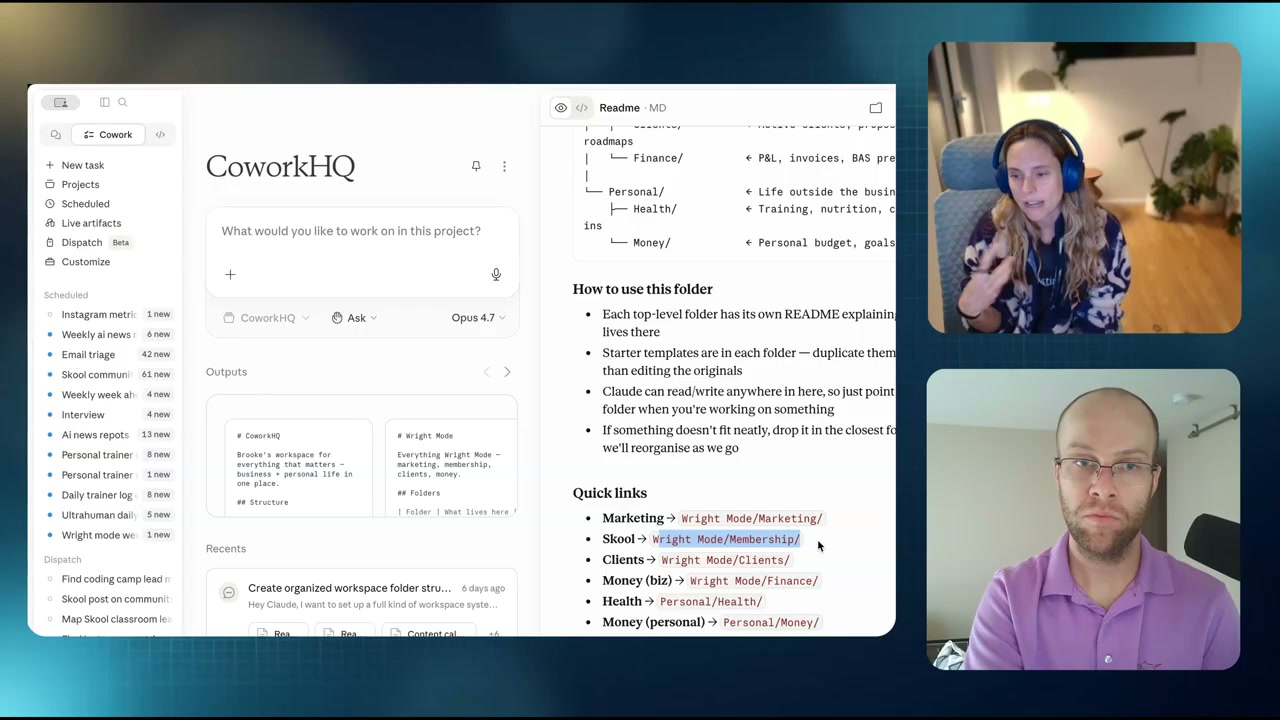
Cowork sits in the middle. It lives inside the Claude desktop app, runs in a sandboxed Linux virtual machine, and can read or write files on your computer. No terminal. No black screen. No setup beyond opening the app.
Brooke described it as the gap Anthropic spotted between chat users and developers. People wanted more than chat but were not ready for code. Cowork fills that exact space. You can connect custom MCPs, build skills, and let Claude work alongside you on real tasks.
Claude Code
Claude Code is the developer-grade tool. It runs on your operating system with full filesystem access, plugs into VS Code or JetBrains, and pairs cleanly with Codex or other agents. I use it six to eight hours every day, and I broke down the marketer case for it in why marketers should use Claude Code.
I will be honest. Claude Code is a horrible name for non-developers. The word “code” makes people freeze. But I rarely touch a raw terminal. I run the Claude Code extension inside VS Code, which feels closer to a regular app than anything in a black window.
If you want to push the limits, build your own software, or run heavy automation, this is the tier. My Claude Code agent setup shows what is possible once you get comfortable.
Claude Cowork Live Artifacts
Live artifacts are one of the most underrated Cowork features. A few months back, the social feed was full of Claude dashboards that looked great but went stale the moment you closed the chat. Anthropic shipped an update that refreshes those artifacts every time you open them.
Brooke connects her live artifact to email, Slack, and her calendar. The result is a morning command center that tells her what needs replies, what is happening in Slack channels, and what is on the calendar that day.
Claude Cowork Scheduled Tasks
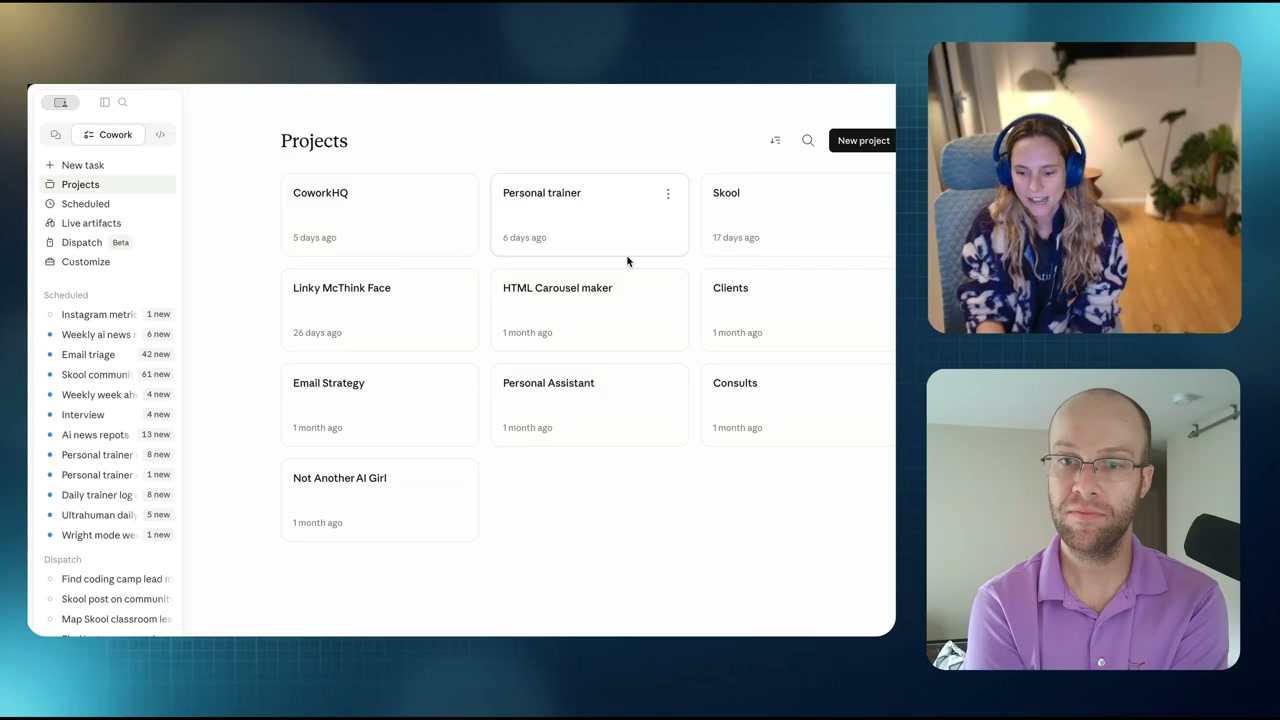
Scheduled tasks let Cowork run on a cadence without you opening the app. Brooke has one that pings her Slack every morning with AI news angles for content. Another scrapes her Skool community at 8 AM and 8 PM so she never misses a reply.
The tasks can use tools inside the run, not just send a static message. That is what makes them different from a basic reminder.
When to Switch From Cowork to Claude Code
The honest cutover signal is when Cowork stops being enough. Brooke is rebuilding her website with Claude Code because Cowork cannot match the same Vercel CLI and GitHub workflow. I vibe coded my own version of Obsidian in Claude Code with a cron job that backs everything up to Google Drive.
If you are a bookkeeper, admin pro, or knowledge worker who wants AI to handle repeat tasks, Cowork is probably your final stop. If you want to ship software, customize deeply, or use Claude Code alongside other AI agents like Codex, make the jump.
One pro move from Brooke: set up your folder structure the same way in Cowork that you would in Claude Code. That way the switch is just pointing a new tool at the same files.
Final Thoughts from Ryan
The path most people should take is simple. Start with Claude AI to get comfortable. Move to Cowork when you want Claude to actually do work on your computer. Jump to Claude Code when you want to build, ship, or integrate with other AI tools. If you are weighing it against the alternatives, here is my full breakdown of AI coding tools. A $100 a month Claude Max plan covers all three, which makes it the best AI subscription you can buy right now.
Catch more interviews like this one on the AI Rabbit Holes playlist, and find Brooke at Wright Mode, on YouTube, and on Instagram.
Claude AI vs Cowork vs Code FAQs
What is the difference between Claude AI and Claude Code?
Claude AI is the chatbot interface where you ask questions and get answers. Claude Code is an agentic developer tool that runs on your operating system, edits files, and ships software. Claude AI is for thinking and quick tasks. Claude Code is for building, automating, and executing multi-step work.
What is Claude Cowork?
Claude Cowork is Anthropic’s product for non-technical users who want more than chat but are not ready for Claude Code. It lives in the Claude desktop app, runs in a sandboxed virtual machine, and can read or write files on your computer. No terminal, no setup, no coding background required.
Should non-technical founders use Cowork or Claude Code?
Most non-technical founders should start with Cowork. It covers admin, content, and daily ops without the learning curve. Move to Claude Code only when you want to build websites, ship apps, or run heavier automation. Brooke recommends keeping the same folder structure in both so the switch is painless.
Is Claude Cowork good for marketers?
Yes. Cowork handles content scheduling, AI news scraping, and inbox triage through scheduled tasks. Live artifacts give marketers a morning dashboard for email, Slack, and calendar. It is a strong pick if you want AI in your workflow without learning a CLI.
Can you use Claude Cowork in teams?
Yes. Team and enterprise plans let you save team skills and plugins that live outside personal skills. That makes Cowork a better team fit than Claude Code, which is built around a solo IDE workflow.
