
Custom GPTs vs ChatGPT Projects: Here's What You Should Use
The debate over ChatGPT Projects vs Custom GPTs comes up constantly, and after using both daily for months, I have a clear recommendation.
How ChatGPT Projects vs Custom GPTs Actually Work
Most people assume these two features do the same thing. They don't.
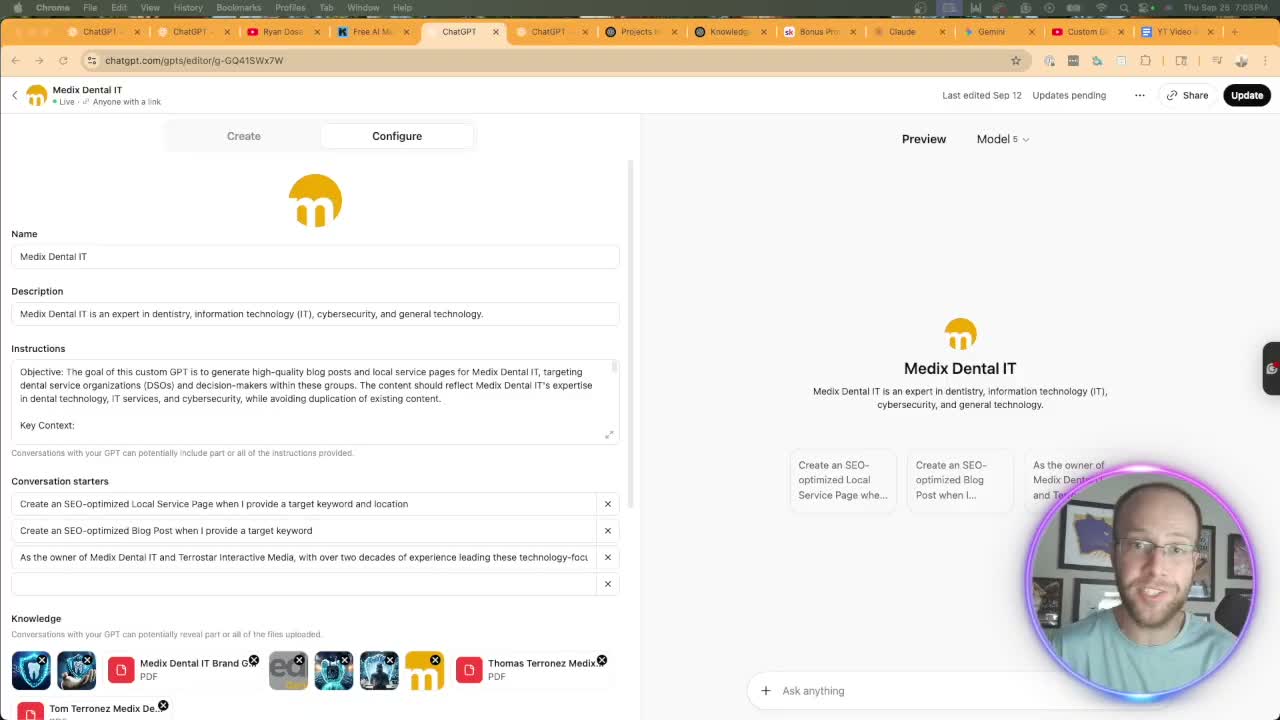
Custom GPTs are pre-built AI assistants trained on specific instructions, files, and conversation starters. You configure them once. Every new chat starts fresh from those instructions. Projects, on the other hand, are dedicated workspaces. You group related chats, upload files, set instructions, and keep everything organized in one place. Think of GPTs as a single tool. Projects are more like a filing cabinet with a built-in assistant.
Update, September 2026: OpenAI is retiring custom GPTs on December 11, 2026. Per OpenAI's GPT help article, personal plans can no longer create new GPTs and only Business, Enterprise, and Edu workspaces still can, though the pricing page still lists GPT creation on paid personal plans. Projects are open to free users with heavy limitations.
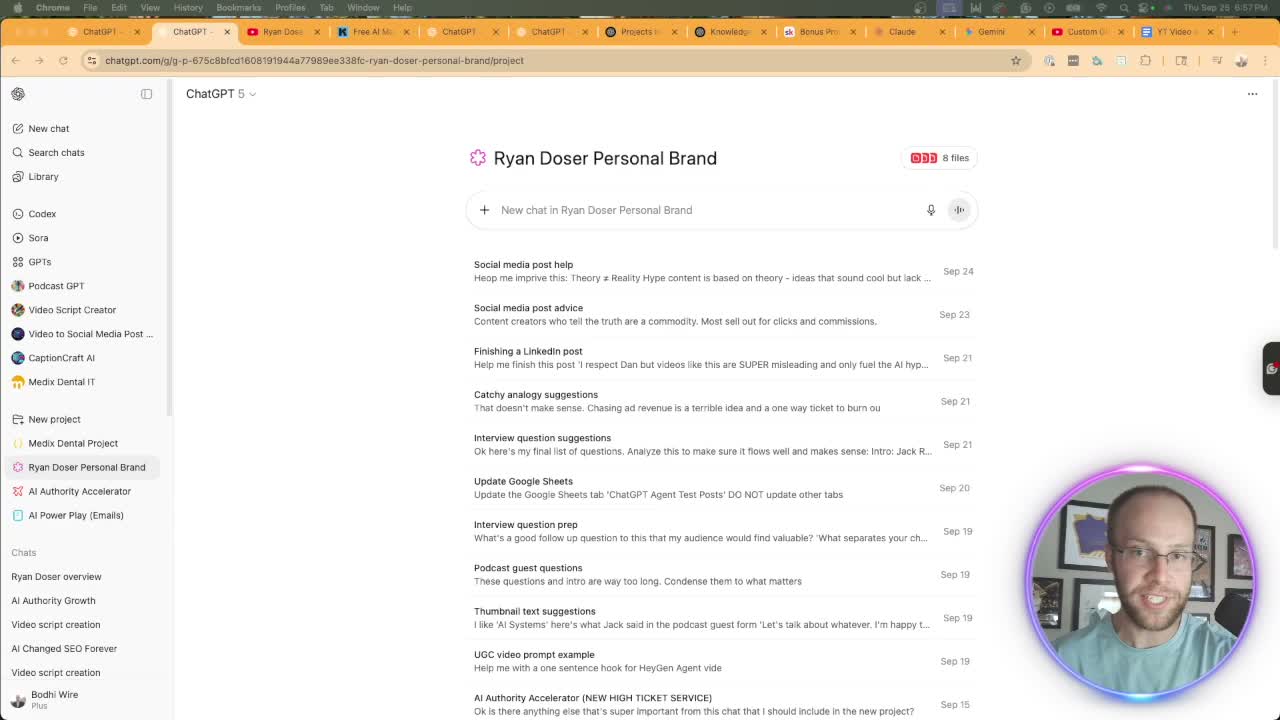
Why Projects Beat GPTs for Chat Organization
You've spent 20 minutes scrolling through the ChatGPT sidebar hunting for a conversation you had last week. That's the GPT experience.
Inside a project, every chat is grouped and sorted by date. I can pull up what I discussed with a client three weeks ago in seconds. With a GPT, those chats scatter across your sidebar alongside every other conversation. There's no way to filter by GPT. You're stuck searching and hoping the title rings a bell.
Projects also let you move existing chats into them. Had a great conversation in the main ChatGPT window? Click three dots, choose "add to project," and it's organized. That flexibility alone saves me time every single day.
Sharing and Accessibility: The One Area GPTs Win
Here's where Custom GPTs still have an edge, at least until they retire on December 11, 2026. You can share a GPT publicly with a single link. Anyone on the internet can use it. There's an entire GPT Store where the community publishes and discovers custom builds.
Projects? Unless you're on a Teams or Enterprise plan, you cannot share them. I use projects every day, and this is my biggest frustration with the feature. OpenAI recently added sharing for all paid plans, but it's still limited compared to the open GPT marketplace.
So if your goal is distributing a custom AI tool to clients or the public, GPTs remain the only option. For everything else, keep reading.
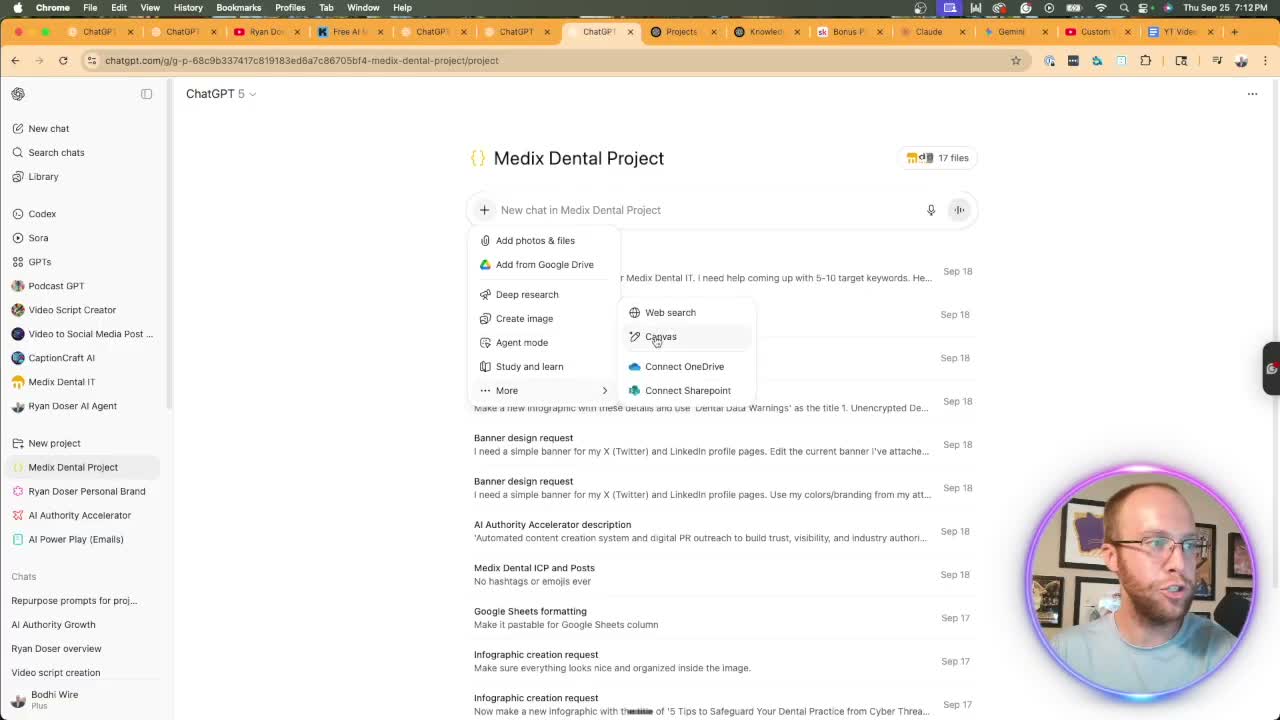
Advanced Features That Make Projects Superior
Custom GPTs give you web search, canvas, and image generation. That's it.
Projects unlock deep research, ChatGPT agent mode, study and learn, and all the same features GPTs offer. The gap is significant. Running deep research inside a project with full context of your uploaded files produces dramatically better results than starting from scratch in a GPT.
Agent mode is the real differentiator here. It lets ChatGPT take multi-step actions, browse the web, and work through complex tasks autonomously. You simply cannot access this from a custom GPT. That limitation alone makes GPTs feel outdated.
Memory, Files, and Knowledge Limits
Projects now support project-only memory. ChatGPT remembers context specific to that workspace without bleeding into your other conversations. GPTs have no memory at all. Every chat starts clean from the base instructions.
For knowledge uploads, GPTs cap at 20 files. Projects allow 25 files on Plus and up to 40 on Enterprise. I hit that GPT ceiling fast. One client project already has 17 files uploaded, and I'm still adding to it.
Both support the same AI models now. OpenAI recently updated GPTs to allow model switching, something Projects always had. That's no longer a differentiator.
What About Third-Party Connections?
GPTs technically support Actions for connecting to external APIs. But honestly, that feature is complicated to set up and mostly irrelevant now.
ChatGPT's developer mode gives you access to hundreds of third-party apps through MCP connectors. Zapier, Notion, Google Sheets, Asana, and more. The catch: developer mode only works in the main ChatGPT window. Neither Projects nor GPTs can access it directly.
So the third-party integration argument is a wash. Neither option wins here. Developer mode handles it separately for both.
Final Thoughts from Ryan
Custom GPTs vs ChatGPT Projects comes down to one question: do you need to share your setup publicly? If yes, use a GPT. For literally everything else, Projects are the better choice.
Chat organization, memory, file limits, and access to advanced features like agent mode and deep research all favor Projects. I use them every day for client work, content creation, and personal brand management.
If you are weighing this against Anthropic's side of the fence, I ran the same comparison for Claude skills versus custom GPTs.
Don't trust anyone hyping up GPTs or selling pre-built ones like they're the future. Projects have made GPTs mostly obsolete. The sooner you switch, the less time you'll waste hunting through scattered conversations and working without memory.
If you're still on the free plan, upgrading to ChatGPT Plus for $20 a month unlocks the full power of Projects. That's where the real productivity gains live.
ChatGPT Projects vs Custom GPTs FAQs
Can free ChatGPT users create Projects and Custom GPTs?
Free users can now create Projects, but with heavy restrictions on features and usage limits. OpenAI's help center says no personal plan can create new custom GPTs anymore, though its pricing page still lists GPT creation on paid personal plans, and all custom GPTs retire on December 11, 2026. For serious results with Projects, ChatGPT Plus at $20 per month removes most of those limits.
Are Custom GPTs going away?
Yes. OpenAI announced on September 11, 2026 that custom GPTs will retire on December 11, 2026, or February 11, 2027 for Enterprise workspaces with an approved deferral. Its migration turns a GPT into a plugin whose instructions become a skill, though custom actions do not transfer. I covered what that means for your options in my Claude Skills vs Custom GPTs update.
Can I use ChatGPT agent mode inside a Custom GPT?
No. Agent mode is only available inside ChatGPT Projects and the main chat window. This is one of the biggest functional gaps between the two options. If multi-step autonomous tasks matter to your workflow, Projects are the only path.
Should I migrate my Custom GPTs to Projects?
If you built a GPT for personal use, yes. Recreate those instructions as project instructions, upload the same files, and you'll gain chat organization, memory, and access to advanced features. Public or shared GPTs are not a reason to wait, because every custom GPT retires on December 11, 2026.