
Welcome to my free AI Marketing Essentials Guide! I appreciate you being here.
First I suggest bookmarking this page as I promise you will find TONS of value with my favorite AI tools, automation templates, Claude Code Skills, and more.
I created this guide for business owners, executives, marketers, and creators who want to improve their AI skills!
🛑 Want the 20+ Claude Code Skills I use daily for SEO, YouTube, Social Media, Emails, Web Design, etc. to run my business? Click the link below:
👉 Get My Claude Code Skills
*One time purchase with lifetime updates
Quick Background
My name is Ryan Doser and I am passionate about AI, marketing, and making money online.
When I was 23 I left my 9-5 marketing job in Corporate America to pursue entrepreneurship and choose the path of uncertainty instead of unhappiness (my favorite quote from The 4-Hour Workweek).

People often say I’m “all over the place” but here’s a quick rundown of what I do today:
- Own a Marketing Agency
- Affiliate Marketer in the Tech Niche
- AI YouTuber (30K+ Subscribers)

I’ve spent hours learning ChatGPT, Claude, and have tested 100+ AI tools for marketing related tasks.
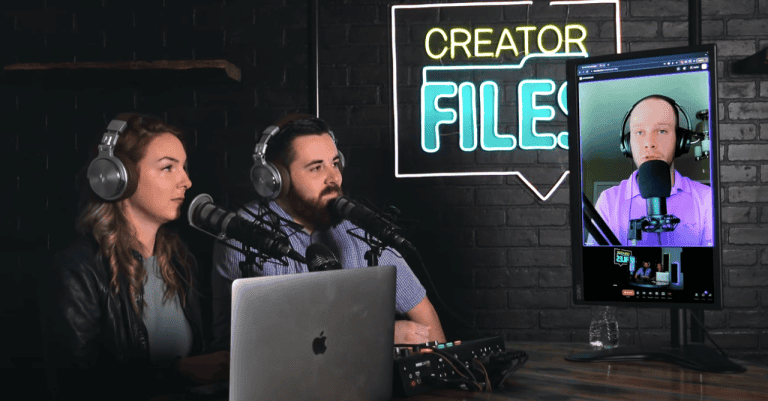
I’ve been featured in Forbes, Yahoo Finance, The Daily Upside, and several podcasts. Just Google me if you’re curious! 😅
But enough about me – Let’s dive in and explore my favorite AI tools, prompts, templates, and more!
10 Best AI Tools for Marketing & Content Creation
Quick Tips:
- 99% of AI tools are white-labeled versions of ChatGPT that cost more (Most people lie about this to sell you s**t)
- AI tools are not a silver bullet. Anyone who claims this is lying.
- I recommend investing at least $20/month into AI tools (I spend over $300/month on AI tools)
Important Update: I recently cancelled ChatGPT Plus after 3+ years and don’t use it at all anymore. See my video on why I quit ChatGPT Plus for more information.
1. Claude & Claude Code
Websites:
Claude is my daily driver for all things business. I use Claude and its Opus 4.6 model for copywriting, repurposing content, reasoning, technical assistance, and tailoring outputs to match specific writing styles.
I’d recommend any marketer to subscribe to Claude Pro ($20) or Claude Max ($100-200) for improved usage.
Claude Code
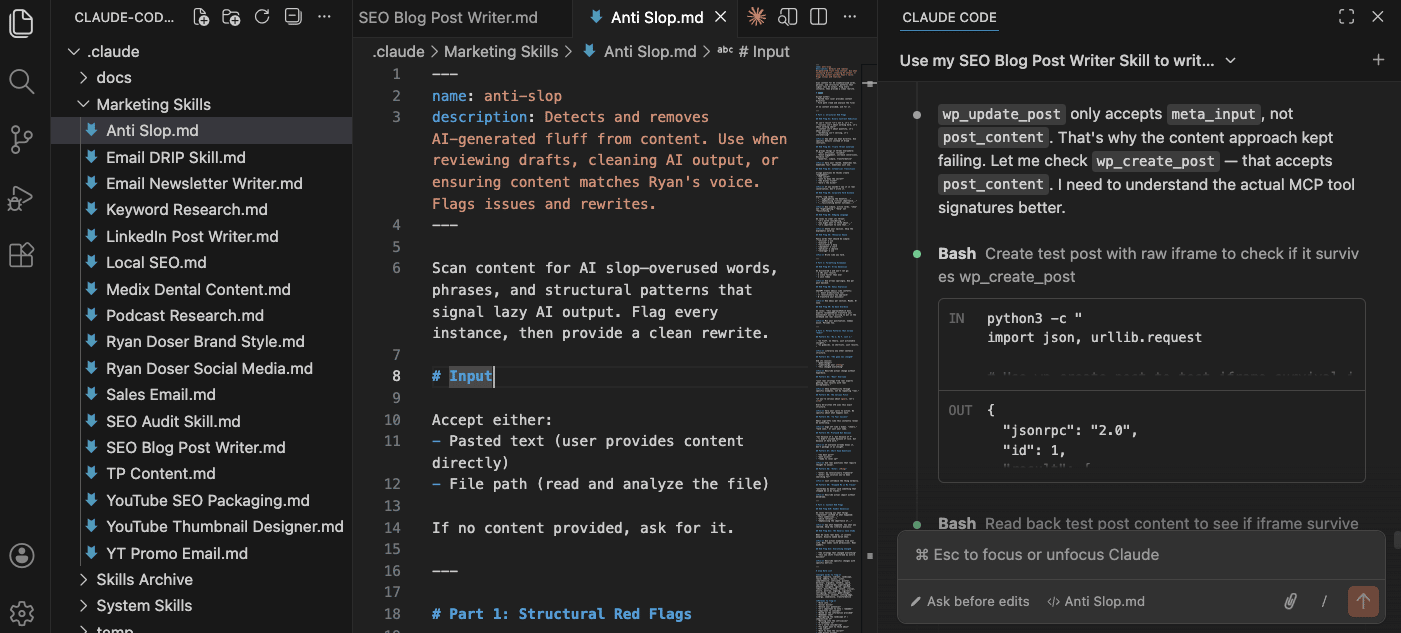
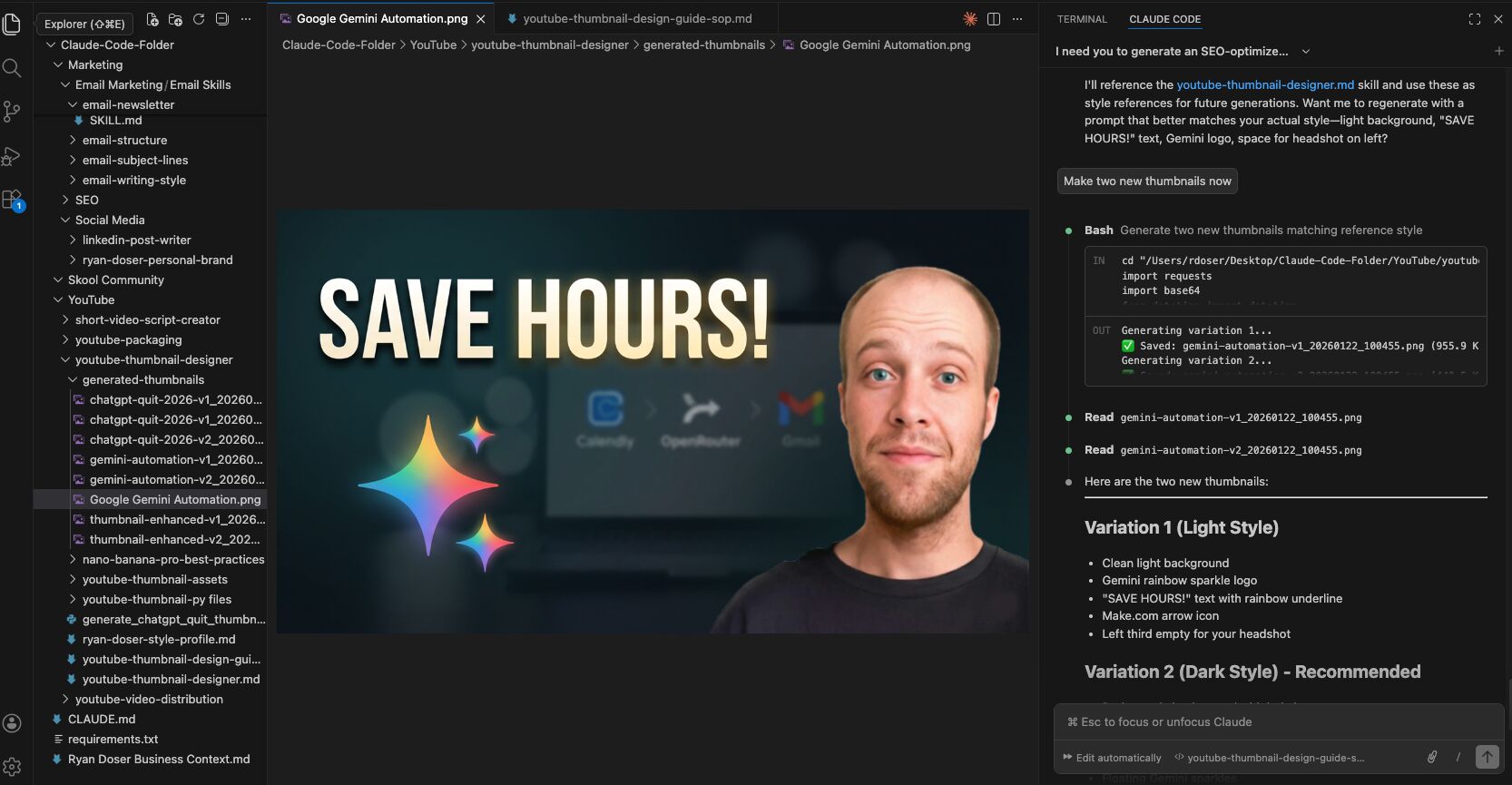
Don’t let the name fool you. Claude Code sounds technical, but you don’t need any coding background to use it. I use Claude Code every day for real-world tasks like copywriting, social media content, emails, and generating YouTube thumbnails.
The real power is in Claude Skills. These are markdown files that train Claude Code on your specific style, preferences, and workflows.
When Claude makes a mistake, you can update the skill in real-time so it never repeats the error. This instant feedback loop is what separates Claude Code from regular chatbots.
👉 Want my exclusive Claude Code Skills? Click Here to Get Them.
Claude Projects
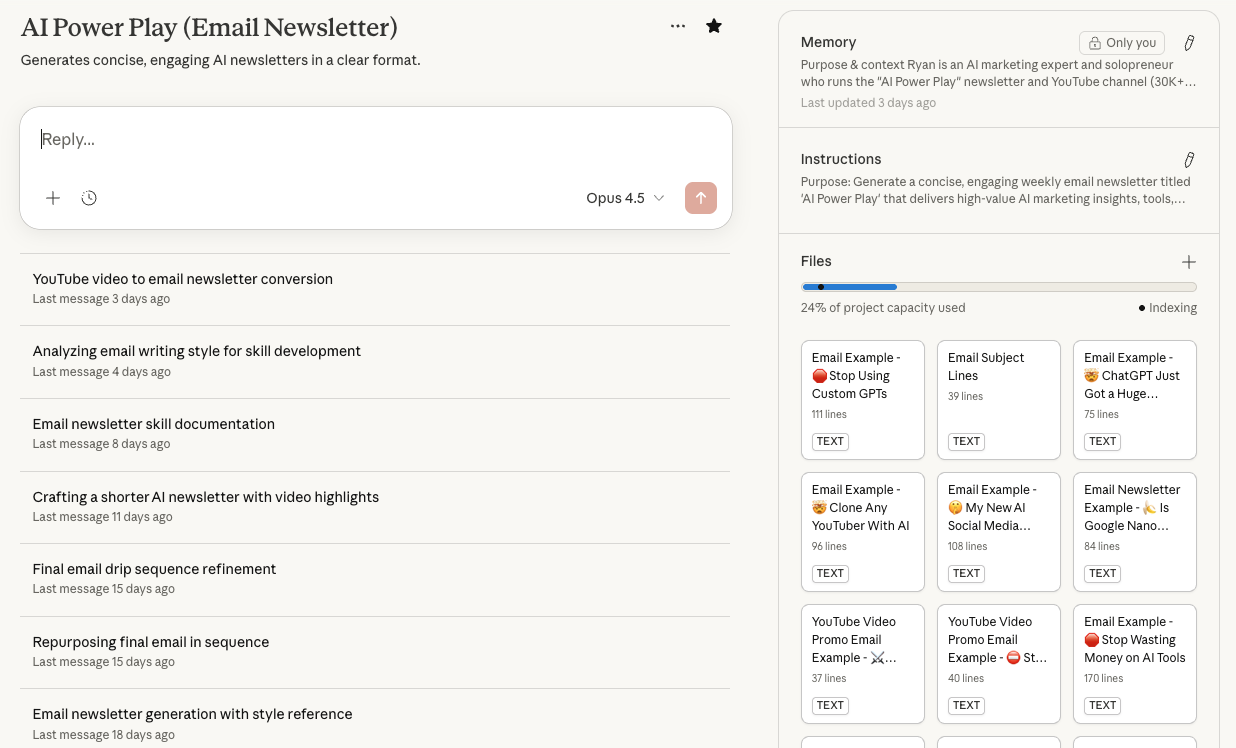
Claude’s custom projects feature allows me to create content that matches my voice by uploading examples of my writing, LinkedIn profile, and other media. This ensures consistency in tone and messaging across all platforms.
Claude & Claude Code are Best For:
- Claude Projects to write content in specific writing tones and styles
- Repurposing long-form content into short-form
- Brainstorming and ideation
- Real-time skill updates that improve outputs over time
- AI image generation with API integrations
Pricing: Free & Paid ($17/month for Claude Pro, $100-200 for Claude Max)
Recommended Video: Claude Code for Beginners
2. Google Gemini & Google AI Studio
Websites:
Google AI Studio is Google’s free platform for building and testing AI apps and chatbots without heavy coding.
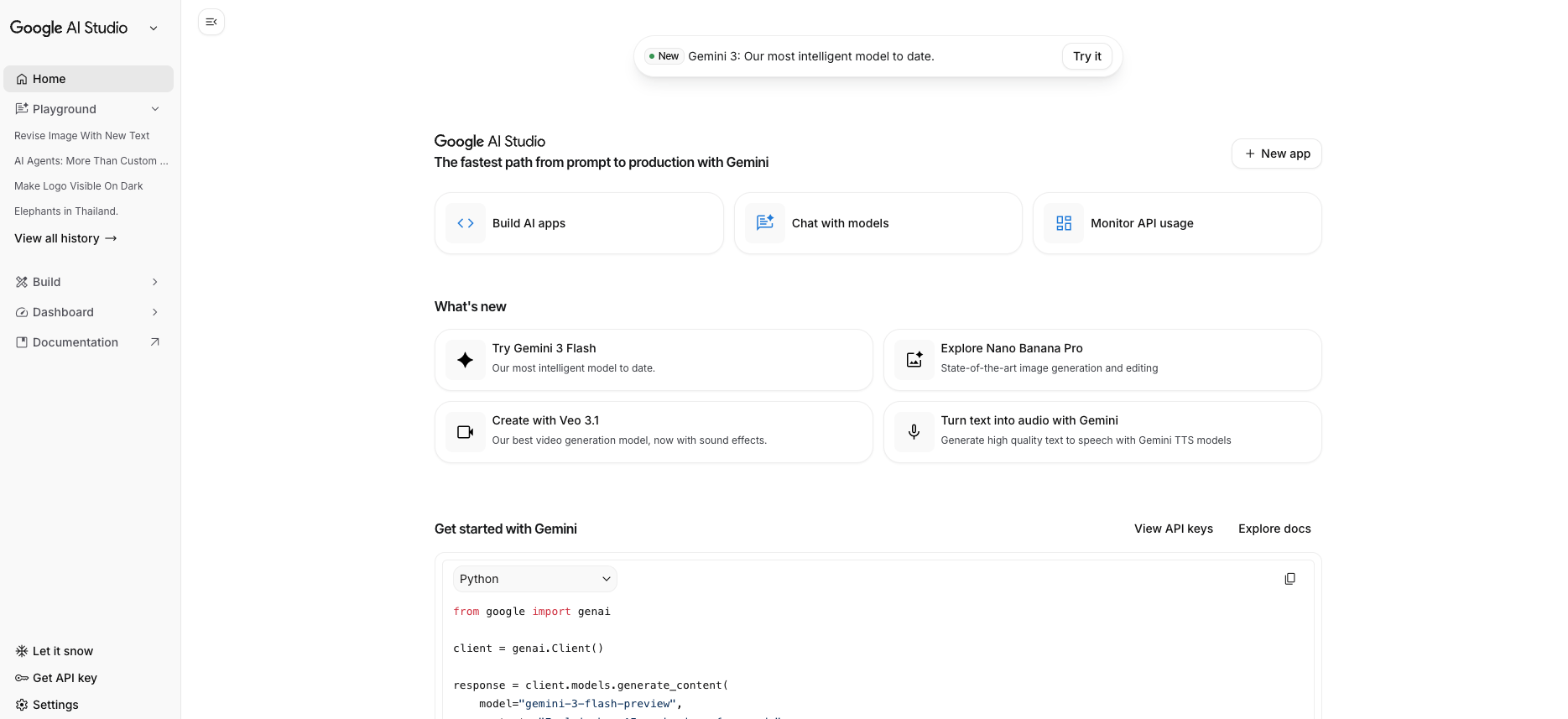
What makes it stand out is how versatile it is beyond text. You can generate images, videos, and other media directly inside the platform, which makes it a great all-in-one hub for creative testing.
It even includes a live screensharing feature so you can troubleshoot workflows in real time, a huge win when you’re experimenting with new projects.
Google Gemini & Google AI Studio are Best For:
- Experimenting with Google’s Gemini models in a no-code environment
- Generating AI images, videos, and other media
- Screen sharing for troubleshooting
- Quickly prototyping AI-powered apps and chatbots
Pricing: Free & Paid ($20/month for Google AI Pro)
Recommended Video: Why I Use Google Gemini Over ChatGPT
3. Blotato
Official Website: blotato.com
Blotato is a content remix and distribution tool built for marketers who want more than flashy dashboards and gimmicks. Think of it as a smart mix of ChatGPT, Buffer, and Make all under one roof.
Their starter plan is $29/month and includes 20 social accounts, API access, unlimited scheduling, and weekly office hours with the founder. You also get a 7-day free trial to test it yourself.
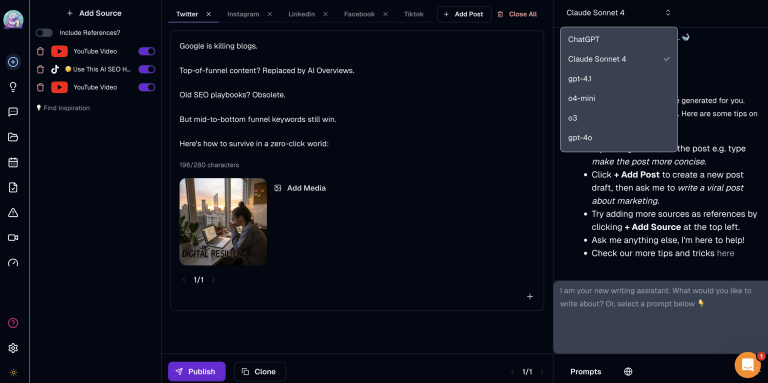
Blotato helps you turn YouTube videos, blog posts, tweets, and more into platform-ready content. You can repurpose anything, change models (ChatGPT, Claude, etc.), and even automate posting with built-in API integrations.
Blotato is Best For:
- Remixing long-form content into social media posts with platform-specific prompts
- Scheduling and publishing across up to 20 social media profiles
- Connecting to automation platforms like Make.com or Zapier for AI-powered automations
- Generating faceless AI videos and realistic visuals inside your posts
Pricing: Free Trial & Paid (Starts at $29/month for Starter Plan)
Recommended Video: Blotato Review
4. NotebookLM
Website: notebooklm.google.com
NotebookLM is an AI-powered research assistant from Google that can be used for studying, researching, generating AI podcasts, and more.
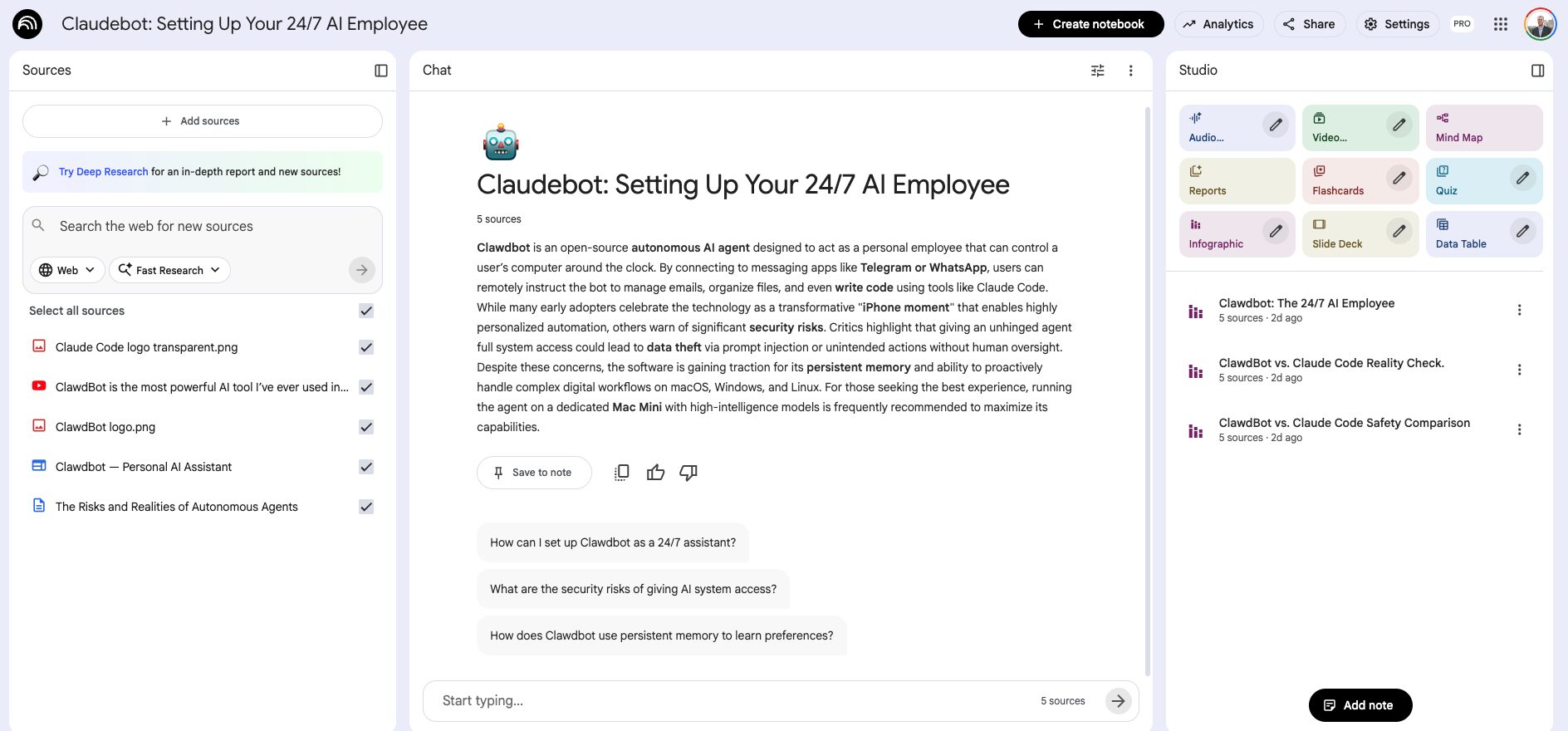
Personally, I find NotebookLM valuable for marketing because it helps me quickly summarize research reports, organize data, and generate insights—all in one streamlined platform.
This makes it ideal for tasks like market research, competitor analysis, and brainstorming content strategies, saving me a lot of time in the process.
NotebookLM is Best For:
- Analyzing and summarizing large datasets
- Creating AI podcasts with realistic voices
- Generating insights from various sources for marketing strategies
Pricing: Free
Recommended Video: Best Use-Cases for NotebookLM
5. Perplexity
Website: perplexity.ai
Perplexity AI is an AI-powered search engine that has become my go-to for research and ideation.
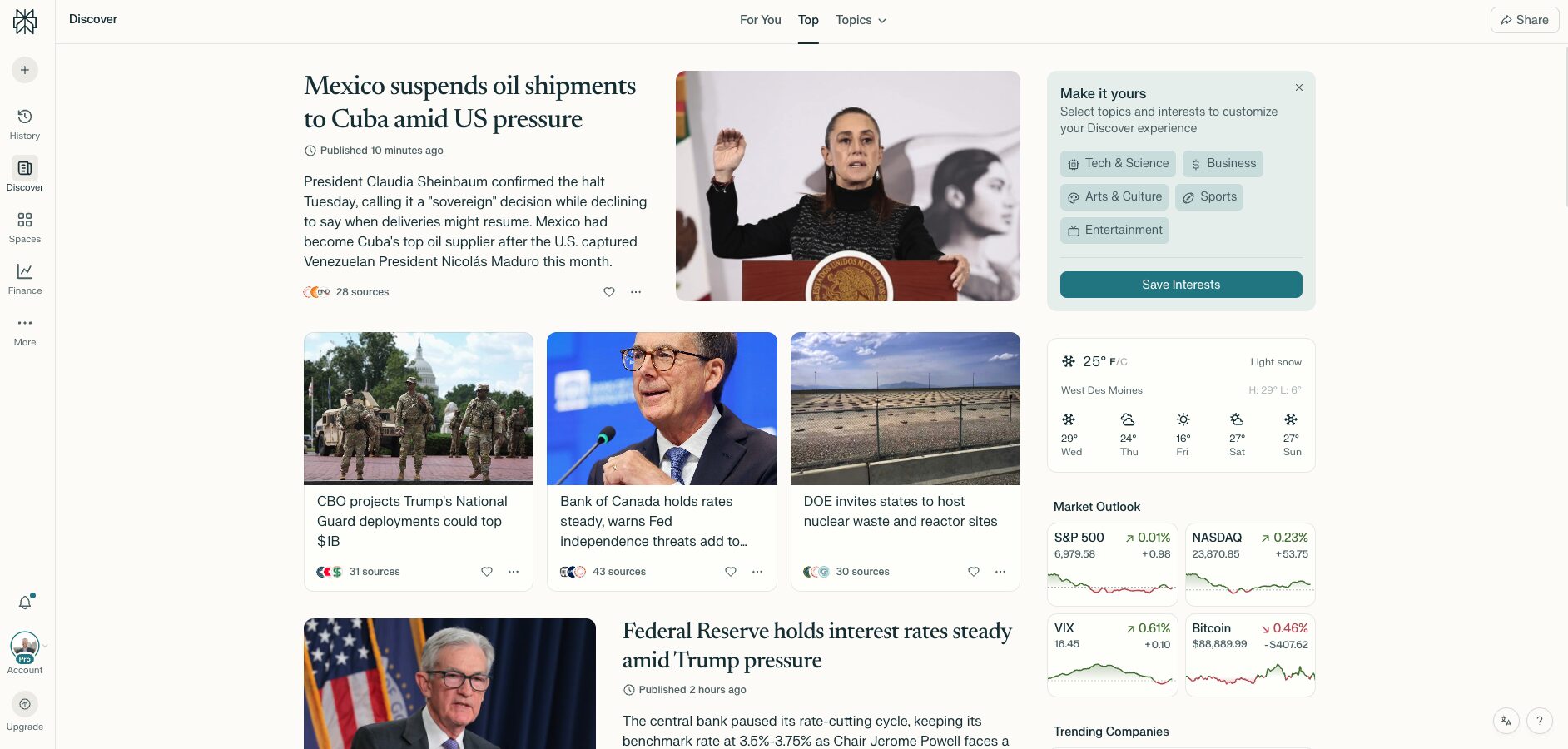
Unlike traditional search engines, Perplexity offers more in-depth answers and even displays the sources for easy cross-referencing.
For marketers, Perplexity is a great alternative to Google, as it provides cleaner results without ads.
The AI-driven search also offers more comprehensive information, helping me quickly gather data for new campaigns or content ideas.
Perplexity AI is Best For:
- Conducting in-depth research with real-time web search
- Generating insights and data-driven content ideas
- Quickly finding answers to complex questions for blogs, reports, or marketing strategies
Pricing: Free & Paid ($20/month for Perplexity Pro)
Recommended Video: Perplexity Pro Review
6. ElevenLabs
Website: elevenlabs.io
ElevenLabs is an advanced AI voice generator specializing in creating natural-sounding voiceovers for videos, ads, and more.
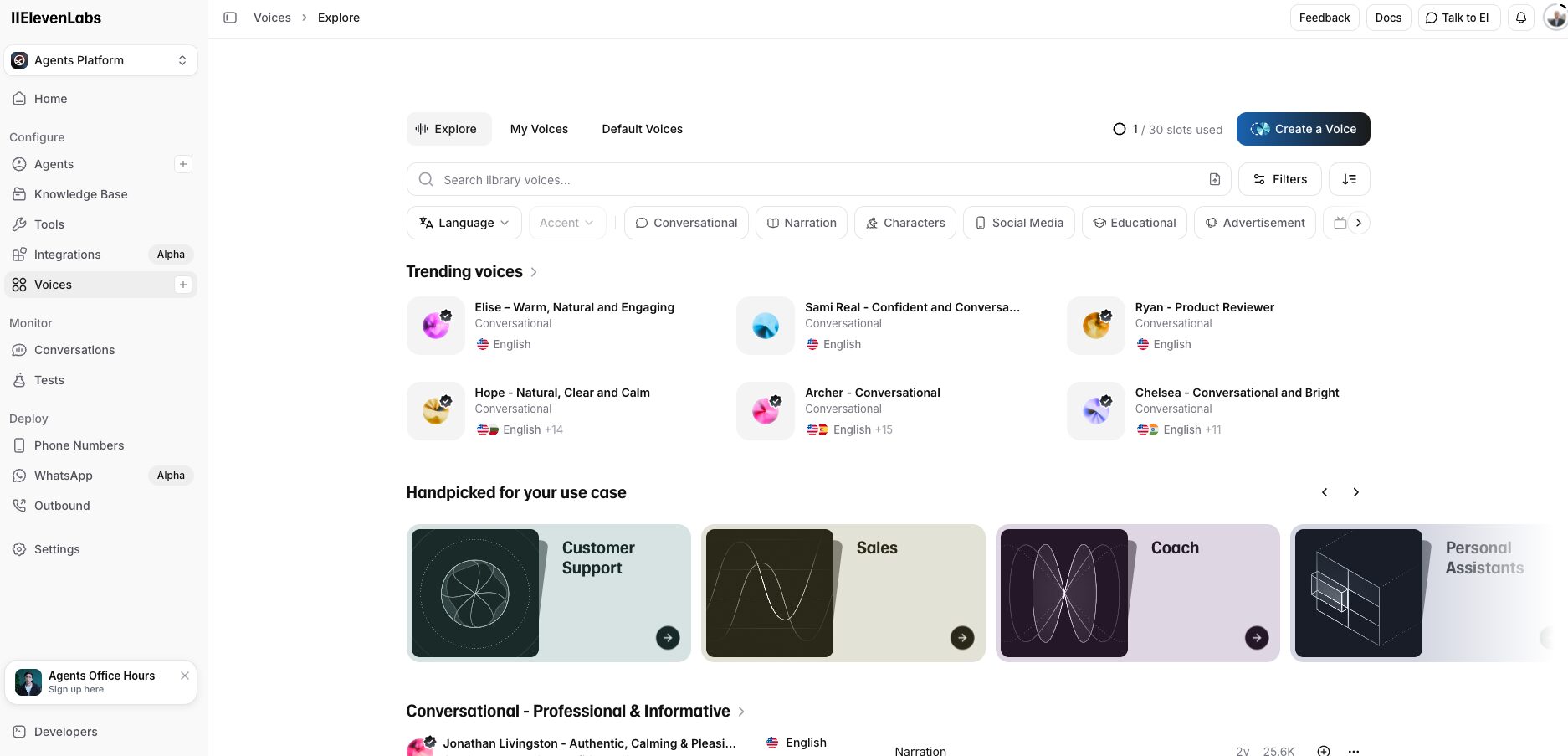
I use it to create a professional AI voice clone of myself, which helps me scale my content creation. This allows me to generate voiceovers for videos, podcasts, and training materials with a consistent tone and style, saving time while maintaining quality.
ElevenLabs is Best For:
- Creating realistic AI voice clones for personalized content
- Customizing voice profiles for different tones and emotions
- Multilingual text-to-speech for global campaigns
Pricing: Free & Paid (Starting at $5/month but you need $22/month plan for professional voice clone)
Recommended Video: How to Create AI Podcasts With Your Voice
7. HeyGen
Website: heygen.com
HeyGen simplifies video creation by combining AI avatars with text-to-video capabilities.
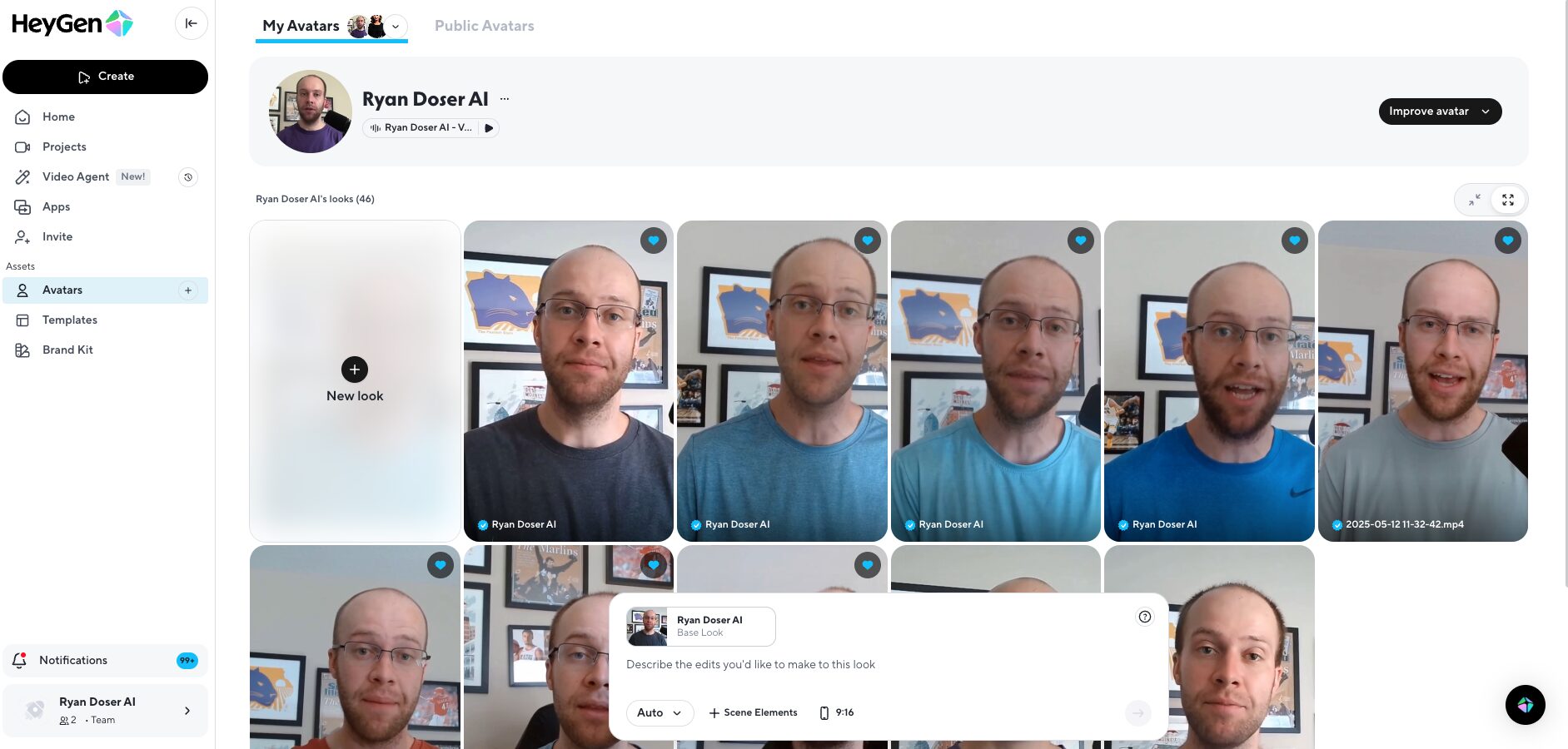
It’s perfect for creating explainer videos, product demos, or customer onboarding content without being on camera.
HeyGen is Best For:
- Producing professional-quality videos with AI avatars
- Turning scripts into engaging videos effortlessly
- Streamlining content creation with built-in video editing features
Pricing: Free & Paid (Starting at $29/month)
Recommended Video: How to Clone Yourself With AI
8. Opus Clip
Website: opus.pro
Opus Clip is an AI-powered video editing tool that transforms long-form content into short, engaging clips optimized for platforms like YouTube Shorts, TikTok, and Instagram Reels.
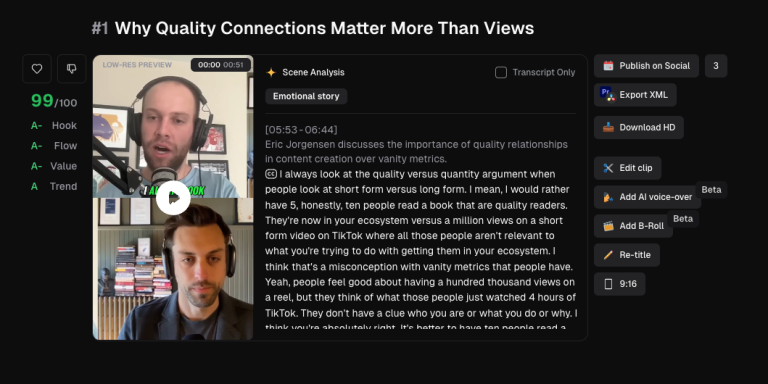
It’s especially useful for repurposing webinars, podcasts, or product demos into bite-sized, shareable videos.
I personally use Opus Clip to quickly generate short clips for my podcast and distribute those videos across different platforms.
This saves me hours of manual editing and helps me scale my content marketing across multiple platforms.
Opus Clip is Best For:
- Repurposing long videos into engaging short-form clips
- Auto-generating captions and trimming filler content
- Scheduling posts across multiple social media channels
Pricing: Free & Paid ($15/month for Pro plan)
Recommended Video: Opus Clip Review
9. FireFlies AI
Website: fireflies.ai
Fireflies AI is an AI-powered meeting assistant that automatically records, transcribes, and summarizes conversations from your online meetings.
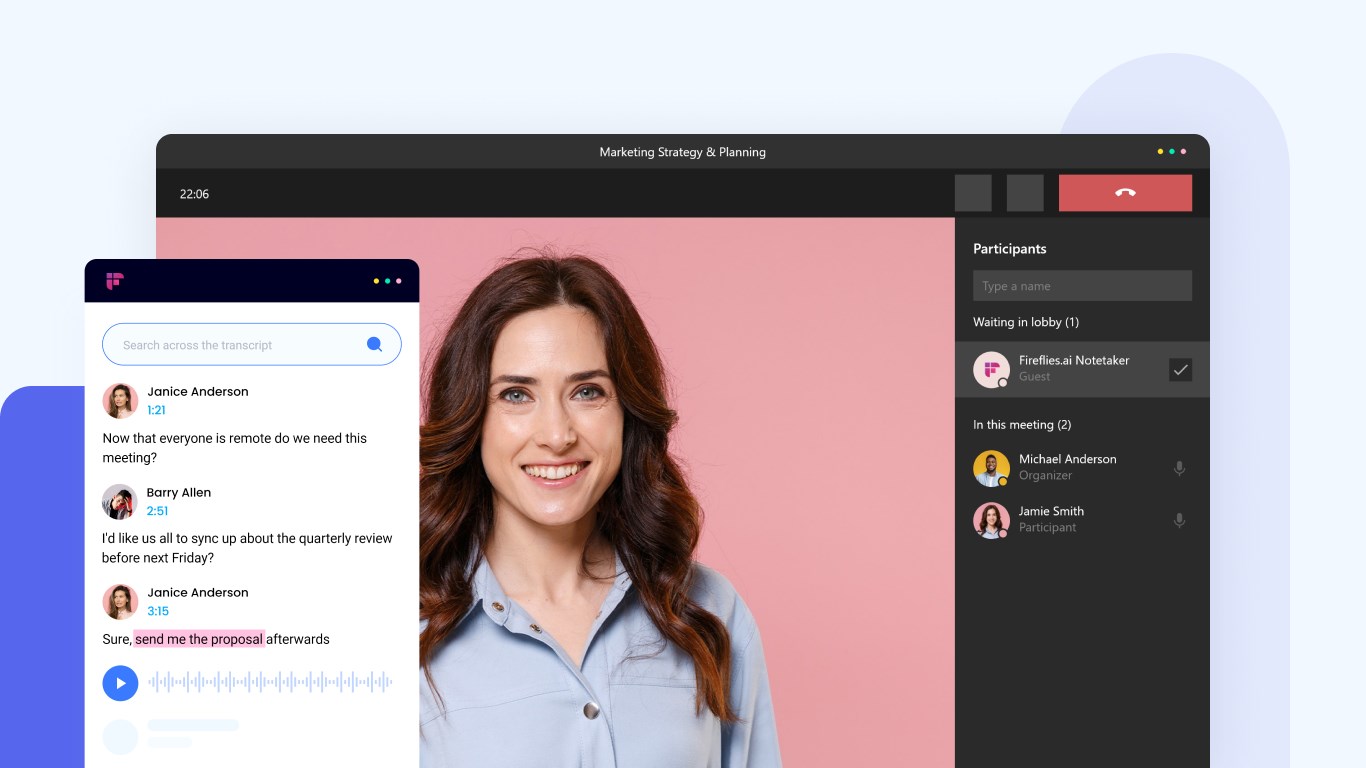
As a marketing agency owner, meetings with clients can be overwhelming, and it’s easy to miss important details.
This tool works seamlessly with Zoom, Google Meet, and Microsoft Teams, ensuring I never miss a beat.
After every meeting, I can quickly refer to the transcriptions, making sure I follow through with all the client’s requests.
Fireflies AI is Best For:
- Automatically transcribing and summarizing meetings across multiple platforms
- Extracting key insights, action items, and customer feedback
- Collaborating with teams through shared notes and integrations with CRM tools
Pricing: Free & Paid ($10/month for the Pro plan)
Recommended Video: Must-Have AI Tools for Marketing Agencies
10. Free AI Image Generators
Visual content is critical for marketing, and AI image generation has become an essential part of my workflow.
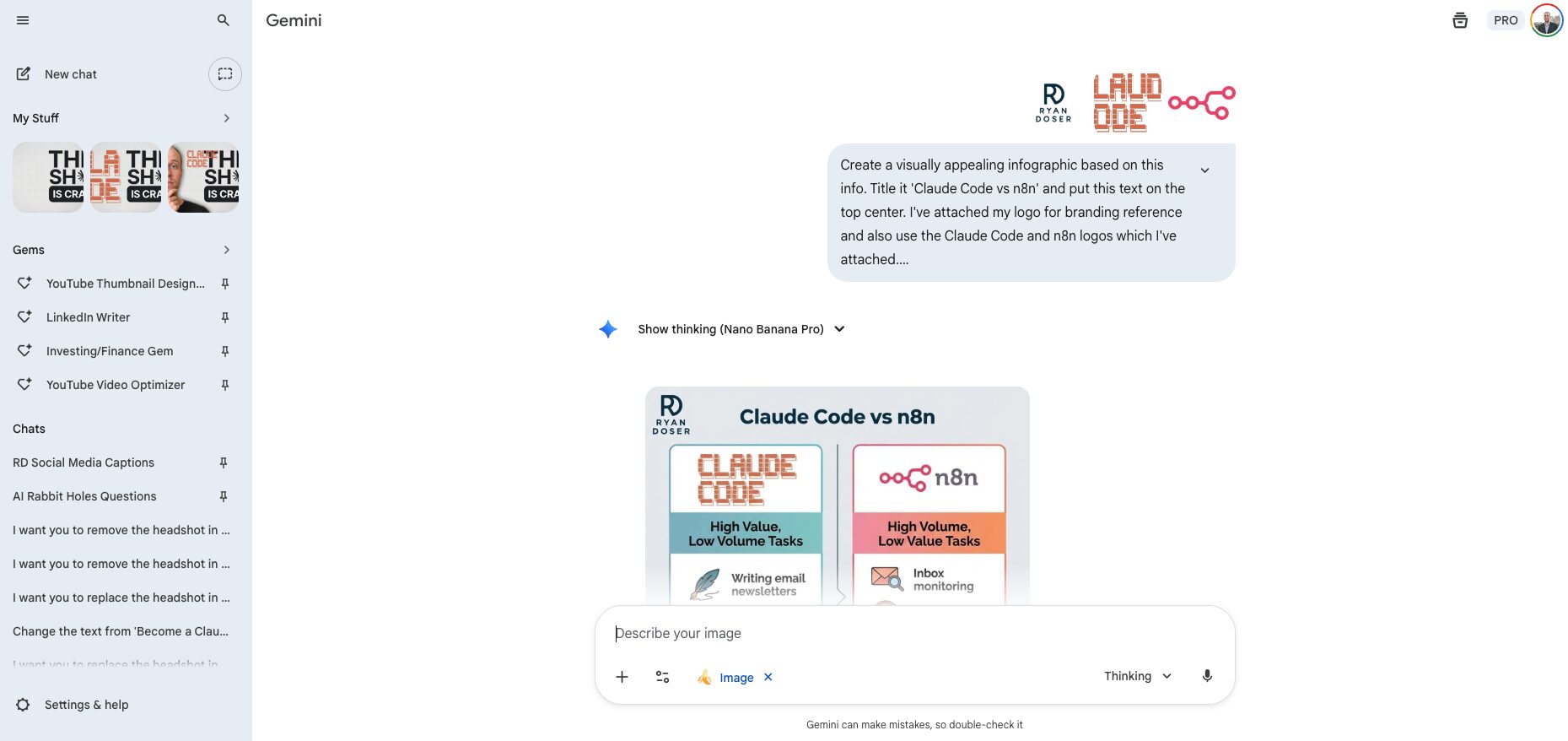
Free AI generators help create engaging images quickly that can be used for social media graphics, YouTube thumbnails, logos, and even ad creatives.
These tools offer a great starting point for anyone wanting to dip their toes into AI-image generation without committing to a subscription.
My Favorite Free AI Image Generators:
- Google Gemini (Nano Banana Pro)
- Microsoft Bing Image Creator
- Ideogram
- PicLumen (FLUX 1)
- Meta AI
- Leonardo AI
Free AI Image Generators are Best For:
- Creating social media graphics
- Creating YouTube thumbnails & featured images for blog posts
- Redesigning logos
Pricing: Free
Recommended Video: Best Free AI Image Generators
Other AI Tools Worth Mentioning
My Free AI Automation Templates
This was a very popular request for me to add in this guide. I used Make.com to build all of these AI Automations but you can also use Zapier, n8n, Gumloop, etc.
Note: If you want all of my AI Automations (including my premium templates) be sure to Join My Community!
⭐ My Featured Automations
1. My Social Media System
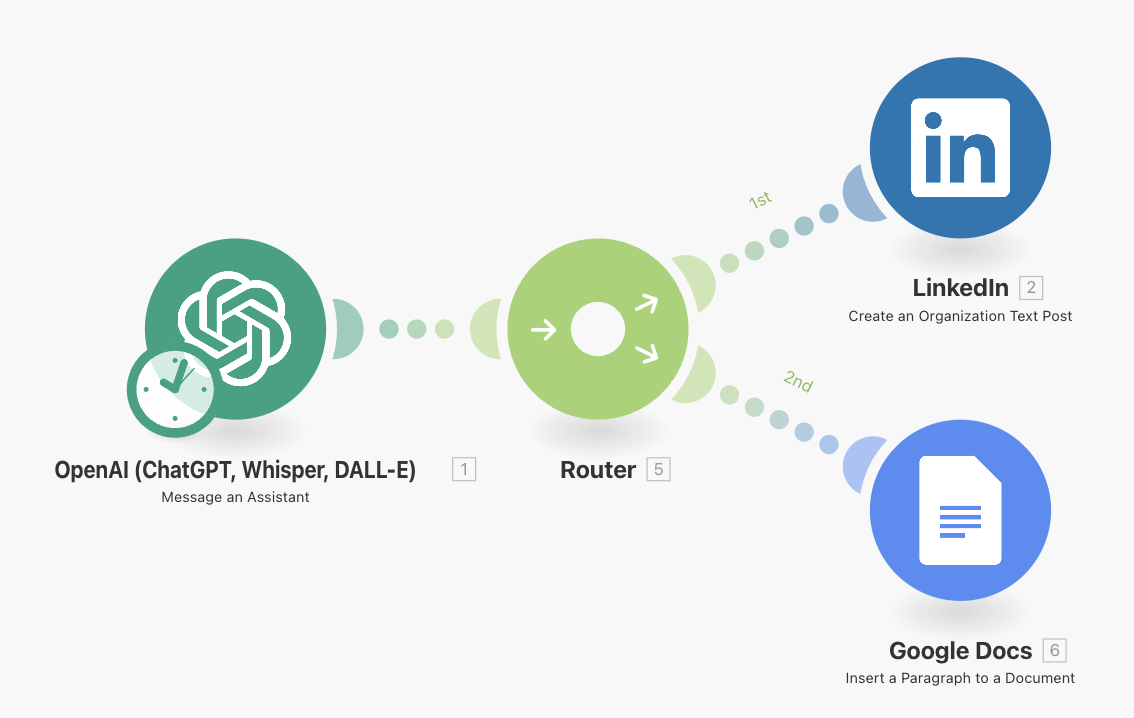
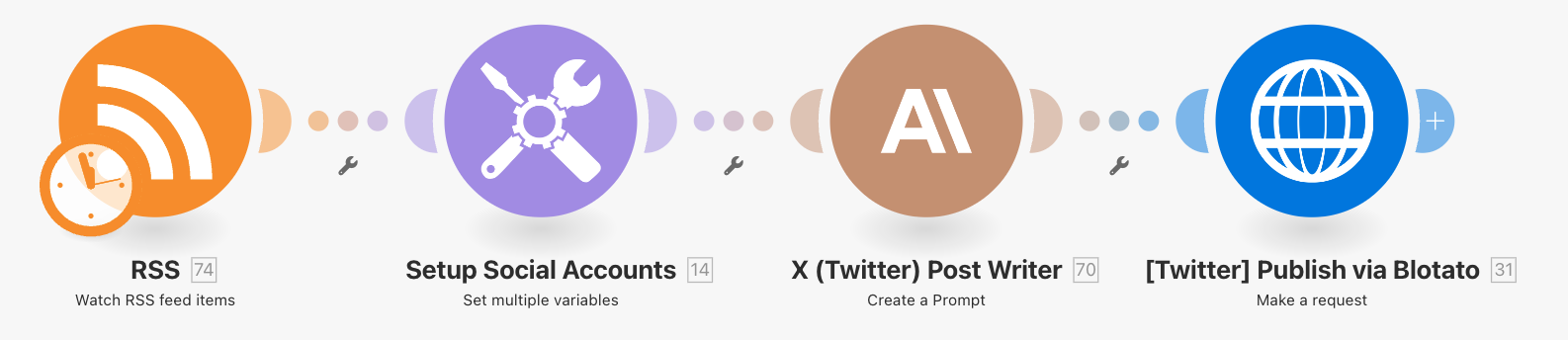
This automation uses Blotato and Make to automate social media posting. You can use this for LinkedIn, Facebook, Instagram, Twitter (x), YouTube, TikTok, etc.
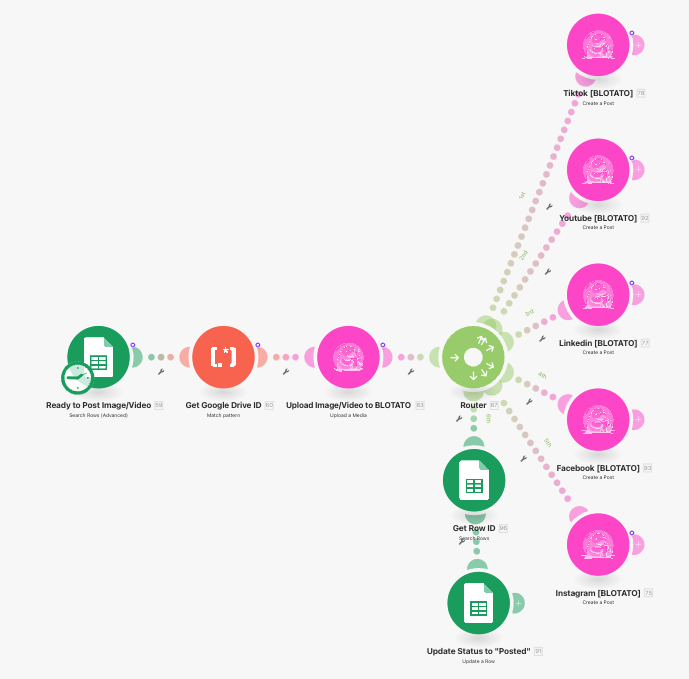
Recommended Video: How I Automated My Social Media
2. My AI Content Agent
This AI Agent monitors websites, repurposes articles in your writing style, and auto posts across your social media platforms.
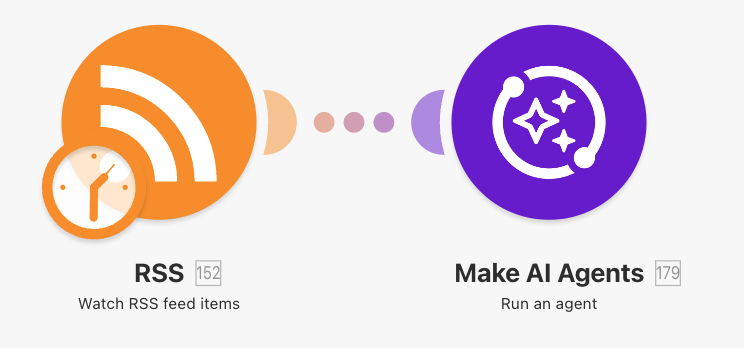
Recommended Video: How to Build an AI Agent
3. My Infographic Automation
This automation repurposes my YouTube videos into engaging infographics and also auto posts on my social platforms. This automation will save you time and ensure quality!
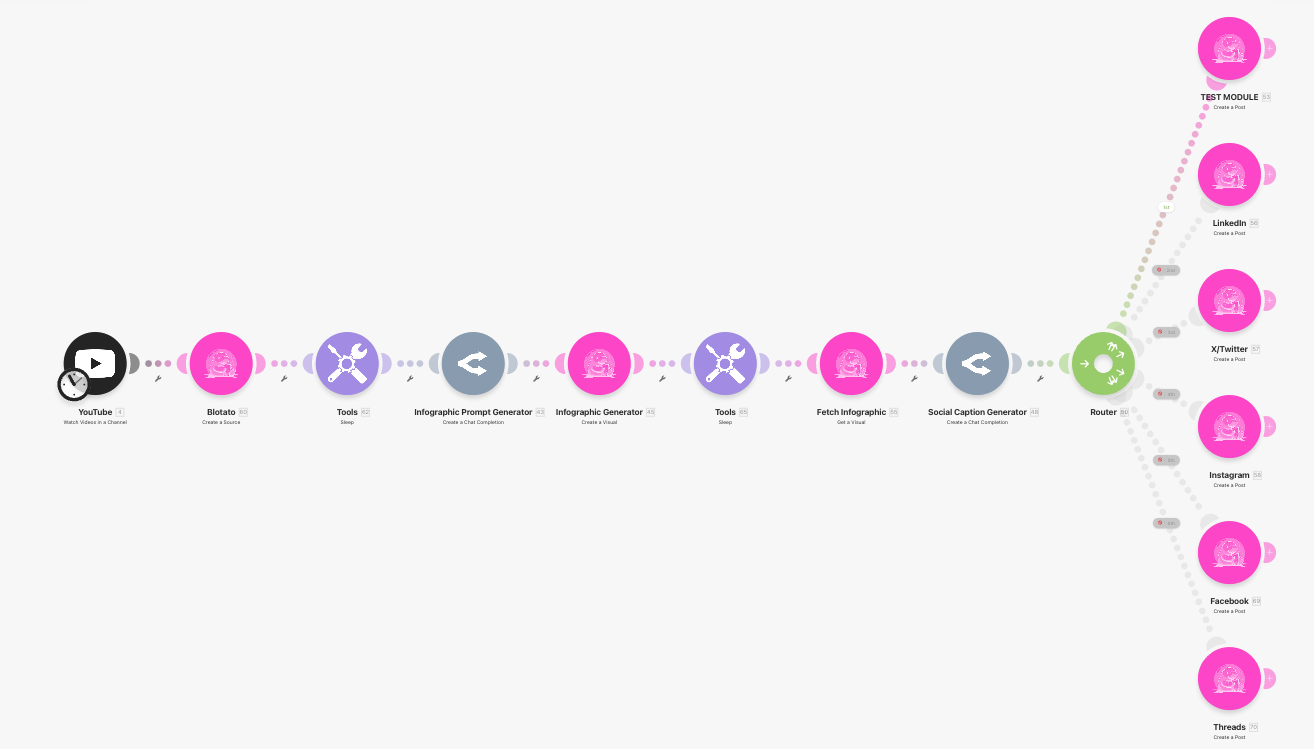
Recommended Video: How to Turn YouTube Videos into Infographics
4. My YouTube Repurposing System
This automation repurposes my YouTube videos into engaging social media posts while maintaining my style and writing tone. Download my JSON file to explore it yourself!
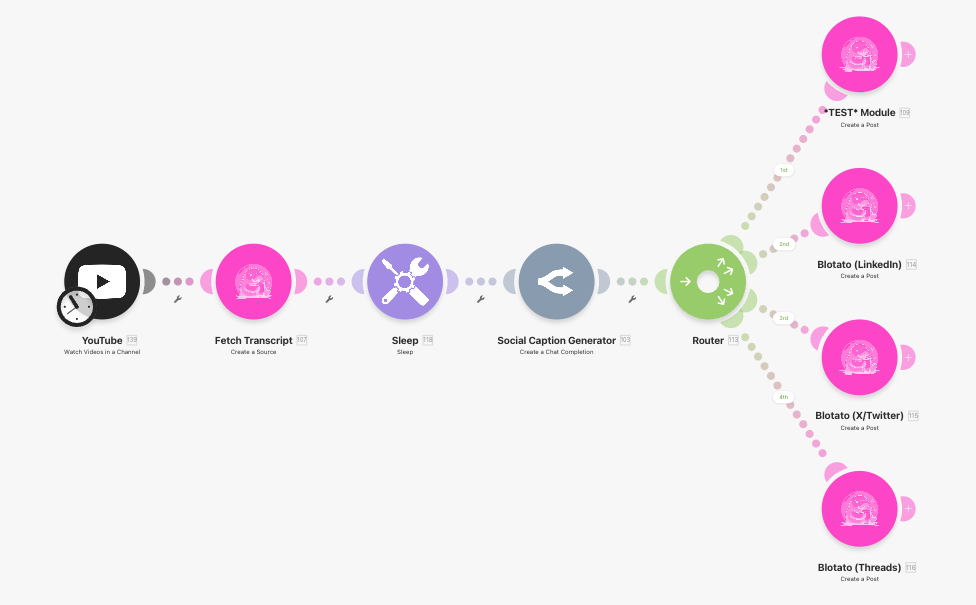
Recommended Video: How I Turn YouTube Videos into Unlimited Social Content
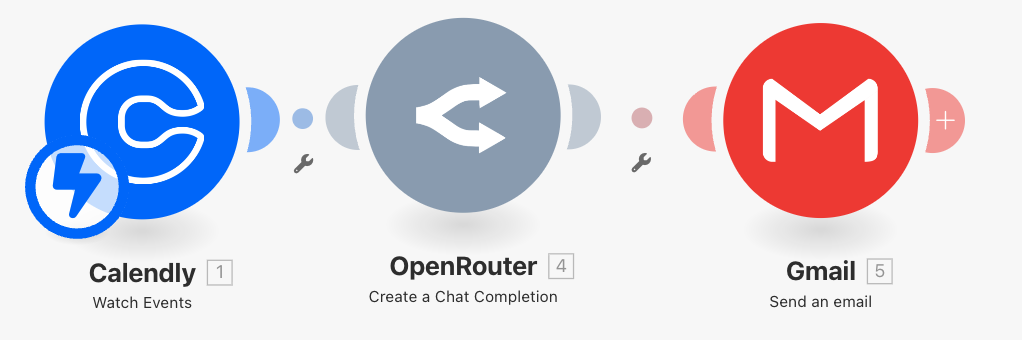
5. My Podcast Research Automation
This automation triggers when a podcast guest books on Calendly, uses Google Gemini (OpenRouter) to research the guest, and instantly creates an email with bullet‑point research and interview questions.
This can be applied to B2B sales or anything related to researching a person/company!
6. AI Video Automation
This AI automation generates social media posts using AI video models like Sora (OpenAI) or Veo (Google).
Important Note: Using Sora and Veo models can get EXPENSIVE at scale. Eventually these API prices will go down and I expect some “Sora Mini Models” that will be higher quality in the future. The important part here is having a system built for the future.
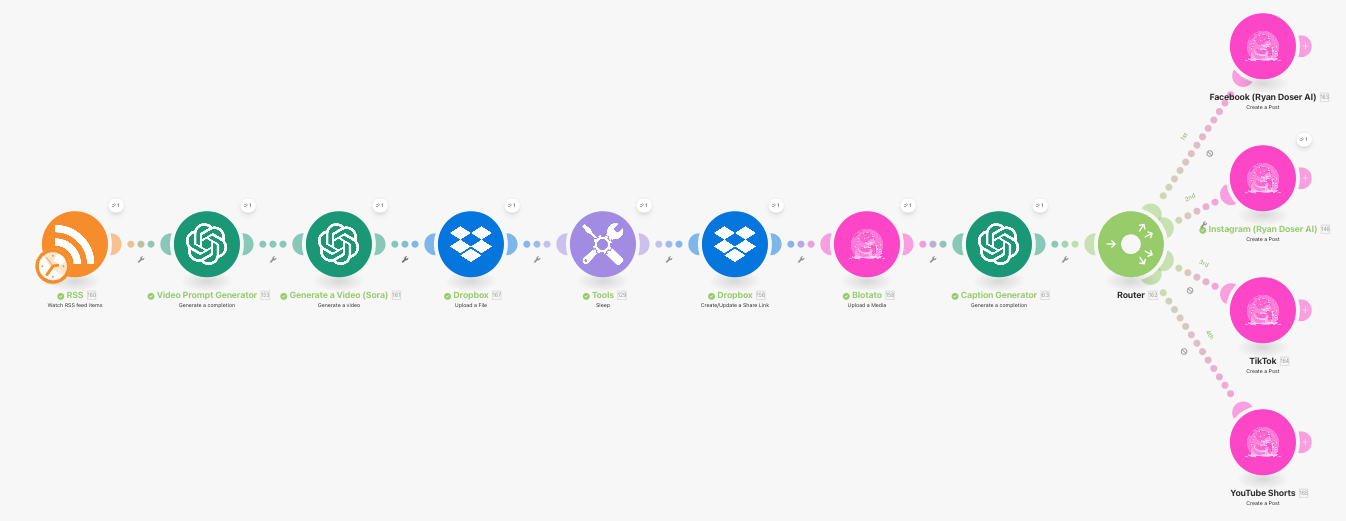
Recommended Video: How to Automate Sora Videos on Social Media
🔮 My Other AI Automations
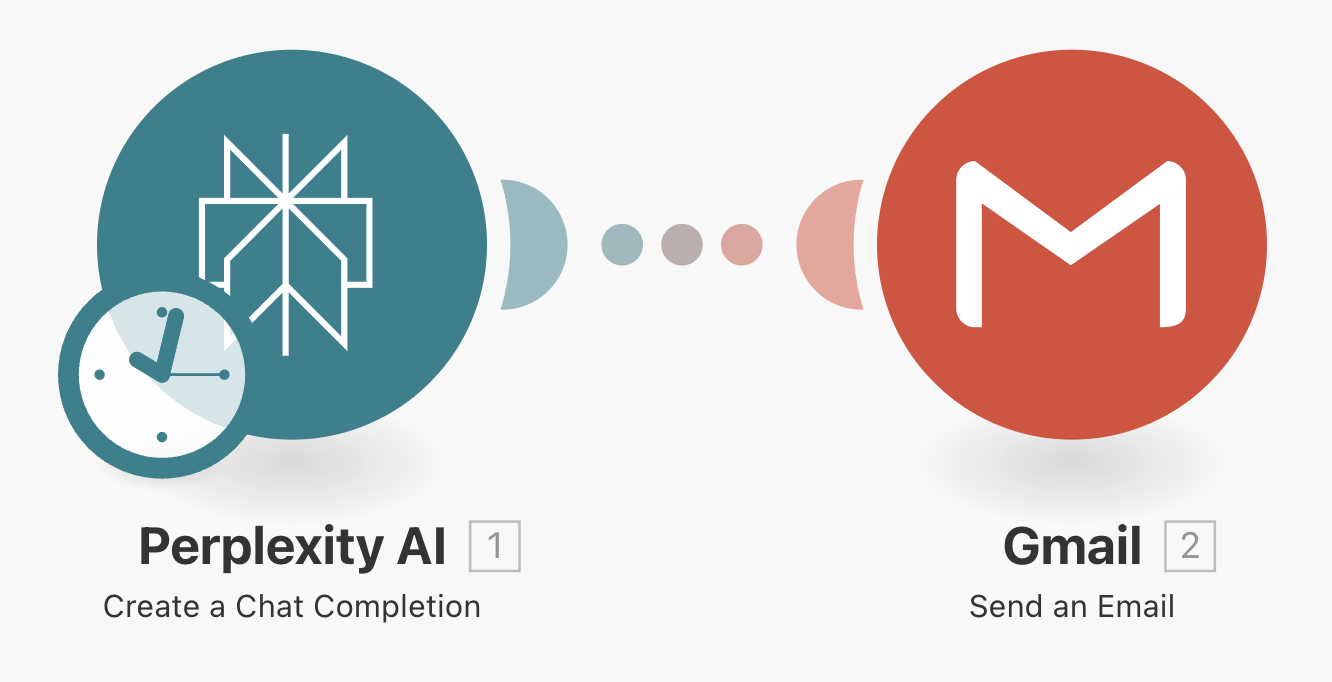
Perplexity + Gmail for daily AI news
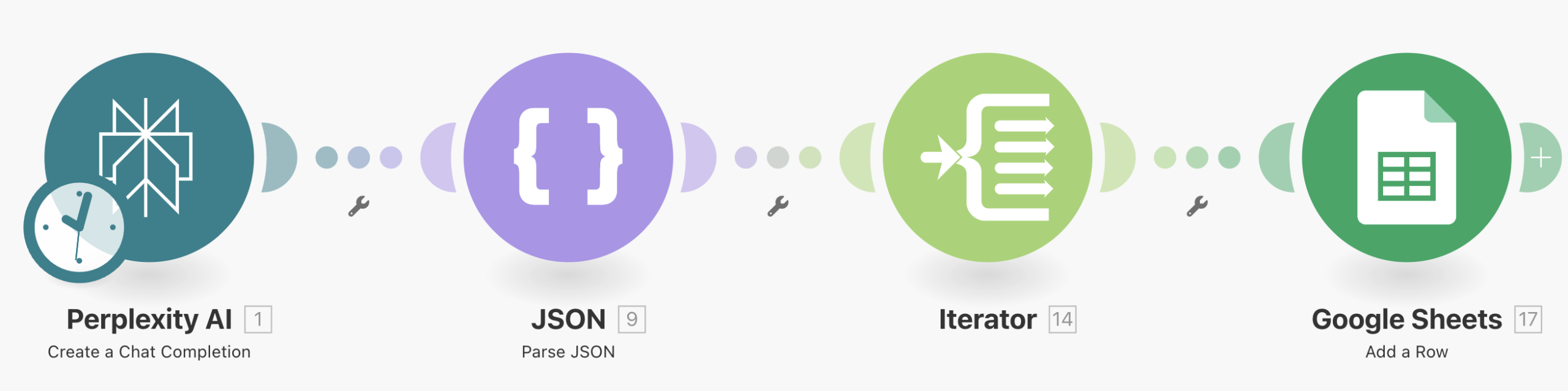
This automation uses Perplexity to scrape the Internet and send me the top 5 AI news stories every morning.
Perplexity + Google Sheets for daily AI news
Similar to the first automation, but this one sends me AI news in a Google Sheet every day in a more organized format.
Automating Social Media Posts
These automations assist with posting on social media accounts. You can use these for Instagram, LinkedIn, Facebook, Twitter (X), etc.

My Claude Code Skills
Claude Code Skills are markdown files that train AI agents on your exact style, preferences, and workflows, and unlike prompts or Custom GPTs you can update them in real-time so they get smarter every time you use them.
A few important notes if you’ve never used Claude Code or Claude Skills before:
- If you haven’t used Claude Code before I suggest watching my Claude Code Beginner’s Guide.
- If you haven’t used Claude Skills before, I suggest watching my Claude Skills Tutorial.
- If you want to repurpose Claude Skills to sound like you, I suggest watching my Claude Skills Hack Video.
🛑 If you want my full 20+ Claude Code Skills, click the link below to access my Claude Code Skills Pack. One time purchase with lifetime updates.
👉 Get My Claude Code Skills
1. Skill Creator Skill (Click Here to Download)
This is the skill that creates other skills. Instead of manually writing markdown files, you tell Claude Code what you need and it builds the skill for you.
Why it matters: You don’t need to understand markdown formatting or Anthropic’s best practices. The skill handles that for you.
2. MCP Setup Skill (Click Here to Download)
MCP (Model Context Protocol) connects Claude Code to external tools like GitHub, Notion, Google Sheets, Slack, and databases.
Why it matters: Once you connect your tools, Claude Code can access them directly. No more copy-pasting between apps.
3. Anti-Slop Skill (Click Here to Download)
Detects and removes AI-generated fluff. Includes banned word lists, structural red flags, and rewrite patterns.
Why it matters: AI content is obvious when it’s lazy. This skill catches the patterns that make readers tune out.
4. LinkedIn Post Writer Skill (Click Here to Download)
Writes LinkedIn posts following my voice rules: 12-word hooks, 40-90 word body, ends with a question.
Why it matters: LinkedIn rewards specific formats. This skill enforces the structure that drives replies and reach.
5. SEO Blog Post Writer Skill (Click Here to Download)
Writes SEO-optimized blog posts with proper heading structure, meta descriptions, FAQ sections, keyword placement, etc. from just a YouTube video URL.
Why it matters: Most AI blog content reads like a textbook. This skill enforces the formatting, word count, and readability rules that actually rank.
Final Note
Thanks again for getting my free AI Marketing Essentials guide! There are literally hundreds of AI tools so it’s important to narrow things down.
I will continue to update this guide as AI keeps changing. Best of luck!
Affiliate Disclaimer: This page includes affiliate links where I may receive a commission at no extra cost to you. I will never promote something that I personally don’t use or recommend. Purchasing through my links directly supports me which keeps the free content and videos coming. Thank you!