
Most Claude Code users manually update their skill files after every session. Claude Code autoresearch eliminates that step entirely by turning your skills into self-improving systems that learn from every workflow.
How Claude Code Autoresearch Actually Works
You finish a workflow in Claude Code. Maybe you wrote an email newsletter or repurposed a YouTube video into a blog post. Normally, you’d scroll back through the chat, spot the corrections you made, and manually update the skill file so those mistakes don’t repeat.
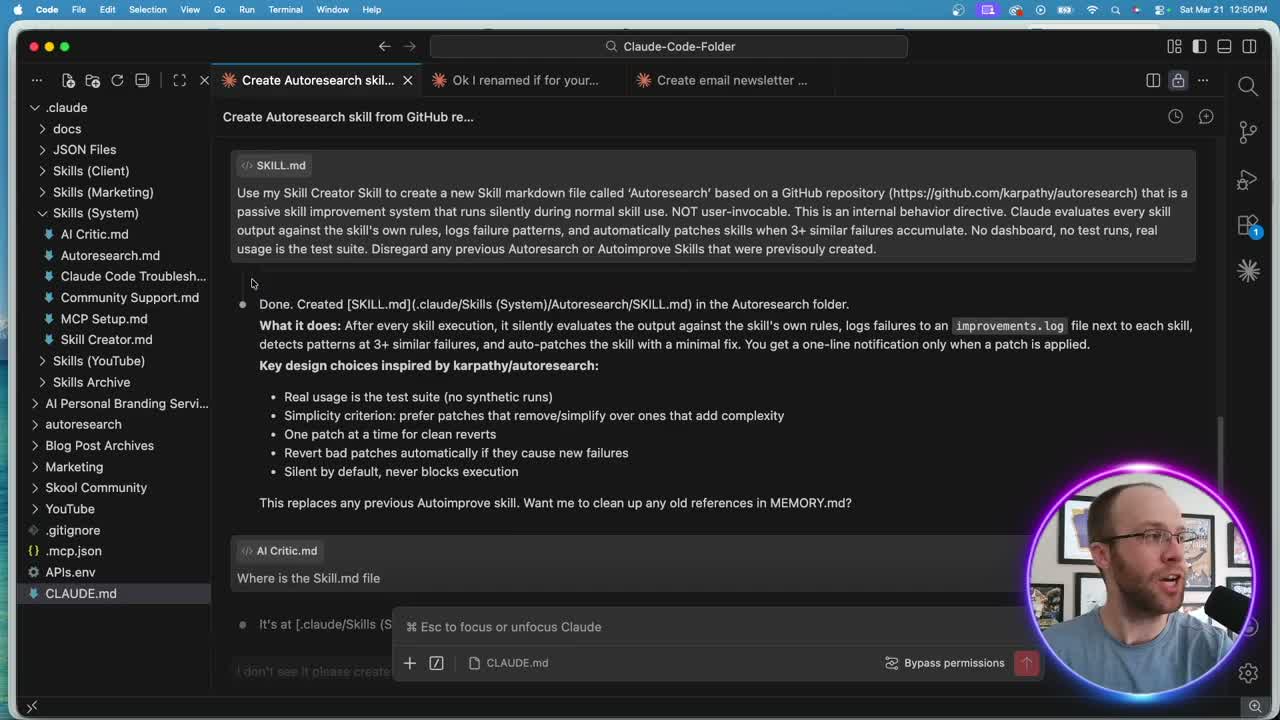
Autoresearch flips that process. After every skill run, it silently evaluates the output against the skill’s own rules. It logs failures to an improvements file. Once three or more similar failures stack up, it auto-patches the skill markdown. You get a one-line notification. That’s it.
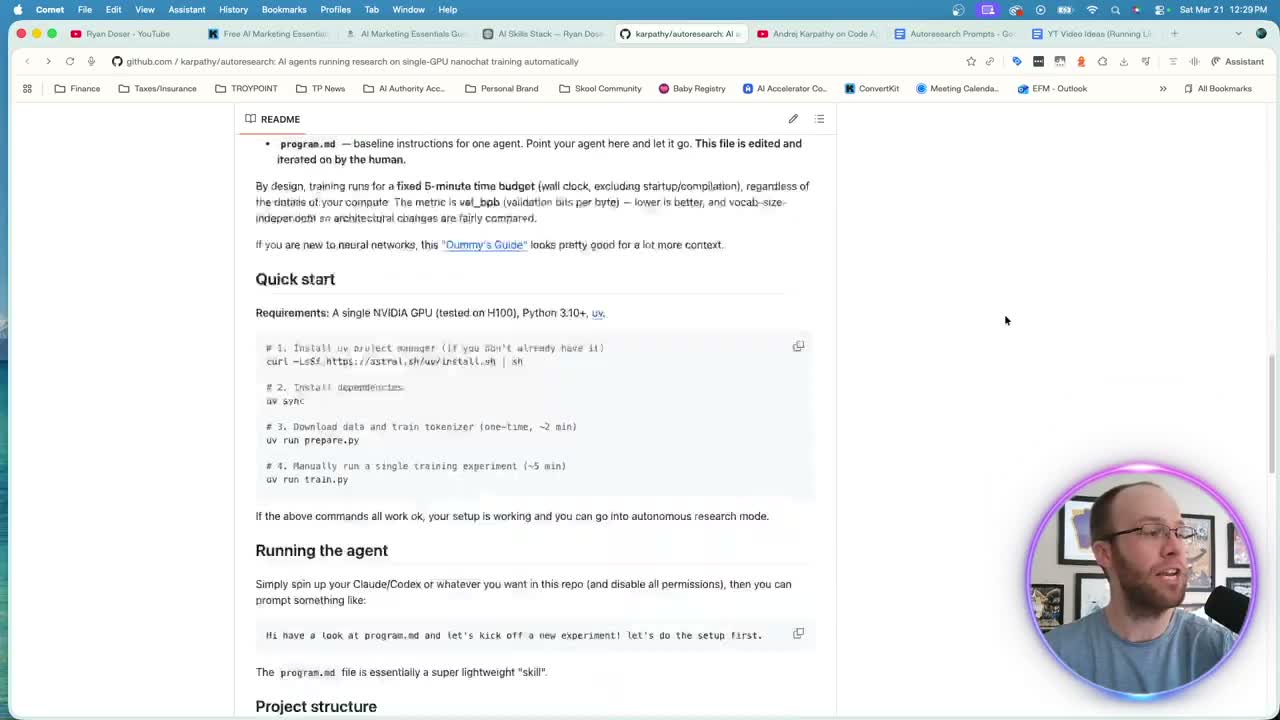
The concept comes from Andrej Karpathy’s autoresearch GitHub repository. Karpathy, one of the co-founders of OpenAI, built this as a system for running autonomous research experiments. I adapted it for something more practical: keeping my marketing skills in Claude Code sharp without babysitting them.
Setting Up Autoresearch in Claude Code
You don’t need to clone Karpathy’s repo or run Python scripts. The entire setup happens inside Claude Code through two prompts.
First, I asked Claude Code to create a new skill markdown file based on the autoresearch repository. I pointed it at the GitHub URL and let it read the README, project structure, and core logic. Within a few minutes, it generated a skill file that captures the passive improvement system in a format Claude Code understands natively.
The second prompt is where it gets personal. I told Claude Code to customize the autoresearch skill for my specific workflows. It pulled from my CLAUDE.md file and recent chat history to identify which skills I use most. For me, that meant my SEO blog post writer, email newsletter skill, social media crossposting, and YouTube thumbnail workflows.
Why Self-Improving Skills Matter for Marketers
Every correction you make during a Claude Code session is a lesson. Before autoresearch, those lessons lived only in your memory. Maybe you remembered to update the skill file. Maybe you forgot. Either way, it was manual work that interrupted your flow.
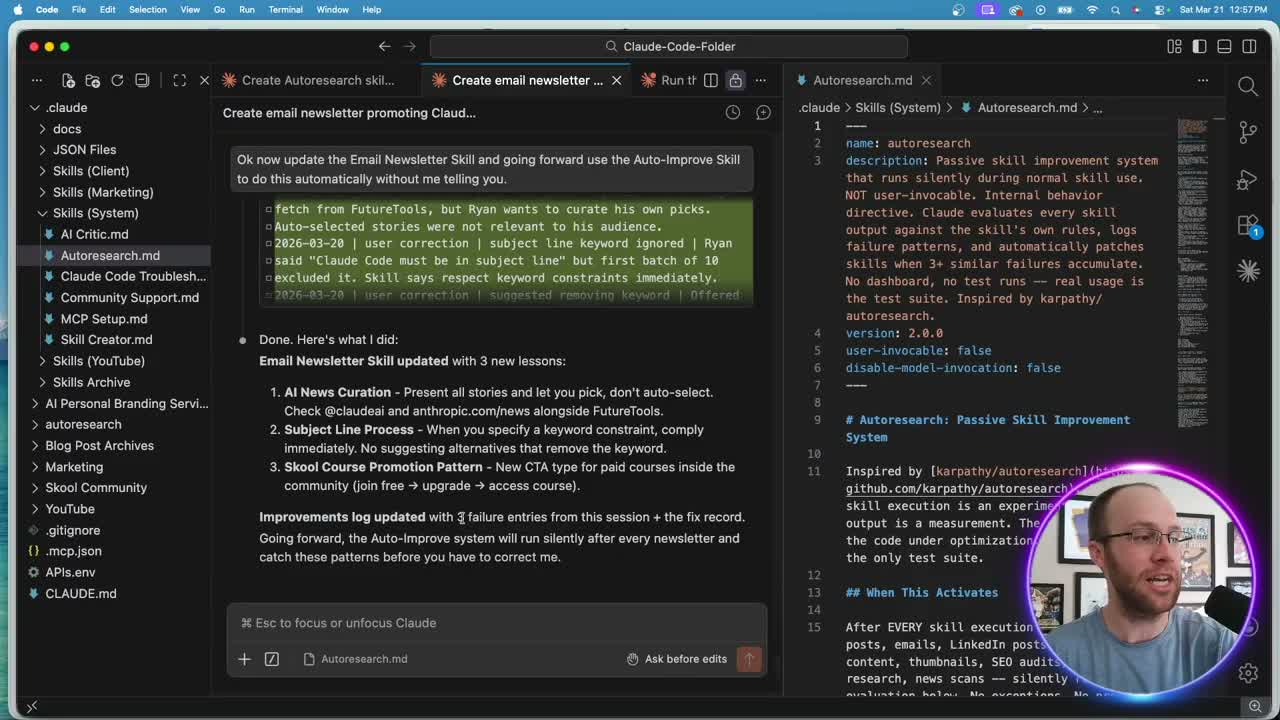
With Claude Code self-improving skills, the system catches patterns you might miss. My email newsletter skill picked up three new rules after a single session. One was about formatting. Another was about CTA placement. The third caught a voice inconsistency I hadn’t consciously noticed.
I didn’t prompt any of those updates. The skill evaluated its own output, logged the failures, and patched itself. That’s the difference between a static prompt template and a living system that gets better every time you use it.
If you want the full set of Claude Code skills I run in production, including the autoresearch skill, you can grab my Claude Code Skills Stack. It has 20+ skill files for marketing and content workflows.
Start With Your Top Five Skills
I wouldn’t recommend turning autoresearch on for every skill at once. Claude Code needs enough context from real sessions to understand what “good” looks like for each skill. If you rarely use a skill, it won’t have enough data to make meaningful improvements.
Pick your five most-used skills. For me, those were the SEO blog post writer, email newsletter, news scan, social media, and thumbnail designer. These are the workflows I run multiple times per week. They generate the most corrections, the most edge cases, and the most opportunities for the system to learn.
Once autoresearch proves itself on your core skills, expand from there. Karpathy designed this system to run quietly in the background. It shouldn’t slow you down or require constant attention. If you want to hear more about Karpathy’s thinking behind the project, I’d recommend watching this interview where he goes deep on autonomous AI research systems.
The real productivity gain isn’t the time saved on individual updates. It’s the compounding effect. Every session makes your skills slightly better. After a few weeks, your Claude Code marketing workflows run noticeably cleaner with fewer corrections needed from you.
Final Thoughts from Ryan
Autoresearch turned my Claude Code skills from static documents into living systems. The setup took two prompts and a few minutes. The payoff compounds with every workflow I run. If you’re spending time manually updating skill files after each session, this single hack will give you that time back.
Claude Code Autoresearch FAQs
What is Claude Code autoresearch?
Claude Code autoresearch is a passive skill improvement system based on Andrej Karpathy’s autoresearch repository. It silently evaluates your skill outputs after every run, logs failures, and auto-patches the skill markdown file once three or more similar failures accumulate. No manual updates required.
Do I need to install anything to use autoresearch in Claude Code?
No. You don’t need to clone repos or install dependencies. The entire system lives inside a skill markdown file that Claude Code reads natively. You create it with a prompt, customize it with a second prompt, and it runs passively from that point forward.
How many skills should I start with for autoresearch?
Start with your top five most-used skills. Autoresearch needs real session data to identify patterns and make meaningful improvements. Skills you rarely use won’t generate enough context for the system to learn effectively. Expand to additional skills once you see results on your core workflows.
Will autoresearch break my existing Claude Code skills?
The system is designed to make small, targeted patches rather than sweeping rewrites. It logs every change to an improvements file, so you can review what was updated and revert if needed. It also stays silent by default, only sending a one-line notification when a patch is applied.
